

12 Free Checks Before the Epic Games Launcher Preview - 2026
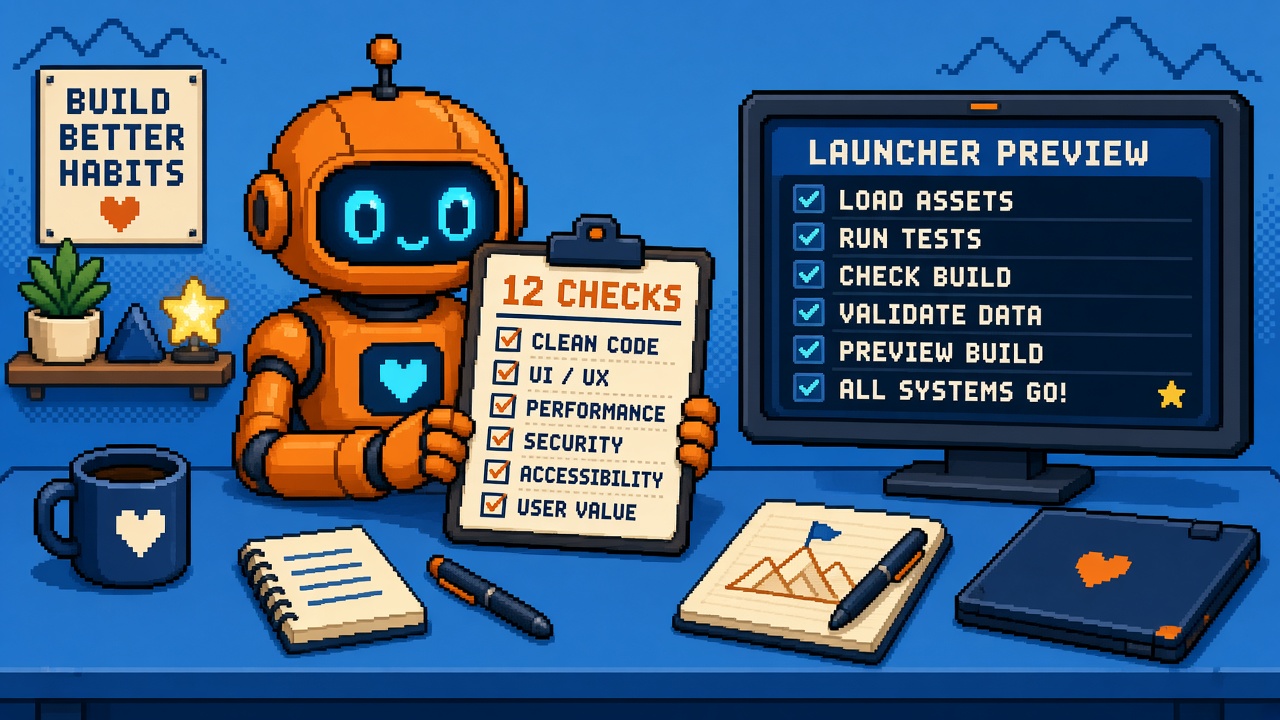
If you searched epic games launcher tools after Epic opened the Launcher Preview, you do not need another vibe-coding quote thread. You need a numbered free-check list before anyone clicks Install on a machine that still ships builds.
Epic’s preview surface at launcher.epicgames.com frames a faster launcher for Windows, macOS, and Linux, asks you to try it and share feedback, and states that installing the new Epic Games Launcher will automatically uninstall the legacy version. Competitive play once you are in a game is framed as fine; the hazard is the install step on the wrong PC. Store news lives at store.epicgames.com/news/epic-games-launcher-preview (re-fetch if your network blocks it).
This listicle owns the free kit: twelve checks that cost nothing but time. It is not the what-changed explainer, not the Stop replacing your only launcher, and not the spare-machine lab worksheet. Those own facts, refusal, and fill-in lab. This URL owns the toolkit roundup.
Why this matters now
Studios paste the preview link into Discord and call it “tools research.” The free tools were already on the page: distro/OS clarity, uninstall warning, Send Feedback. Missing is a single numbered pass that forces a spare-machine decision before install.
Direct answer: Run checks 1–4 before download. Run 5–9 on a spare box only. Run 10–12 before you tell the team the preview is “fine.” If check 1 fails, stop — that is the whole point of the kit.
Who this list is for
| Audience | Use it to… |
|---|---|
| Beginners | Ten-minute yes/no before installing anything |
| Developers | Engine/store smoke after a spare install |
| Creators | Paste the twelve titles into Discord |
| Companies | Diligence — preview ≠ mandated stable |
Time: 15 minutes for 1–4; 60–90 minutes for a full spare-lab pass.
Honest limit: Epic’s preview site and store post are authorities. This is not a new Epic SDK and not a Linux Fortnite guarantee.
Non-repetition
| URL | Job |
|---|---|
| Preview site | Primary install + FAQ surface |
| What the preview changed | Facts / Linux / EAC framing |
| Stop replacing only launcher | Refusal |
| First indie lab worksheet | Fill-in lab |
| Stuck-percent help | Legacy install freeze fix |
| Unreal guide | Engine hub |
| Discord resources | Team paste |
| This URL | 12 free checks toolkit |
The one-paragraph version
Before installing Epic’s Launcher Preview, confirm the PC is disposable, read the legacy uninstall warning, match your OS, plan a feedback path, then smoke login, library, Unreal/UEFN launch, and a store download on that spare machine. Do not treat the preview as a required cutover or a Fortnite-on-Linux ship certificate.
How to use this list
| Mode | Checks | Stop rule |
|---|---|---|
| Gate only | 1–4 | Any fail → no install on this PC |
| Spare lab | 1–9 | Fail on engine open → stay on legacy for ship work |
| Team sign-off | 1–12 | Fail on feedback/owner → no “we standardized” claim |
Print the titles. Check boxes in a shared doc. Link the Stop URL when someone argues.
1. Spare-machine gate (free, mandatory)
What it is: A written yes/no — “Is this the only PC that opens Unreal / UEFN / our Epic ship path?”
Pass: You named a spare laptop, VM, or second OS install.
Fail: The machine in front of you is the only launcher for shipping work.
Honest limit: Curiosity is not a spare machine.
Do next: If fail, read the Stop and stop.
2. Legacy uninstall warning (free, on-page)
What it is: Re-read launcher.epicgames.com install step — preview install uninstalls the legacy launcher on that PC.
Pass: Team quote-pasted the warning into Discord before download.
Fail: Someone says “it just upgrades in place” without citing the page.
Honest limit: Account data claims ≠ shortcut survival.
Do next: Screenshot the warning into the lab doc.
3. OS support match (free)
What it is: Confirm your lab OS is in Epic’s preview framing — Windows, macOS (Apple silicon called out in coverage), Linux.
Pass: Lab OS matches a supported preview path.
Fail: Exotic setup with no Epic statement.
Honest limit: “Linux launcher exists” ≠ “our anti-cheat mode is certified.”
Do next: For Linux store implications, pair what changed.
4. Owner + rollback named (free)
What it is: One human owns the lab; one sentence describes how ship work stays on legacy.
Pass: Names in the doc.
Fail: “We’ll figure it out.”
Honest limit: Rollback may mean “use the other PC,” not dual-install on one disk.
Do next: Calendar a 48-hour lab window.
5. Download from the official preview URL (free)
What it is: Installer fetched from Epic’s preview surface, not a random mirror.
Pass: URL is launcher.epicgames.com (or Epic’s linked download).
Fail: Forum DLL repack.
Honest limit: Official URL can still 403 on some networks — try another network, do not grab shady mirrors.
Do next: Hash/size note in the lab doc if your security policy requires it.
6. Sign-in and library smoke (free)
What it is: After install on the spare, sign in and confirm library/entitlements look sane.
Pass: Expected games/engines visible for the test account.
Fail: Empty library on the wrong account.
Honest limit: Preview bugs happen — use Send Feedback (check 12), do not debug on the ship PC.
Do next: Note account email used (not password).
7. Unreal Engine open smoke (free if you already own UE)
What it is: Launch the engine you actually use from the preview launcher on the spare.
Pass: Editor opens to a known project or blank template.
Fail: Hard fail / infinite update loop.
Honest limit: First open can still hit cache/permission issues — see stuck-percent help patterns; keep ship work on legacy until understood.
Do next: Record engine version string.
8. UEFN / Fortnite editor path smoke (free if applicable)
What it is: If your pipeline uses UEFN, open it once from the preview on the spare.
Pass: Editor reaches a known state.
Fail: Blocked login / missing install.
Honest limit: Competitive Fortnite once in-game is a different claim than “UEFN is our ship toolchain on preview.”
Do next: If you do not use UEFN, mark N/A — do not fake a pass.
9. One store download or update (free bandwidth aside)
What it is: Download or update one small free title or a known engine component to exercise the download stack.
Pass: Completes without wedging the spare.
Fail: Stuck percent with no recovery.
Honest limit: Spare disk space required — check free GB first.
Do next: If stuck, stay off the ship PC; use help article patterns on the spare only.
10. Distro / Linux notes captured (free)
What it is: If labbing Linux, write which distro/version you used and what broke.
Pass: One paragraph in the lab doc.
Fail: “Linux works” with no version.
Honest limit: Your distro ≠ Epic’s QA matrix.
Do next: Link GamingOnLinux / Verge coverage only as secondary context; prefer Epic primary pages for claims.
11. Team policy sentence (free)
What it is: One sentence: preview allowed on spares only until Epic calls stable / until lab PASS.
Pass: Posted in Discord + eng doc.
Fail: Silent installs on random laptops.
Honest limit: Policy without check 1 is theater.
Do next: Link Stop + this listicle in the same message.
12. Send Feedback path practiced (free)
What it is: Find and use Epic’s feedback entry on the preview (the site pushes “share feedback”).
Pass: One real note filed (bug or UX), ticket/reference saved if shown.
Fail: “We’ll complain on Twitter instead.”
Honest limit: Feedback does not prioritize your studio.
Do next: Keep a running list of blockers that would prevent cutover.
Quick-reference table
| # | Check | Cost | Blocks install? |
|---|---|---|---|
| 1 | Spare-machine gate | Time | Yes |
| 2 | Uninstall warning read | Time | Yes if ignored |
| 3 | OS match | Time | Yes if unsupported |
| 4 | Owner + rollback | Time | Yes |
| 5 | Official download | Time | Soft |
| 6 | Sign-in / library | Time | Soft |
| 7 | Unreal open | Time | Soft |
| 8 | UEFN open | Time | Soft |
| 9 | One download | Bandwidth | Soft |
| 10 | Linux notes | Time | Soft |
| 11 | Team policy | Time | Soft |
| 12 | Send Feedback | Time | Soft |
Red-flag phrases (instant fail)
| Someone says… | Translate to… | Response |
|---|---|---|
| “It’s just a UI refresh” | Ignoring uninstall | Read check 2 aloud |
| “Play is fine so install is fine” | Confusing in-game with install hazard | Send Stop link |
| “We’ll dual-boot later” | No spare today | Fail check 1 |
| “Linux means Fortnite works” | Category error | Pair what-changed |
| “I grabbed it from a Mega link” | Supply-chain fail | Check 5 only |
| “Preview is required now” | False mandate | Ask for Epic stable date citation |
Keep this table in Discord pins next to the twelve titles.
Worked example — three-person indie
| Person | Machine | Allowed preview? |
|---|---|---|
| Alex | Only Windows box with UE 5.x cache + project SSD | No — check 1 fail |
| Blair | Old laptop, 40 GB free, not on critical path | Yes — lab host |
| Casey | Linux daily driver | Yes for Linux notes — still not the Windows ship box |
Blair runs checks 5–12 Tuesday night. Alex keeps shipping on legacy. Casey files one Linux feedback note. Wednesday stand-up reviews the doc — no one “just tried it” on Alex’s PC.
RACI for companies
| Check cluster | Responsible | Accountable | Consulted |
|---|---|---|---|
| 1–4 gate | Build lead | Studio lead | IT |
| 5–9 lab | Build lead | Build lead | Engine owners |
| 10 Linux | Platform eng | Build lead | QA |
| 11 policy | Studio lead | Studio lead | Legal (if needed) |
| 12 feedback | Lab owner | Build lead | — |
If Responsible and Accountable are both “whoever clicked the link,” you do not have a process.
What “free” does and does not mean
| Free | Not free |
|---|---|
| Time to read warnings | A second gaming laptop (hardware) |
| Official download | Engineer hours if install bricks a day |
| Feedback form | Guaranteed Epic prioritization |
| This checklist | A substitute for Epic’s own docs |
The keyword epic games launcher tools often implies downloads. The highest-leverage tools here are decisions. Paying zero dollars for a bad install on the ship PC is still expensive.
Mapping checks to sibling URLs
| After check… | Open |
|---|---|
| 1 fails | Stop |
| You need Oct 14 facts | What changed |
| You want fill-in receipts | Worksheet |
| Percent stuck on spare | Help stuck install |
| You need engine learning next | Unreal guide |
Beginner path — fifteen minutes
- Open this list and the preview site.
- Answer check 1 out loud.
- If no spare, stop and send the Stop.
- If spare exists, paste checks 2–4 into Discord and assign an owner.
- Schedule the spare lab (5–12) — do not install during a live cook.
Developer lab afternoon (spare only)
| Block | Checks |
|---|---|
| 0:00–0:15 | 1–4 gate |
| 0:15–0:30 | 5 install |
| 0:30–0:50 | 6–7 |
| 0:50–1:10 | 8–9 |
| 1:10–1:30 | 10–12 + write |
Use the worksheet if you want fill-in receipts; this listicle stays the free numbered kit.
Creator Discord paste
Before anyone installs Epic Launcher Preview: (1) spare machine only, (2) install uninstalls legacy on that PC, (3) OS match, (4) named owner. Full 12-check list: [this post]. Refusal: [Stop]. Facts: [what changed]. Lab form: [worksheet].
Company diligence
| Question | Evidence |
|---|---|
| Did we install preview on ship PCs? | Check 1 log — should be No |
| Who labbed? | Check 4 name + date |
| Engine smoke? | Checks 7–8 notes |
| Feedback filed? | Check 12 reference |
Failure modes
| Failure | Symptom | Fix |
|---|---|---|
| Ship-PC preview | Legacy gone mid-week | Stop; rebuild process on spare going forward |
| Checklist theater | All boxes ticked, no spare | Invalidate; redo 1 |
| Linux overclaim | Store page promises competitive Linux | Re-read what-changed; separate launcher vs EAC |
| Mirror install | Malware risk | Official URL only |
| No feedback | Same bugs forever | Check 12 |
| VM with no GPU path | “Unreal opened” was software raster only | Note GPU passthrough reality in check 7 |
| Shared spare chaos | Two people lab same night, fight updates | Check 4 single owner |
Copy-paste lab doc skeleton
Date:
Lab owner:
Spare machine ID / hostname:
OS + version:
Check1 spare?: Y/N
Check2 warning pasted?: Y/N
Check3 OS match?: Y/N
Check4 rollback sentence:
Check5 download URL:
Check6 account (email only):
Check7 Unreal version / result:
Check8 UEFN result or N/A:
Check9 download test:
Check10 Linux notes or N/A:
Check11 Discord policy link:
Check12 feedback filed?: Y/N ref:
Ship PCs still on legacy?: Y/N
Fill this even if you also use the worksheet. The skeleton keeps the listicle’s twelve IDs stable across studios.
When to re-run the twelve
Re-run checks 1–4 any time someone new joins and brings a laptop. Re-run 5–12 when Epic publishes a material preview update, when you change engine major versions, or when you consider making preview the default image. Do not assume last month’s PASS still holds after a silent installer change.
Solo vs two-person studio
Solo: your spare might be a five-year-old laptop. That is still better than risking the only machine that can package to Steam or console partners. Run checks 1–9; mark 10 N/A if you do not ship Linux; still do 11–12 so you are not flying blind.
Two-person: one owns the lab doc; the other owns Discord feedback. Split prevents “I thought you filed it.” Both must agree ship PCs stay on legacy until the lab doc shows twelve PASS lines with dates.
What this listicle is not
It is not a rewrite of what changed, not the Stop replacing opinion spine, and not the printable worksheet. Use those for narrative, policy, and paper templates. Use this URL when someone asks for a numbered free check kit they can paste into Discord.
If your producer only has ten minutes, send them checks 1, 2, 4, and 12 first. Those four alone stop most “we wiped the ship PC” disasters while the rest of the lab waits for a free evening.
Opinion spine (quotable)
Stop calling the preview page “research” if you skip the uninstall warning.
Stop installing on the only build PC because the FAQ says play is fine once you are in-game.
Do run the twelve free checks — spare first, feedback last.
Relationship to sibling posts
| Need | URL |
|---|---|
| What changed Oct 14 | What changed |
| Hard refusal | Stop |
| Fill-in lab | Worksheet |
| Free numbered kit | This URL |
Key takeaways
- The free “tools” are checks — not a new Epic SDK.
- Check 1 (spare machine) is the real gate.
- Preview install uninstalls legacy on that PC — read it on launcher.epicgames.com.
- Windows / macOS / Linux preview framing still needs an OS match.
- Name an owner and a rollback sentence before download.
- Smoke Unreal/UEFN only on the spare.
- One download exercise catches stuck installers early.
- Linux notes need distro versions, not vibes.
- Team policy belongs in Discord the same day.
- Practice Send Feedback once.
- Use Stop / what-changed / worksheet for their jobs — this page is the list.
- Preview ≠ mandatory stable cutover.
FAQ
What are Epic Games Launcher tools in this article?
A free twelve-check kit before installing the Launcher Preview — machine gate, warning, OS, smokes, feedback — not a downloadable SDK.
Will the preview uninstall my old launcher?
Epic’s preview site says installing the new launcher automatically uninstalls the legacy version on that PC. Verify on the live page.
Can I install on my only Unreal PC?
No — fail check 1. See the Stop.
Does Linux preview mean Fortnite competitive on Linux today?
Not as a blanket claim. See what changed for EAC/Linux framing.
Where do I download?
Start at launcher.epicgames.com.
Is this the lab worksheet?
No — worksheet is the fill-in form. This is the numbered free list.
How long do the first four checks take?
About fifteen minutes.
What if install gets stuck at a percent?
Keep it on the spare; use stuck-percent help patterns — do not “fix” the ship PC.
Should companies standardize on preview now?
Not from this list alone. Lab, feedback, wait for Epic’s stable call.
Is this legal advice?
No — ops checklist for indies.