

12 Free Meshy Remesh Tools After 7.1 Ultra 4K - 2026
If you searched meshy remesh tools after Meshy 7.1 Ultra 4K, you do not need another “AI 3D is magic” post. You need a free remesh and poly-budget toolkit: hit a written triangle target, remesh before you bake or AI-texture, prove the import in your real engine, and file a receipt before anyone claims the Ultra hero is “game-ready.”
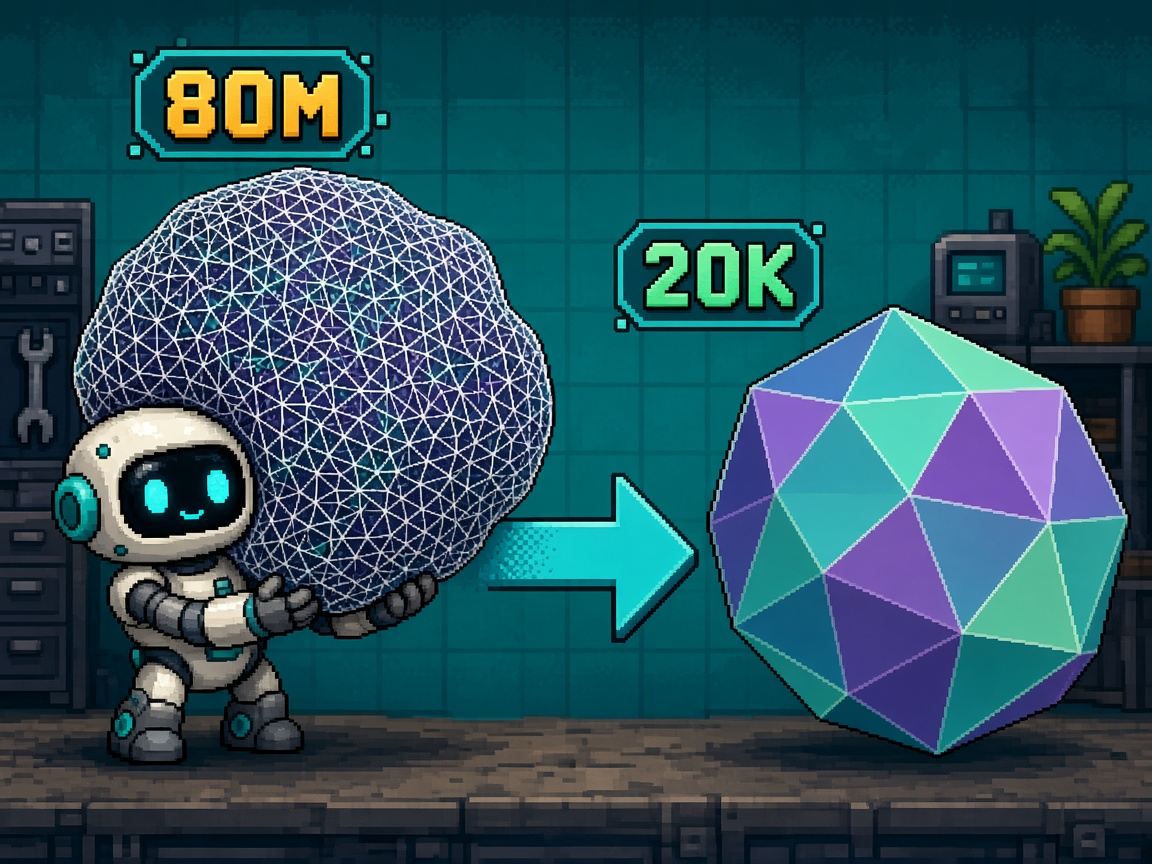
On September 10, 2026, Meshy published Meshy 7.1: Ultra 4K Detail Richness Benchmark. Ultra 4K scales geometry generation to 4096³. A raw mesh straight from the model, before simplification, can contain as many as 80 million triangles. That detail is real geometry — stitches, scales, engraving — not a painted normal map. It is also a shipping trap if you download Ultra and drop the file into Unity, Unreal, or Godot without a remesh step.
This listicle is the free toolkit for that trap. It is not the Meshy 7 image-to-3D alignment smoke (does the mesh match the reference). It is not the Meshy Smart Topology keep/hold evening (one Topology Mesh ritual). It is not the Meshy 3D Agent evening, the 8K Texture evening, or the AutoRemesher quad retopo evening. Those own single-tool smokes. This URL owns twelve free remesh / budget options keyed to Ultra 4K face-count reality.
Why this matters now
October 2026 is when Ultra FOMO hits import week. Artists generate Ultra 4K for Discord screenshots. Producers paste “80M tris” into sprint boards. Engines hitch. Meshy’s own Game Assets docs put Remesh in the official pipeline: Generate → Remesh → AI Texturing → Rigging → Export. The vendor already tells you to optimize faces before you treat the asset as game-ready. Indies still skip that step because Ultra looks finished in the Meshy viewer.
Direct answer: Adopt a four-tool minimum this week — Meshy Remesh (or Topology Mesh at generate time), Blender Decimate as the offline backup, one dedicated remesher (Instant Meshes or AutoRemesher), and one CLI simplify path for GLB batches — then expand to the full twelve only when a specific budget or topology job still fails.
Who this list is for
| Audience | Use it to… |
|---|---|
| Beginners | Know remesh comes before texture, and which free button to press first |
| Developers | Wire Ultra → budget → engine import without a paid retopo seat |
| Creators | Paste a Discord shortlist that stops “ship the 80M GLB” folklore |
| Companies | CapEx four-liner — Ultra is a generation mode, not a ship LOD |
Time: 30 minutes to pick the four-tool minimum and write poly budgets; 90–120 minutes for one Ultra prop through remesh + engine smoke.
Honest limit: Free remeshers destroy UVs, break thin shells, and can erase the detail Ultra paid for. Remesh is a budget tool, not a magic “keep every stitch at 2k tris” button. Ultra 2K / Ultra 4K and Meshy 7.1 downloads require a Meshy subscription per the launch post — free tiers still matter for the remesh side of the stack.
Non-repetition
| URL | Job |
|---|---|
| Meshy 7 image-to-3D alignment smoke | Reference ↔ mesh alignment keep/hold |
| Meshy Smart Topology evening | Topology Mesh poly-budget evening |
| Meshy 3D Agent evening | Chat → concepts → mesh |
| Meshy 8K Texture evening | Hero albedo resolution |
| AutoRemesher free evening | One external quad retopo ritual |
| AI 3D import-ready checklist | Multi-vendor import gates |
| This URL | Free remesh / poly-budget toolkit after Ultra 4K |
Pair Blender handoff notes with Blender for game assets, the 15 free Blender addons for game assets resource list, and AI-generated assets not importing in Unity when the engine rejects the file after remesh.
Selection criteria (how a tool earned a slot)
A tool is in only if all of these are true:
- Free tier usable without a credit card for the remesh / simplify job (or native Meshy Remesh on a seat you already have for generation).
- Primary job is face-count reduction, remeshing, or LOD-ready simplify — not a random AI generator with a “optimize” checkbox.
- Works on Meshy exports (GLB / FBX / OBJ common paths) or sits in the official Meshy remesh step.
- Honest limits can be stated in one sentence (UV wipe, open-source quirks, subscription for Ultra download, etc.).
- Useful after Ultra 4K — targets the 80M → game-budget problem, not only sculpt cleanup folklore.
Polygon budgets (write these before you remesh)
From Meshy’s Game Assets reference (verify against your art bible):
| Platform | Character | Prop | Environment piece |
|---|---|---|---|
| Mobile (casual) | 3K–5K | 500–2K | 1K–5K |
| Mobile (heavier) | 10K–20K | 2K–5K | 5K–15K |
| PC / console | 20K–50K | 5K–15K | 10K–50K |
| VR | 10K–30K | 2K–8K | 5K–20K |
Rule: Write the budget in Discord before you download Ultra. If the budget is “whatever looks sharp,” you do not have a remesh job — you have an argument.
Four-tool minimum (do this before the other eight)
| # | Tool | Job after Ultra |
|---|---|---|
| 1 | Meshy Remesh or Topology Mesh at generate | Hit budget inside Meshy before texture |
| 2 | Blender Decimate | Offline backup when Meshy remesh is wrong or unavailable |
| 3 | Instant Meshes or AutoRemesher | Dedicated remesh when Decimate collapses detail badly |
| 4 | gltf-transform simplify | Batch GLB simplify for kit folders |
Latch the receipt at the end only when these four are real for your machine and seat.
Tool 1 - Meshy Remesh (native)
Type: In-product remesh / face optimize
URL: Meshy workspace → asset → Remesh (see Game Assets pipeline)
Ultra job: Reduce an existing Meshy mesh to a written poly budget without regenerating from the prompt.
How to use after Ultra 4K
- Generate or download the Ultra mesh only if your seat allows Meshy 7.1 download (subscription required per the 7.1 launch post).
- Run Remesh to the written target (example: prop ≤5k, character ≤20k).
- Inspect silhouette and thin parts before you AI-texture.
- Export FBX (Unity/Unreal) or GLB (Godot/web) after remesh.
Honest limit: Remesh after texturing breaks UVs — remesh before texture when possible. Remesh will not magically keep every Ultra engraving at mobile budgets.
Pair with: Tool 2 (Topology Mesh) when you can generate at budget instead of Ultra-then-remesh; Tool 3 as offline backup.
Tool 2 - Meshy Topology Mesh / Smart Topology
Type: Generate-time poly-budget mode
URL: Text/Image to 3D → Model Type Topology Mesh; evening ritual at Smart Topology keep/hold
Ultra job: Skip the 80M download when a controllable 100–15k Topology Mesh already meets the art bible.
How to use after Ultra FOMO
- Ask: does this prop need Ultra geometry, or a budgeted Topology Mesh?
- If budgeted: set Topology Mesh + poly slider, export, import-smoke.
- If Ultra: generate Ultra, then Tool 1 Remesh — do not ship Ultra raw.
- File which path you chose in the receipt.
Honest limit: Topology Mesh is a budgeted starting mesh, not AAA face loops. Controllable ranges and Remesh sliders move — re-verify the UI the night you run it.
Pair with: Tool 1 when Ultra detail is required; Meshy 7 alignment smoke when reference match matters more than face count.
Tool 3 - Blender Decimate Modifier
Type: Free desktop modifier (Collapse / Un-Subdivide / Planar)
URL: Blender → Modifiers → Decimate
Ultra job: Offline triangle collapse when you already have a GLB/FBX outside Meshy.
How to use after Ultra 4K
- Import the Meshy export; Apply scale; confirm scene units.
- Add Decimate → Collapse; set Ratio or Face Count to the written budget.
- Compare side-by-side with the original in wireframe.
- Apply modifier only after the silhouette pass; then UV/texture workflow.
Honest limit: Aggressive Collapse turns thin straps and fingers into spaghetti. Planar mode is for hard surfaces. Decimate is not a substitute for good Ultra → Remesh inside Meshy when you still have credit access.
Pair with: Tools 4–5 for topology-first remesh; Tool 9 for GLB CLI after export.
Tool 4 - Blender Voxel Remesh
Type: Free Remesh modifier / sculpt Voxel Remesh
URL: Blender Remesh modifier (Voxel) or Sculpt → Voxel Remesh
Ultra job: Rebuild a watertight voxel surface when Ultra topology is unusable for further sculpt or boolean work.
How to use after Ultra 4K
- Duplicate the Ultra mesh; never remesh the only copy.
- Voxel Remesh at a resolution that preserves silhouette, not micro-stitching.
- Decimate (Tool 3) down to the game budget after voxelization if needed.
- Bake normals from the Ultra high to the new low when detail must survive as texture.
Honest limit: Voxel Remesh destroys existing UVs and can erase intentional holes. Use it when you need a clean volume, not when you only need a lighter triangle count with the same seams.
Pair with: Tool 5 (QuadriFlow) when you need quads for further edit; Tool 12 (Meshmixer Reduce) as alternate volume reduce.
Tool 5 - Blender QuadriFlow Remesh
Type: Free built-in remesh (quad-oriented)
URL: Blender Object Data → Remesh → QuadriFlow (version labels vary; confirm in your Blender)
Ultra job: Produce a more editable quad mesh for props you will continue in Blender before engine export.
How to use after Ultra 4K
- Clean non-manifold issues that stop QuadriFlow.
- Set target face count near your written budget.
- Inspect poles and edge flow on hero silhouettes.
- Export GLB/FBX; do not assume quads survive engine import as quads.
Honest limit: QuadriFlow can fail or produce ugly poles on chaotic Ultra meshes. Instant Meshes / AutoRemesher may win for some shapes. Engines triangulate anyway — quads are for editability, not FPS magic.
Pair with: Tool 6 or 7 when QuadriFlow fails; Blender 5.2 LTS lock notes before you upgrade mid-kit.
Tool 6 - Instant Meshes
Type: Free / open-source remesher
URL: Instant Meshes project (open-source field-aligned remesher; use a trusted build from the project’s official repository)
Ultra job: Field-aligned remesh when Blender modifiers produce blotchy LODs on organic Ultra props.
How to use after Ultra 4K
- Export OBJ/PLY from Blender or Meshy path your pipeline allows.
- Load into Instant Meshes; set target face count.
- Preview orientation field; export remeshed mesh.
- Re-import to Blender for UVs / bake / engine export.
Honest limit: Builds and GUIs vary by fork. Treat Instant Meshes as a lab remesher until your team pins a binary hash. Expect UV redo.
Pair with: Tool 7 when you want a guided evening ritual; Tool 3 when you only need collapse, not field-aligned remesh.
Tool 7 - AutoRemesher (free)
Type: Free dedicated retopo / remesh app
URL: AutoRemesher free distribution; full evening at AutoRemesher keep/hold
Ultra job: Quad-focused remesh when Meshy Remesh + Blender still leave uneditable mess.
How to use after Ultra 4K
- Follow the AutoRemesher evening gates on one Ultra prop, not the whole kit.
- Write target face count before you click remesh.
- Bring the result back to Blender for UV and bake.
- KEEP lab / HOLD ship only after engine import smoke.
Honest limit: AutoRemesher is not Meshy’s native Remesh. It adds a handoff hop. Do not run it on every rock in a kit on day one.
Pair with: Tool 1 first; use Tool 7 when native remesh fails the silhouette test.
Tool 8 - MeshLab Quadric Edge Collapse Decimation
Type: Free open-source mesh processing
URL: MeshLab → Filters → Remeshing, Simplification → Quadric Edge Collapse Decimation
Ultra job: Batch-friendly simplification with quality metrics when Blender is overkill for a folder of props.
How to use after Ultra 4K
- Import OBJ/PLY; clean duplicates if needed.
- Run Quadric Edge Collapse to the target face count.
- Export; open in Blender or engine for visual QA.
- Script MeshLab server / mlx filters only after a manual pass succeeds.
Honest limit: MeshLab UIs feel dated; wrong filter order can nuke attributes. Start with one prop. Prefer Meshy Remesh when you still sit inside Meshy credits.
Pair with: Tool 9 for GLB-native pipelines; Tool 3 if your team lives in Blender already.
Tool 9 - gltf-transform simplify
Type: Free CLI (meshoptimizer-backed simplify)
URL: @gltf-transform/cli — gltf-transform simplify
Ultra job: Shrink already-exported GLBs for web, Godot, and kit folders without opening Blender.
How to use after Ultra 4K
- Remesh or Decimate to a sane mid LOD first when starting from tens of millions of tris — CLI simplify is not a substitute for Ultra → 20k artistic judgment.
- Run simplify with a target ratio or error threshold your team documents.
- Diff triangle counts before/after; keep the original GLB.
- Import-smoke in Godot or Three.js viewers.
Honest limit: Simplify can melt thin geometry. Always keep the pre-simplify file. CLI skill is required — this is a developer tool, not a beginner first click.
Pair with: Tool 10 (gltfpack); Tool 11 (Godot LOD) after you have a budgeted base mesh.
Tool 10 - gltfpack / meshoptimizer
Type: Free CLI compression + optimize
URL: meshoptimizer gltfpack
Ultra job: Compress and optimize GLBs for download size and GPU-friendly index/vertex layout after face count is already sane.
How to use after Ultra 4K
- Do not use gltfpack as your only remesh from 80M — reduce faces first (Tools 1–9).
- Run gltfpack on the budgeted GLB for meshopt compression flags your engine supports.
- Verify materials and scale after pack.
- Store both unpacked and packed artifacts in the kit folder.
Honest limit: Compression ≠ remesh. Shipping a compressed 2M-tri mesh still tanks mobile. Face count first, pack second.
Pair with: Tool 9; Godot/web export notes in your engine docs.
Tool 11 - Godot mesh LOD generation
Type: Free engine-side LOD
URL: Godot 4.x mesh import / Mesh LOD settings (confirm labels for your minor version)
Ultra job: Generate LODs for a already-budgeted Meshy import so distant props do not pay full character cost.
How to use after Ultra 4K
- Import the remeshed GLB (not the raw Ultra).
- Enable mesh LOD generation with ratios that match your platform table.
- Play a camera pull-back smoke; watch LOD switches.
- Record LOD0 triangle count in the receipt — that is still your ship budget.
Honest limit: Engine LOD will not rescue an 80M LOD0. Remesh first. Godot LOD is a distance tool, not a Meshy Remesh replacement.
Pair with: Tool 9 for pre-import simplify; AI import-ready checklist for cross-engine gates.
Tool 12 - Autodesk Meshmixer Reduce
Type: Free (legacy) desktop remesh / reduce
URL: Autodesk Meshmixer (still widely used for Reduce / Remesh despite product age)
Ultra job: Aggressive Reduce on organic Ultra heroes when Blender Decimate destroys silhouette and you need a second opinion.
How to use after Ultra 4K
- Import OBJ/STL/FBX as Meshmixer accepts for your build.
- Edit → Reduce to target percentage or triangle count.
- Export back to Blender for UVs if needed.
- Treat Meshmixer as a lab tool — pin the installer version your studio tested.
Honest limit: Product is legacy; expect install quirks on new OS versions. Not a CI citizen. Prefer Meshy Remesh + Blender for the default path.
Pair with: Tool 4 (Voxel Remesh) when you need volume rebuild; Tool 6 when field-aligned remesh looks better.
Criteria → tool map
| Need | Tools |
|---|---|
| Stay inside Meshy | 1, 2 |
| Offline Blender collapse | 3, 4, 5 |
| Dedicated free remeshers | 6, 7, 8, 12 |
| GLB batch / web | 9, 10 |
| Engine LOD after budget | 11 |
| Ultra hero → mobile prop | 1 → 3 → 11 |
| Ultra hero → editable quads | 1 or 4 → 5/6/7 |
Pipeline order (do not invent a new one)
Meshy’s docs order is the default:
- Generate (Ultra only when detail is required).
- Remesh to written budget (Tool 1 or 2).
- AI Texturing / PBR after remesh.
- Rig if character.
- Export FBX/GLB.
- Engine smoke + optional Tools 9–11.
If you texture first, remesh second, you own the UV wipe. That is a common Ultra-week failure mode — put it on the Discord paste.
Beginner path — first Ultra prop in 90 minutes
Prerequisites: Meshy seat that can download (if testing Ultra), Blender installed, one destination engine, written budgets.
- Minutes 0–10: Write budgets for prop / character / env from the table above. Paste in Discord.
- Minutes 10–25: Either generate Topology Mesh at budget (Tool 2) or generate Ultra and Remesh (Tool 1).
- Minutes 25–40: Export GLB; open in Blender; confirm triangle count with a statistics overlay.
- Minutes 40–55: If over budget, Decimate (Tool 3) to target; do not chase perfection.
- Minutes 55–75: Import into Unity / Unreal / Godot; check scale, normals, hitch on a dump of 20 instances.
- Minutes 75–90: Fill receipt + Discord paste; decide KEEP lab toolkit / HOLD Ultra-on-ship-LOD0.
Pass: LOD0 tris ≤ written budget; no hitch dump; remesh happened before texture (or you documented why not).
Developer path — kit folder discipline
Architecture sketch
ultra_raw/          # never referenced by engine
budget_lod0/        # remeshed targets
baked/              # textures after remesh
packed/             # gltfpack output optional
receipts/           # meshy_ultra_remesh_toolkit_receipt_v1.json
Failure modes
| Mistake | Symptom | Fix |
|---|---|---|
| Ship Ultra raw | Editor hitch / package bloat | Tool 1 or 3 before import |
| Remesh after texture | UV explosion | Remesh → texture order |
| One budget for all platforms | Mobile melts | Platform table rows |
| CLI simplify from 80M | Melted silhouette | Artistic remesh first |
| Topology Mesh + Ultra mixed in one A/B | Unreadable results | One variable per smoke |
| No receipt | Discord folklore | File JSON |
Honest limits
- Ultra 4K is single-view only per Meshy’s launch FAQ; multi-view Ultra is not assumed.
- Detail Richness leadership does not mean ship-ready topology.
- Free remeshers are not a commercial license for the Meshy asset — check your Meshy plan/license before Steam ship.
- Paid retopo suites can still win for hero faces; this listicle refuses to pretend free tools replace every character TD.
CapEx four-liner
- Ultra 4K is a generation spend, not a LOD0 spend.
- We will not buy a retopo suite this sprint if the four-tool minimum hits written budgets.
- We will not market “80M game-ready” in store copy or pitch decks.
- We will re-run remesh when the art bible budget changes — not when Discord likes the Ultra screenshot.
Common mistakes
- Downloading Ultra for every prop “for quality,” then wondering why the build is 40 GB.
- AI-texturing before Remesh.
- Using gltfpack as a remesher.
- Claiming Topology Mesh and Ultra are interchangeable in one A/B test.
- Skipping engine instance dumps (20× prop).
- Remeshing the only copy of the Ultra file.
- Writing “~low poly” instead of a number.
- Confusing this toolkit with the Smart Topology evening or AutoRemesher evening.
- Ignoring Meshy’s subscription gate for Ultra download, then blaming the remesh tools.
- Shipping compressed-but-still-huge GLBs to mobile.
Worked studio picks (patterns, not case studies)
Solo Godot prop jam
- Four-tool minimum: Topology Mesh at ≤2k (Tool 2) → Blender Decimate if needed (Tool 3) → gltf-transform (Tool 9) → Godot LOD (Tool 11).
- Ban: Ultra 4K on jam-day props.
Three-person Unity hero prop
- Path: Ultra for the hero inspect mesh → Meshy Remesh to ≤15k (Tool 1) → bake normals from Ultra high → Unity import.
- Ban: Ultra as the only mesh in the Addressables group.
Unreal environment kit
- Path: Topology Mesh batch for trim → Instant Meshes or MeshLab on outliers (Tools 6/8) → FBX export.
- Ban: One Ultra rock duplicated 200 times.
Discord paste
Meshy Ultra remesh toolkit (free stack)
Four-tool minimum: Meshy Remesh|Topology Mesh + Blender Decimate + Instant Meshes|AutoRemesher + gltf-transform
Prop:
Platform budget (tris):
LOD0 tris after remesh:
Remesh before texture: YES/NO
Engine smoke (20× instance): PASS/FAIL
Receipt: meshy_ultra_remesh_toolkit_receipt_v1.json as_of 2026-10-10
Outbound: Meshy 7.1 launch + Game Assets docs pasted: YES
Receipt - meshy_ultra_remesh_toolkit_receipt_v1.json
{
  "receipt": "meshy_ultra_remesh_toolkit_receipt_v1",
  "as_of": "2026-10-10",
  "primary_keyword": "meshy remesh tools",
  "asset_name": "REPLACE_ME",
  "generation_mode": "Ultra4K|Ultra2K|Standard|TopologyMesh",
  "written_budget_tris": 0,
  "lod0_tris_after_remesh": 0,
  "four_tool_minimum": {
    "meshy_remesh_or_topology_mesh": false,
    "blender_decimate": false,
    "instant_meshes_or_autoremesher": false,
    "gltf_transform_simplify": false
  },
  "tools_in_use": [],
  "remesh_before_texture": false,
  "engine_smoke_20x": false,
  "notes": "Ultra is generation detail; LOD0 is a written budget",
  "outbound_docs": [
    "https://www.meshy.ai/blog/meshy-7-1-launch",
    "https://docs.meshy.ai/en/webapp/guides/use-cases/game-assets"
  ]
}
Key takeaways
- Meshy 7.1 Ultra 4K can emit up to ~80M triangles before simplification — plan remesh before import.
- Meshy’s own game-assets pipeline puts Remesh before AI Texturing.
- Adopt a four-tool minimum before buying retopo software.
- Prefer Topology Mesh when Ultra detail is not required.
- Blender Decimate is the default offline backup.
- Instant Meshes / AutoRemesher / MeshLab cover cases Decimate melts.
- gltf-transform and gltfpack are batch/compress tools — not Ultra remeshers by themselves.
- Engine LOD (Godot/Unity) needs a sane LOD0 first.
- Write platform budgets from the Meshy table; do not ship “looks fine.”
- File
meshy_ultra_remesh_toolkit_receipt_v1.jsonand paste Discord. - This URL is a listicle toolkit, not the Smart Topology or AutoRemesher evening.
- Cite the 7.1 launch post and Game Assets docs next to claims.
FAQ
What are the best free Meshy remesh tools after Ultra 4K?
Start with Meshy Remesh or Topology Mesh, Blender Decimate, one dedicated remesher (Instant Meshes or AutoRemesher), and gltf-transform for GLB batches. Expand to MeshLab, QuadriFlow, Voxel Remesh, Meshmixer, and engine LOD only when those four leave a gap.
How many triangles can Meshy 7.1 Ultra 4K produce?
Meshy’s 7.1 launch post states a raw mesh can contain as many as 80 million triangles before simplification.
Should I remesh before or after AI texturing?
Before. Meshy’s Game Assets workflow is Generate → Remesh → AI Texturing. Remeshing after texture commonly breaks UVs.
Is Topology Mesh the same as Remesh?
No. Topology Mesh / Smart Topology is a generate-time poly-budget mode. Remesh reduces an existing mesh. Use Topology Mesh to avoid Ultra when you can; use Remesh when Ultra detail was required.
Do I need a paid retopo suite?
Not for the first kit week if the four-tool minimum hits your written budgets. Hero faces and animation-critical characters may still justify paid tools later — that is a CapEx decision, not a Discord impulse.
Can gltfpack replace Meshy Remesh?
No. gltfpack optimizes and compresses; it does not replace artistic face-count targeting from 80M to a game budget.
How is this different from the Smart Topology evening?
That URL is a one-evening keep/hold for Topology Mesh. This URL is a twelve-tool listicle for remesh/budget options after Ultra 4K FOMO.
How is this different from the AutoRemesher evening?
AutoRemesher owns one external retopo ritual. Here AutoRemesher is Tool 7 inside a broader free toolkit.
What poly budget should I use?
Use Meshy’s platform table as a starting point, then override with your art bible. Write the number before you download Ultra.
Does free remesh preserve Ultra detail?
Only within budget. Detail that cannot survive the triangle target should move to normal maps via bake — or you raise the budget honestly.
What about Meshy subscription limits?
Meshy 7.1 is available to registered users, but Ultra 2K / Ultra 4K and downloading Meshy 7.1 output require a subscription per the launch post. Free remesh tools still help once you have a mesh file; they do not bypass Meshy’s download gates.
Related reading
- How to Try Meshy Smart Topology - First Indie Low Poly Keep Hold 2026
- How to Use AutoRemesher Free - First Indie Quad Retopo Evening 2026
- How to Try Meshy 7 Image to 3D - First Indie Alignment Smoke 2026
- How to Use Meshy 3D Agent - First Game-Ready Asset One Evening 2026
- How to Use Meshy 8K Texture - First Indie Hero Asset Evening 2026
- AI 3D Model Generator Tools - Import-Ready Checklist 2026
- Blender for game assets - pipeline
- AI-generated assets not importing in Unity
- 15 Free Blender Addons for Game Asset Creation
Primary sources: Meshy 7.1 Ultra 4K launch · Meshy Game Assets docs.