

Blender 5.0 Scene as Asset - First Indie Game Handoff Evening 2026
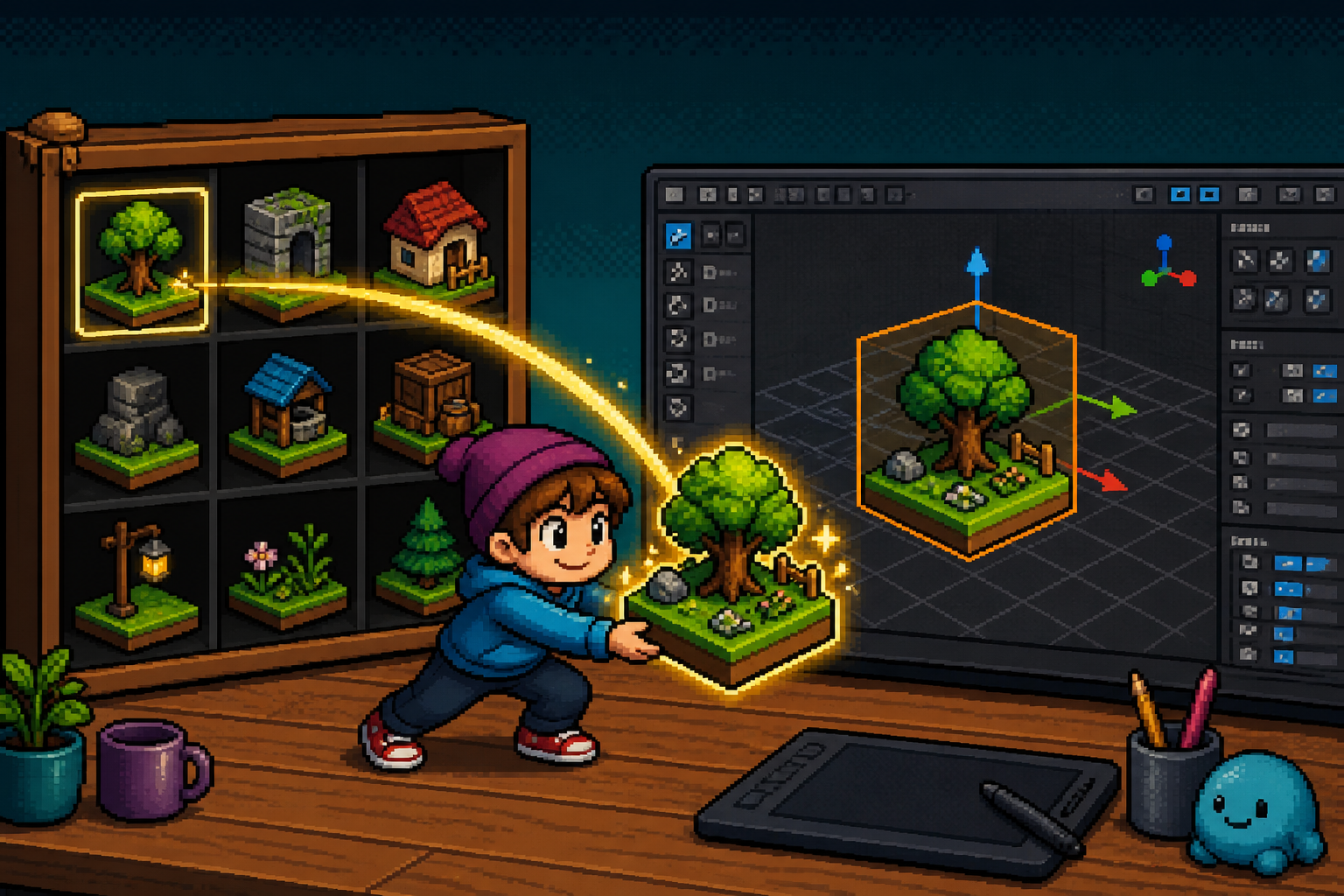
If you are searching blender 5.0 scene asset in mid-2026, the useful question is not "does Blender have an Asset Browser?" You already knew that. The useful question is: can a small game team mark one set-dressing scene as an asset in Blender 5.0+, drag it from the Asset Browser into a clean file, understand packed linked data defaults, respect version-compat limits for older Blender, then run a boring GLTF (or FBX) engine smoke into Unity/Godot/Unreal without rewriting the whole library tonight?
Why this matters now
On 18 November 2025, Blender shipped 5.0 ("Hi Five"). The public release page lists a quiet but pipeline-changing Assets bullet: entire scenes can now be marked as assets. The developer Assets notes spell out the behavior: a preview is generated from the scene's active camera; dragging from the Asset Browser imports the scene (when it is not already local) and makes it the active scene. Custom asset libraries default to the new Packing import method (see Core packed data).
That still matters in August 2026 because many indie art trees sit awkwardly between:
- people still on 4.5 LTS for "safety,"
- people on 5.0/5.1 feature builds,
- people pinning Blender 5.2 LTS for studio lock,
- and color/ACES work tracked in the Blender 5 ACES HDR checklist.
Scene-as-asset is the missing reuse evening: not color management, not LTS upgrade politics, not a full export bible. It is the first keep/hold for treating a game set-dressing scene as a library citizen before you explode it into engines.
Demand context (honest): r/blender is on the order of 1.39M subscribers; r/blenderTutorials around 87k. Those are durable practitioner signals - not proof your library folder is organized.
Non-repetition: this URL is not the 5.2 LTS upgrade lock. It is not the ACES HDR checklist. It is not the full Blender→Unity/Godot export pipeline (use that after S5). This page owns one intent: first scene-as-asset game handoff smoke on Blender 5.0+.
| Audience | Start here | Done when |
|---|---|---|
| Beginner Blender creator | Glossary + S1–S3 | Scene marked; drag import works in clean file |
| Tech artist / pipeline lead | S1–S6 + packed-data honesty | Receipt pins Blender build + library path + export hash note |
| Studio lead | Keep/hold table + CapEx | Written keep_scene_assets / hold_team_library / adopt_packing |
| Creator sharing Discord | Monday ritual paste | Clear "disposable library first" disclaimer |
Time estimate: 90–150 minutes on disposable .blend files. Do not reorganize the live production asset library first.
Default recommendation: Keep scene assets for set dressing / modular levels / lighting refs inside Blender if S3–S5 pass. Hold treating Asset Browser drag as a replacement for engine-ready GLTF packages until the export smoke (S5) is boring.
What changed - scenes as first-class assets
Per Blender's 5.0 Assets release notes:
- Mark scenes as assets - same Asset Browser cataloging mental model as objects/materials, now for whole scenes.
- Preview from active camera - your scene's camera framing becomes the shelf thumbnail. Bad camera = useless preview.
- Drag import → becomes active scene - not a silent append into the wrong context; the dragged scene becomes the scene you are in.
- Packing import method default for custom asset libraries - pairs with packed linked data in Core.
Packed linked data (why game teams care)
From the 5.0 Core notes:
- Packed IDs stay linked (not freely edited like pure local data) but are stored inside the current
.blend. - They survive if the original library path goes missing.
- They do not auto-update when the library file changes (snapshot semantics).
- De-duplication across files reduces duplicate util nodes when several shots share the same packed ID.
- Archive libraries / namespaces avoid name collisions for packed IDs.
Compat honesty that must appear on every Discord paste:
| Situation | What happens |
|---|---|
| 5.0+ file with packed data → open in 4.5 LTS | Packed data converts to plain local (as if appended) |
New large-buffer .blend format → 4.5 LTS |
Can load |
New large-buffer .blend → older than 4.5 |
Cannot load |
| Long data-block names (up to 255 bytes) → 4.5 | Truncation / linking limits - do not rely on ultra-long names across 4.5 bridges |
What scene-as-asset is not
- Not a substitute for engine packages (Addressables, Godot
.tscnpacks, Unreal levels). - Not automatic LOD / collision / lightmap UV generation.
- Not permission to skip export handoff checklists.
- Not a reason to keep Collada in the pipeline - Blender 5.0 removed Collada (.dae) support. Use glTF/FBX/USD paths.
Glossary
- Scene asset: a Blender Scene data-block marked as an asset and visible in the Asset Browser.
- Asset Browser: Blender's shelf for browsing cataloged assets from libraries or the current file.
- Active camera: the camera used for the scene asset's generated preview.
- Packing import method: default for custom libraries in 5.0 - prefers packed linked data behavior.
- Packed linked data: linked-but-embedded IDs stored in the consuming
.blend. - Set-dressing scene: a small game-art scene (props + lights + camera) used as a modular reference, not the entire game.
- Handoff: leaving Blender into Unity/Godot/Unreal via export + import smoke.
- Receipt: short JSON/markdown pinning version, gates, library path, and decision owner.
Monday ritual - six gates (S1–S6)
| Minute | Gate | Action | Evidence |
|---|---|---|---|
| 0–15 | S1 | Confirm Blender 5.0+; disposable project + library folder | Help → About + folder path |
| 15–40 | S2 | Build tiny set-dressing scene; set active camera; save | Viewport + camera view match |
| 40–65 | S3 | Mark scene as asset; assign catalog; refresh Asset Browser | Shelf shows preview |
| 65–90 | S4 | New empty .blend; drag scene asset; confirm active scene |
Clean-file screenshot |
| 90–120 | S5 | Export selected/relevant content to glTF; import one engine | Engine viewport smoke |
| 120–150 | S6 | Note packed/compat limits; write keep/hold receipt | blender_50_scene_asset_handoff_receipt_v1 |
Receipt fields (minimum)
{
  "receipt": "blender_50_scene_asset_handoff_receipt_v1",
  "blender_version": "5.0.x|5.1.x|5.2.x",
  "library_path": "path/to/disposable_asset_lib",
  "scene_asset_name": "SET_plaza_smoke_A",
  "gates": {
    "S1_version": "pass|fail",
    "S2_scene_camera": "pass|fail",
    "S3_mark_asset": "pass|fail",
    "S4_drag_import": "pass|fail",
    "S5_gltf_engine": "pass|fail|skip",
    "S6_decision": "keep_scene_assets|hold_team_library|adopt_packing|hold_engine_replace"
  },
  "compat_notes": "packed→4.5 becomes local; <4.5 cannot load new large buffers",
  "export_format": "gltf|fbx|usd",
  "engine": "unity|godot|unreal|none",
  "decision_owner": "name"
}
S1 - Blender 5.0+ on a disposable library
- Install or confirm Blender 5.0 or newer (download / releases). If your studio already pinned 5.2 LTS, use that build - scene assets still apply; this evening is about the feature, not forcing a downgrade.
- Create a disposable folder:
art/_smoke/blender_scene_asset_2026_08/. - Inside it:
lib/(asset library root) andwork/(scratch files). - In Preferences → File Paths → Asset Libraries, add
lib/temporarily (or use Current File only for S3, then promote to a library for S4).
Pass: version string recorded; disposable paths only.
Fail: you marked assets inside the live production library "for convenience."
Beginner path
If Asset Libraries confuse you: do S3 entirely in Current File, save a second empty file in the same folder, and use Append/Link patterns only after S3 works. Promote to a shared library after the receipt says keep.
S2 - Build a tiny set-dressing scene (not your whole game)
Scope that fits one evening:
- 3–8 props (crates, lamp, bench) - low poly is fine.
- One area light or sun + one fill.
- One active camera framed like a store/reference shot (three-quarter, readable silhouette).
- Collection named
SET_plaza_smoke_Amatching the scene name habit your team already uses.
Camera rules for scene assets:
- Set the camera as the scene's active camera (Scene properties).
- Frame so the preview will read at Asset Browser thumbnail size - avoid extreme close-ups of one bolt.
- Optional: save a Camera View bookmark so the preview stays intentional after you orbit.
Pass: Play/viewport camera view matches what you want on the shelf.
Fail: preview shows a black void or a random work camera behind the set.
Naming convention (cite-worthy)
Use SET_<location>_<variant> for scene assets and PROP_<name> for objects. Searchability beats cleverness when the shelf grows past twenty tiles.
S3 - Mark the scene as an asset
- In the Outliner or Scene selector, select the Scene data-block.
- Mark as Asset (right-click / Asset menu - same family of actions you use for objects).
- Assign a catalog (e.g.
Game/SetDressing/Smoke). - Save the
.blendinto yourlib/folder if you are using a library path. - Open the Asset Browser; set the library source; find your scene; confirm the camera preview looks right.
Pass: scene appears on the shelf with a readable preview.
Fail: object assets appear but the scene does not - you marked a collection or object by mistake.
Preview regeneration tip
If the preview is stale after re-framing the camera, clear/regenerate asset previews using your Blender build's Asset Browser preview tools, then save again. Stale previews cause people to drag the wrong set.
S4 - Drag into a clean file (the real smoke)
- File → New → General (or your studio empty template).
- Save immediately as
work/consume_scene_asset_smoke.blend(never Untitled forever). - Open Asset Browser → your library → drag the scene asset into the UI per 5.0 behavior.
- Confirm the active scene is now the imported set-dressing scene.
- Check Outliner: expected objects present; no mysterious missing-library spam if packing worked as intended.
Pass: clean file becomes the set scene; you can orbit and select props.
Fail: empty scene, wrong scene active, or red missing-library errors - stop and fix library path / packing settings before preaching to the team.
Packing vs classic link/append mental model
| Method | Mental model | Game-team risk |
|---|---|---|
| Packing (5.0 default for custom libs) | Linked semantics + embedded storage | Library updates do not auto-flow; file size grows |
| Link | Live dependency on library path | Breaks when paths move; great for live editorial, fragile for zip handoffs |
| Append | Local copy | Editable duplicates; easy drift between files |
For game set modularity inside Blender, packing is often the keep. For engine delivery, you still export (S5) - packing does not ship to Steam.
S5 - Engine handoff smoke (GLTF first)
Scene-as-asset helps Blender reuse. Players never load .blend scene assets. Run a minimal export:
- In the consumed scene, select the props you actually want in-engine (or export the collection).
- Prefer glTF 2.0 (
.glb) for Unity/Godot/Unreal modern paths. Avoid resurrecting Collada - removed in 5.0. - Export with applied transforms / +Y up conventions your handoff checklist already standardized.
- Import into one target engine on a disposable project.
- Verify five boring checks: scale, pivot, normals, material slots, and (if any) simple animation.
Optional: hash the .glb and paste the hash into the receipt for diligence mirrors (hero glTF hash evening if you need a longer ritual later).
Pass: engine shows the set without purple materials or 100× scale disasters.
Fail: blame the Asset Browser - usually it is export settings. Fix export; re-run S5; do not abandon scene assets for an exporter mistake.
Unity / Godot / Unreal notes (short)
| Engine | First smoke | Hold if… |
|---|---|---|
| Unity | glTFast or official glTF path your project already uses | You still depend on .dae somewhere |
| Godot 4 | Import .glb; check root scale |
Importer creates nested garbage you cannot parent cleanly |
| Unreal | Datasmith/glTF path your TA owns | Scene asset temptation replaces proper level streaming design |
If color looks wrong after import, that is a texture color-space problem - see Blender color space looks wrong in Unity and the ACES checklist, not this Asset Browser evening.
S6 - Compat limits + keep/hold decision
Write the receipt, including:
- Blender exact version.
- Whether the library uses Packing.
- Explicit note: 4.5 LTS opens packed 5.0 data as local; <4.5 may fail on new file buffers.
- Engine + export format used in S5.
- Decision from the table below.
| Decision | Meaning | When |
|---|---|---|
| keep_scene_assets | Use scene assets for set dressing libs inside Blender | S3–S5 pass |
| adopt_packing | Standardize Packing for custom game art libraries | Team understands non-live-update semantics |
| hold_team_library | Do not migrate production catalogs yet | Freeze week / missing owner |
| hold_engine_replace | Keep scene assets in Blender; do not pretend they replace engine packages | Always honest default for ship builds |
Keep vs hold decision matrix
| Situation | Recommendation |
|---|---|
| Duo building modular plazas in Blender | keep_scene_assets + adopt_packing |
| Mid-fest content freeze | hold_team_library; smoke only on disposable paths |
| Some artists still on Blender <4.5 | Hold sharing 5.0 library files until everyone ≥4.5 LTS (preferably 5.x) |
| Pipeline still exports Collada | Migrate exporters first; scene assets second |
| Already on 5.2 LTS pin | Run this evening on the LTS build; link results into the 5.2 lock docs |
| Color/ACES unsettled | Do not mix ACES experiments into the same evening - separate checklist |
Common mistakes
- Marking a collection instead of a scene. Different data-block; shelf stays empty of scene tiles.
- Ugly active camera. Useless previews kill adoption.
- Dragging into Untitled and quitting. Always save the consumer file.
- Expecting library edits to live-update packed consumers. Packing snapshots.
- Treating scene assets as Steam-ready levels. Engines need exports.
- Sharing 5.0 packs with Blender 3.x/4.2 machines. Buffer/compat wall.
- Skipping GLTF smoke. Blender-only wins create false confidence.
- Mixing ACES conversion into the same night. Two receipts, two evenings.
- Renaming with 200-character block names across 4.5 bridges. Truncation pain.
- Using scene assets to hide a messy export contract. Fix the export checklist.
Failure modes and fixes
| Symptom | Likely cause | Fix |
|---|---|---|
| No scene on shelf | Wrong data-block marked | Mark Scene; resave |
| Black preview | Bad/missing active camera | Assign camera; regenerate preview |
| Drag does nothing | Wrong library filter / outdated index | Refresh Asset Browser; check library path |
| Missing linked data spam | Path moved; packing not used | Re-add library; prefer Packing for smoke |
| Huge consumer file | Packed duplicates / fat textures | Slim set; pack only what you need |
| Engine purple/pink | Materials/textures not exported | Fix glTF material graph; re-export |
| Scale 100× | Unit/export axis mismatch | Align to studio export contract |
| Teammate cannot open file | Blender <4.5 | Upgrade or provide 4.5+ LTS bridge build |
Company / diligence four-liner
- We smoke-tested Blender 5.0+ scene assets (mark → Asset Browser drag → active scene) on disposable library paths and filed
blender_50_scene_asset_handoff_receipt_v1. - Packing/linked-data semantics are documented: packed IDs embed but do not live-update; 4.5 LTS converts packed to local.
- Engine delivery still goes through glTF/FBX with a recorded import smoke - scene assets are a Blender reuse layer, not a store package format.
- Production library migration is hold during freezes until an owner and version floor (≥4.5 LTS, preferably 5.x) are written down.
CapEx honesty
Blender is free. Costs are time (this evening), disk (packed embeds), and process (catalog ownership). Do not invent Asset Browser license fees. Budget a TA hour to document library paths in the studio README.
Discord-ready Monday paste
Blender 5.0 scene-as-asset handoff (90–150m)
1) Blender 5.0+ on disposable lib/ + work/ folders
2) Tiny SET_* scene + intentional active camera
3) Mark Scene as asset; confirm Asset Browser preview
4) New clean .blend; drag scene; confirm it becomes active
5) Export glTF; import one engine; check scale/normals/materials
6) Receipt: blender_50_scene_asset_handoff_receipt_v1
Compat: packed→4.5 becomes local; <4.5 may not open new buffers
NOT an ACES evening. NOT a 5.2 LTS lock. NOT a full export bible.
Decision: keep_scene_assets | adopt_packing | hold_team_library | hold_engine_replace
What to do this week (calendar)
| Day | Action |
|---|---|
| Mon | S1–S3; share shelf screenshot |
| Tue | S4–S5; paste engine smoke notes |
| Wed | S6 receipt; README library path |
| Thu | If keep: migrate one real set (still disposable branch) |
| Fri | If hold: calendar post-freeze library migration |
How this differs from nearby Blender posts
| Post | Owns | Does not own |
|---|---|---|
| This URL | Scene-as-asset + first game handoff smoke | LTS politics, ACES, full exporter matrix |
| 5.2 LTS lock | Studio version pin | Scene asset first evening |
| ACES HDR checklist | Working space / views | Asset Browser scenes |
| Export pipeline checklist | Transform/material contracts | Marking scenes as assets |
| glTF export hash | Diligence hashing | Asset shelf workflow |
Key takeaways
- Blender 5.0 lets you mark entire scenes as Asset Browser assets.
- Previews come from the scene's active camera - frame intentionally.
- Dragging a scene asset imports it and makes it the active scene.
- Custom libraries default toward Packing - linked semantics with embedded storage.
- Packed data in 5.0+ opens in 4.5 LTS as local; older-than-4.5 builds may fail on new buffers.
- Scene assets improve Blender reuse; engines still need glTF/FBX handoffs.
- Collada is gone in 5.0 - do not plan
.daeescapes. - Run S1–S6 on disposable library paths before touching production catalogs.
- File
blender_50_scene_asset_handoff_receipt_v1with version, library path, and decision owner. - Hold team-library migration during fest freezes even if the smoke looks great.
- Keep ACES and LTS lock evenings separate so Discord threads stay answerable.
- Outsiders can cite the keep/hold table and Discord paste without learning internal cluster jargon.
FAQ
What is a Blender 5.0 scene asset?
A Scene data-block marked as an asset so it appears in the Asset Browser with a camera-based preview and can be dragged into other files as a first-class reusable scene.
How do I mark a scene as an asset in Blender 5.0?
Select the Scene, use Mark as Asset (same asset-marking family as objects), assign a catalog, save, then find it in the Asset Browser. Confirm the active camera preview.
Does dragging a scene asset append objects into my current scene?
Per 5.0 Assets notes, dragging imports the scene (if needed) and makes it the active scene - treat it as switching into that scene context, then verify in the Outliner.
What is packed linked data?
Linked IDs stored inside the current .blend so they are not lost if the library path breaks, while remaining non-editable like linked data. They do not automatically pick up later library edits.
Can Blender 4.5 open my 5.0 files with packed scene assets?
4.5 LTS can open many 5.0 files; packed data converts to plain local data. Builds older than 4.5 may not load the newer large-buffer format. Test before you assume.
Should scene assets replace my Unity/Godot addressable packs?
No. Keep scene assets for Blender modularity. Deliver to engines with export + importer profiles from your handoff checklist.
Is this the same as the Blender 5 ACES checklist?
No. ACES/working space is a color evening. This is an Asset Browser / scene reuse evening.
We are on Blender 5.2 LTS - do we still care about 5.0 scene assets?
Yes - the feature landed in 5.0 and remains relevant on later 5.x pins. Run the smoke on your LTS build and document it beside your version lock.
What export format should indies prefer after this evening?
glTF 2.0 for most Unity/Godot/Unreal indie paths, unless your studio already standardized FBX/USD with tested importers. Do not revive Collada.
How long does the first keep/hold take?
About 90–150 minutes for S1–S6 on a tiny set. Migrating a production library is a separate scheduled project.
What primary keyword does this page target?
blender 5.0 scene asset - with secondary coverage of Asset Browser scenes, packed linked data, and game handoff smoke.
Where are the official sources?
Blender 5.0 release notes, Assets developer notes, and Core packed data notes.
Related reading
- Blender 5.2 LTS - What Indies Should Lock Before Upgrading Game Assets 2026 — version pin cousin (not this scene-asset evening)
- Blender Cloth Dynamics - First Indie Experimental Cape Keep Hold 2026 — experimental cloth cape smoke (not scene assets)
- Blender 5 ACES HDR Color Pipeline for Indie Game Assets - 2026 Checklist — color/working-space cousin
- Blender to Unity and Godot Export Pipeline - A Clean Art Handoff Checklist — transform/material contracts after S5
- Your First Blender Hero glTF Export Hash - Q4 Diligence Mirror One Evening 2026
- Blender Color Space Looks Wrong in Unity - sRGB vs Linear Fix
- Exporting Game Assets from Blender
- 25 Free Blender-to-Engine Workflow Resources