

Stop Shipping Production Games on Unity 6.0 LTS After Support Ends - 2026
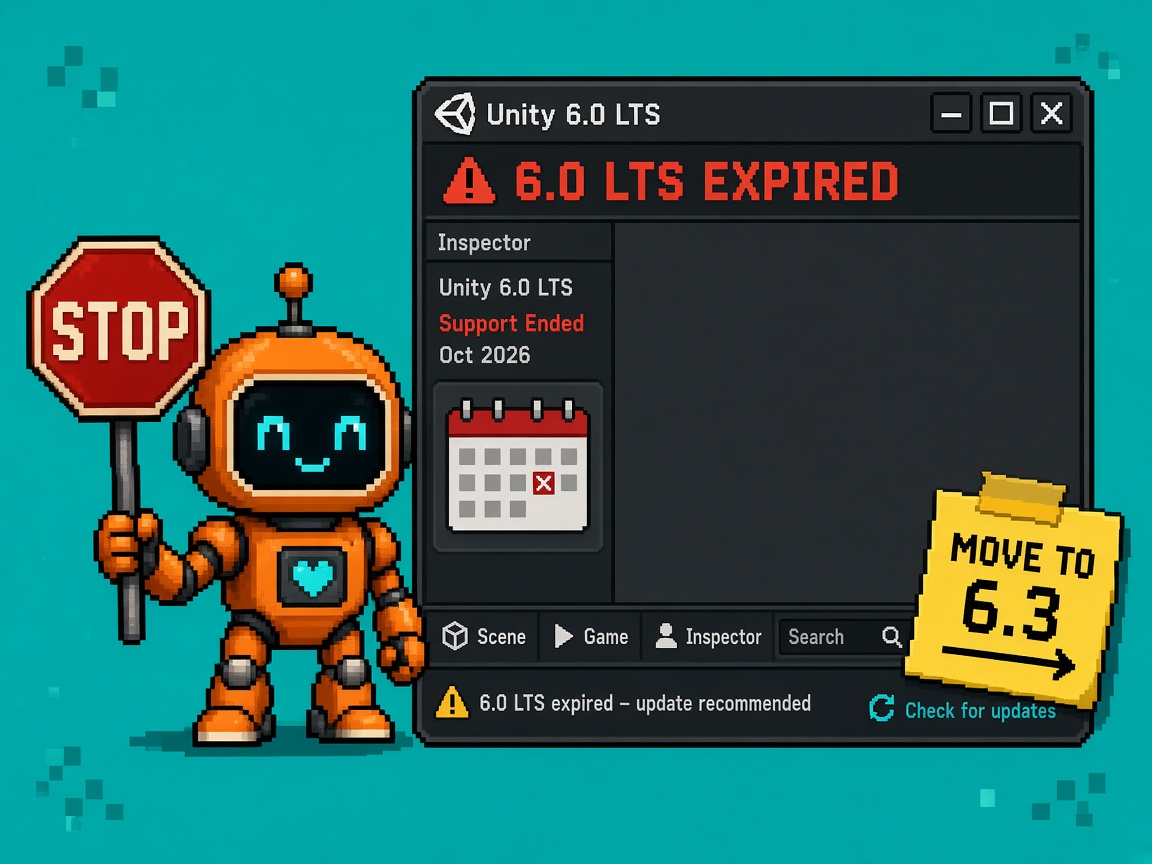
If you searched unity 6.0 lts support ends after Unity’s calendar drew a line under 6.0 LTS through October 2026, you do not need another Hub “recommended update” screenshot. You need a Stop: stop shipping new production games and live ops pins on expired standard 6.0 LTS support. The editor may still open. The store may still accept builds. Diligence, platform patches, and “we are on a supported LTS” language do not.
Primary sources: Unity 6 Releases & Support and Unity 6.3 LTS is Now Available. Companion on this site: the fill-in Unity 6.0 LTS Support Ends October 2026 - Indie Migrate Worksheet. Fest-pin companion: Stop Upgrading Unity Mid Steam Next Fest Week. Ambient: UnityCsReference.
This opinion owns the production pin refusal after the support cliff. It is not the migrate worksheet (tables/receipts). It is not the mid-fest pin Stop (demo branch governance during Next Fest). It is not the 6.6 upgrade safety sprint. Those own planning, fest freeze, and sprint steps. This URL owns Stop shipping production on expired 6.0 LTS.
Why this matters now
Per Unity’s support page: Unity 6.3 LTS is supported until December 2027, while Unity 6.0 LTS is supported through October 2026. LTS is two years for standard seats, with an additional year for Unity Enterprise and Unity Industry subscribers. November 2026 is not “almost the cliff.” For standard LTS math, the cliff is behind you.
Teams invent three excuses: “projects still open,” “players don’t care which editor built it,” and “Enterprise extended support means everyone is fine.” The first is true and irrelevant. The second fails partner and platform diligence. The third is a seat-class claim — not a free pass for every indie Hub install.
Direct answer: Stop treating Unity 6.0 LTS as a production harbour after October 2026 standard support. Harbour new production on 6.3 LTS (or a current Supported Update line if mid-cycle). Document any temporary stay with owner, date, and Enterprise/Industry eligibility if you claim extended support. Fill the migrate worksheet this week. If you cannot say “expired LTS ≠ production pin” in one sentence, you are not ready for a store cert call.
Who this Stop is for
| Audience | Use it to… |
|---|---|
| Beginners | Refuse Hub FOMO without shame |
| Developers | Pin CI images off expired 6.0 |
| Creators | Paste a Stop card when Discord says “still fine” |
| Companies | Diligence — supported editor language |
Time: 20 minutes for the refusal; use the worksheet for the full migrate plan.
Honest limit: Unity’s support page is authority. Exact patch EOL day can be cited from Unity’s materials / release notes — re-read before partner decks. Extended support is not automatic for every license.
Non-repetition
| URL | Job |
|---|---|
| 6.0 LTS migrate worksheet | Fill-in tables + receipt |
| Mid-fest pin Stop | Demo branch freeze during fest |
| 6.6 upgrade safety sprint | One-week migrate playbook pattern |
| Unity 6.3 LTS patch notes explained | What changed in 6.3 |
| Unity 6.5 BIRP playbook | Render pipeline keep/hold |
| Inspect live server Team Test | Different engine surface |
| Roblox Studio guide | Platform hub (cross-link variety) |
| HTTP 403 help | Corporate proxy |
| 25 free Discord servers | Paste channel |
| Courses | Learning ladder |
| This URL | Expired 6.0 LTS production Stop |
What “support ends” actually means
| Still true after Oct 2026 | No longer free for standard 6.0 LTS |
|---|---|
| Editor may open old projects | Regular patches / critical platform updates as a supported LTS |
| Players can run shipped builds | “We are on supported Unity 6.0 LTS” diligence language |
| Download archive still has 6.0 | Expecting new platform requirements to land on 6.0 first |
| Enterprise/Industry may have extended year | Assuming every seat has that extension |
Unity positions LTS for live service and creators locking production, and Supported Update releases for new/mid-cycle work with the same QA bar as LTS until the next Update. Neither story says “keep shipping forever on an expired LTS because nostalgia.”
Harbour recommendation (plain)
| Goal | Harbour |
|---|---|
| Lock production / live service | Unity 6.3 LTS (supported until December 2027 per Unity) |
| Mid-cycle feature chase | Current Supported Update line (re-pin deliberately) |
| Temporary stay on 6.0 | Only with DOCUMENT_STAY + owner + exit date (+ Enterprise claim if used) |
The Stop (plain language)
Stop opening new production ship branches whose CI and Hub version pin are Unity 6.0 LTS after standard support ended in October 2026.
Stop telling publishers “we’re on LTS” without naming which LTS and whether support is current.
Stop treating “the build still works” as a support policy.
Stop confusing Enterprise/Industry extended support with a free year for every indie seat.
Stop mid-ship Hub upgrades without a clone — but also stop using fest-pin folklore as an excuse to stay on expired 6.0 forever after the fest.
What you may do instead
| Allowed | Why |
|---|---|
| Keep old 6.0 installs for archaeology | Opening old branches ≠ shipping new production |
| DOCUMENT_STAY with date/owner | Honest temporary debt |
| Migrate to 6.3 LTS via worksheet | Supported harbour |
| Use Supported Update for mid-cycle | Unity’s recommended lane for that case |
| Pin demo branches during live fest | Mid-fest Stop still applies when a fest is live |
| Enterprise extended plan if you truly have it | Contract truth only |
Beginner path (twenty minutes)
- Open Unity 6 support — highlight 6.0 through Oct 2026, 6.3 until Dec 2027.
- Check your Hub: which editor builds production CI?
- If it says 6000.0.x / 6.0 LTS, schedule migrate — do not start a new live ops season on it.
- Paste the Discord brief below.
- Open the migrate worksheet and fill destination lane.
Beginner done: You can refuse a new production pin on 6.0 with a primary-source link.
Creator / producer refusal script
Unity’s support page states 6.0 LTS is supported through October 2026 and 6.3 LTS until December 2027. Our standard seats are past the 6.0 cliff. We will not pin new production ships on expired 6.0 LTS. Destination is 6.3 LTS (or a documented Supported Update). Temporary stay requires a signed DOCUMENT_STAY with owner and exit date. “It still opens” is not a support plan.
Developer depth — CI and Hub governance
Pin audit (thirty minutes)
| Check | Pass |
|---|---|
| CI image / Hub version recorded | Yes |
| Version is 6.3 LTS or Supported Update | Yes |
| If 6.0: DOCUMENT_STAY exists | Required |
| Package versions compatible with destination | Worksheet |
| Clone branch before Hub upgrade | Always |
KEEP harbour / HOLD expired pin (body)
| Decision | When |
|---|---|
| KEEP 6.3 LTS as production harbour | New ships / live ops |
| HOLD new production on 6.0 after Oct 2026 | Standard seats |
| KEEP DOCUMENT_STAY for exceptions | Short, owned, dated |
| HOLD “Enterprise covers us” without contract | Diligence fail |
| KEEP fest pin rules during live fests | Mid-fest Stop |
Enterprise / Industry honesty
Unity markets an additional year of LTS support for Enterprise and Industry. That is a subscription class benefit. Do not paste it into an indie pitch deck. If you have it, write the end date (commonly cited around one year past standard EOL — confirm on your contract / Unity account, not Discord). If you do not, your cliff was October 2026.
Supported Update vs LTS (do not weaponize)
| Lane | Use |
|---|---|
| 6.3 LTS | Lock production, live service, cert calm |
| Supported Update | Mid-cycle features/platform with weekly patches until next Update |
| Expired 6.0 LTS | Archaeology / temporary documented stay — not a harbour |
Unity says Updates get the same QA/support level as LTS while current. That does not resurrect 6.0.
Excuse ladder
| Excuse | Why it fails | Fix |
|---|---|---|
| “Editor still opens.” | Not support | Harbour move |
| “Players don’t see the version.” | Partners/cert do | Diligence language |
| “We’ll migrate after one more season.” | Season on expired LTS | DOCUMENT_STAY or migrate now |
| “Enterprise extended = us.” | Seat-class | Contract check |
| “Fest pin means stay forever.” | Fest is temporary | Mid-fest Stop ≠ eternal 6.0 |
| “Hub recommended 6.0 patch.” | Patch ≠ support window | Read support page |
| “Worksheet is enough; no Stop needed.” | Teams still pin | This refusal |
Failure modes
| Failure | Symptom | Mitigation |
|---|---|---|
| Silent expired pin | CI still 6000.0.x | Pin audit |
| False LTS claims | Deck says “on LTS” vaguely | Name 6.3 + dates |
| Panic Hub upgrade on ship branch | Broken store build | Clone first |
| Fest forever folklore | Never migrate | Calendar exit |
| Package cliff surprise | Migrate blocked | Worksheet matrix |
| Update thrash | New production every weekly Update | Prefer 6.3 harbour for lock |
Company / diligence four-liner
- Fact: Unity 6.0 LTS supported through October 2026; 6.3 LTS until December 2027 (support page).
- Control: Production CI on supported harbour; DOCUMENT_STAY if any 6.0 remain.
- Limit: Extended support only with Enterprise/Industry eligibility; archive installs ≠ support.
- Evidence: Hub/CI screenshot + worksheet receipt + this Stop in the version policy.
Discord-ready brief (paste)
STOP: shipping new production on Unity 6.0 LTS after Oct 2026 support.
Unity: 6.0 LTS through Oct 2026; 6.3 LTS until Dec 2027.
Harbour new ships on 6.3 LTS (or documented Supported Update).
“Still opens” ≠ supported. Fill the migrate worksheet; don’t Hub-FOMO the ship branch.
What to lock this week
- Pin audit on every production AppID / CI job.
- Refuse new 6.0 production branches.
- Choose 6.3 LTS vs Supported Update.
- Fill migrate worksheet destination + packages.
- Clone before any Hub upgrade.
- Kill vague “we’re on LTS” deck language.
- Enterprise claim only with proof.
- Schedule migrate sprint (use safety-sprint pattern).
- Keep archive 6.0 installs labeled archaeology.
- Re-read unity.com/releases/unity-6/support before partner calls.
Producer one-pager (paste into Notion)
Title: Unity 6.0 LTS expired — production policy
Can: Archaeology opens; DOCUMENT_STAY with exit; migrate to 6.3 LTS / Supported Update.
Cannot: New production pins on standard expired 6.0; fake Enterprise cover; “LTS” without version+date.
Owner: Tech lead / build owner.
Revisit trigger: Destination LTS support page changes or cert requires named version.
If marketing needs a public sentence today, use: “We’re moving production off Unity 6.0 LTS now that its standard support window ended in October 2026, and locking new ships on Unity 6.3 LTS.” Anything that says “6.0 is fine forever because builds run” fails diligence.
Sample refusal receipt
UNITY_60_LTS_PRODUCTION_REFUSAL_v1
date:
owner:
support_page_linked: yes/no
current_ci_version:
production_pin_allowed_60: no
destination: 6.3_LTS | Supported_Update | DOCUMENT_STAY
document_stay_exit_date:
enterprise_extended_claimed: yes/no/proof:
worksheet_filled: yes/no
signer:
CI pin patterns (developer depth)
Treat the editor version as a build input, not a Hub suggestion. Three common failure modes:
| Pattern | Symptom | Fix |
|---|---|---|
| Floating Hub “latest LTS” | Agent machines drift after a Hub refresh | Pin exact 6000.3.x (or chosen Update) in CI image tags |
| Local Hub ≠ CI | “Works on my machine” green; pipeline red | Same version string in Hub install list + Dockerfile / image |
| Package lock ignored | Packages/manifest.json + lockfile diverge after migrate |
Commit lockfile; fail CI if lock changes without review |
Example governance string for a small team Discord channel:
Production AppIDs compile on Unity 6000.3.x LTS only. Opening a 6.0 project for archaeology is fine. Opening a new live-ops branch on 6.0 requires DOCUMENT_STAY signed by build owner.
If you use cloud build agents, record the AMI / container digest next to the Unity version. A screenshot of Hub alone is not enough when an auditor asks which binary built the store package.
Partner deck redlines (company)
Replace vague slides with named facts:
| Bad slide language | Replace with |
|---|---|
| “We’re on Unity LTS.” | “Production ships on Unity 6.3 LTS (support through Dec 2027 per Unity).” |
| “Unity still supports our editor.” | “6.0 LTS standard support ended Oct 2026; we are not pinning new production there.” |
| “We have extended support.” | “Enterprise/Industry extended year claimed with contract ID ___ / not claimed.” |
| “Upgrade planned soon.” | “DOCUMENT_STAY exit date YYYY-MM-DD; destination lane 6.3 LTS.” |
Publishers and platform partners care less about Hub UI chrome and more about whether a critical platform patch has a supported landing pad. Expired LTS is a diligence smell even when Steam still accepts the upload.
Calendar honesty after October 2026
| Window | Policy |
|---|---|
| Through Oct 2026 | Last standard support window for 6.0 LTS — migrate planning should already have been underway |
| Nov 2026 onward (standard seats) | New production pins on 6.0 = policy fail unless DOCUMENT_STAY |
| Through Dec 2027 | 6.3 LTS standard harbour (re-check Unity’s page before decks) |
| Live Steam fest weeks | Mid-fest pin rules still override Hub FOMO — then return to harbour policy |
Do not invent a “grace quarter” Unity never published. If your team needs two weeks of DOCUMENT_STAY to finish a season, write it. If you need two quarters with no owner, you are still shipping on an expired harbour — this Stop refuses that.
Asset Store / package risk (why archaeology ≠ harbour)
After standard support ends, the practical risk is not only “Unity won’t email us patches.” It is tooling drift:
- New Input System / Addressables / URP package lines optimize for current LTS and Updates first.
- Asset Store vendors drop “verified for 6.0” flags while marketing 6.3 / 6.6 compatibility.
- Console / platform SDK drops may require editor versions that 6.0 cannot take cleanly.
None of that means every 6.0 project explodes on November 1. It means new production seasons accumulate debt that the migrate worksheet is designed to surface before cert week. This Stop exists so teams stop pretending Hub still opening the project is a support plan.
Week-one ops after the refusal
| Day | Action |
|---|---|
| Mon | Pin audit spreadsheet — AppID, CI image, Hub version, owner |
| Tue | Paste Discord brief; kill vague “LTS” deck wording |
| Wed | Fill worksheet destination + top-10 packages |
| Thu | Clone + first import smoke on 6.3 LTS (or chosen Update) |
| Fri | DOCUMENT_STAY only for leftovers with exit dates; otherwise schedule safety sprint |
If Monday’s audit finds zero production pins on 6.0, celebrate briefly — then still bookmark Unity’s support page so the next Hub FOMO wave does not reopen the debate.
Key takeaways
- 6.0 LTS supported through October 2026 (Unity support page).
- 6.3 LTS supported until December 2027.
- After the cliff, stop new production pins on standard 6.0.
- “Still opens” ≠ supported.
- Harbour on 6.3 LTS or a Supported Update.
- Enterprise/Industry get extra year — not everyone.
- Use the migrate worksheet for gates.
- Mid-fest pin ≠ forever 6.0.
- Clone before Hub upgrades.
- Name version + dates in diligence.
- DOCUMENT_STAY must be short and owned.
- Updates ≠ resurrecting expired LTS.
- Archive installs are archaeology.
- This Stop ≠ worksheet ≠ fest Stop ≠ 6.6 sprint.
- Re-read Unity support before every cert season.
- November 2026 is already past the standard cliff.
FAQ
Did Unity 6.0 LTS support end?
Unity states 6.0 LTS is supported through October 2026. For standard seats, treat post-October 2026 as past the support window for new production planning. Confirm exact patch EOL wording on Unity’s page/notes when writing partner dates.
Should we uninstall 6.0?
Not required. Keep for opening old branches. Stop using it as the production CI harbour.
What should we upgrade to?
Unity 6.3 LTS for locked production / live service. Consider a Supported Update line for mid-cycle feature work. See Unity’s support guidance and the migrate worksheet.
Does Enterprise give us more time on 6.0?
Enterprise and Industry get an additional year of LTS support per Unity’s marketing. Prove your seat class before you claim it.
Can we still ship a build made with 6.0?
Technical possibility ≠ policy. This Stop refuses new production pins and “supported LTS” claims on expired standard 6.0. Legal/store rules are separate — talk to your cert path.
Is this the same as the migrate worksheet?
No. Worksheet = how/tables. This page = Stop refusing expired pins. Use both.
What about Steam Next Fest upgrade panic?
Use the mid-fest pin Stop during a live fest. Afterward, do not use that freeze as permanent 6.0 residency.
Are Supported Updates safer than 6.3 LTS?
Different jobs. Updates for mid-cycle currency; LTS for lock. Both beat expired 6.0 for new production.
Will players notice?
Usually not. Partners, platforms, insurers, and your future self will notice when a critical platform fix never arrives on 6.0.
How fast must we migrate?
Fast enough that no new season/ship branch starts on 6.0. Fill DOCUMENT_STAY if you need days/weeks — not quarters without an owner.
Where do we track package breaks?
In the migrate worksheet package matrix — not in this Stop alone.
What if Hub still offers 6.0 patches?
A last patch near EOL does not extend the support window. Read the support page, not only Hub badges.
Related reading
- Unity 6 Releases & Support (primary)
- Unity 6.3 LTS is Now Available
- Unity 6.0 LTS Support Ends October 2026 - Indie Migrate Worksheet
- Stop Upgrading Unity Mid Steam Next Fest Week
- Unity 6.6 LTS Upgrade Safety Sprint
- Unity 6.3 LTS Patch Notes Explained for Indie Teams
- Unity 6.5 BIRP Deprecation Playbook
- 25 free Discord servers
- Game development courses
- UnityCsReference
Expired LTS is archaeology, not a harbour. Pin new production on supported Unity — then do the worksheet so the migrate is boring instead of a cert-week fire drill. Print “6.0 ≠ production after Oct 2026” next to your Hub so FOMO cannot reopen a dead LTS as a ship plan.