

What Roblox Analytics Journeys Changed for Creators - 2026
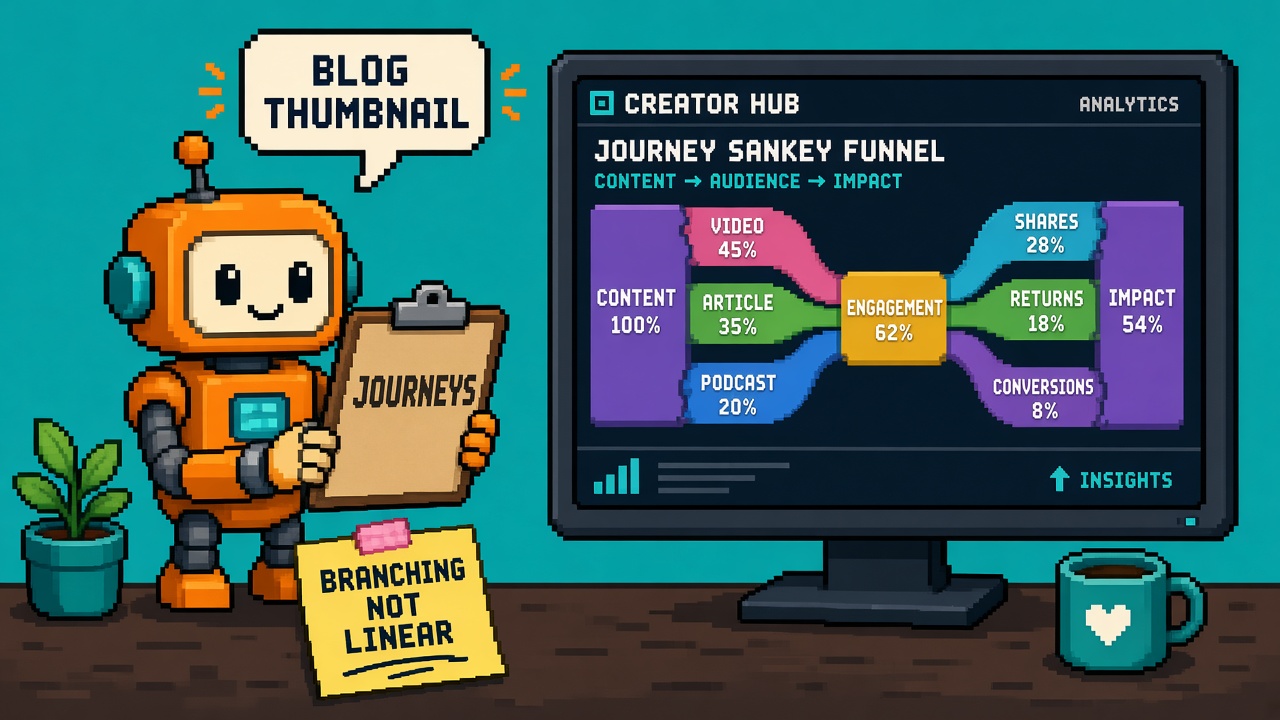
If you searched roblox analytics journeys after November 3, 2026, you do not need another “new dashboard dropped” celebration post. You need a map of what actually changed: how branching player paths differ from linear funnels, where Creator Hub stores the config, how AnalyticsService:LogJourneyEvent must match published node names, and why Studio playtests still lie about whether events will appear.
Roblox announced Analytics: Understand Complex Player Funnels With Journeys on November 3, 2026. Official how-to lives in Creator docs Journey events. Open Cloud / Creator Config details sit in Journeys configs. The engine method is documented on AnalyticsService. Fall product context remains the Creator Roadmap 2026 Fall Update.
This page is the what-changed read for creators and analytics leads. It is not the Stop opinion that refuses funnel-only dashboards after Journeys GA — that lives on Stop Treating Roblox Linear Funnels as Journeys After Hub Launch - 2026. It is not the numbered free checks kit — that lives on 12 Free Roblox Journey Event Checks Before You Publish Config - 2026. It is not the fill-in instrument worksheet — that lives on Roblox Journeys First Indie Instrument Worksheet - 2026. Those own refusal, pass/fail gates, and evening receipts. This URL owns the Journeys capability map.
Why this matters now
For years, Creator Hub funnels rewarded one story: step 1 → step 2 → step 3 in a fixed order. That works when every player opens the store, then views a sword, then buys. It fails the moment players pick a class, complete quests in any order, or browse armor before swords. Teams either flattened reality into a fake linear funnel, ran custom event dumps in a spreadsheet, or stopped measuring branching paths altogether.
November 3 does not delete funnels. It adds Journeys: stages with alternative nodes, server-side LogJourneyEvent calls, and a Sankey chart that shows every route — including where players drop. If your Monday standup still only shows “funnel completion %” for a shop with three browse categories, you are measuring a cartoon of player behavior while Hub now offers the real graph.
Direct answer: Open Creator Hub → Analytics → Journeys → Create. Build stages and nodes for the branching flow you actually ship. Publish the config. Copy the generated Luau into server scripts. Call AnalyticsService:LogJourneyEvent with exact journey and node names after you validate the player action. Read Sessions vs Users views separately. Do not treat Studio LocalScript tests as proof events will appear.
Who this read is for
| Audience | Use it to… |
|---|---|
| Beginners | Name stage vs node, find Journeys in Hub, paste one snippet safely |
| Developers | Server-only logging, session IDs, version filters, Open Cloud path |
| Creators | Discord brief: branching paths need Journeys, not another linear funnel |
| Companies | Diligence — cohort windows, version stickiness, 180-day progress expiry |
Time: 25 minutes to read. First Hub + one server instrument evening: 90–150 minutes on a copy place.
Honest limit: DevForum announcement + create.roblox.com journey-events / AnalyticsService / Journeys configs are authorities. If this page drifts, official sources win. Event delivery can lag; Hub UI availability rolled through community programs before full GA — re-check Analytics → Journeys on your experience before promising partners a chart tomorrow.
Related depth on the same catalog: Stop comparing discovery metrics across Oct 12 without a measurement note for measurement hygiene, and the Fall roadmap lock read for the wider Creator Hub ladder. Platform basics stay in the Roblox Studio guide.
Non-repetition
| URL | Job |
|---|---|
| Stop Treating Linear Funnels as Journeys | Refusal script after GA (sibling opinion) |
| 12 Free Journey Event Checks | Pass/fail preflight kit |
| Journeys instrument worksheet | Fill-in evening receipt |
| Stop comparing discovery metrics | Discovery metric hygiene — not Journeys |
| Fall roadmap lock | Broad product ladder |
| Inspect live servers during Team Test | Live server inspect — not analytics graphs |
| VIP server teleports what-changed | Teleport ops — not Journeys |
| Roblox Studio guide | Platform hub |
| 25 Discords | Paste channel |
| HTTP 403 help | Proxy while fetching Creator Hub |
| Courses | Learning ladder |
| This URL | What Analytics Journeys changed for creators |
The one-paragraph version
Journeys let you model player paths as ordered stages where each stage can contain multiple alternative nodes. Completing any node in a stage counts as completing that stage. You publish a journey config in Creator Hub (or via Open Cloud JourneysConfig), then log arrivals with AnalyticsService:LogJourneyEvent(player, journeyName, nodeName [, journeySessionId] [, customFields]) from server code with names that exactly match the published config. Hub adds an automatic __entry__ stage 0. You configure 2–10 stages with 1–10 nodes each. Analytics show Sessions and Users views with Sankey paths, drop-offs, and filters (platform, payer, custom fields). Cohorts are acquisition-dated with up to 90 days of follow-on progress in the selected range logic. User progress sticks to the journey version first acquired; new sessions pick the version active at session start. Progress without events for 180 days expires. Repeating a node does not advance; jumping ahead marks intermediates skipped. Funnels remain useful for true linear sequences — Journeys own the branching cases.
What existed before vs what shipped
| Before Journeys GA | After Nov 3 Journeys |
|---|---|
| Linear funnels as the primary Hub story for multi-step flows | Journeys for branching / reconnecting paths + funnels still available for linear cases |
| Custom event spaghetti or “we don’t measure shops” | Named stages/nodes + Sankey in Analytics → Journeys |
| No first-party graph for class pick / quest order / multi-browse shops | Official nodes-as-alternatives model |
| Guessing whether Studio fire-and-forget events reached Hub | Documented server-only logging + Hub publish + version filters |
| Manual Open Cloud only for other configs | JourneysConfig repository type + MCP-assisted setup path documented |
Capability 1 — Stages, nodes, and automatic entry
Job: Speak the Journeys vocabulary without mixing it up with funnel “steps.”
A journey is a sequence of stages. Stages move forward in order. Each stage holds one or more nodes. Nodes in the same stage are alternatives — any one of them completes the stage. Example from docs: stage “Browsed an item” can include ViewedSword and ViewedArmor. Players who view either complete the browse stage; the Sankey still shows which option they took.
Roblox automatically inserts __entry__ as stage 0. You do not configure or log __entry__. Your configured stages are numbered 1–10. Limits in the Creator Hub editor:
| Limit | Value |
|---|---|
| Configured stages | 2–10 (plus automatic entry) |
| Nodes per stage | 1–10 |
| Journey name length | Up to 50 characters (letters, numbers, ., -, _) |
| Node name length | Up to 50 characters |
| Journey name start | Cannot begin with _ |
| Node name start | Cannot begin with __ |
| Forbidden in node names | Commas, double quotes, apostrophes, line breaks, NUL |
| Node uniqueness | Unique within a stage; same name allowed in different stages |
Beginner path: Draw your real player choices on paper first. Circle each “any of these counts as progress” group — that group is one stage with multiple nodes. Circles that must happen in order become separate stages.
Honest limit: If every player must hit the exact same ordered steps with no alternatives, a funnel may still be the clearer chart. Journeys shine when order branches or reconnects.
Capability 2 — Creator Hub create → publish → snippet
Job: Get a published config and a pasteable Luau starter without inventing names in code first.
Per Journey events:
- Select your experience in Creator Hub.
- Go to Analytics → Journeys. Select Create.
- Enter a journey name.
- Add stages and the nodes in each stage.
- Select Next, then Acknowledge to save and publish the configuration.
- On Add to code, copy the generated Luau snippet into your experience, then Done.
Publishing matters. Logging against names that only exist in a draft you never acknowledged will not advance the journey. After edits, saving publishes a new configuration version. Players already on an older version in the Users view stay associated with the version they first acquired; new sessions pick the version active when the session begins.
Creator Discord brief: “We publish the journey map in Hub before we celebrate a Sankey. Unpublished names are fiction.”
Common mistakes
- Designing ten marketing-friendly node names in Studio, then typing different strings in Hub.
- Publishing once, renaming nodes in code only, and wondering why charts stall.
- Deleting a journey from the list thinking analytics history is a soft archive — Delete removes the configuration permanently per docs list actions.
Capability 3 — LogJourneyEvent on the server
Job: Emit events that Hub can attach to the published map.
From AnalyticsService: call LogJourneyEvent after a player reaches a configured node. Docs require server code and validation of the player action before sending analytics. Journey and node names must exactly match the published configuration.
One-time journey pattern (session ID omitted when the journey happens once per player):
local AnalyticsService = game:GetService("AnalyticsService")

AnalyticsService:LogJourneyEvent(
    player,
    "StoreCheckout",
    "OpenedStore"
)
Recurring journeys (shop opens every session) need a journey session ID. Generate a GUID when an attempt starts; reuse it for every event in that attempt; mint a new ID for the next attempt:
local AnalyticsService = game:GetService("AnalyticsService")
local HttpService = game:GetService("HttpService")

local journeySessionId = HttpService:GenerateGUID(false)

AnalyticsService:LogJourneyEvent(
    player,
    "StoreCheckout",
    "OpenedStore",
    journeySessionId
)

-- later, same attempt:
AnalyticsService:LogJourneyEvent(
    player,
    "StoreCheckout",
    "PurchasedItem",
    journeySessionId
)
You can attach up to three custom fields for later filters. You do not pass a stage number — Roblox resolves the stage from the published node map.
Dev verification: Fire from a Script / ModuleScript on the server after RemoteEvent validation. Confirm LocalScripts never call LogJourneyEvent “because it was easier.” Community reports before GA already showed Studio client-side fires and wrong Hub tabs as false negatives — treat those as operational truth until your published place shows sessions.
Company diligence line: Analytics without server validation is a cheat vector. Instrument after authoritative game-state checks, not after a client claims “I bought it.”
Capability 4 — Progression rules you must design for
Job: Predict what the Sankey will claim when players skip, repeat, or go idle.
Documented progression behavior:
| Behavior | Effect |
|---|---|
| Repeat current node | Does not advance |
| Event from same or earlier stage | Does not move backward |
| Jump to a later stage | Intermediate stages recorded as skipped |
| Node missing from acquired config version | Does not advance |
| Any node in final configured stage | Counts as reaching the final stage |
| No events for >180 days | Saved progress expires; return restarts from __entry__ |
Design implication: if your shop allows browsing after purchase, decide whether that is a new session (new GUID) or noise you simply do not log. If onboarding lets players skip tutorial beats, jumping ahead will mark skips — that can be a feature (measure skip rate) or a bug (you wanted mandatory nodes as separate stages).
Quotable: Journeys reward honest maps of choice. They punish silent rename drift and client-side vanity fires.
Capability 5 — Sessions vs Users, Sankey, filters, cohorts
Job: Read the right chart for the question you asked.
From Analytics → Journeys → View:
| View | What it answers |
|---|---|
| Sessions | Each journey session independently (repeat shops, re-entries) |
| Users | Each player’s first-time progression across sessions |
Both views surface totals, final-stage reach, biggest drop-off node/stage, Sankey paths, path breakdown, and churn by node or stage. Filters include journey name/version, custom fields 1–3, age group, gender, payer status, new-user status, OS, and platform.
Date ranges define acquisition cohorts: a user belongs to the date they first entered the journey; a session belongs to the date that session began. Analytics include that cohort’s progress for up to 90 days after the selected range ends (per docs cohort rules). Do not compare a one-day cohort to a month-long cohort without labeling the window.
Version filter: defaults to the newest version players acquired in range; switch versions when you restructure nodes mid-week. Publishing a new version does not migrate existing user progress onto the new map.
Capability 6 — Open Cloud + Studio MCP path
Job: Automate config + instrumentation when Hub clicking does not scale.
Docs describe Journeys as JourneysConfig Creator Config entries. Alternative flow:
- Create an Open Cloud API key with
universe:write(adduniverse:readto pull configs back). - Enable Studio as an MCP server and connect your client.
- Ask the agent to create the journey stages/nodes and insert matching
LogJourneyEventcalls near shop open / browse / purchase serverside hooks.
This does not remove the need for exact name match or server validation. It removes re-typing Hub forms when you already live in agent-driven Studio workflows. Pair with your existing MCP safety culture — do not grant write keys to chat threads you would not trust with place publish.
For agent/editor bridge context outside Roblox, the catalog already covers Unreal/Unity MCP checklists; keep those engines’ lessons (loopback, no auth on local MCP) mentally separate from Roblox Open Cloud keys, which are credentials.
Getting started (beginner first evening)
Prerequisites: experience permissions for Creator Hub Analytics, a place you can publish, and one real branching flow (class pick, shop browse, or quest order).
- Write the branching flow in plain language (three bullets max).
- Map bullets → stages; alternatives → nodes.
- Create the journey in Hub; publish; copy snippet.
- Paste into a server ModuleScript behind real gameplay hooks.
- Add a journey session ID if the flow can repeat.
- Publish the place (not only Play Solo).
- Drive two intentional paths (e.g., sword browse vs armor browse).
- Wait for Hub lag; open Analytics → Journeys → View.
- Confirm Sessions shows both paths; note drop-off if purchase never fires.
- Screenshot Sessions + Users for the standup zip.
- Freeze node names in a team doc — renames require a version plan.
- Only then expand to a second journey (onboarding vs shop).
Time box: one journey, one evening. A second journey on day two. Do not instrument twelve journeys before one Sankey is trustworthy.
Failure modes (keep these on the wall)
| Failure | Symptom | Fix |
|---|---|---|
| Client-side log | Events never appear | Move to server after validation |
| Name mismatch | Silent non-advance | Diff Hub publish vs string literals |
| Studio-only test | Empty Hub | Publish + live/test server path |
| No session ID on repeats | Sessions mashed | GUID per attempt |
| Funnel used for branches | Fake completion % | Migrate that flow to Journeys |
| Version blind edit | Charts look “broken” after rename | Filter by version; accept Users stickiness |
| 180-day surprise | Veterans look like new | Document expiry in analytics runbooks |
| Custom fields unused | Cannot slice payers vs paths | Add fields 1–3 deliberately |
| Over-logging cosmetics | Noise Sankey | Log decision nodes, not every hover |
| Partner demo on draft config | Empty View | Acknowledge/publish before the call |
Opinion spine — what actually changed for studios
| Old habit | After Journeys |
|---|---|
| “Funnel completion is the KPI” for shops with three tabs | Sessions Sankey + drop-off node is the honest KPI |
| Spreadsheet of custom events nobody trusts | Hub-owned map + version filter |
| Instrument in LocalScripts “for speed” | Server-only is the product rule |
| Rename nodes weekly for marketing copy | Names are analytics contracts |
| One chart for first-time and repeat shoppers | Split Users vs Sessions on purpose |
Quotable takeaway: Journeys did not make analytics easier. They made branching honesty cheaper than lying with linear funnels.
Company diligence four-liner
- Confirm Journeys appear under Analytics for the production universe (not only a personal test place).
- Require server-side instrumentation behind authoritative purchase/class/quest state.
- Archive journey version timestamps with any economy or onboarding change review.
- Label cohort windows and Sessions vs Users when metrics enter a partner deck.
Creator Monday checklist
- [ ] One branching flow chosen (shop, onboarding, or quest).
- [ ] Hub journey published with stable names.
- [ ] Server
LogJourneyEventlive on published place. - [ ] Session ID policy decided for repeats.
- [ ] Two intentional paths exercised.
- [ ] Sessions Sankey screenshot filed.
- [ ] Users view checked once for first-time story.
- [ ] Discord brief posted: branching ≠ funnel.
- [ ] Sibling Stop/listicle/worksheet queued when ready — this URL stays the capability map.
- [ ] Roadmap/analytics owners named for version edits.
Key takeaways
- Nov 3, 2026 shipped Creator Hub Journeys for branching player paths with Sankey analytics.
- Stages hold alternative nodes; any node can complete a stage.
- Publish the Hub config before trusting code strings.
- Log with
AnalyticsService:LogJourneyEventfrom server code only. - Names must exactly match the published journey and nodes.
- Use a journey session ID when the same player can repeat the flow.
- Automatic
__entry__is stage 0 — you do not log it. - Limits: 2–10 stages, 1–10 nodes per stage, 50-character names, strict character rules.
- Sessions vs Users answer different questions — do not mix them in one KPI slide.
- Version edits publish new configs; Users progress sticks to the first acquired version.
- Idle progress expires after 180 days without events.
- Funnels remain valid for true linear sequences; Journeys own branches and reconnects.
- Open Cloud JourneysConfig + Studio MCP can automate setup — keys are still secrets.
- Outsiders can cite the stage/node model and the server-only rule without our jargon.
- This URL is the what-changed map — not the Stop, not the checks listicle, not the worksheet.
FAQ
What are Roblox Analytics Journeys?
Journeys are Creator Hub analytics for branching player paths. You define stages with alternative nodes, log arrivals with LogJourneyEvent, and read Sankey charts for routes and drop-offs. See the official Journey events docs.
How are Journeys different from Roblox funnels?
Funnels track a single ordered sequence. Journeys allow multiple nodes per stage so players can take different routes and still show progress, then reconnect later. Use funnels when every player must follow the same steps; use Journeys when choices branch.
Where do I create a Roblox journey?
In Creator Hub: open your experience → Analytics → Journeys → Create. Add stages and nodes, acknowledge to publish, then copy the generated Luau into server scripts.
Does LogJourneyEvent work from LocalScripts?
No for reliable Hub analytics. Official guidance is to log from server code after validating the player action. Client-only fires are a common reason events never appear.
Do I need a journey session ID?
Use a session ID when the same player can repeat the journey (for example, opening a shop multiple times). Reuse one ID for every event in an attempt; generate a new ID for the next attempt. Omit it for true once-per-player journeys.
What happens if I rename nodes after players already started?
Saving an edit publishes a new configuration version. In the Users view, players who already acquired the journey stay on their original version. New sessions use the version active when the session starts. Filter by version when you compare charts.
How long does journey progress last?
If a user has no events for a journey for more than 180 days, saved progress expires and a return counts as a new user for that journey, restarting from __entry__.
Can I set up Journeys without clicking Creator Hub?
Yes. Journeys use the JourneysConfig Creator Config type. You can publish via Open Cloud with a universe:write API key and instrument with Studio MCP, as documented in the journey-events Open Cloud section.
What are the stage and node limits?
Creator Hub supports 2–10 configured stages per journey and 1–10 nodes per stage, with name length and character restrictions listed in the journey-events docs.
Should every funnel become a journey?
No. Keep linear funnels for truly ordered, non-branching flows. Migrate shops with category browse, class picks, and unordered quest completion to Journeys so your KPI matches player reality.
Sources
- Analytics: Understand Complex Player Funnels With Journeys (DevForum, Nov 3, 2026)
- Journey events (Creator Hub docs)
- Journeys configs (Open Cloud)
- AnalyticsService (engine reference)
- Creator Roadmap 2026: Fall Update