

12 Free Blender Remote Asset Library Tools After 5.2 LTS - 2026
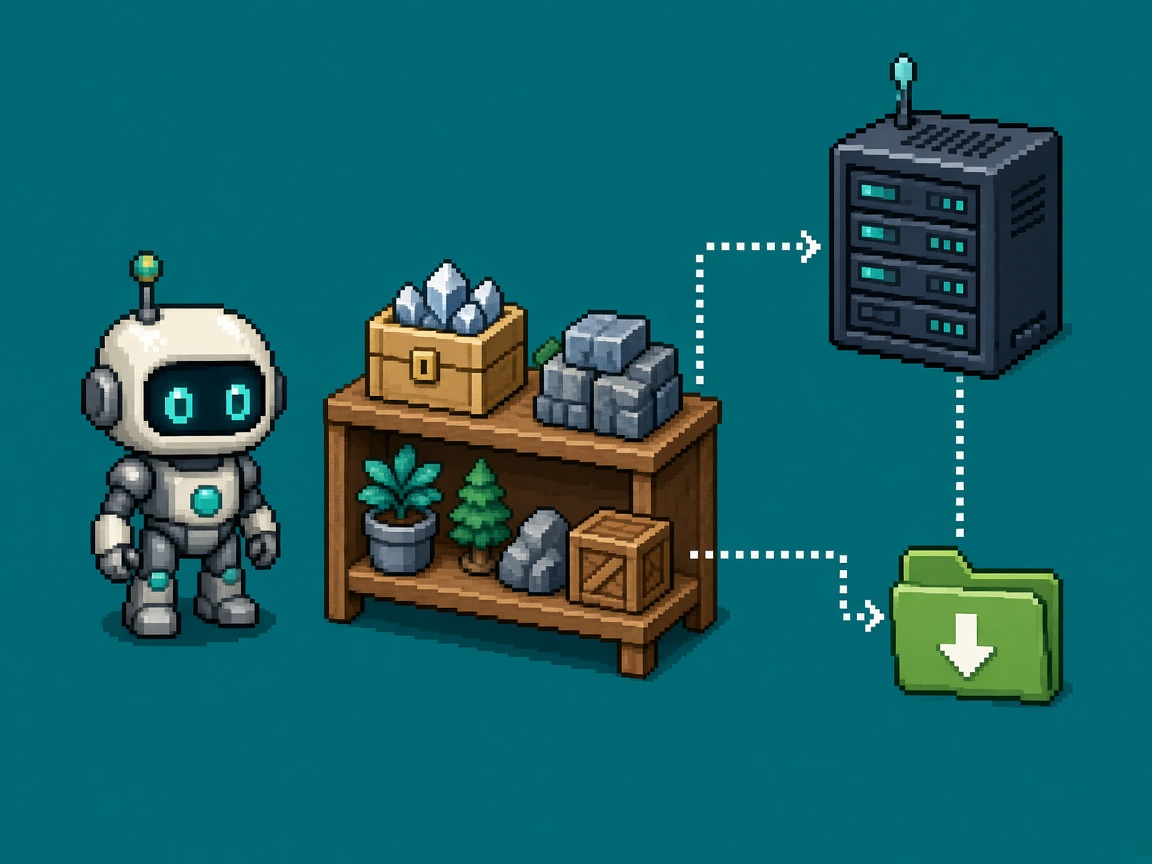
If you searched blender remote asset library tools after Blender 5.2 LTS, you do not need another “online Essentials are cool” post. You need a free toolkit: generate a listing, serve it on static HTTP, register the library, download what you need, prove Offline Only, and file a receipt before Discord invents a paid DAM.
On July 22, 2026, the Blender Developers Blog published Remote Asset Libraries. The 5.2 assets release notes and the 5.2 LTS Manual spell out the ingredients: self-contained .blend assets, JSON listings, preview images, a listing generator command, and static web-server requirements (Content-Length, ignore query strings, prefer 304s). Remotes stay optional. Offline stays first-class — but only if you use the download path.
This URL is the free toolkit for that path. It is not the Stop Enabling Blender Remote Asset Libraries Without Offline Plan opinion (PAIR/SIT OUT policy). It is not the Blender 5.2 LTS upgrade lock (version pin). Those URLs own refusal and upgrade. This URL owns twelve free tools to host, list, offline, and verify.
Why this matters now
October 2026 is when 5.2 LTS teams finally share a studio shelf and discover that “put the folder on Dropbox” is not a remote library. Blender’s generator writes listings and WebP previews. Your server must speak static HTTP correctly. Artists must Download Assets before a plane or CI box. The vendor blog already says self-hosting can be simple; indies still lack a numbered free stack with honest limits.
Direct answer: Adopt a four-tool minimum this week — listing generator, one static HTTP host, Download Assets, Offline Only smoke — then expand to the full twelve when meta JSON, verify, or deploy still fails.
Who this list is for
| Audience | Use it to… |
|---|---|
| Beginners | Know which free button generates the listing |
| Developers | Wire generate → serve → register → offline without a DAM |
| Creators | Paste a Discord shortlist that stops “buy Perforce for HDRIs” folklore |
| Companies | CapEx four-liner — static HTTP + Blender native tools first |
Time: 30 minutes to pick the four-tool minimum; 90–120 minutes for one library through generate + local serve + download + offline proof.
Honest limit: Free hosts are not asset markets. No external deps in .blend files yet. Large commercial catalogs may need dynamic endpoints later — Blender says that was not the focus of the first ship.
Pair export discipline with the Blender to Unity and Godot handoff checklist, 25 free Blender-to-engine resources, and Blender color space looks wrong in Unity when a downloaded material looks wrong after engine import.
Non-repetition
| URL | Job |
|---|---|
| Stop remotes without offline plan | PAIR/SIT OUT refusal |
| Blender 5.2 LTS upgrade lock | Version pin |
| Scene as Asset evening | Scene-as-asset smoke |
| Export handoff checklist | Engine import hygiene |
| This URL | Free host / list / offline / verify toolkit |
Selection criteria (how a tool earned a slot)
A tool is in only if all of these are true:
- Free to use for the remote-library job (native Blender, OSS, or zero-cost static host path).
- Primary job is generate, host, download, offline-filter, or verify a remote library — not a random asset pack store.
- Documented against Blender 5.2 remote library behavior (manual, release notes, or developers blog).
- Honest limits fit in one sentence.
- Useful after 5.2 LTS for indie/small-studio shelves.
Four-tool minimum (do this before the other eight)
| # | Tool | Job after 5.2 LTS |
|---|---|---|
| 1 | Listing generator (asset_listing generate) |
Build JSON + previews |
| 2 | Static HTTP host (Python http.server or nginx) |
Serve the directory |
| 3 | Download Assets | Cache assets locally |
| 4 | Offline Only filter | Prove the shelf without egress |
Latch the receipt only when these four are real on your machine and library path.
Tool 1 - Blender remote listing generator (native)
Type: Built-in CLI listing + preview exporter
URL: Remote Asset Libraries manual · developers blog
Remote job: Turn a directory of asset .blend files into a remote library listing.
How to use
blender -b -c asset_listing generate /path/to/asset-libraryOr from inside the library directory:
cd /path/to/asset-library
blender -b -c asset_listing generate .
Re-run after any asset or catalog change (including re-saves).
Honest limit: Does not pack textures for you — assets must already be self-contained. Generator is not a DAM.
Pair with: Tool 2 (meta JSON), Tool 5/6 (serve).
Tool 2 - _asset-library-meta.json (plain-text edit)
Type: Free metadata file Blender generates for you to edit
URL: Same manual Creating section
Remote job: Set library name and contact so artists know whose shelf they registered.
How to use
- Run Tool 1.
- Edit
_asset-library-meta.jsonname / contact fields once. - Re-running the generator retains that info.
Honest limit: Wrong contact data is a support tax. Treat it like a store page, not a throwaway.
Pair with: Tool 1 after every structural change; leave meta stable.
Tool 3 - Preferences → Asset Libraries page (native)
Type: Built-in Preferences UI
URL: 5.2 assets release notes (Asset Libraries page move)
Remote job: Register remote URLs / libraries and keep Essentials / All Libraries visible.
How to use
- Enable Allow Internet Access only on machines allowed to sync (Stop opinion).
- Add the remote library URL pointing at your served root.
- Confirm the library appears in Asset Browser / shelves.
Honest limit: Preferences registration ≠ downloaded cache. Empty offline shelves mean you skipped Tool 7.
Pair with: Tool 4 Online Essentials; Tool 7 Download Assets.
Tool 4 - Online Essentials (native remote)
Type: Blender-hosted Essentials extension
URL: developers blog Online Essentials · 5.2 assets notes
Remote job: Optional online content (base meshes, materials, high-res HDRIs, etc.) without growing the installer.
How to use
- Enable Allow Internet Access.
- Browse Essentials; download only what you need.
- Offline-smoke before travel/CI policy allows dependence.
Honest limit: Online Essentials are still remotes. They are not “always installed.” Sit out on air-gapped machines.
Pair with: Tool 7 + Tool 8; the Stop opinion for PAIR/SIT OUT.
Tool 5 - Python http.server (free local host)
Type: Stdlib static file server
URL: Documented under Serving a Remote Asset Library
Remote job: Smoke-test a library on localhost before nginx.
How to use
cd /path/to/asset-library
python3 -m http.server
Register http://127.0.0.1:8000/ (port as printed) in Preferences for a local test.
Honest limit: Dev smoke only — not production multi-artist hosting. Confirm Content-Length behavior for your Python version if sync misbehaves.
Pair with: Tool 1 generate → Tool 5 serve → Tool 3 register.
Tool 6 - Blender one-liner HTTP server (native helper)
Type: Free Blender-invoked http.server path from the manual
URL: Serving section
Remote job: Serve from the library directory when Python is awkward on the PATH.
How to use
Use the manual’s blender -q -b --python-expr "… http.server …" one-liner from the asset library directory for a quick bind to 127.0.0.1.
Honest limit: Still a test server. Prefer nginx/Apache for shared studio URLs.
Pair with: Tool 5 as alternate; Tool 9 for production.
Tool 7 - Download Assets (Asset Browser / Shelf)
Type: Built-in download / cache
URL: Downloading Assets · developers blog offline section
Remote job: Pull remote .blend files into the local cache so Offline Only works.
How to use
- Asset Browser: right-click → Download Asset (or select many and download).
- Asset Shelf: download control on hover.
- Compositor Add menu: right-click asset → Download Asset.
- Optional: Open File Location to inspect/prune cache.
Honest limit: Cached assets are often stripped for size — not always your editable masters. Keep authoring copies in git/LFS separately.
Pair with: Tool 8 Offline Only; Stop opinion PAIR gate.
Tool 8 - Offline Only filter (native)
Type: Asset Browser / Shelf filter
URL: developers blog Offline-Mode
Remote job: Show only locally available assets; policy surface for travel/CI.
How to use
- Download critical sets (Tool 7).
- Disable Allow Internet Access.
- Enable Offline Only — confirm the set still appears.
- Open one material / HDRI / base mesh.
Honest limit: Filter honesty ≠ forever cache. Re-download after library bumps.
Pair with: Tool 7; CI defaults from the Stop opinion.
Tool 9 - nginx (free production static host)
Type: OSS reverse proxy / static server
URL: Manual recommends nginx/Apache for real serving
Remote job: Studio LAN or public HTTPS static root with correct headers.
How to use
- Point a
rootat the generated library directory. - Ensure responses include Content-Length.
- Ignore query strings on static files (
file.blend?hash=…→file.blend). - Prefer
Last-Modified/ETagfor 304s on listing sync.
Honest limit: You own TLS, auth, and disk. nginx is not Blender-aware beyond HTTP.
Pair with: Tool 10 Apache/Caddy; Tool 11 curl verify.
Tool 10 - Apache httpd or Caddy (free static host alternatives)
Type: OSS static servers
URL: Manual “any static web server” guidance
Remote job: Same Content-Length + query-string rules when nginx is not your house standard.
How to use
- Serve the library directory as static files.
- Validate Tool 11 header checks.
- Document the base URL in Preferences for artists.
Honest limit: Pick one studio default — three reverse proxies is not a toolkit win.
Pair with: Tool 9; Tool 12 deploy sync.
Tool 11 - curl (free HTTP verify)
Type: CLI HTTP client
URL: Complements web server requirements
Remote job: Prove Content-Length, 200/304 behavior, and listing URLs before blaming Blender.
How to use
curl -sI "https://assets.example.org/_asset-library-meta.json"
curl -sI "https://assets.example.org/some_asset.blend?hash=test"
Confirm headers and that the query string still serves the file.
Honest limit: curl proves HTTP, not asset quality or self-contained packing.
Pair with: Tool 12 jq for JSON body checks.
Tool 12 - jq + rsync (free listing inspect + deploy)
Type: OSS JSON processor + file sync
URL: Listing files are JSON per manual/blog; deploy is your ops choice
Remote job: Inspect asset-index / meta JSON after generate; sync the directory to the host without dragging a GUI.
How to use
jq . _asset-library-meta.json
jq '.api_versions' _asset-library-meta.json
rsync -av --delete /path/to/asset-library/ user@host:/var/www/blender-assets/
Re-generate (Tool 1) before rsync when assets change.
Honest limit: --delete can wipe the server copy — dry-run first. jq does not fix bad .blend packing.
Pair with: Tool 1 + Tool 9 as the generate → deploy → serve spine.
Beginner path - first remote shelf in one evening
Prerequisites: Blender 5.2 LTS, a folder of self-contained asset .blend files, 90 minutes, willingness to use localhost first.
- Pack textures into each asset
.blend. - Run Tool 1 listing generate.
- Edit Tool 2 meta name once.
- Serve with Tool 5 Python
http.server. - Register in Tool 3 Preferences with Allow Internet Access on.
- Download one asset (Tool 7); Offline Only smoke (Tool 8).
- File the receipt — even if you HOLD shared hosting.
Common beginner mistakes: Unpacked PNGs beside .blend; skipping regenerate after edits; pointing Preferences at a raw Dropbox folder without listing files; enabling Online Essentials on CI; never testing Offline Only.
Developer path - pipeline depth
| Gate | Proof |
|---|---|
| G1 Self-contained | No external deps in sample assets |
| G2 Generate | Listing + WebP previews exist; meta edited |
| G3 Serve | Static host meets Content-Length + query-string rules |
| G4 Register | Preferences library URL opens in Asset Browser |
| G5 Offline | Download Assets + Offline Only with internet off |
| G6 Receipt | blender_remote_asset_toolkit_receipt_v1.json filed |
Keep version pin on the 5.2 LTS lock. Keep PAIR/SIT OUT policy on the Stop opinion.
Failure modes
| Mistake | Symptom | Fix |
|---|---|---|
| No listing generate | Blender cannot browse remote | Tool 1 |
| Unpacked textures | Broken after download | Pack media |
| Dropbox folder as “remote” | Missing listing/previews | Generate + static HTTP |
| Skip Download Assets | Empty Offline Only | Tool 7–8 |
| Wrong query-string handling | Sync/download flakes | Fix server (Tools 9–11) |
| CI depends on live listings | Flaky bakes | Remotes off / pre-cache |
| No regenerate after edit | Stale shelf | Tool 1 + Tool 12 rsync |
Honest limits
- Remotes require Allow Internet Access to browse online listings.
- Cached downloads may be stripped — keep masters elsewhere.
- No built-in per-asset versioning story yet (manual notes hash/same-vs-different).
- Free static hosting is not a curated marketplace with auth hooks (future work per blog).
CapEx four-liner
- Native Blender listing + static HTTP is the default CapEx answer.
- We will not buy a DAM this sprint if the four-tool minimum shares the shelf.
- We will not treat Online Essentials as installed without Download Assets.
- We will re-generate and re-sync when catalogs change — not when Discord notices stale previews.
Common mistakes
- Serving without running
asset_listing generate. - Forgetting to re-run generate after every asset save.
- Using a file sync URL that breaks query-string or Content-Length rules.
- Enabling remotes studio-wide without Offline Only proof.
- Putting editable hero masters only in the remote cache.
- Mixing this toolkit night with Experimental cloth night.
- Confusing this listicle with the Stop offline-plan opinion.
- Skipping curl checks then blaming Blender.
- rsync
--deletewithout dry-run. - Registering Online Essentials dependence on air-gapped review laptops.
Worked studio picks (patterns, not case studies)
Solo kitbash shelf
- Four-tool minimum: Generate (1) → Python http.server (5) → Download (7) → Offline Only (8).
- Ban: Public nginx before localhost works.
Three-person LAN library
- Path: Generate (1) → meta (2) → nginx (9) → rsync (12) → Preferences (3) → Download (7).
- Ban: Artists editing files directly on the server root.
Publisher review pack
- Path: SIT OUT live remotes; ship a downloaded local library zip; keep Online Essentials off review machines (Stop opinion).
- Ban: “Just enable internet in Blender for the reviewer.”
Discord paste
Blender 5.2 remote asset toolkit (free stack)
Four-tool minimum: asset_listing generate + static HTTP + Download Assets + Offline Only
Library path:
Serve URL:
Self-contained .blend: YES/NO
Offline smoke (internet OFF): PASS/FAIL
curl Content-Length OK: Y/N
Receipt: blender_remote_asset_toolkit_receipt_v1.json as_of 2026-10-11
Outbound: Remote Asset Libraries blog + 5.2 manual pasted: YES
Receipt - blender_remote_asset_toolkit_receipt_v1.json
{
  "receipt": "blender_remote_asset_toolkit_receipt_v1",
  "as_of": "2026-10-11",
  "primary_keyword": "blender remote asset library tools",
  "blender_version": "5.2.x",
  "library_path": "REPLACE_ME",
  "serve_url": "REPLACE_ME",
  "four_tool_minimum": {
    "listing_generator": false,
    "static_http_host": false,
    "download_assets": false,
    "offline_only_smoke": false
  },
  "self_contained_assets": false,
  "meta_json_edited": false,
  "curl_content_length_ok": false,
  "tools_in_use": [],
  "notes": "Generate → serve → download → Offline Only",
  "outbound_docs": [
    "https://code.blender.org/2026/07/remote-asset-libraries/",
    "https://docs.blender.org/manual/en/5.2/files/asset_libraries/remote_asset_libraries.html"
  ]
}
Key takeaways
- Blender 5.2 LTS remote libraries are a generate + static HTTP + download pipeline.
- Adopt a four-tool minimum before buying a DAM.
- Run
blender -b -c asset_listing generateafter every catalog change. - Edit
_asset-library-meta.jsonname/contact once. - Serve with Python
http.serverfor smoke; nginx/Apache/Caddy for shared hosts. - Servers must send Content-Length and ignore query strings on static files.
- Download Assets fills the local cache; Offline Only proves it.
- Online Essentials are remotes — optional online content, not installer bulk.
- Assets must be self-contained
.blendfiles for now. - Use curl + jq + rsync to verify and deploy.
- This URL is a listicle toolkit, not the Stop offline-plan opinion or 5.2 version pin.
- Cite the developers blog and 5.2 manual next to claims.
FAQ
What are the best free Blender remote asset library tools after 5.2 LTS?
Start with the listing generator, a static HTTP host, Download Assets, and Offline Only. Add meta JSON editing, Preferences registration, Online Essentials, nginx/Caddy/Apache, curl, jq, and rsync as needed.
How do I generate a remote library listing?
From the library directory run blender -b -c asset_listing generate . (or pass the path). Re-run after asset or catalog changes per the manual.
Can I test hosting without nginx?
Yes. The manual documents python3 -m http.server and a Blender-invoked http.server one-liner for local testing.
What must my web server support?
At minimum: Content-Length on responses, and ignore query string parameters when serving static files. Conditional requests (304) are highly recommended.
Do remote assets need to be self-contained?
Yes for current remotes — pack textures and avoid links to other files so one .blend download is enough.
Is Online Essentials the same as bundled Essentials?
Bundled Essentials ship with Blender. Online Essentials are optional remote content that appears when Allow Internet Access is enabled.
How is this different from the Stop offline-plan opinion?
That URL is a PAIR/SIT OUT refusal. This URL is a twelve-tool listicle for generate/host/offline/verify.
How is this different from the 5.2 LTS lock?
The lock owns whether/when to upgrade Blender. This listicle owns the remote library toolkit after you are on 5.2.
Where are downloaded assets stored?
In Blender’s local cache. Use Open File Location from the Asset Browser context menu to inspect or prune.
Do I need a dynamic asset market server?
Not for small indie shelves. Static HTTP is enough. Large markets may need dynamic listings later — out of scope for this free toolkit.
Related reading
- Stop Enabling Blender Remote Asset Libraries Without Offline Plan - 2026
- Blender 5.2 LTS - What Indies Should Lock Before Upgrading Game Assets 2026
- Blender 5.0 Scene as Asset - First Indie Game Handoff Evening 2026
- Blender to Unity and Godot Export Pipeline - A Clean Art Handoff Checklist
- Your First Blender Hero glTF Export Hash - Q4 Diligence Mirror One Evening 2026
- Blender for game assets - pipeline
- Blender Color Space Looks Wrong in Unity - sRGB vs Linear Fix
- 25 Free Blender-to-Engine Workflow Resources
Primary sources: Remote Asset Libraries · Remote Asset Libraries - Blender 5.2 Manual · Assets - Blender 5.2 release notes.