

12 Free Godot 4.6 Inverse Kinematics Tools After IK Returns - 2026
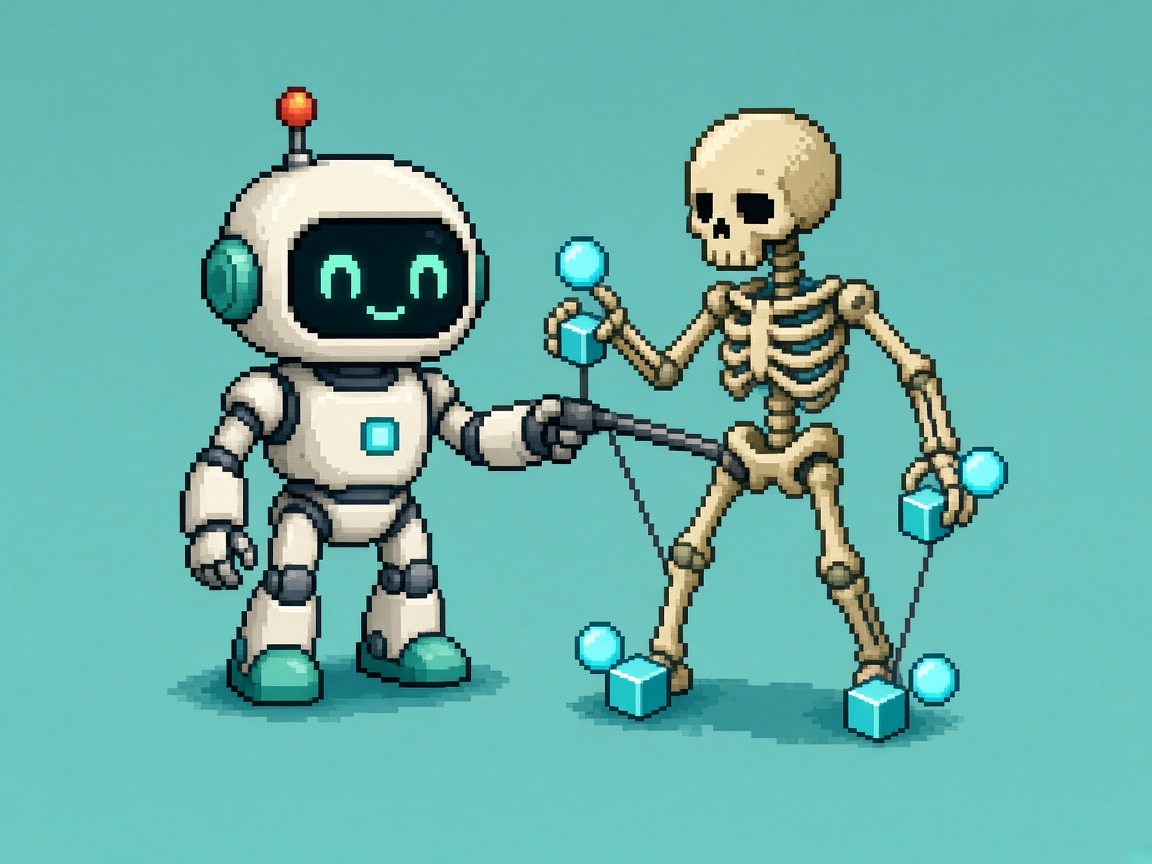
If you searched godot inverse kinematics tools after Godot 4.6 restored IK, you do not need another “procedural animation is magic” post. You need a free toolkit: pick the right solver for the limb, pair polish modifiers so feet plant and wrists do not snap, prove the stack in a throwaway scene, and file a receipt before anyone claims the character is “IK-ready” for a Steam demo.
On December 16, 2025, the Godot Engine blog published Inverse Kinematics Returns to Godot 4.6. The Godot 4.6 release (January 26, 2026) shipped a brand-new modular IK framework on top of SkeletonModifier3D. That stack is still the current stable path in October 2026. The announce posts explain why IK came back. This listicle is the twelve free tools you actually install and combine — most of them are built into the editor at zero dollars.
This URL is not the Godot 4.6 Jolt physics default switch (physics backend). It is not the Godot 4.6 Modern Theme evening (editor chrome). It is not the Godot AreaLight3D soft-light spike (lighting). Those own other 4.6 surfaces. This URL owns free inverse kinematics tools for TwoBone / FABRIK / CCDIK / Jacobian / Spline / LookAt / constraint polish after IK returned.
Why this matters now
October 2026 is when 4.6 teams finally put feet on floors after months of “we will wait for docs.” Godot staged the skeleton stack across 4.4 → 4.5 → 4.6 — LookAtModifier3D and retarget first, then SpringBone and bone constraints, then the full IKModifier3D family. The engine article is explicit: solvers stay minimal, and “make it look better” work lives in separate modifiers. Indies still paste one FABRIK chain on a whole body and wonder why knees fold.
Direct answer: Adopt a four-tool minimum this week — TwoBoneIK3D for limbs, LookAtModifier3D for head aim, LimitAngularVelocityModifier3D when deterministic snaps hurt, and one iterative chain solver (FABRIK3D or CCDIK3D) for multi-bone reaches — then expand to the full twelve only when a specific plant, twist, or magnet job still fails.
Who this list is for
| Audience | Use it to… |
|---|---|
| Beginners | Know which free Godot node to add first for a foot plant |
| Developers | Wire modifiers in order without buying a third-party IK suite |
| Creators | Paste a Discord shortlist that stops “just enable FABRIK on everything” folklore |
| Companies | CapEx four-liner — MIT Godot IK is the default; paid plugins are optional later |
Time: 30 minutes to pick the four-tool minimum and write limb budgets; 90–120 minutes for one character through TwoBone foot plant + LookAt + velocity limit + receipt.
Honest limit: Native IK is free and powerful. It is not automatic human motion. Bad bone rests, wrong chain ends, and non-deterministic iteration still produce melted elbows. Godot is MIT — the solvers cost $0; the art direction still costs evenings.
Pair the engine hub with the Godot guide when export and scene hygiene matter, and keep GDScript syntax errors - common Godot fixes open if a modifier script throws while you spike.
Non-repetition
| URL | Job |
|---|---|
| Godot 4.6 Jolt switch | Physics backend keep/hold |
| Godot 4.6 Modern Theme evening | Editor theme keep/hold |
| AreaLight3D soft-light spike | Soft lighting spike |
| Godot 4.7 upgrade lock | Version jump calendar |
| 12 free Godot 2D juice VFX tools | 2D juice toolkit — not 3D IK |
| This URL | Free 3D inverse kinematics toolkit after 4.6 IK returns |
Selection criteria (how a tool earned a slot)
A tool is in only if all of these are true:
- Free — built into Godot 4.6+ or an official free Godot Engine demo (no credit card).
- Primary job is IK solving, aim/look, twist/velocity polish for IK, or official IK verification — not a random animation pack with “IK” in the itch title.
- Documented on godotengine.org or docs.godotengine.org for the 4.6 line.
- Honest limits can be stated in one sentence (determinism, two-bone only, UV-irrelevant but rest-pose sensitive, etc.).
- Useful after IK returned — targets foot plants, reaches, spines, and magnet-style bends that 4.0–4.5 teams lost when old SkeletonIK left.
Solver cheat sheet (read before you click Add Node)
From the IK returns article hierarchy:
| Family | Children | Deterministic by default? |
|---|---|---|
TwoBoneIK3D |
— | Always deterministic |
SplineIK3D |
— | Always deterministic |
IterateIK3D |
FABRIK3D, CCDIK3D, JacobianIK3D |
Depends on deterministic option |
| Polish / aim | LookAtModifier3D, BoneTwistDisperser3D, LimitAngularVelocityModifier3D, BoneConstraint3D kids |
N/A (modifiers, not solvers) |
Rule: Write the limb job in Discord before you add a solver. “Make the arm cool” is not a job. “Plant left foot on Marker3D_FloorL every frame while walking root motion plays” is a job.
Four-tool minimum (do this before the other eight)
| # | Tool | Job after IK returns |
|---|---|---|
| 1 | TwoBoneIK3D |
Legs and simple arms — thigh→shin→foot or upper→forearm→hand |
| 2 | LookAtModifier3D |
Head / eyes toward a Node3D target |
| 3 | LimitAngularVelocityModifier3D |
Smooth snaps when deterministic IK jumps |
| 4 | FABRIK3D or CCDIK3D |
Multi-bone reach when TwoBone is not enough |
Latch the receipt at the end only when these four are real on your machine and character.
Tool 1 - TwoBoneIK3D (native)
Type: Deterministic two-bone IK solver
URL: TwoBoneIK3D class docs
IK job: Classic limb plant — foot on floor, hand on lever — with predictable online-friendly results.
How to use after IK returns
- Confirm the project is on Godot 4.6+ stable (release notes).
- Under the character
Skeleton3D, add aTwoBoneIK3Dmodifier. - Set root / middle / tip bones for one limb only (left leg first).
- Point the target at a
Marker3D(or otherNode3D) you can move in the scene. - Play the walk animation and move the marker — confirm the knee bends the expected way.
Honest limit: Two bones only. Spines, tails, and long tentacles belong on Spline or Iterate solvers. Wrong bone rests still produce flipped knees — fix the rest pose before blaming the solver.
Pair with: Tool 3 when snaps appear; Tool 8 when twist piles up on the shin.
Tool 2 - FABRIK3D (native)
Type: Iterative Forward And Backward Reaching IK
URL: Covered under the IterateIK family in Inverse Kinematics Returns to Godot 4.6
IK job: Longer chains and magnet-style bends when a two-bone limb is not enough.
How to use after IK returns
- Add
FABRIK3Dfor a chain with more than two segments (arm + clavicle experiments, tentacle tip). - Decide deterministic on/off before you tune iteration count — online sync usually wants deterministic on and enough iterations.
- Start with a small iteration budget; raise only when the tip still misses.
- Do not run FABRIK on every bone in the skeleton “for quality.”
Honest limit: Iterative solvers can fight animation and each other. One chain per evening smoke. The engine article’s magnet demo is a 2-pass deterministic FABRIK pattern — not “enable FABRIK globally.”
Pair with: Tool 11 (official magnet demo) before inventing your own double-pass.
Tool 3 - CCDIK3D (native)
Type: Cyclic Coordinate Descent iterative IK
URL: Same IterateIK family as FABRIK in the 4.6 IK article
IK job: Alternate iterative solver when FABRIK folds badly on your bone lengths.
How to use after IK returns
- Duplicate your FABRIK smoke scene; swap the modifier to
CCDIK3D. - Keep the same tip target and iteration budget for an A/B.
- Prefer the solver that hits the tip with fewer ugly intermediate poses.
- Record the winner in the receipt — do not keep both live on the same chain.
Honest limit: CCD and FABRIK are not “higher quality” than TwoBone for a simple leg. Use them when the chain length demands it.
Pair with: Tool 9 for velocity smoothing if deterministic CCD snaps.
Tool 4 - JacobianIK3D (native)
Type: Jacobian-based iterative IK
URL: IterateIK child listed in the IK returns article
IK job: Third free iterative option when FABRIK/CCD leave a specific chain unstable.
How to use after IK returns
- Reserve Jacobian for the stubborn chain after FABRIK and CCD failed the same tip test.
- Keep determinism policy identical across the A/B so you compare solvers, not modes.
- Cap iterations; infinite “just one more” is not a pipeline.
- Document why Jacobian won in one Discord sentence.
Honest limit: Having three iterative solvers is not a mandate to try all three every sprint. Most indie legs never leave Tool 1.
Pair with: Tool 1 as the default; escalate only with a written failure.
Tool 5 - SplineIK3D (native)
Type: Deterministic spline IK
URL: Named in the IK returns article as always-deterministic alongside TwoBone
IK job: Spines, tails, tentacles, and soft chains that should follow a curve rather than a two-bone hinge.
How to use after IK returns
- Add
SplineIK3Don a dedicated chain (tail root → tip). - Drive control points with Node3D markers you can animate or script.
- Keep limb TwoBone stacks separate — do not put the spine and the foot on one modifier.
- Smoke sit / stand / turn so the spline does not tear the mesh.
Honest limit: SplineIK is not a foot plant. Using it on legs because it “looks advanced” usually wastes a day.
Pair with: Tool 8 for twist along the chain after the tip tracks.
Tool 6 - LookAtModifier3D (native)
Type: One-bone aim / look modifier (IK-adjacent)
URL: Introduced in 4.4 as the SkeletonModifier proof case; still core in the IK journey article
IK job: Head, eyes, turrets, and antennae toward a target without a full chain solver.
How to use after IK returns
- Add
LookAtModifier3Don the head (or neck) bone. - Assign a
Node3Dinterest target (player camera proxy, NPC focus). - Clamp angles so the neck does not break when the target is behind.
- Combine with locomotion — look should not fight root rotation forever.
Honest limit: LookAt is not foot IK. Teams that only enable LookAt and claim “we shipped IK” fail stranger tests.
Pair with: Tool 7 when a weapon or eyeball needs Aim instead of LookAt semantics.
Tool 7 - AimModifier3D (BoneConstraint3D family)
Type: Bone constraint aim toward bones or Node3D
URL: BoneConstraint3D children from the 4.5 stage, with Node3D references expanded in 4.6 per the IK article
IK job: Pre/post IK aiming — point a bone at an IK target or prop handle.
How to use after IK returns
- Add
AimModifier3Dwhen LookAt’s semantics do not match the joint. - Prefer Node3D targets for props the player can grab.
- Decide order — aim before IK vs after IK — and write it down.
- Smoke one prop interaction, not five constraints at once.
Honest limit: Constraints are easy to overstack. Each new Aim is another order-of-operations bug.
Pair with: Tool 10 for copy/convert transforms when aim alone is not enough.
Tool 8 - BoneTwistDisperser3D (native)
Type: Twist distribution polish modifier
URL: Added in 4.6 specifically to simplify ancestor twist that advanced users previously wired with ConvertTransform (IK article)
IK job: Spread twist so wrists and ankles do not absorb every IK rotation alone.
How to use after IK returns
- Plant the limb with TwoBone or Iterate first.
- Add
BoneTwistDisperser3Dwhen the tip looks planted but intermediate bones look corkscrewed. - Compare before/after on a still frame and a walk cycle.
- Keep one disperser per problem chain.
Honest limit: Twist dispersers do not fix bad tip targets. If the foot misses the floor, fix the target — do not twist harder.
Pair with: Tool 1 foot plants; Tool 5 spines when twist bunches at the base.
Tool 9 - LimitAngularVelocityModifier3D (native)
Type: Angular velocity limiter
URL: Documented in the IK returns article as the smoothing partner for deterministic IK
IK job: Kill large frame-to-frame rotation spikes when deterministic solvers re-solve from scratch.
How to use after IK returns
- Enable deterministic mode on IterateIK when you need reproducible poses.
- If the limb snaps, add
LimitAngularVelocityModifier3Dinstead of disabling determinism by reflex. - Tune the limit until snaps die without making the limb feel drunk.
- Record the limit value in the receipt.
Honest limit: Velocity limits hide bad targets. If the marker teleports, the limb will still look wrong — just slower.
Pair with: Tools 2–4 whenever deterministic is on for netcode or replays.
Tool 10 - CopyTransformModifier3D / ConvertTransformModifier3D
Type: Transform constraint modifiers under BoneConstraint3D
URL: 4.5 constraint stage described in the IK journey; still the free polish layer beside solvers
IK job: Copy or convert transforms between bones (and Node3D references where supported) to finish poses IK alone will not style.
How to use after IK returns
- Use Copy when a helper bone should mirror an IK tip.
- Use Convert when you need axis remapping between rest spaces.
- Prefer Tool 8 for simple twist dispersion before building Convert graphs.
- Keep constraint graphs in a named scene branch so ship can strip lab stacks.
Honest limit: Constraint spaghetti is how “free IK” becomes unpaid TD time. Cap the graph; screenshot it into the receipt notes.
Pair with: Tool 7 Aim; Tool 8 TwistDisperser as the simpler first choice.
Tool 11 - Official adjusted-ik and magnet-ik demos (Godot Engine)
Type: Free official sample projects
URL: Demo zips linked from Inverse Kinematics Returns to Godot 4.6 (adjusted-ik-3d-demo.zip, magnet-ik-3d-demo.zip)
IK job: Learn the intended composition patterns — especially magnet as 2-pass deterministic FABRIK — before inventing studio folklore.
How to use after IK returns
- Download the demos from the engine article while they remain linked.
- Open them in the same Godot 4.6 minor you ship.
- Reproduce the magnet pattern on a throwaway character before porting to production.
- Cite the demo name in Discord when someone asks “how did they get the elbow magnet?”
Honest limit: Demos are teaching scenes, not production characters. Port the pattern, not the whole demo tree into your Steam depot.
Pair with: Tool 2 FABRIK; Tool 7/10 for the “adjust after solve” ideas the article separates from core solvers.
Tool 12 - SkeletonModifier3D inspector + class docs (verification stack)
Type: Free editor + documentation verification
URL: TwoBoneIK3D docs plus the modifier order model in the IK article
IK job: Confirm processing order, active flags, and bone names — the toolkit that catches “modifier added but inactive.”
How to use after IK returns
- Select the Skeleton3D and list every SkeletonModifier3D child top to bottom.
- Write the intended order (retarget → constraints → IK → polish) before changing properties.
- Cross-check class docs when a property name differs from a YouTube tutorial filmed on 4.3 folklore.
- Export a screenshot of the modifier stack into
release-evidence/.
Honest limit: Docs lag community myths. Prefer the engine article and 4.6 class pages over “SkeletonIK3D still exists” advice from old bookmarks.
Pair with: Every other tool — this is the receipt surface, not a solver.
Beginner path - first foot plant in one evening
Prerequisites: Godot 4.6+ installed, a rigged humanoid with sensible bone rests, 90 minutes, willingness to use a spike branch.
- Duplicate the character scene onto a
spike/ik-foot-plantbranch. - Add
Marker3Dunder the floor namedIK_Target_L_Foot. - Add Tool 1
TwoBoneIK3Dfor the left leg only. - Play the idle/walk; move the marker — knee should bend forward.
- Add Tool 6 LookAt toward a floating interest ball.
- If the foot snaps, add Tool 9 velocity limit.
- File the receipt JSON below — even if you HOLD ship.
Common beginner mistakes: Enabling FABRIK on the whole skeleton; using SplineIK for feet; ignoring flipped rest poses; tuning on main instead of a spike; claiming “IK done” after LookAt alone.
Developer path - pipeline depth
| Gate | Proof |
|---|---|
| G1 Version | Project opens on Godot 4.6+; export templates match |
| G2 Limb map | Written table - limb → solver → tip target node |
| G3 Determinism | IterateIK deterministic flag matches netcode/replay needs |
| G4 Order | Modifier stack order screenshot in evidence folder |
| G5 Smoke | Walk + crouch + one interact; no elbow melt for 60s |
| G6 Receipt | godot_4_6_ik_toolkit_receipt_v1.json filed |
Keep physics separate — Jolt switches live on the Jolt existing-project keep/hold. IK spikes must not silently change PhysicsServer.
For animation import hygiene after Blender, use Blender to Unity and Godot export pipeline so rest poses survive the handoff before you blame TwoBone.
Failure modes
| Mistake | Symptom | Fix |
|---|---|---|
| FABRIK on every bone | Melty spaghetti | One chain; prefer TwoBone for limbs |
| Deterministic off “to look smooth” | Desync online | Keep deterministic; add Tool 9 |
| SplineIK on legs | Soft knees forever | TwoBone for bipeds |
| LookAt only | “IK shipped” folklore | Plant feet with Tool 1 |
| Constraints before rests fixed | Random flips | Fix bone rests first |
| Demo tree in depot | Bloat + confusion | Port pattern only |
| No receipt | Discord amnesia | File JSON |
| Mixing IK with unpinned engine upgrade | Mystery regressions | Pin 4.6.x; see 4.7 upgrade lock |
Honest limits
- Godot’s solvers are intentionally minimal — polish is separate by design (engine article).
- Free native IK does not replace a technical animator for hero cinematics.
- VRM SpringBone (4.5) is secondary motion, not this listicle’s primary job — do not confuse hair bounce with foot plants.
- Paid Marketplace IK plugins can still win for exotic creatures; this list refuses to pretend you must buy one for a biped plant.
CapEx four-liner
- Godot 4.6+ native IK is the default CapEx answer — $0 solvers.
- We will not buy a third-party IK suite this sprint if the four-tool minimum plants feet and looks at targets.
- We will not market “full body procedural IK” in store copy until G5 smoke passes.
- We will re-run the receipt when the skeleton or Godot minor changes — not when Discord likes a GIF.
Common mistakes
- Treating old SkeletonIK3D tutorials as current API.
- Skipping Marker3D targets and driving tips with magic numbers.
- Running three Iterate solvers on the same arm “to be safe.”
- Disabling determinism to hide snaps instead of using Tool 9.
- Putting twist dispersers on a chain that never plants.
- Porting the entire magnet demo into production.
- Claiming this toolkit replaces the Jolt or Modern Theme evenings.
- Tuning IK on the Steam demo branch during live week.
- Ignoring bone rest / retarget issues that RetargetModifier3D was built to address in 4.4.
- Writing “IK done” without a limb→solver table.
Worked studio picks (patterns, not case studies)
Solo Godot action prototype
- Four-tool minimum: TwoBone feet (Tool 1) + LookAt (Tool 6) + velocity limit (Tool 9) + FABRIK for one interact arm (Tool 2).
- Ban: SplineIK on legs; whole-body FABRIK.
Three-person narrative adventure
- Path: TwoBone plants + Aim on prop hands (Tool 7) + TwistDisperser (Tool 8) + official magnet pattern study (Tool 11) for one puzzle elbow.
- Ban: Jacobian “because it sounds smart” without a FABRIK/CCD failure note.
Multiplayer lobby mascot
- Path: Deterministic TwoBone + LookAt + Tool 9; share tip Marker positions, not full pose streams.
- Ban: Non-deterministic IterateIK on the replicated mascot.
Discord paste
Godot 4.6 IK toolkit (free stack)
Four-tool minimum: TwoBoneIK3D + LookAtModifier3D + LimitAngularVelocityModifier3D + FABRIK3D|CCDIK3D
Character:
Limb map (limb → solver → tip):
Deterministic IterateIK: ON/OFF/N/A
Velocity limit value:
Walk+interact 60s smoke: PASS/FAIL
Receipt: godot_4_6_ik_toolkit_receipt_v1.json as_of 2026-10-10
Outbound: IK returns article + TwoBoneIK3D docs pasted: YES
Receipt - godot_4_6_ik_toolkit_receipt_v1.json
{
  "receipt": "godot_4_6_ik_toolkit_receipt_v1",
  "as_of": "2026-10-10",
  "primary_keyword": "godot inverse kinematics tools",
  "godot_version": "4.6.x",
  "character_scene": "REPLACE_ME",
  "four_tool_minimum": {
    "twobone_ik3d": false,
    "look_at_modifier3d": false,
    "limit_angular_velocity_modifier3d": false,
    "fabrik_or_ccd": false
  },
  "limb_map": [],
  "iterate_deterministic": "on|off|n/a",
  "modifier_order_screenshot": false,
  "walk_interact_smoke_60s": false,
  "tools_in_use": [],
  "notes": "Solvers stay minimal; polish is separate modifiers",
  "outbound_docs": [
    "https://godotengine.org/article/inverse-kinematics-returns-to-godot-4-6/",
    "https://docs.godotengine.org/en/4.6/classes/class_twoboneik3d.html"
  ]
}
Key takeaways
- Godot 4.6 restored modular inverse kinematics on
SkeletonModifier3Dafter the 4.0 removal. - Prefer TwoBoneIK3D for biped limbs before any iterative solver.
- FABRIK / CCD / Jacobian are free IterateIK options — pick one chain, not all three.
- SplineIK3D is for spines and tails, not foot plants.
- LookAtModifier3D covers heads; it is not a full IK ship claim.
- BoneTwistDisperser3D and LimitAngularVelocityModifier3D are the polish pair for twist and snaps.
- Aim / Copy / Convert constraints finish poses; do not replace solvers with constraint spaghetti.
- Study the official magnet and adjusted IK demos before inventing studio folklore.
- Adopt a four-tool minimum before buying third-party IK plugins.
- File
godot_4_6_ik_toolkit_receipt_v1.jsonand paste Discord. - This URL is a listicle toolkit, not the Jolt switch or Modern Theme evening.
- Cite the IK returns article and TwoBoneIK3D docs next to claims.
FAQ
What are the best free Godot inverse kinematics tools after 4.6?
Start with TwoBoneIK3D, LookAtModifier3D, LimitAngularVelocityModifier3D, and one of FABRIK3D or CCDIK3D. Expand to SplineIK, Jacobian, Aim/Copy/Convert constraints, BoneTwistDisperser3D, and the official demos when a specific job still fails.
Did Godot remove IK and bring it back?
Yes. IK was removed in the 4.0 skeleton rework and returned as a modular IKModifier3D family in Godot 4.6, staged after SkeletonModifier work in 4.4–4.5. See the engine article.
Should I use FABRIK or TwoBone for legs?
TwoBone for standard biped legs and simple arms. Use FABRIK/CCD/Jacobian when the chain has more segments or a magnet-style bend needs IterateIK.
What does deterministic IK mean in Godot 4.6?
Deterministic means the pose does not depend on the previous frame’s solver state. TwoBone and Spline are always deterministic; IterateIK depends on an option. Deterministic mode is useful for online sync of tip targets, but it can produce large angular jumps — pair with LimitAngularVelocityModifier3D.
Is LookAtModifier3D real IK?
It is a SkeletonModifier that behaves like one-bone aim/look. It is part of the same free stack and was the early proof for the modifier design, but foot plants still need TwoBone or Iterate solvers.
Do I need a paid IK plugin?
Not for the first plant week if the four-tool minimum hits your limb jobs. Exotic creatures or cinematic TDs may still justify paid tools later — that is CapEx, not a Discord impulse.
How is this different from the Godot 4.6 Jolt switch post?
That URL owns physics backend keep/hold. This URL owns a twelve-tool IK listicle. Do not mix the receipts.
How is this different from the 2D juice tools listicle?
The juice listicle is 2D VFX. This one is 3D skeleton inverse kinematics after 4.6.
Where are the official demos?
The IK returns article links adjusted-ik-3d-demo.zip and magnet-ik-3d-demo.zip. Use them as pattern teachers.
Can I use old SkeletonIK3D tutorials?
Treat them as historical. The 4.6 API is the modular modifier suite. Prefer current class docs and the 2025-12-16 engine article.
What about SpringBoneSimulator3D?
SpringBone (4.5) is valuable secondary motion (hair, cloth-like chains). It is not a substitute for foot-plant IK. Keep it out of this toolkit’s four-tool minimum unless your job is literally spring bones.
Related reading
- Godot 4.6 Jolt Physics Default - Existing Project Switch Keep Hold 2026
- Godot 4.6 Modern Theme - First Indie Editor Keep Hold Evening 2026
- How to Try Godot AreaLight3D - First Indie Soft Light Spike 2026
- Godot 4.7 Upgrade Lock - HDR AreaLight3D Asset Store Before Ship 2026
- 12 Free Godot 2D Juice VFX Tools After PolishFX Lite 2026
- Blender to Unity and Godot Export Pipeline - Clean Art Handoff Checklist
- Godot guide
- GDScript Syntax Errors - Common Godot Fixes
- 15 Free Save System Corruption Fuzz Testing Tools
Primary sources: Inverse Kinematics Returns to Godot 4.6 · Godot 4.6 release · TwoBoneIK3D docs.