

Godot 4.6 Modern Theme - First Indie Editor Keep Hold Evening 2026
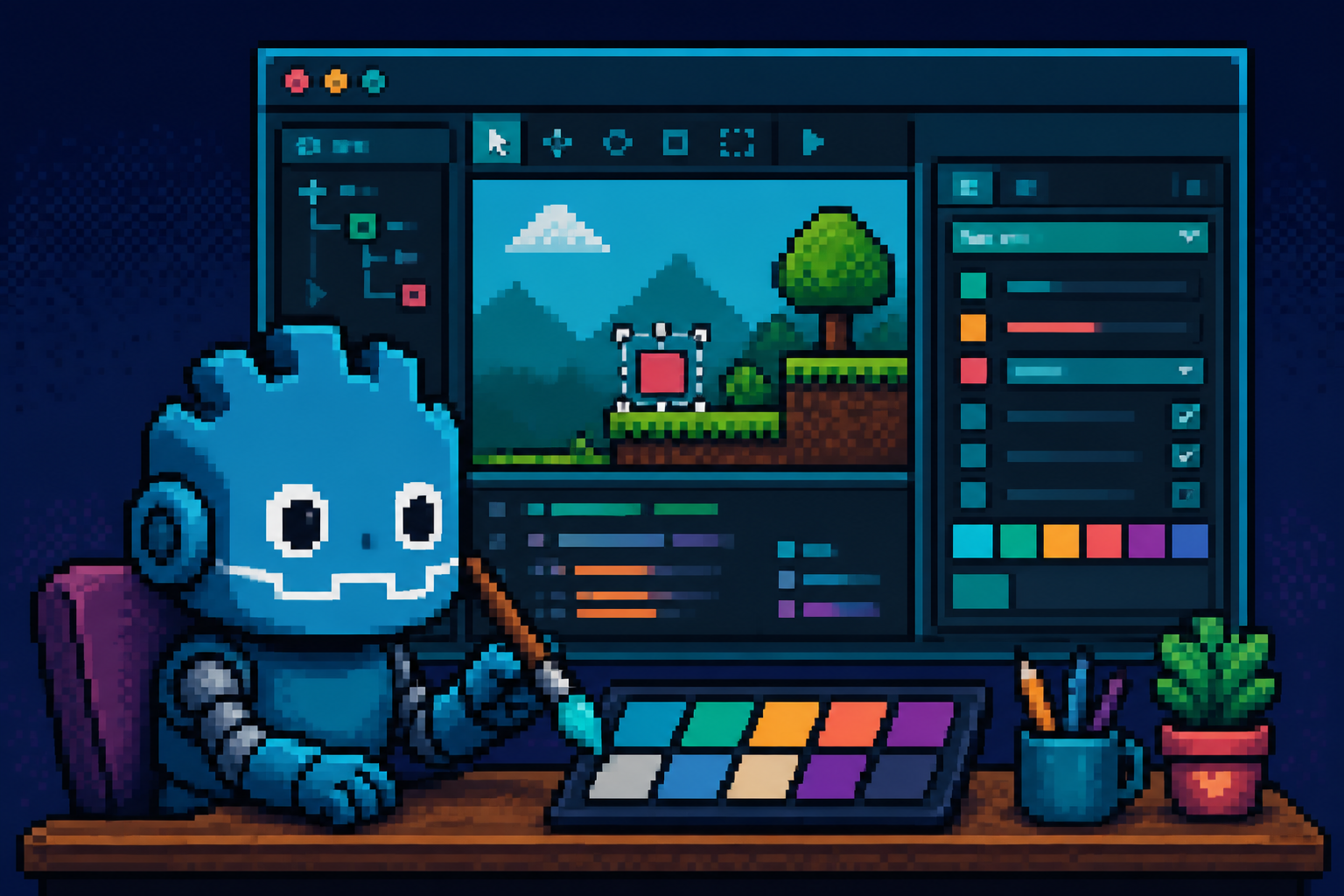
If you are searching godot 4.6 modern theme in mid-2026, the useful question is not "does Godot look different now?" You already saw screenshots. The useful question is: can a small team install Godot 4.6 on a disposable project, confirm the Official Modern theme is active (or switch Classic), smoke the editor QoL that actually changes Monday work, skim the migration guide for C#/GDScript landmines, pin an editor version receipt, and decide keep vs hold before anyone upgrades the ship branch during a fest freeze?
Why this matters now
On 26 January 2026, Godot shipped 4.6 under the line that the engine had matured enough to enter a polish era - quality-of-life, industry-standard integrations, and performance work after five prior Godot 4 releases. The release page highlights the new editor theme "Modern" (based on the community-loved Godot Minimal Theme): clean lines, reduced clutter, improved spacing and readability, a grayscale that avoids a blue tint for color-sensitive art work, and Modern enabled by default while Classic remains one settings click away. The same release also unified movable/floatable docks, decoupled Select vs Transform in the 3D viewport, made Jolt the default physics engine for new 3D projects, and asked teams to re-save scenes for unique Node IDs via Project > Tools > Upgrade Project Files.
That still matters in August 2026 because many indie catalogs are mid-upgrade: some studios stayed on 4.5/4.6 for Steam demos, some jumped to 4.7 for HDR and Asset Store work, and some poke 4.8-dev QoL without a production pin. The official 4.6-stable tag and the Upgrading to Godot 4.6 docs remain the durable baseline for anyone who never ran a deliberate Modern-theme evening - or who upgraded the binary but never recorded a keep/hold decision.
Demand context (honest, not invented traffic): godotengine/godot sits above 115k GitHub stars; r/godot membership is on the order of 362k. Official notes also cite 1,200+ Godot games shipping on Steam in 2025. Those are adoption signals, not a promise that your project will feel faster after a theme switch.
Non-repetition: this URL is not the Godot 4.6 multiplayer rejoin audit (authority/snapshots). It is not the Godot 4.7 upgrade lock (HDR / AreaLight3D / Asset Store). It is not a 4.8-dev filesystem zoom spike. This page owns one intent: first keep/hold smoke for Godot 4.6 Modern theme + editor polish before you rewrite or freeze a ship branch.
| Audience | Start here | Done when |
|---|---|---|
| Beginner Godot creator | Glossary + M1–M3 | 4.6 opens; Modern confirmed; one scene Play works |
| Working programmer | M1–M6 + migration skim | Receipt pins editor build + theme + dock notes |
| Studio lead | Keep/hold table + CapEx | Written keep_4_6 / hold_upgrade / adopt_theme_only |
| Creator sharing Discord | Monday ritual paste | Clear "disposable project first" disclaimer |
Time estimate: 90–150 minutes on a disposable copy. Do not point this at the live Steam build first.
Default recommendation: Keep Modern theme on disposable + team machines if M3–M5 pass and nobody reports accessibility regressions. Hold rewriting art pipelines, physics defaults, or ship-branch editor settings during a Next Fest / Gamescom / hard-content freeze until the receipt is filed.
What "Modern theme" actually changes
Per the Godot 4.6 release notes:
- Official Modern replaces the old default visual language for new installs and is the default for 4.6.
- Classic remains available in editor settings if you prefer the previous look.
- Contrast, spacing, and readability are tuned so the viewport competes less with chrome.
- The grayscale chrome reduces blue tint that can bias color grading and sprite work.
- The theme continues to mature with feedback; treat it as living polish, not a frozen brand kit.
What it does not do:
- It does not change your game's runtime renderer.
- It does not migrate your player-facing UI theme resources.
- It does not replace reading the migration guide for C#/API breaks.
- It does not make Jolt appear in old projects (Jolt is default only for new 3D projects).
Adjacent 4.6 editor polish you should smoke in the same evening (still not multiplayer):
| Feature | Why it belongs on this evening | Fail signal |
|---|---|---|
| Movable / floatable docks | Bottom panels became regular docks; multi-monitor layouts change muscle memory | Lost Output dock after undock |
| Select-only vs Transform | Decoupled picking from gizmo transforms in 3D | Accidental moves while "just selecting" |
| Upgrade Project Files | Unique Node IDs need scenes re-saved in 4.6 | Broken refs after rename/move |
| Editor Settings theme toggle | Classic fallback for teammates who hate Modern | Team fights without a written policy |
Glossary
- Modern theme: Official 4.6 editor visual theme (Minimal-inspired), default on.
- Classic theme: Previous official editor look; still switchable.
- Editor Settings: Global Godot editor preferences (not Project Settings).
- Project Settings: Per-project configuration (physics engine, rendering, etc.).
- Disposable project: Clone or throwaway copy you can delete without hurting Steam/depot.
- Keep / hold: Keep means adopt Modern + 4.6 editor on day-to-day machines; Hold means delay ship-branch upgrade or theme policy until a freeze lifts.
- Receipt: Short JSON or markdown artifact pinning version, theme, gates, and decision owner.
Monday ritual - six gates (M1–M6)
| Minute | Gate | Action | Evidence |
|---|---|---|---|
| 0–15 | M1 | Install/confirm Godot 4.6.x; open disposable project copy | Help > About version string |
| 15–35 | M2 | Confirm Modern default; toggle Classic once and back | Screenshot of Editor Settings theme |
| 35–60 | M3 | Open main scene; Play; spot-check FileSystem + Inspector readability | Play runs; notes on contrast |
| 60–90 | M4 | Undock/move one bottom dock; float Output; restore layout | Dock layout photo or notes |
| 90–120 | M5 | 3D: Select-only vs Transform on a busy scene; skim migration C# rows if applicable | No accidental transforms; migration checklist tick |
| 120–150 | M6 | Optional Upgrade Project Files on copy only; write keep/hold receipt | godot_46_modern_theme_keep_hold_receipt_v1 |
Receipt fields (minimum)
{
  "receipt": "godot_46_modern_theme_keep_hold_receipt_v1",
  "editor_version": "4.6.x",
  "project": "disposable_copy",
  "theme": "Modern|Classic|mixed_team",
  "gates": {
    "M1_install": "pass|fail",
    "M2_theme_toggle": "pass|fail",
    "M3_play_smoke": "pass|fail",
    "M4_docks": "pass|fail",
    "M5_select_migrate_skim": "pass|fail",
    "M6_decision": "keep_modern|keep_classic_policy|hold_ship_branch|adopt_46_editor"
  },
  "notes": "Theme is editor chrome only; runtime UI unchanged",
  "decision_owner": "name",
  "freeze_window": "none|fest|content_lock"
}
M1 - Install 4.6 on a disposable copy
- Download Godot 4.6.x from the official releases page or the 4.6-stable GitHub release. Prefer the standard editor build your team already uses (standard vs .NET).
- Duplicate your project folder or clone a branch named
smoke/godot-4-6-modern-theme. - Open the copy in 4.6. Let Godot convert/open. Do not commit conversion noise to
mainuntil M6 says keep. - Record
Help > About Godotexact version (including patch if any).
Pass: project opens; version string captured.
Fail: you upgraded the only production checkout and lost the previous editor binary path.
Beginner path - if you have never upgraded an engine before
- Keep the old Godot
.exe/.apparound until the receipt says keep. - Use a folder copy, not "Open in place" on OneDrive-synced production alone.
- If the project manager offers to upgrade project settings, read the prompt; cancel if you are unsure and re-open after reading the migration guide section below.
M2 - Confirm Modern and prove Classic still works
- With a 4.6 project open, look at chrome contrast and dock styling. New installs should already be Modern.
- Open Editor Settings (not Project Settings). Find the theme / interface theme control (wording can read as Editor Theme or similar depending on localization).
- Switch to Classic, glance at FileSystem + Inspector, then switch back to Modern.
- Give your eyes 10 quiet minutes on Modern before declaring hate - the release notes explicitly recommend adaptation time.
Pass: you can toggle both themes; you know where the setting lives; you pick a team default for the receipt (Modern recommended unless accessibility needs Classic).
Fail: teammates each flip themes randomly with no written policy, then bug reports cite "UI looks broken" without version/theme pins.
Color-sensitive art note
If you grade sprites or materials in-editor, Modern's grayscale chrome is a feature, not a bug. Do a 60-second A/B: pick a hero sprite under Modern, then Classic, and note whether hue bias changes your judgment. Record the preference in the receipt notes field.
M3 - Everyday Play smoke under Modern
Theme polish fails if it only looks good on empty projects.
- Open your most-used gameplay scene in the disposable copy.
- Press Play (F5) and complete a 2-minute happy path (menu → spawn → one interaction).
- While idle in the editor, scroll FileSystem, open two scripts, and inspect a busy node in the Inspector. Ask: can I find properties faster or slower than on Classic?
- If you use custom editor plugins that restyle docks, note breakage immediately - plugin themes can fight Modern.
Pass: Play works; you can still find scripts and properties; plugin conflicts logged or absent.
Fail: Play regresses for reasons unrelated to theme (then stop - that is an upgrade bug, not a theme decision). Fix or revert the copy before judging Modern.
Internal link for beginners
If this is your first Godot project open at all, pair this evening with the course onboarding in Build a Complete Game in Godot 4 - Lesson 1 after you finish M6 on a toy project - do not mix first-ever setup with a production upgrade.
M4 - Dock shuffle without losing Output
Godot 4.6 unified docking: bottom panels behave as docks; many docks float; you can rearrange sides and bottom. That is a gift for multi-monitor setups and a footgun if you undock Output mid-hotfix.
- Identify your Output / Debugger / Audio bottom usage.
- Drag Output to a float window; move it to a second monitor if you have one.
- Drag it back to the bottom dock area; confirm logs still stream on Play.
- Reset editor layout only if you get stuck (know where layout reset lives before you panic).
Pass: you can float and restore without losing log visibility during Play.
Fail: you ship a "where's Output?" incident the night before a build.
Creator tip
Streamers: floating Output on a side monitor under Modern is a shareable QoL win - mention it in your Discord paste. Just screenshot the layout so teammates can copy it.
M5 - Select-only vs Transform + migration skim
Viewport Select vs Transform
In 4.6, Select and Transform are decoupled: a Select-only mode lets you pick nodes without the transform gizmo fighting you; Transform mode is for intentional moves/rotates/scales. On a crowded 3D level:
- Enter Select-only; click several props - confirm gizmo stays away.
- Switch to Transform; move one prop intentionally; undo.
- Note whether your muscle memory from Blender/Unity/Unreal maps cleanly.
Pass: zero accidental transforms during a 5-minute pick session.
Fail: you keep nudging props while "just selecting" - schedule a 15-minute team muscle-memory huddle before freeze week.
Migration guide skim (do not skip if you use C#)
Open the official Upgrading from Godot 4.5 to Godot 4.6 page and tick only what applies:
| Area | What to watch | Who cares |
|---|---|---|
| AnimationPlayer String → StringName | C# binary/source breaks on assigned/autoplay/current animation APIs | C# animation-heavy games |
| SpringBoneSimulator3D enum moves | C# type moves toward SkeletonModifier3D | Soft-body / spring bone users |
| StreamPeerTCP / TCPServer base class moves | Networking code calling moved methods | Custom TCP tooling |
| FileAccess / Performance signature tweaks | Usually GDScript-compatible | Tooling authors |
| Control grab_focus / has_focus extras | Optional params - usually fine | UI frameworks |
Pass: you either mark N/A or file tickets for the rows that hit your codebase.
Fail: "theme looks fine" becomes the only upgrade test while C# AnimationPlayer silently breaks CI.
For physics-default curiosity (new 3D projects → Jolt), do not flip live projects tonight. If you want a hands-on Jolt evening later, use Your First Godot 4 Jolt Physics 2D Platformer as a separate spike - different receipt, different risk.
M6 - Upgrade Project Files (copy only) + decision
Unique Node IDs in 4.6 make rename/move safer once scenes are re-saved. Official path: Project > Tools > Upgrade Project Files on a project already opened in 4.6.
- Run it only on the disposable copy first.
- Diff the scene files in git - expect ID-related churn.
- Play again (short smoke).
- If clean, schedule the same tool on a real upgrade branch with a reviewer - not as a silent
mainpush during fest week.
Then choose one decision for the receipt:
| Decision | Meaning | When |
|---|---|---|
| keep_modern | Team default Modern on 4.6 editors | M2–M5 pass; no accessibility blockers |
| keep_classic_policy | Written Classic default (a11y / preference) | Documented exception, not silent dissent |
| adopt_46_editor | Upgrade day-to-day editors to 4.6.x + Modern | Ready for broader migration work |
| hold_ship_branch | Do not touch Steam/demo branch yet | Freeze window active; wait for M6 on a branch PR |
Keep vs hold decision matrix
| Situation | Recommendation |
|---|---|
| Solo / duo, no fest freeze, GDScript-only | adopt_46_editor + keep_modern after M1–M5 |
| Mid Next Fest / Gamescom content lock | hold_ship_branch; run this evening on a branch only |
| C# AnimationPlayer-heavy | Finish migration skim tickets before adopt |
| Color artists complaining about blue chrome | Prefer Modern; cite grayscale rationale |
| Teammate with vision needs prefers Classic | keep_classic_policy with Accessibility note in receipt |
| Already on 4.7+ for HDR | Still useful: pin whether Modern is team standard; link 4.7 upgrade lock for feature adopt/hold |
Common mistakes
- Judging Modern in 30 seconds. Eyes need adaptation; snap judgments create false "UI regression" bugs.
- Theme-testing on production. Always disposable first.
- Confusing editor theme with game UI theme. Player-facing
Themeresources are unrelated. - Skipping migration because "it's just cosmetics." C# breaks are not cosmetics.
- Undocking Output forever. Float is fine; losing logs mid-crash is not.
- Flipping Jolt on an old 3D project "because 4.6." Defaults apply to new projects; treat physics swaps as a separate evening.
- Running Upgrade Project Files on
mainduring freeze. Copy → branch → review. - No receipt. Without version + theme + owner, Discord arguments restart weekly.
- Cannibalizing multiplayer audits. Rejoin desync is a different page - do not pretend theme smoke covers netcode.
- Assuming 4.8-dev QoL is this evening. Dev snapshots are branch-only; keep production pins honest.
Failure modes and fixes
| Symptom | Likely cause | Fix |
|---|---|---|
| Theme setting missing | Looking in Project Settings | Use Editor Settings |
| "Looks broken" after plugin | Plugin custom styles | Disable plugin on copy; report upstream |
| Accidental node moves | Still in Transform mode | Practice Select-only; document shortcut |
| C# compile errors after open | Animation StringName / spring bone enums | Follow migration table; rebuild |
| Scene refs weird after rename | Scenes not re-saved for unique IDs | Upgrade Project Files on branch |
| Team split Modern/Classic | No policy | Receipt theme field + lead decision |
| Play fails after open in 4.6 | Real upgrade bug | Stop theme debate; bisect upgrade |
Company / diligence four-liner
Paste into a partner or publisher note when someone asks "did you take Godot 4.6 seriously?":
- We ran a disposable Modern theme + editor QoL smoke (gates M1–M6) and filed
godot_46_modern_theme_keep_hold_receipt_v1. - Editor chrome theme is pinned (Modern or documented Classic exception); it does not alter runtime player UI.
- Migration guide rows that hit our stack are ticketed; C# AnimationPlayer / networking moves are not assumed safe from screenshots.
- Ship-branch upgrade is hold during freezes until a reviewed branch runs Upgrade Project Files + Play smoke.
CapEx honesty
Godot 4.6 editor itself is free. Costs are time: 2–3 hours for this evening, plus migration tickets, plus optional artist A/B. Do not invent license fees. Do budget reviewer time if Upgrade Project Files rewrites hundreds of .tscn files.
Discord-ready Monday paste
Godot 4.6 Modern theme keep/hold (90–150m)
1) Disposable copy + record Help > About (4.6.x)
2) Editor Settings: confirm Modern; toggle Classic once; pick team default
3) Play main scene 2m; note FileSystem/Inspector readability
4) Float Output dock; restore; confirm logs on Play
5) 3D Select-only vs Transform; skim 4.6 migration if C#
6) Optional Upgrade Project Files on COPY only
Receipt: godot_46_modern_theme_keep_hold_receipt_v1
Decision: keep_modern | keep_classic_policy | adopt_46_editor | hold_ship_branch
NOT a multiplayer rejoin audit. NOT a 4.7 HDR lock.
What to do this week (calendar)
| Day | Action |
|---|---|
| Mon | M1–M3 on disposable; share screenshots |
| Tue | M4–M5; file migration tickets |
| Wed | M6 decision; PR theme policy one-liner to team doc |
| Thu | If adopt: upgrade one secondary machine; re-smoke Play |
| Fri | If hold: calendar the post-freeze upgrade evening |
How this differs from nearby Godot posts
| Post | Owns | Does not own |
|---|---|---|
| This URL | Modern theme + 4.6 editor polish keep/hold | Netcode, HDR, Asset Store rewrite |
| 4.6 multiplayer rejoin | Authority + snapshot audit | Editor theme |
| 4.7 upgrade lock | HDR / AreaLight3D / Asset Store ship lock | 4.6 Modern first evening |
| 4.8 Dev 3 QoL | Dev-branch editor experiments | Stable 4.6 pin |
| Opaque Godot agent receipts | Agent permission receipts | Theme chrome |
Key takeaways
- Godot 4.6 opens a polish era; Modern is the official default editor theme with Classic still available.
- Theme changes editor chrome, not your game's runtime UI or renderer.
- Run M1–M6 on a disposable project before touching the ship branch.
- Toggle Modern ↔ Classic once so the team knows the escape hatch.
- Smoke docks and Select-only in the same evening - they change Monday muscle memory.
- Skim the official 4.5→4.6 migration guide, especially for C# AnimationPlayer and networking moves.
- Treat Upgrade Project Files as a reviewed branch step for unique Node IDs - not a silent
mainpush. - File
godot_46_modern_theme_keep_hold_receipt_v1with version, theme, gates, and owner. - Hold ship-branch upgrades during fest/content freezes even if Modern looks great.
- Do not confuse this evening with multiplayer rejoin audits or 4.7 HDR locks.
- Color artists may prefer Modern's grayscale chrome - verify with a short A/B.
- Outsiders can cite the keep/hold table and Discord paste without learning internal gate jargon.
FAQ
What is the Godot 4.6 Modern theme?
It is the official editor visual theme introduced as the default in Godot 4.6, evolved from the popular Minimal theme - cleaner spacing, readability tweaks, and less chrome competition with the viewport. Classic remains available in Editor Settings.
Should I upgrade to Godot 4.6 just for the Modern theme?
Upgrade for the workflow package (theme + docks + Select mode + other 4.6 fixes), not aesthetics alone. If you only want the look, you can still evaluate Modern on a disposable 4.6 copy and hold the ship branch.
Does Modern theme change how my game looks to players?
No. It styles the editor. Player-facing UI uses your project's Theme resources and rendering settings.
How do I switch back to Classic?
Open Editor Settings, find the editor theme control, select Classic. Put the choice in your team receipt so it is not tribal knowledge.
Is Godot 4.6 safe to migrate from 4.5?
Official docs say most 4.5 projects migrate relatively safely, but you must read Upgrading to Godot 4.6 for breaking changes - especially C# AnimationPlayer StringName shifts and networking base-class moves.
Do I need to run Upgrade Project Files?
If you want unique Node ID robustness after renames/moves, yes - on a copy first, then a reviewed branch. Skipping it leaves some 4.6 robustness gains unused.
Does 4.6 force Jolt Physics on my existing game?
No. Jolt is the default for new 3D projects. Existing physics settings stay until you change them.
We are already on Godot 4.7 - is this article useless?
Still useful for team theme policy and for onboarding people who never documented Modern vs Classic. Feature adopt/hold for HDR and AreaLight3D belongs on the 4.7 lock playbook.
Can I do this during Steam Next Fest?
Prefer hold_ship_branch. Run the evening on a disposable copy or post-fest branch so theme opinions do not collide with live demo hotfixes.
Where should beginners start if they are new to Godot?
Finish M1–M3 on a tiny disposable project, then follow Godot 4 course lesson 1. Do not learn nodes and engine upgrades in the same panicked hour.
What primary keyword does this page target?
godot 4.6 modern theme - with secondary coverage of editor keep/hold, Classic fallback, docks, and Select-only mode.
Where are the official sources?
Godot 4.6 release notes, 4.6-stable on GitHub, and the migration guide.
Related reading
- Godot 4.7 Upgrade Lock - HDR AreaLight3D and Asset Store Before Ship - 2026 — next-minor ship-date lock (not this Modern-theme evening)
- Godot 4.6 Multiplayer Rejoin Regressions in 2026 - A Fast Authority and Snapshot Audit for Small Teams — netcode sibling (not editor chrome)
- Godot 4.8 Dev 3 - FileSystem Zoom and GDScript Underlines Indies Should Test 2026 — branch-only QoL (not a stable 4.6 pin)
- Stop Shipping Opaque Godot Editor Agents Without Session Receipts - 2026 — agent governance cousin
- Your First Godot 4 Jolt Physics 2D Platformer - One Evening 2026 — separate physics spike
- Godot RigidBody2D and Area2D Physics Guide
- Build a Complete Game in Godot 4 - Lesson 1