

12 Free Roblox Plugin Screenshot Checks Before You Ship - 2026
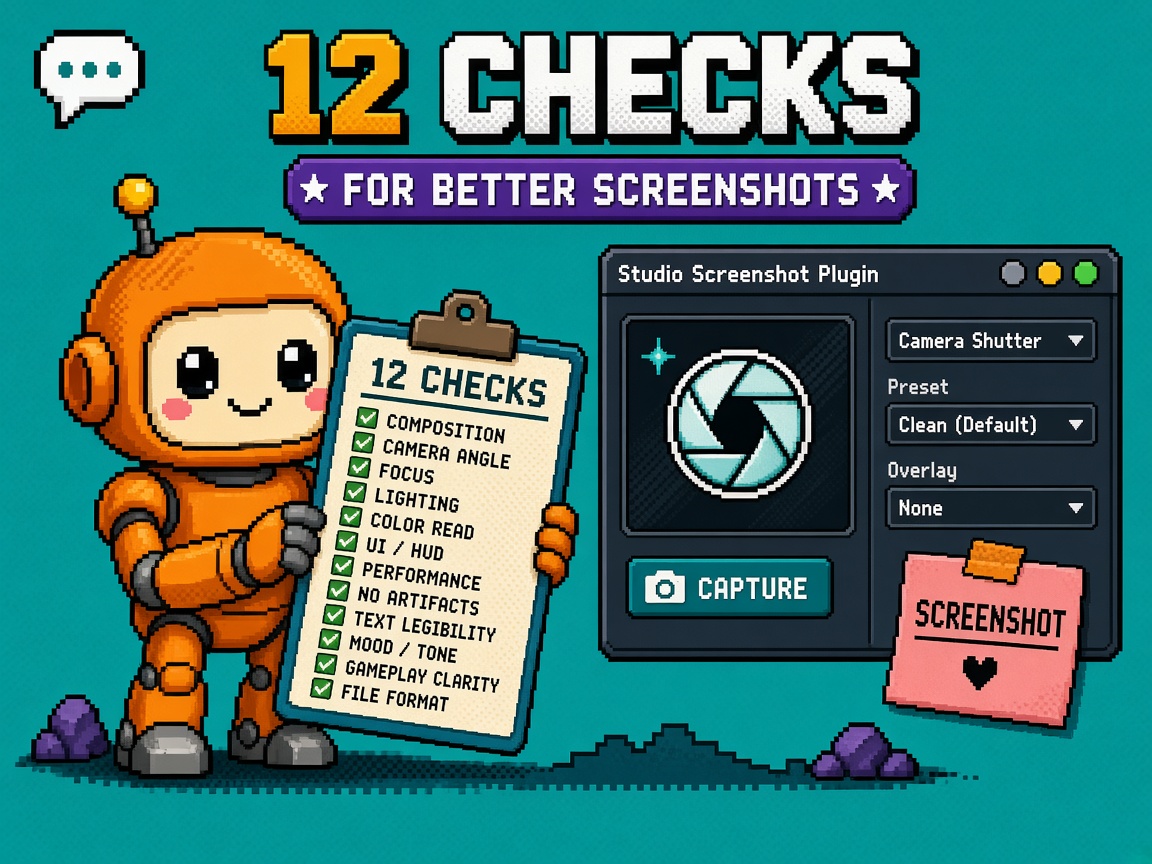
If you searched roblox plugin screenshot after Roblox shipped Plugin Screenshot Support in Studio on 27 October 2026, you do not need another “finally native widget crops” Discord paste. You need a numbered free checklist before marketplace listings, bug reports, AI-assist workflows, and CaptureService folklore collide — because this launch is a Studio capture tool for plugin windows, not a new runtime API that lets published plugins silently screenshot players.
Primary source: Plugin Screenshot Support in Studio. Same-week context: Weekly Recap: October 26 — 30, 2026. Official capture surface for experiences (different job): CaptureService. Ambient: Roblox Cube. Staff: Ctrl + Shift + 2 (or Screenshot Plugin quick action) → select a window → image lands on the clipboard; shortcut is rebindable like other plugin actions.
This listicle owns the Studio plugin-window capture ship kit. It is not the VIP teleports what-changed (routing IDs). It is not Shapecast upgrade checks. Those own multiplace and physics. This URL owns plugin screenshot preflight.
Why this matters now
Creator Week stacked a quiet quality-of-life win that looks small until you misuse it. Native widget capture kills the old pain of full-Studio screenshots plus manual crops. That helps plugin authors file better bugs, teams paste Output panes into tickets, and (soon) MCP/AI tooling that needs a direct view of a plugin window. The trap: Discord already conflates this with CaptureService, EditableImage pipelines, and “my marketplace plugin can now capture the viewport.” Shipping a listing that promises runtime capture because you saw Ctrl+Shift+2 is how refunds and moderation tickets start.
Direct answer: Run checks 1–4 before you celebrate. Run 5–8 before you publish marketplace docs or support templates. Run 9–12 before you promise MCP, scrollable full-log dumps, or CaptureService/EditableImage bridges. If check 3 fails (you still think this is a Plugin API), stop writing feature bullets.
Who this list is for
| Audience | Use it to… |
|---|---|
| Beginners | Learn the hotkey without API myths |
| Developers | Separate Studio capture vs CaptureService vs EditableImage |
| Creators | Paste a twelve-check card before marketplace docs ship |
| Companies | Diligence — privacy + claim honesty on plugin tooling |
Time: 20 minutes for 1–4; 1–2 hours for docs/marketplace suite.
Honest limit: DevForum is authority. MCP and file-save output are roadmap, not today’s ship gate. Re-read the thread before you freeze listing copy.
Non-repetition
| URL | Job |
|---|---|
| VIP server teleports what-changed | VipServerId / ReservedServerId map |
| Studio deep links what-changed | Server stack → Studio version jump |
| Shapecast upgrade checks | Physics cast upgrade kit |
| Device Trust 12 checks | Integrity Kick kit |
| Web testing what-changed | Browser smoke |
| Roblox Studio guide | Platform hub |
| HTTP 403 help | Corporate proxy |
| 25 free Discord servers | Paste channel |
| Courses | Learning ladder |
| This URL | Plugin screenshot free checks |
What shipped (memorize)
| Change | Implication |
|---|---|
| Ctrl + Shift + 2 / Screenshot Plugin action | Capture individual plugin windows in Studio |
| Clipboard destination (today) | Paste into tickets, docs, image editors |
| Rebindable shortcut | Configure Shortcuts like other plugin actions |
| Not full Studio crop theatre | Native widget bounds — no manual crop |
| Not a published Plugin capture API | Do not claim runtime plugin screenshots from this |
| Roadmap: file vs clipboard output | Not the default claim yet |
| Roadmap: MCP support (high priority, in progress) | Needs capture rewrite for background Studio |
| Roadmap: dialog support | Dialogs may not capture cleanly yet |
| Known thread notes | Script-editor focus quirks; scrollable full-content wishes |
Four-check minimum (twenty minutes)
| # | Check | Fail means |
|---|---|---|
| 1 | Read DevForum announcement once | Folklore only |
| 2 | Hotkey smoke on one docked plugin | Tool never verified |
| 3 | Write “Studio tool ≠ Plugin API” in design doc | Marketplace myth |
| 4 | Clipboard privacy rule for proprietary places | Leak risk |
The twelve checks
1. Docs latch (DevForum announcement)
Do: Read Plugin Screenshot Support in Studio end-to-end — Key Takeaways, intended uses (Output, plugin bugs, viewport-only, future AI/plugin help), roadmap (output settings, MCP, dialogs), and thread caveats.
Pass: Ticket links the thread + date read.
Fail: “Someone said plugins can screenshot now.”
Next: Paste the one-line honesty rule into your plugin README: Studio widget capture, not a runtime API.
2. Hotkey and quick-action smoke
Do: In Studio, press Ctrl + Shift + 2 (or run the Screenshot Plugin quick action). Select a docked plugin window. Paste into an image editor or ticket. Confirm bounds match the widget, not the whole IDE. Open Configure Shortcuts and note the binding if your muscle memory conflicts.
Pass: One pasted PNG/JPG attached to an internal note with shortcut used.
Fail: “We’ll try it when we need it.”
Next: Document the team-preferred binding if you rebind.
3. Studio tool ≠ Plugin / marketplace capture API
Do: Explicitly refuse any marketplace bullet that implies published plugins gained a new screenshot API from this announcement. Thread clarifications: this is a built-in Studio tool to capture specific widgets without manual crops. A separate DevForum question asked for an API — treat “not announced here” as no API.
Pass: Listing/docs draft reviewed with “API” language removed or redirected to CaptureService (experience) / future MCP notes.
Fail: “Our plugin now screenshots Studio for you” without a real API.
Next: If you need in-experience captures, open CaptureService as a different product surface.
4. Clipboard privacy gate
Do: Write a studio rule: captures of proprietary places, unreleased UI, partner NDAs, and player PII in Output logs must not land in public Discord, GitHub issues, or marketplace galleries without scrubbing. Clipboard history tools on shared machines count as leak vectors.
Pass: Privacy paragraph in plugin support template + internal wiki.
Fail: Paste Output with emails/usernames into a public bug thread.
Next: Prefer redacted crops; blur before upload.
5. CaptureService confusion gate
Do: Separate three nouns on a whiteboard:
| Noun | Job |
|---|---|
| Studio plugin-window screenshot | Creator tooling — clipboard widget capture |
| CaptureService | In-experience screenshot/video capture UX for players |
| Marketplace plugin | Code that extends Studio — does not auto-get CaptureService |
Pass: Design doc table exists; newcomers can explain it in 30 seconds.
Fail: One Discord alias for all three.
Next: Link CaptureService docs only when the feature is actually experience capture.
6. EditableImage / serialize myth gate
Do: Refuse the fantasy pipeline “Studio plugin screenshot → EditableImage → rebuild elsewhere” as a claim of this launch. Community threads already document that ScreenshotCapture → EditableImage is not a supported live path and can crash Studio / kick live. This Studio widget tool copies pixels to the clipboard for humans and (later) tooling — it does not mint an EditableImage API.
Pass: Explicit “no EditableImage bridge claimed” line in any AI/plugin roadmap slide.
Fail: Marketplace “pixel pipeline included.”
Next: For dynamic pixels, build EditableImage yourself or upload assets — see existing capture honesty discussions, not this hotkey.
7. Plugin author bug-report package
Do: Update your plugin’s CONTRIBUTING / support template: repro steps + widget screenshot via Ctrl+Shift+2 + Studio version + plugin version + OS. Ask reporters to capture your plugin window, not a phone photo of the monitor.
Pass: Template merged; one sample issue uses the new format.
Fail: “Send a screenshot” with no how.
Next: Pin the hotkey in the first response macro.
8. Output window team hygiene
Do: Practice capturing the Output window for internal incidents. Scrub secrets. Prefer attaching the widget capture over dumping entire Studio chrome that reveals unrelated places, Asset Manager previews, or chat.
Pass: Incident runbook step: “Output widget capture → redact → ticket.”
Fail: Full-desktop screenshots as the default.
Next: Teach juniors the hotkey in onboarding week one.
9. Viewport-only vs full Studio honesty
Do: Staff call out capturing a specific viewport without the rest of Studio. Smoke that path when filing lighting/camera bugs. Do not claim it replaces RenderDoc, GPU captures, or instance-only background-free product shots — thread users already asked for instance-without-skybox workflows; this tool is widget-scoped, not a Mesh/Instance beauty render API.
Pass: Bug template distinguishes “viewport widget capture” vs “external GPU capture.”
Fail: “Native screenshots replace RenderDoc.”
Next: Keep your existing beauty-shot pipeline; use this for UI/plugin/viewport chrome.
10. Script editor focus limitation
Do: Thread feedback noted capture issues when focus is on the script editor. Smoke: focus editor → try hotkey → note behavior. If your team lives in scripts, document a focus-elsewhere workaround (click the plugin/Output first) until staff resolve it.
Pass: Known-issue note in internal wiki with date.
Fail: Assume hotkey always works from any focus.
Next: Re-test after Studio updates; link DevForum reply if fixed.
11. Scrollable windows + dialogs honesty
Do: Staff roadmap includes dialog support; community asked for full scrollable contents (e.g. entire Assistant/log history). Today: assume visible widget bounds, not infinite scroll stitching. Do not promise “one click dumps entire log history” in marketplace support SLAs.
Pass: Support SLA says “visible widget capture” + “paste additional scrolled segments if needed.”
Fail: “Full log screenshot guaranteed.”
Next: For long logs, prefer text export / copy where available, then widget shots for UI state.
12. Ship receipt — docs, MCP, marketplace claims
Do: Producer/eng lead signs before any public claim: checks 1–4 done; CaptureService/EditableImage myths rejected; bug template updated; privacy rule published; MCP/file-save/dialog items labeled roadmap not shipped; listing screenshots scrubbed of proprietary places.
Pass: Signed PLUGIN_SCREENSHOT_SHIP_RECEIPT_v1.
Fail: “Hotkey exists — ship the AI capture marketing.”
Next: When MCP lands, re-run this listicle’s roadmap checks as a refresh — do not invent MCP today.
Ship receipt template
PLUGIN_SCREENSHOT_SHIP_RECEIPT_v1
date:
studio_version:
owner:

docs_linked: yes/no
hotkey_smoked: yes/no
rebinding_documented: yes/no
studio_tool_not_api_stated: yes/no
clipboard_privacy_rule: yes/no
captureservice_separated: yes/no
editableimage_myth_rejected: yes/no
bug_template_updated: yes/no
output_runbook_updated: yes/no
script_editor_focus_note: yes/no
scroll_dialog_honesty: yes/no
mcp_labeled_roadmap_only: yes/no
marketplace_copy_reviewed: yes/no
signer:
Beginner evening path
- Checks 1–2 (read + hotkey) — 15 min.
- Capture your most-used plugin window and paste into a local folder — 5 min.
- Write the privacy sentence from check 4 into a sticky note on the monitor — 5 min.
- Do not update marketplace copy tonight claiming new APIs.
- Schedule plugin owner for checks 7–12 tomorrow.
Beginner done: You can capture a plugin widget to clipboard and explain, in one sentence, that this is Studio tooling — not CaptureService for live players.
Developer depth
Claim matrix (paste into PR template)
| Claim | Allowed after Oct 27? |
|---|---|
| “We capture our Studio plugin window for bug reports.” | Yes — after checks 2, 4, 7 |
| “Players in our experience can screenshot via CaptureService.” | Only if you built that — unrelated |
| “Our marketplace plugin screenshots the user’s place.” | No from this announcement |
| “MCP can see our plugin window.” | Roadmap — not a ship claim |
| “Captures save to disk by default.” | Roadmap output settings |
| “Dialogs capture perfectly.” | Roadmap |
| “Full scrolled Output in one image.” | Not guaranteed |
Marketplace docs pipeline (practical)
- Open a clean demo place you are allowed to show.
- Arrange plugin windows for the tutorial step.
- Ctrl+Shift+2 → capture plugin widget.
- Paste into your docs image pipeline; compress; strip EXIF if needed.
- Alt text describes the UI control, not “secret unreleased map.”
- Store source PNGs in the docs repo, not only Discord.
Support macro (paste)
Thanks — please attach:
1) Studio version
2) Plugin version
3) Steps
4) A widget screenshot: Ctrl+Shift+2 → click our plugin window → paste here
(Focus the plugin/Output first if the script editor ate the hotkey.)
Do not include private place content or player PII in Output.
KEEP lab / HOLD overclaim (body)
| Decision | When |
|---|---|
| KEEP hotkey + bug templates | Always for plugin teams |
| HOLD “API / MCP shipped” marketing | Until staff ship those items |
| KEEP CaptureService as separate docs | Experience capture only |
| HOLD EditableImage bridge promises | Unsupported path |
Public titles omit Keep Hold; the lab/ship decision lives here.
AI / MCP prep without lying
Staff: MCP support is high priority and needs a capture rewrite so Studio can work in the background. Prep that helps without fake claims:
- Stable plugin window titles and layout for reproducible captures
- Demo places that are safe to show an agent
- Internal eval set of “good bug screenshots” using today’s hotkey
- Explicit backlog item: “revisit when MCP capture GA posts”
Do not sell “AI develops your plugin visually today” off this announcement alone.
Excuse ladder
| Excuse | Why it fails | Check |
|---|---|---|
| “Plugins can screenshot now.” | Studio tool, not Plugin API | 3 |
| “Same as CaptureService.” | Different surface | 5 |
| “We’ll EditableImage the clipboard.” | Unsupported bridge | 6 |
| “MCP is live because they said high priority.” | In progress | 12 |
| “Full log in one shot.” | Visible bounds; scroll ask open | 11 |
| “Hotkey always works from script focus.” | Thread caveat | 10 |
| “Privacy is fine — it’s just UI.” | Output/PII/NDA risk | 4 |
Failure modes
| Failure | Symptom | Fix |
|---|---|---|
| API myth in listing | Moderation / refunds | Check 3, 12 |
| Secret place leaked | Partner incident | Check 4, 8 |
| CaptureService support tickets | Wrong docs linked | Check 5 |
| Crash from EditableImage experiments | Studio/live pain | Check 6 |
| Unusable bug reports | Phone photos of monitors | Check 7 |
| Hotkey “broken” folklore | Script editor focus | Check 10 |
| SLA overpromise | Scroll/dialog gaps | Check 11 |
| MCP FOMO ship | Fake AI feature | Check 12 |
Company / diligence four-liner
- Change: Studio plugin-window screenshots via Ctrl+Shift+2 / Screenshot Plugin action (Oct 27, 2026).
- Control: Privacy rule, claim matrix, bug template, marketplace copy review.
- Limit: Clipboard-only today; MCP/file-save/dialogs roadmap; not CaptureService; not EditableImage.
- Evidence: Signed ship receipt + sample scrubbed captures; no API claims without a real API.
Discord-ready brief (paste)
Plugin screenshot checks (Oct 27, 2026):
Ctrl+Shift+2 → select plugin window → clipboard.
Studio tool for bugs/Output/viewport — NOT a Plugin capture API.
Not CaptureService. Not EditableImage. MCP/file-save/dialogs = roadmap.
Scrub proprietary places before you paste.
What to lock this week
- Team reads the DevForum post once.
- Hotkey smoke on every plugin author’s machine.
- Design-doc line: Studio tool ≠ Plugin API.
- Clipboard privacy rule.
- CaptureService separation table.
- EditableImage myth rejected in roadmap slides.
- Bug-report template updated.
- Output incident runbook updated.
- Script-editor focus note.
- Marketplace/docs copy review with claim matrix.
- MCP labeled roadmap-only.
- Signed ship receipt before any public “AI capture” language.
Producer one-pager (paste into Notion)
Title: Plugin screenshots — what we can claim
Can: Native widget captures for bugs, Output, viewport chrome, scrubbed docs images.
Cannot: Promise Plugin APIs, CaptureService equivalence, EditableImage bridges, MCP vision, full scroll dumps, or dialog-perfect captures today.
Owner: Tools / plugin lead.
Revisit trigger: DevForum MCP/file-save/dialog GA posts.
If marketing needs a public sentence today, use: “Studio can capture individual plugin windows to the clipboard for clearer bug reports and docs — this is creator tooling, not a new in-experience screenshot API.” Anything louder fails diligence.
Sample lab receipt (quick)
PLUGIN_SCREENSHOT_LAB_v1
date:
studio_version:
hotkey: Ctrl+Shift+2 / custom:
windows_tested: Output / MyPlugin / Viewport
clipboard_ok: yes/no
script_editor_focus_ok: yes/no
privacy_scrub_demo: yes/no
signer:
Key takeaways
- Oct 27, 2026 added Studio plugin-window screenshots.
- Default path: Ctrl + Shift + 2 → select window → clipboard.
- Shortcut is rebindable.
- This is not a published Plugin capture API.
- Separate it from CaptureService (experiences).
- Do not promise EditableImage bridges from captures.
- Use it for bug reports, Output, and viewport chrome.
- Enforce clipboard privacy on proprietary places.
- Script editor focus can break the hotkey — workaround.
- Scrollable full contents and dialogs are honesty gaps / roadmap.
- MCP is high priority in progress — not shipped.
- File vs clipboard output is roadmap.
- Update support templates before marketplace FOMO.
- Sign a ship receipt before AI/capture marketing.
- This listicle ≠ VIP teleports ≠ Shapecasts.
- Re-read DevForum when MCP/output settings land.
FAQ
What is Roblox plugin screenshot support?
A Studio feature that captures individual plugin windows (and similar widgets) to the clipboard via Ctrl + Shift + 2 or the Screenshot Plugin quick action — announced 27 October 2026.
Is there a new API for marketplace plugins to take screenshots?
Not from this announcement. Treat it as a Studio creator tool. Experience capture remains CaptureService.
Where do the images go?
Today they copy to the clipboard. Staff listed future configurable output (file vs clipboard) as roadmap.
Can I capture the Output window for my team?
Yes — that is an intended use. Scrub secrets and PII before sharing externally.
Does this replace CaptureService?
No. CaptureService is for in-experience capture UX. This tool is for Studio widget capture while you develop.
Will MCP let AI see my plugin window?
Staff say MCP support is high priority and in progress, requiring capture changes for background Studio. Do not claim it as shipped today.
Why doesn’t the hotkey work while I’m in the script editor?
Thread users reported focus issues. Click the target plugin/Output first, or re-test after Studio updates; document the workaround.
Can I capture an entire scrolled log in one image?
Not guaranteed. Assume visible bounds. Ask for additional scrolled segments or text exports for long logs.
Does this give EditableImage from screenshots?
No. Do not ship a ScreenshotCapture → EditableImage pipeline based on community wishful thinking — that path is known-bad elsewhere. This tool is clipboard-oriented for humans/tooling.
Should marketplace listings mention it?
Yes for support quality (“we ask for widget screenshots”). No for inventing capture APIs or MCP vision features you do not have.
How do I rebind the shortcut?
Use Studio’s Configure Shortcuts flow — staff note it behaves like other plugin actions.
Is dialog capture supported?
Staff listed dialog support under future updates. Smoke dialogs carefully; do not SLA them as perfect today.
Related reading
- Plugin Screenshot Support in Studio (primary)
- Weekly Recap: October 26 — 30, 2026
- CaptureService
- Plugin class reference
- What Roblox Private VIP Server Teleports Changed
- What Roblox Studio Deep Links on Stack Traces Changed
- 12 Free Roblox Shapecast Upgrade Checks
- 12 Free Roblox Device Trust API Checks
- What Testing Roblox Games on the Web Changed
- Roblox Studio guide
- 25 free Discord servers
- HTTP 403 help
- Game development courses
- Roblox Cube
Native plugin-window captures make better bugs and cleaner docs — they do not mint a marketplace screenshot API. Print the claim matrix next to your listing draft so FOMO cannot ship MCP fiction on clipboard day one.