

Roblox Custom Quick Words First Indie Chat Lab Worksheet 2026
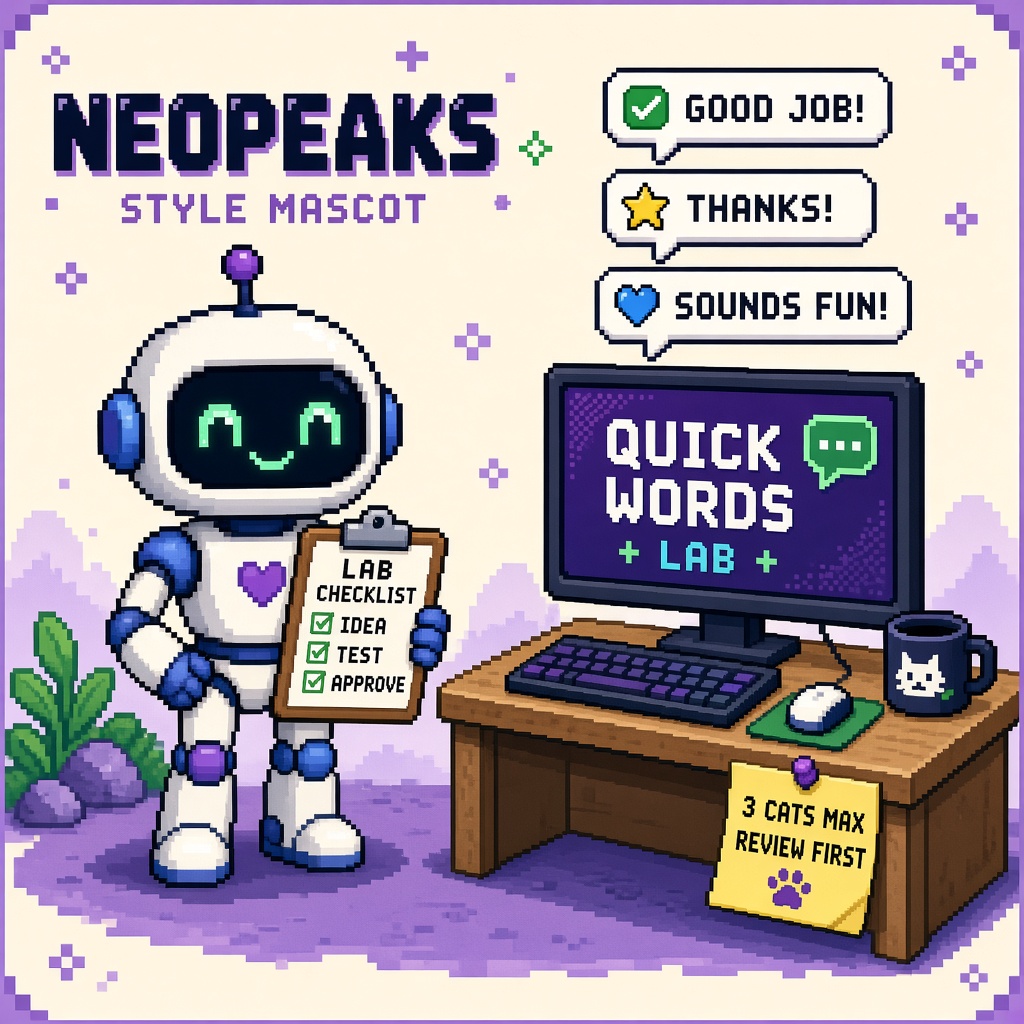
If you searched roblox quick words after the October 13, 2026 Custom Quick Words launch, you do not need another “paste the whole Discord callout list and ship tonight” thread. You need a fill-in worksheet that locks six decisions before LiveOps invents a studio-wide “coordination is fixed” changelog:
- Experience lock — name the live experience; prefer a staging/lab publish path when available
- Caps honesty — ≤ 3 custom categories, 3–10 English words each
- Tier A list — prioritize coordination phrases; cut meme/C-tier first
- Policy + English input — author English; publish triggers guidelines review
- Status latch — pending / approved / rejected recorded before player claims
- Decision latch — LAB_QW, HOLD, or PAIR — refuse SHIP_NOW
This URL is that worksheet. It is not the live Stop Expecting Roblox Custom Quick Words Without Policy Review (refusal). It is not the queued 12 free Quick Words creator tools listicle. It is not the TTS AutoLocalize dynamic NPC worksheet. Those own policy refusal, toolkit inventory, and TTS lab. This URL owns the first indie Custom Quick Words chat lab evening with gates outsiders can footnote.
Why this matters now
On October 13, 2026, Roblox published Create Your Game-Specific Quick Words: Creator Hub → Configure → Chat → Quick Words. Custom categories (up to three) replace default Roblox categories while General remains. Input is English-only. Publish runs content guidelines review before live. Approved phrases appear in the Chat window (regional availability) and auto-translate by the player’s chat language.
October 2026 is when creators either (a) cut a Tier A English list, submit, track approval, smoke default Chat, and file a receipt, or (b) paste forty memes, announce “live,” and rage when review rejects half. Without a worksheet, teams skip caps, invent custom-UI parity, and confuse this with TTS AutoLocalize.
Direct answer: Fill Sections A–F this week. Cut Tier A to caps. Submit English phrases. Record status. Smoke default Chat only when approved. Latch LAB_QW, HOLD, or PAIR. Read the policy Stop if Discord is mid-SHIP_NOW.
Who fills this worksheet
| Audience | Outcome |
|---|---|
| Beginners | One evening: Tier A list → Creator Hub → status → Chat smoke |
| Developers | Caps + UI-path honesty + fail taxonomy |
| Creators | Discord paste that stops “ship callouts tonight” |
| Companies | CapEx — partner dates after approval |
Time: 45–90 minutes first lab (review wait may span days — latch pending honestly).
Honest limit: DevForum + Creator Hub are authorities. Custom chat UI may lack Quick Words hooks — HOLD rather than invent APIs.
Non-repetition
| URL | Job |
|---|---|
| Custom Quick Words policy Stop | Refuse SHIP_NOW |
| TTS assets AutoLocalize Stop | TTS asset wall |
| TTS AutoLocalize dynamic NPC worksheet | Dynamic TTS lab |
| English-only NPC VO Stop | English-only VO habit |
| 12 free Quick Words creator tools | Toolkit (queued) |
| Roblox guide | Platform hub |
| This URL | First indie Custom Quick Words chat lab worksheet |
Pair community paste with 25 free game development Discord servers.
Official facts you must quote (not invent)
From Create Your Game-Specific Quick Words:
- Custom Quick Words are available in Creator Hub → Configure → Chat → Quick Words.
- Up to three custom categories; three to ten Quick Words each.
- Custom categories replace default Roblox categories; General remains.
- Input Quick Words in English only.
- Publish triggers content guidelines review before live; revise + republish if rejected.
- Approved words appear in the Chat window (regional availability).
- Auto-translate follows the player’s chat language setting after approval.
Pasteable diligence line:
We are labbing Roblox Custom Quick Words with an English Tier A list inside the 3×(3–10) caps, Creator Hub publish + recorded review status, and a default Chat UI smoke after approval. We refuse SHIP_NOW on pending status. Custom chat UI claims stay HOLD until documented.
Section A — Experience + operator lock (fill in)
| Field | Your answer |
|---|---|
| Live experience name | ____ |
| Lab / staging note | ____ |
| Operator tonight | ____ |
| Decision goal | LAB_QW / HOLD / PAIR / (refuse SHIP_NOW) |
A-gate: If community already announced “live custom callouts” while status is pending, open the policy Stop and correct the message first.
Section B — Caps + Tier A list (fill in)
| Field | Your answer |
|---|---|
| Category 1 name + word count | ____ (3–10) |
| Category 2 name + word count | ____ / N/A |
| Category 3 name + word count | ____ / N/A |
| English-only confirmed? | Y/N |
| C-tier memes cut? | Y/N |
| Full phrase list link | ____ |
B-gate: Over caps = stop and cut. Non-English input = rewrite.
Beginner Tier A starter (edit for your game)
| Category | Sample English phrases (replace) |
|---|---|
| Callouts | Need help · On my way · Watch out |
| Status | Ready · Waiting · Done |
| Social | Thanks · Nice · Sorry |
Keep flavor phrases for a later batch after A is approved.
Section C — Creator Hub publish + status (fill in)
| Field | Your answer |
|---|---|
| Hub path used | Configure → Chat → Quick Words |
| Submitted at (local time) | ____ |
| Status | draft / pending / approved / rejected |
| Reject reason (if any) | ____ |
| Revised + resubmitted? | Y/N / N/A |
C-gate: Player-facing “live” claims require approved. Pending = REVIEW_FIRST / HOLD messaging only.
Section D — Default Chat UI smoke (fill in)
| Field | Your answer |
|---|---|
| Test account / age band note | ____ |
| Default Roblox Chat UI used? | Y/N |
| Custom chat UI only experience? | Y/N |
| Approved customs visible? | Y/N / N/A pending |
| General category still present? | Y/N |
| Region / availability note | ____ |
D-gate: If the experience is custom chat UI only, latch HOLD on visibility claims unless you have a documented path. Do not invent TextChatService Quick Words APIs.
Section E — PAIR + negative cases (fill in)
| Field | Your answer |
|---|---|
| Second reviewer (tone/policy) | ____ |
| Second device / account | ____ |
| Chat-language translate observed? | Y/N / N/A |
| Rejected phrase revised once? | Y/N / N/A |
| Notes / surprises | ____ |
E-gate: PAIR before studio-wide announce. Optional: confirm a rejected phrase does not appear while pending/rejected.
Section F — Decision + receipt (fill in)
| Field | Your answer |
|---|---|
| Decision latched | LAB_QW / HOLD / PAIR |
| Timestamp | ____ |
| Receipt filename | roblox_custom_quick_words_chat_lab_receipt_v1.json |
| Stored where | ____ |
| Next review date | ____ |
Decision meanings
| Decision | Meaning |
|---|---|
| LAB_QW | Tier A submitted; status recorded; Chat smoke done if approved — or pending honestly documented without SHIP_NOW |
| HOLD | Caps fail, custom-UI-only, unclear Hub path, or waiting on revise |
| PAIR | Need second reviewer/device before claim |
| SHIP_NOW | Refused — see Stop |
Gates Q1–Q8 (pass / fail)
| Gate | Pass if… |
|---|---|
| Q1 | Experience named; operator named |
| Q2 | ≤3 categories; each 3–10 words |
| Q3 | English input confirmed |
| Q4 | Tier A prioritized; C-tier cut noted |
| Q5 | Publish status recorded |
| Q6 | No player “live” claim while pending/rejected |
| Q7 | Default Chat smoke if approved — or HOLD for custom-UI-only |
| Q8 | Decision LAB_QW / HOLD / PAIR only |
Fail Q2, Q3, or Q6 and stop.
Beginner path — 70 minutes (+ review wait)
- 0–10 min: Read DevForum announce + policy Stop.
- 10–30 min: Build Tier A English list inside caps (Section B).
- 30–45 min: Enter Creator Hub; submit; record status (Section C).
- 45–55 min: PAIR tone check; Discord honesty note if pending.
- When approved: Default Chat smoke (Section D); latch LAB_QW.
- File receipt even if still pending — honesty beats empty green.
Developer path — chat ops depth
Replace-defaults honesty
Custom categories replace default Roblox categories. Before you wipe useful defaults, write what players lose. Keep General. Document the replacement in the receipt notes.
Fail taxonomy
| Symptom | Likely layer | First check |
|---|---|---|
| Not approved | Policy | Revise once |
| Not visible | Pending / UI / region | Q5–Q7 |
| Custom UI empty | Expected gap | HOLD |
| Too few slots | Caps | Cut C-tier |
| Wrong language expectation | English input rule | Q3 |
What not to automate yet
- Mass meme dumps into review
- Partner emails claiming live on submit
- Custom UI forks without APIs
- Mixing TTS AutoLocalize tickets into chat rejects
Failure modes this worksheet catches
| Failure | What it looks like | Fix |
|---|---|---|
| Cap overflow | 40 phrases forced | Cut to caps |
| SHIP_NOW | Live claim on pending | Stop + Q6 |
| UI lie | Custom chat promise | Q7 HOLD |
| Default wipe | Accidental bad replace | Document cats |
| Cluster mash | TTS + Quick Words panic | Separate receipts |
Anti-patterns (reject in review)
- LAB_QW with no status field.
- Non-English Creator Hub input.
- Over-cap lists.
- Custom-UI-only “visible” claims.
- Empty receipt.
- Treating rejects as outages without one revise.
- Skipping the policy Stop when marketing races.
- Announcing worldwide without regional note.
Worked decisions
Studio A — tactical callouts
Do: Three cats (Callouts/Status/Social); English; submit; wait; smoke Chat.
Don’t: Paste toxic memes first.
Studio B — custom chat only
Do: HOLD visibility; optionally still prep Hub list for future.
Don’t: Promise Hub words in a custom panel.
Studio C — rejected twice
Do: Revise; PAIR; CapEx for iteration.
Don’t: SHIP_NOW via Discord.
Studio D — wants Spanish input
Do: Author English; rely on post-approval chat-language translate.
Don’t: Fight English-input rule.
Studio E — mid TTS week
Do: Separate tickets; link TTS worksheet/Stop.
Don’t: One mega-thread.
CapEx four-liner
- Asset at risk: Trust + moderation posture.
- Change proposed: Live claims before approval / over-cap dumps.
- Cost if wrong: Rejects, angry Discord, false platform bugs.
- Decision owner: LiveOps; default LAB_QW after Q1–Q8 — never SHIP_NOW.
Two-week calendar
| Day | Action |
|---|---|
| Day 1 | Tier A list inside caps |
| Day 2 | Submit; record pending |
| Day 3–5 | Track approval; revise if needed |
| Day 6 | Default Chat smoke if approved |
| Day 7 | Receipt + Discord; refuse SHIP_NOW |
| Week 2 | Optional B-tier batch; tools listicle when live |
Phrase inventory table
| # | English phrase | Cat # | Tier A/B/C | Status | Visible in Chat? |
|---|---|---|---|---|---|
| 1 | ____ | 1–3 | A/B/C | ____ | Y/N/NA |
| 2 | ____ | 1–3 | A/B/C | ____ | Y/N/NA |
| 3 | ____ | 1–3 | A/B/C | ____ | Y/N/NA |
| 4 | ____ | 1–3 | A/B/C | ____ | Y/N/NA |
| 5 | ____ | 1–3 | A/B/C | ____ | Y/N/NA |
| 6 | ____ | 1–3 | A/B/C | ____ | Y/N/NA |
| 7 | ____ | 1–3 | A/B/C | ____ | Y/N/NA |
| 8 | ____ | 1–3 | A/B/C | ____ | Y/N/NA |
| 9 | ____ | 1–3 | A/B/C | ____ | Y/N/NA |
Company diligence appendix
Partners will ask whether “Custom Quick Words” means age-limited chat is solved. Answer with gates, not slogans.
| Diligence question | Honest answer shape |
|---|---|
| Are custom phrases live? | Only after guidelines approval, not on submit. |
| How many phrases? | ≤ 3 categories × 3–10 words; Tier A listed. |
| Any language input? | English input; chat-language auto-translate after approval. |
| Works in our custom chat UI? | Default Chat smoke only unless a documented custom path exists. |
| Who owns rejects? | Named LiveOps owner + one revise SLA before escalation. |
Put LAB_QW / pending status in the localization or LiveOps runbook the same week as the announce. Slide decks that only quote Key Takeaways fail when players still see defaults while Hub shows pending.
QA script (20 minutes after approval)
- Log in on a test account that can use Quick Words / default Chat in your region.
- Open Chat; confirm General still appears.
- Confirm each approved custom category label matches Hub.
- Send one phrase from each category; screenshot.
- Optional: switch chat language (if available on the account) and note auto-translate behavior without inventing unsupported locales.
- If anything is missing, check Hub status before filing “Chat broken.”
Replace-defaults worksheet (do before publish)
| Default category you will lose | Was it useful to players? | Replacement custom category | Owner OK? |
|---|---|---|---|
| ____ | Y/N | ____ | Y/N |
| ____ | Y/N | ____ | Y/N |
| ____ | Y/N | ____ | Y/N |
If you cannot name what you are replacing, you are not ready to publish custom categories. General staying is not a free pass to wipe every useful default without a note in Discord.
How this worksheet pairs with the policy Stop
| Topic | Policy Stop | This worksheet |
|---|---|---|
| Job | Refuse SHIP_NOW | Fill gates + receipt |
| When to open first | Marketing races ahead of approval | Lab evening with a Tier A list |
| Shared gates | English input, review, caps, UI honesty | Same — proven here |
| Sibling | Links here for fill-ins | Links Stop for refusal language |
You can fail both: skip the Stop’s refusal and skip this lab’s status field. Fix as two artifacts — refusal receipt + lab receipt.
Discord shortlist (paste)
Roblox Custom Quick Words chat lab:
1) Creator Hub → Configure → Chat → Quick Words
2) ≤3 categories, 3–10 English words each
3) Custom cats replace defaults; General remains
4) Publish → guidelines review (submit ≠ ship)
5) Record status: pending/approved/rejected
6) Smoke default Chat only after approved
7) Custom UI only → HOLD visibility claims
8) Decision: LAB_QW / HOLD / PAIR
9) Refuse SHIP_NOW — see policy Stop
10) Receipt: roblox_custom_quick_words_chat_lab_receipt_v1.json
Receipt — roblox_custom_quick_words_chat_lab_receipt_v1.json
{
  "receipt_type": "roblox_custom_quick_words_chat_lab_receipt_v1",
  "operator": "",
  "experience": "",
  "category_count": 0,
  "words_per_category": [],
  "english_input": false,
  "publish_status": "draft|pending|approved|rejected",
  "default_chat_smoke_pass": false,
  "custom_ui_only_hold": false,
  "ship_now_refused": true,
  "decision": "LAB_QW|HOLD|PAIR",
  "refused": ["SHIP_NOW"],
  "timestamp_local": "",
  "notes": ""
}
publish_status: pending with a public “live” claim invalidates the receipt.
Worked example (one evening, fictional studio)
Studio North Gate ships a parkour lobby. LiveOps wants “Quick Words for queue chat” on socials Friday. On Wednesday they open this worksheet.
- LAB_QW filled: English Tier A only; three categories — Queue, Match, Thanks; nine phrases total.
- Thursday they submit in Hub and set status to pending on the Discord shortlist.
- Friday morning review is still pending — they refuse the social post that said “custom Quick Words live.”
- Saturday approval lands; they run the 20-minute QA script, tick Chat visible, then post with SHIP and a screenshot of the three categories.
That sequence is the whole product value of this page: gates before paste, status before announce, Chat smoke before celebrate. Copy the same rhythm for your next category batch — never skip the pending day just because marketing wants Friday.
Key takeaways
- Oct 13, 2026 shipped Custom Quick Words in Creator Hub.
- Caps: 3 categories, 3–10 English words each.
- Review before live — submit ≠ ship.
- Custom cats replace defaults; General remains.
- Smoke default Chat after approval.
- Custom-UI-only → HOLD visibility.
- Latch LAB_QW, HOLD, or PAIR.
- Refuse SHIP_NOW.
- Tier A first; cut C-tier.
- File the JSON receipt.
- Primary keyword: roblox quick words.
- Pair with the policy Stop for refusal language.
FAQ
Where do I configure Custom Quick Words?
Creator Hub → your experience → Configure → Chat → Quick Words (announce).
Can I input non-English phrases?
Input is English-only. After approval, auto-translate follows player chat language.
How is this different from the policy Stop?
The Stop is the refusal. This worksheet is the fill-in lab with gates and a receipt.
Do they work in custom chat UI?
Confirm your path. Default Chat is the proven smoke; custom UI may require HOLD.
What primary keyword does this page target?
roblox quick words — first indie chat lab worksheet intent.
Related reading
- Stop Expecting Roblox Custom Quick Words Without Policy Review - 2026 — policy refusal
- 12 Free Roblox Custom Quick Words Creator Tools After Oct 13 - 2026 — toolkit (queued)
- Stop Expecting Roblox TTS Audio Assets to AutoLocalize - 2026 — TTS cousin
- Roblox TTS AutoLocalize First Indie Dynamic NPC Worksheet 2026 — TTS lab
- Stop Shipping English-Only Roblox NPC VO After TTS Languages Expand 2026
- Roblox Guide
- 25 Free Game Development Discord Servers
Primary sources: Create Your Game-Specific Quick Words · Creator Hub.
Conclusion
Custom Quick Words fix real coordination gaps — when you lab them. Cut Tier A. Fit the caps. Author English. Submit. Record status. Smoke default Chat after approval. Latch LAB_QW, HOLD, or PAIR. Refuse SHIP_NOW. Keep custom-UI promises honest.
Print Sections A–F. Paste Discord. Treat Quick Words as measured chat craft — not submit-day marketing.