

Stop Expecting Roblox Custom Quick Words Without Policy Review - 2026
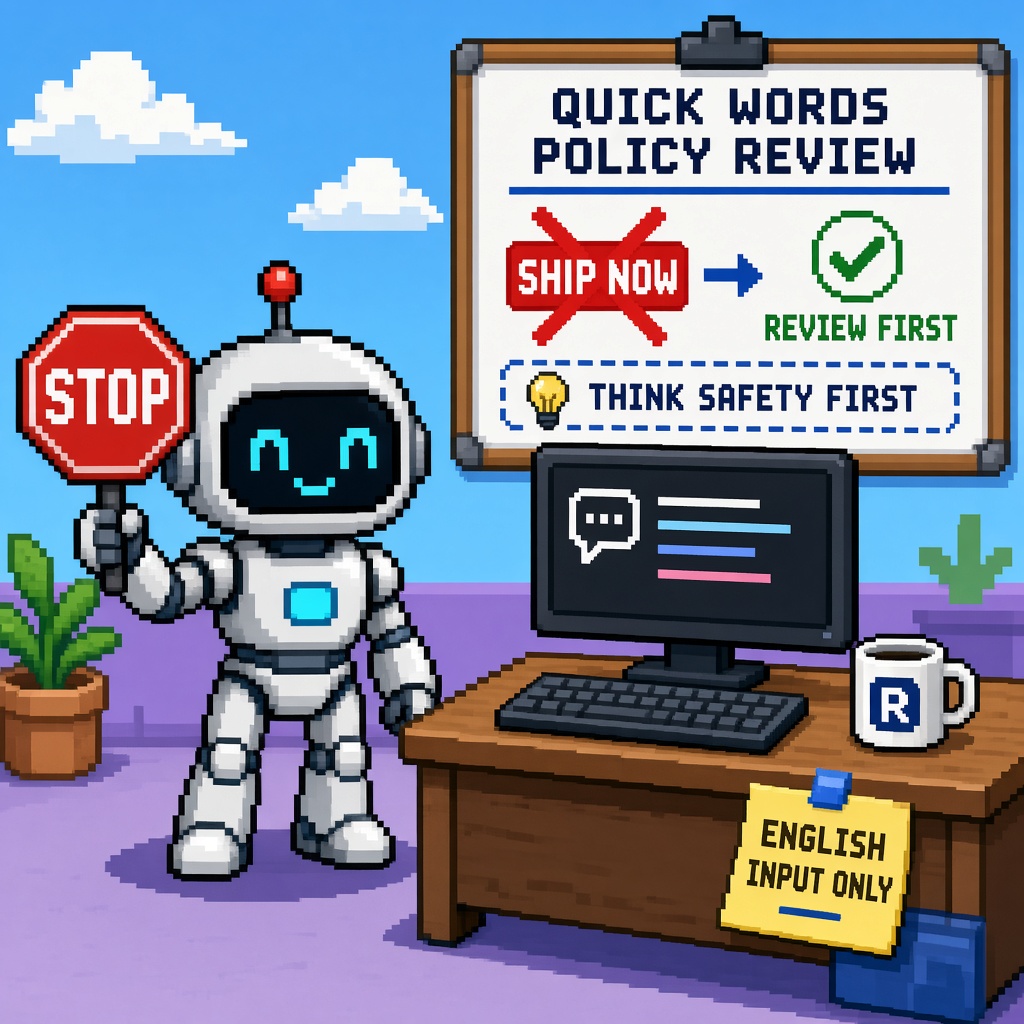
If you searched roblox custom quick words after the October 13, 2026 DevForum announce, you do not need another “we can finally ship our entire callout dictionary tonight” montage. You need a refusal.
Stop expecting Roblox Custom Quick Words without policy review. On that date, Roblox published Create Your Game-Specific Quick Words: you can define game-specific phrases in Creator Hub under Configure → Chat → Quick Words. You may add up to three custom categories, with three to ten Quick Words in each. Custom categories replace the default Roblox categories while General remains. You can only input Quick Words in English. When you publish, categories and words are reviewed against content guidelines before they go live — revise and republish if rejected. Once approved, they appear in the Chat window (subject to regional availability) and are automatically translated based on the player’s chat language setting.
That last sentence is where Discord folklore begins. “Auto-translated” does not mean “paste slang, skip guidelines, ignore English-input, assume custom chat UI, and tell partners we shipped coordination today.” Review is a gate. English input is a gate. Default chat UI assumptions are a gate. This URL refuses the SHIP_NOW slide that skips those gates.
This is not the live Stop Expecting Roblox TTS Audio Assets to AutoLocalize (dynamic TTS vs assets). It is not the Stop Shipping English-Only Roblox NPC VO. It is not the live Custom Quick Words chat lab worksheet or the queued tools listicle. Those own fill-in labs and toolkits. This URL owns the policy-review refusal for Custom Quick Words.
Why this matters now
October 2026 sits one day after the Custom Quick Words launch (and a week after TTS AutoLocalize). LiveOps teams paste “custom callouts live” into changelogs. Designers dump twenty meme phrases into Creator Hub. Community managers promise Discord that coordination is fixed for age-limited chat. Then review rejects half the list, custom chat UI users see nothing, and someone files “Quick Words broken.” The bug is often process folklore — treating publish as ship.
Direct answer: Run the honesty ladder. Prefer REVIEW_FIRST, LAB_QW, or PAIR. Refuse SHIP_NOW — claiming Custom Quick Words are live coordination without English-input honesty, guidelines review, and UI-path clarity. Hand fill-ins to the worksheet sibling when live.
Who this refusal is for
| Audience | Use it to… |
|---|---|
| Beginners | Know review + English input before players see custom phrases |
| Developers | Separate Creator Hub publish from TextChatService / custom UI reality |
| Creators | Paste a sit-out when Discord says “ship the callout pack tonight” |
| Companies | CapEx — do not promise partners live Quick Words on submit day |
Time: 20 minutes for the ladder; 10 minutes for the Discord paste.
Honest limit: DevForum + Creator Hub are authorities. Re-read the announce and Roblox content guidelines before arguing. Custom chat UI support may lag — do not invent TextChatService APIs Roblox has not documented for Quick Words.
Non-repetition
| URL | Job |
|---|---|
| TTS assets AutoLocalize Stop | Dynamic TTS ≠ saved assets |
| English-only NPC VO Stop | English-only VO habit |
| TTS AutoLocalize dynamic NPC worksheet | Dynamic TTS lab |
| Custom Quick Words chat lab worksheet | Fill-in lab (live) |
| 12 free Quick Words creator tools | Toolkit (queued) |
| Roblox guide | Platform hub |
| This URL | Stop Custom Quick Words without policy review |
Pair community paste with 25 free game development Discord servers.
The claim I am refusing
Claim (false): “Roblox shipped Custom Quick Words, so we paste our full coordination dictionary into Creator Hub, hit publish, and tell players/partners that game-specific chat is live tonight — review is a formality, English-only input doesn’t matter because it auto-translates, and custom chat UI will just work.”
Counter-claim: Publish triggers content guidelines review. Input is English-only. Translation happens after approval for the player’s chat language. Custom categories replace defaults (General remains). Count limits are real (3 categories, 3–10 words each). Treating submit as ship is policy wallpaper.
Same disease as other Stops: headline folklore, checkbox CapEx, partnership slides that skip gates.
What Roblox actually says (read before you argue)
From Create Your Game-Specific Quick Words and Creator Hub Configure → Chat → Quick Words:
| Fact | Meaning for your LiveOps plan |
|---|---|
| Custom Quick Words available | Game-specific coordination phrases |
| Path: Creator Hub → Configure → Chat → Quick Words | Not a Studio-only toggle folklore |
| Up to 3 custom categories | Scope the dictionary |
| 3–10 words per category | No infinite meme dump |
| Custom cats replace default Roblox cats | Design replacement carefully |
| General category remains | Players still have a shared bucket |
| English input only | Write English; translation is post-approval |
| Publish → guidelines review before live | Submit ≠ ship |
| Rejected → revise + republish | Budget iteration time |
| Auto-translate by player chat language | After approval — not a skip of English input |
| Regional availability | Do not promise worldwide instant |
If your board strategy is “chat fixed in one afternoon,” you skipped review and UI-path honesty.
Excuse ladder
| Excuse | Why it fails | What to do instead |
|---|---|---|
| “Publish means live.” | Review gate exists. | Latch REVIEW_FIRST. |
| “Auto-translate means any language input.” | Input is English-only. | Write English phrases. |
| “We’ll dump 40 callouts.” | 3×(3–10) hard caps. | Prioritize Tier A phrases. |
| “Custom chat UI will show them.” | Announce targets Chat window; custom UI may lack hooks. | Confirm default UI path or HOLD. |
| “TTS AutoLocalize already covers chat.” | Different system. | Separate tickets. |
| “Rejected phrases are a Roblox bug.” | Often policy — revise. | Document reject → revise loop. |
| “Partners need a date today.” | CapEx — date after approval. | Promise submit + review SLA, not live. |
| “General is enough forever.” | Valid HOLD — say it honestly. | Don’t fake custom cats. |
Honesty ladder (run before any Quick Words claim)
| Rung | Question | Pass if… |
|---|---|---|
| H1 | Did you read the DevForum post + guidelines note? | Quote review + English input |
| H2 | Are phrases authored in English? | Yes |
| H3 | Category/word counts inside 3 / 3–10? | Counts written |
| H4 | Publish submitted and approval status recorded? | Pending / approved / rejected |
| H5 | Live claim only after approved? | No SHIP_NOW on pending |
| H6 | Chat UI path named (default vs custom)? | Honesty note |
| H7 | CapEx owner for revise loops? | Signature |
| H8 | Discord headline matches gates, not Key Takeaways alone? | Paste fixed |
Fail H4–H5 and you do not get to lecture Discord about “Quick Words don’t work.”
Decision table — REVIEW_FIRST / LAB_QW / PAIR / SHIP_NOW
| Decision | Meaning |
|---|---|
| REVIEW_FIRST | Submit English phrases; wait for guidelines approval before player-facing claims |
| LAB_QW | Disposable experience / staging publish path for first categories only |
| PAIR | Second reviewer checks policy tone + UI path |
| SHIP_NOW | Refused — claim live custom coordination on submit day without approval |
Default after this article: REVIEW_FIRST (and LAB_QW when testing). SHIP_NOW is never a diligence outcome.
CapEx four-liner (paste to board)
- Asset at risk: Trust, moderation posture, and partner dates.
- Change proposed: Treat Custom Quick Words publish as instant-live coordination.
- Cost if wrong: Rejected packs, angry Discord, false “Roblox broke chat” narratives, custom-UI silence.
- Decision owner: LiveOps/community lead; default = REVIEW_FIRST — never SHIP_NOW.
What the Oct 13 announce actually teaches
| Lesson | Steal this | Do not steal this |
|---|---|---|
| Review gate | Budget revise loops | “Formality” |
| English input | Author in English | Paste any locale as input |
| Caps | Prioritize phrases | Dump the wiki |
| Replace defaults | Design categories on purpose | Accidental wipe of useful defaults |
| Auto-translate | After approval | Skip English authorship |
| Worksheet handoff | Lab when live | Treating this Stop as a tutorial |
Beginner path — 25 minutes (refusal) + shortlist
- Open the DevForum announce; read review + English-input lines aloud.
- List ten candidate phrases — cut to fit 3×(3–10).
- Confirm they are English and on-policy (no bait-and-switch toxicity).
- Latch REVIEW_FIRST — do not announce “live” until approved.
- Paste Discord shortlist; file refusal receipt.
- Hand fill-ins to the live worksheet.
Developer path — chat ops depth
Submit vs live (separate proofs)
| Layer | What proves it | Common false pass |
|---|---|---|
| Authoring | English phrases in Creator Hub | Spreadsheet only |
| Caps | ≤3 cats, 3–10 words | “We’ll add more later” undocumented |
| Review | Status pending/approved/rejected | Assume approved |
| Translation | Player chat language after approval | Claim input multilingual |
| UI path | Default Chat window verified | Custom UI assumed |
| Regional | Availability note | Worldwide promise |
Fail taxonomy
| Symptom | Likely layer | First check |
|---|---|---|
| Not approved | Policy | Revise; don’t rage-ship |
| Players don’t see customs | Pending / UI / region | H4–H6 |
| Custom UI empty | Expected gap | HOLD or default UI |
| Wrong language showing | Chat language setting | After-approval translate |
| “Too few phrases” | Caps | Prioritize Tier A |
What not to automate yet
- Mass-publishing meme packs without PAIR review
- Promising TextChatService Quick Words APIs Roblox has not shipped for custom UIs
- Mixing TTS AutoLocalize tickets into chat review failures
- Deleting human moderation plans because auto-translate exists
Failure modes this Stop catches
| Failure | What it looks like | Fix |
|---|---|---|
| Submit-as-ship | Changelog before approval | REVIEW_FIRST |
| Non-English input folklore | Rejected / wrong expectations | English authorship |
| Cap thrash | 40 phrases forced | Tier A cut |
| UI lie | Custom chat promise | Honesty note |
| Cluster mash | TTS + Quick Words one panic | Separate receipts |
Anti-patterns (reject in review)
- Marketing “Custom Quick Words live” on submit day.
- Non-English as Creator Hub input.
- Ignoring 3 / 3–10 caps.
- Assuming custom chat UI parity.
- Noun-swapping the TTS assets Stop without the review gate.
- Empty receipt with
decision: REVIEW_FIRSTand no phrase inventory. - Treating rejects as platform outages without revise attempts.
- Partner decks that omit regional availability.
Worked decisions
Studio A — tactical shooter callouts
Do: Three categories (Callouts / Status / Thanks); English; REVIEW_FIRST; PAIR for tone.
Don’t: Paste toxic meme stacks hoping review is asleep.
Studio B — custom chat UI only
Do: HOLD on player-facing custom Quick Words claims until UI path is real; or confirm default Chat.
Don’t: Promise Hub-configured words in a custom panel you cannot open.
Studio C — wants Spanish input for Spanish players
Do: Author English; rely on post-approval chat-language translation; document.
Don’t: Fight the English-input rule with folklore.
Studio D — rejected twice
Do: Revise against guidelines; log reject reasons if shown; CapEx for iteration.
Don’t: SHIP_NOW via Discord announcements anyway.
Studio E — also mid TTS AutoLocalize week
Do: Separate tickets; link assets Stop and this Stop.
Don’t: One mega-thread.
Two-week calendar
| Day | Action |
|---|---|
| Day 1 | Read announce; cut Tier A English list to caps |
| Day 2 | Submit; latch REVIEW_FIRST; no live claim |
| Day 3 | Track approval; revise if rejected |
| Day 4–5 | PAIR tone/UI; Discord honesty note |
| Day 6–7 | Only after approved: player-facing announce |
| Week 2 | Worksheet lab when live; tools listicle optional |
Company diligence appendix
| Diligence question | Honest answer shape |
|---|---|
| Are custom phrases live? | Only after guidelines approval, not on submit. |
| Any language? | Input English; players may see auto-translated chat-language variants after approval. |
| Unlimited dictionary? | No — 3 categories, 3–10 words each. |
| Works in our custom chat? | Confirm default Chat path; custom UI may need WAIT/HOLD. |
| Who owns rejects? | Named LiveOps owner + revise SLA. |
Inventory worksheet (one page)
| Phrase (English) | Category (1–3) | Policy OK? | Status | UI path | Owner |
|---|---|---|---|---|---|
| ____ | ____ | Y/N | draft/pending/approved/rejected | default/custom/HOLD | ____ |
| ____ | ____ | Y/N | draft/pending/approved/rejected | default/custom/HOLD | ____ |
| ____ | ____ | Y/N | draft/pending/approved/rejected | default/custom/HOLD | ____ |
| ____ | ____ | Y/N | draft/pending/approved/rejected | default/custom/HOLD | ____ |
| ____ | ____ | Y/N | draft/pending/approved/rejected | default/custom/HOLD | ____ |
Rule: If Status is pending and marketing says live, the row fails this Stop.
How this Stop pairs with TTS AutoLocalize Stop
| Topic | TTS assets Stop | This Stop |
|---|---|---|
| Trigger | Oct 8 AutoLocalize | Oct 13 Custom Quick Words |
| Folklore | Assets auto-translate | Publish = live callouts |
| Gate | Dynamic vs asset | Review + English input + UI |
| Shared disease | Docs moved; teams skipped Limitations/gates | Same |
QA script (15 minutes)
- Submit a minimal English Tier A set inside the caps.
- Record Creator Hub status: pending / approved / rejected — screenshot or paste.
- Do not post a player-facing “live” note while pending.
- If approved, verify appearance in the default Chat Quick Words UI on a test account (and note region).
- If rejected, revise once against guidelines before escalating “platform bug.”
- If the experience uses only custom chat UI, latch HOLD on player claims until a documented path exists.
Phrase tiering (before you hit caps)
| Tier | Examples | Ship priority |
|---|---|---|
| A | Need help / Ready / Thanks / On my way | First review batch |
| B | Mode-specific callouts (objective names) | Second batch after A approved |
| C | Flavor / meme / niche slang | Last — highest reject risk |
Cut C first when you overflow 3×(3–10). Never burn review cycles on C while A is still draft.
Discord shortlist (paste)
Roblox Custom Quick Words refusal (policy first):
1) Oct 13: Creator Hub → Configure → Chat → Quick Words
2) English input only; auto-translate after approval by chat language
3) Up to 3 categories, 3–10 words each
4) Publish triggers content guidelines review — submit ≠ ship
5) Custom cats replace defaults; General remains
6) Confirm default Chat UI path (custom UI may lag)
7) Decision: REVIEW_FIRST / LAB_QW / PAIR
8) Refuse SHIP_NOW
9) Receipt: roblox_custom_quick_words_policy_refusal_receipt_v1.json
Receipt — roblox_custom_quick_words_policy_refusal_receipt_v1.json
{
  "receipt_type": "roblox_custom_quick_words_policy_refusal_receipt_v1",
  "operator": "",
  "english_input_confirmed": false,
  "category_count": 0,
  "words_per_category": [],
  "publish_status": "draft|pending|approved|rejected",
  "ui_path": "default_chat|custom_ui|unknown",
  "ship_now_refused": true,
  "decision": "REVIEW_FIRST|LAB_QW|PAIR",
  "refused": ["SHIP_NOW"],
  "timestamp_local": "",
  "notes": ""
}
ship_now_refused: false with a public “live tonight” claim is an invalid receipt.
Key takeaways
- Oct 13, 2026 shipped Custom Quick Words in Creator Hub.
- English input + guidelines review are hard gates.
- Caps: 3 categories, 3–10 words each.
- Auto-translate follows approval, by player chat language.
- Submit ≠ ship — refuse SHIP_NOW.
- Confirm default Chat vs custom UI honesty.
- Latch REVIEW_FIRST, LAB_QW, or PAIR.
- CapEx: partner dates after approval, not after paste.
- Separate from TTS AutoLocalize folklore.
- Lab fill-ins → worksheet sibling when live.
- Primary keyword: roblox custom quick words.
- Outsiders can cite gates + diligence line without our jargon.
FAQ
Are Custom Quick Words live the moment I publish?
No. They are reviewed against content guidelines before they go live. See the DevForum announce.
Can I enter phrases in Spanish?
Input is English-only. After approval, Quick Words auto-translate based on the player’s chat language setting.
How many phrases can I add?
Up to three custom categories with three to ten Quick Words each.
Will they work in my custom chat UI?
Confirm your path. The announce points creators at Creator Hub + the Chat window; custom UI hooks may not exist yet — HOLD rather than invent APIs.
How is this different from the TTS assets Stop?
TTS assets Stop refuses AutoLocalize folklore for saved audio. This Stop refuses SHIP_NOW folklore for Custom Quick Words without policy review.
What primary keyword does this page target?
roblox custom quick words — policy-review refusal after the Oct 13 announce.
Related reading
- Stop Expecting Roblox TTS Audio Assets to AutoLocalize - 2026 — TTS asset-wall cousin
- Stop Shipping English-Only Roblox NPC VO After TTS Languages Expand 2026 — English-only VO habit
- Roblox TTS AutoLocalize First Indie Dynamic NPC Worksheet 2026 — dynamic TTS lab
- Roblox Custom Quick Words First Indie Chat Lab Worksheet 2026 — chat lab sibling (live)
- 12 Free Roblox Custom Quick Words Creator Tools After Oct 13 - 2026 — toolkit (queued)
- Roblox Guide
- 25 Free Game Development Discord Servers
Primary sources: Create Your Game-Specific Quick Words · Creator Hub.
Conclusion
Custom Quick Words are a real coordination upgrade — and a review-gated one. Stop expecting English-input packs, guideline checks, and Chat-window limits to vanish because the Key Takeaways screenshot looks friendly. Author in English. Fit the caps. Submit. Wait for approval. Confirm UI path. Latch REVIEW_FIRST. Refuse SHIP_NOW. Keep partner promises honest.
Paste the sit-out. Ship players approved phrases — not a submit-day press release.