

Stop Publishing a Live Game on Prompt-to-Avatar Beta - 2026
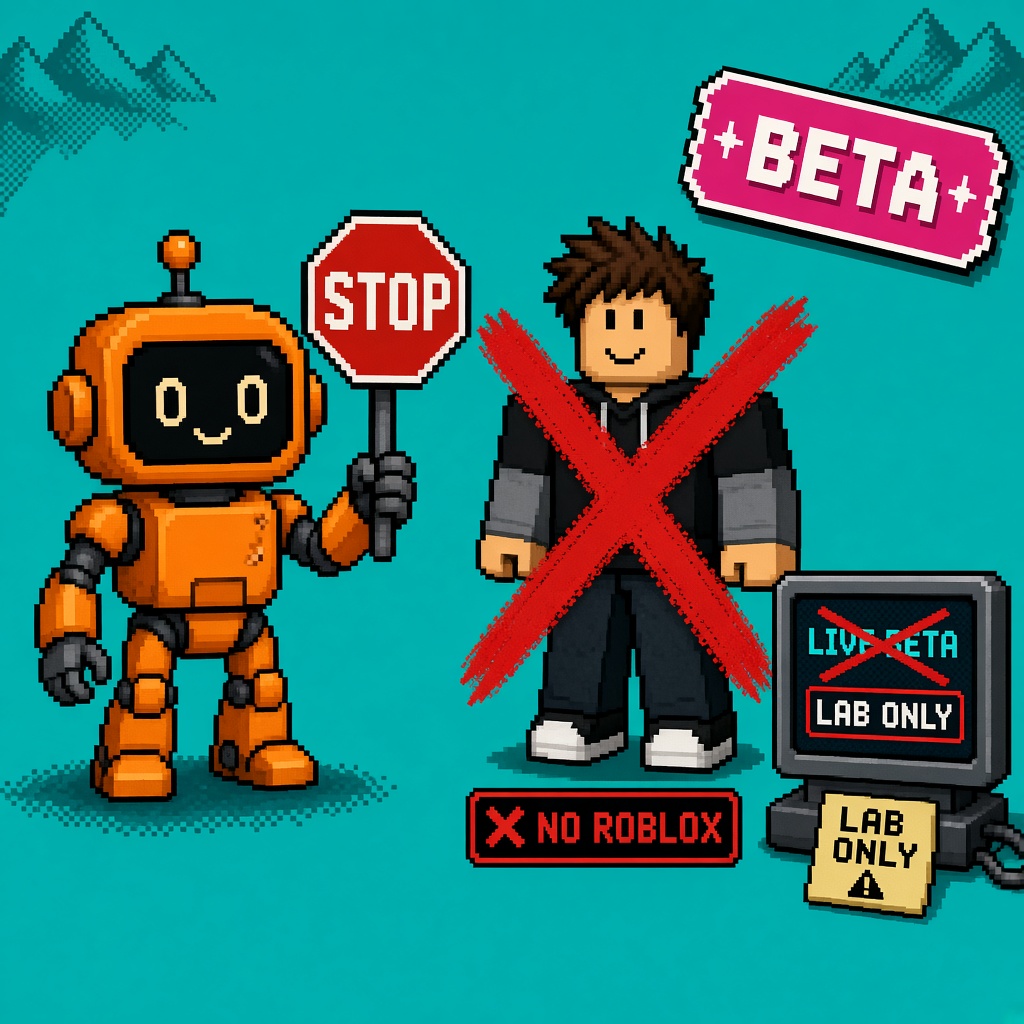
If you searched roblox prompt to avatar beta after the October 29 Studio announcement, you already have a capability list. You need a refusal.
Stop publishing a live game on Prompt-to-Avatar beta. Roblox launched Studio Beta - Generate Game Characters with Prompt-to-Avatar as a Studio Beta: text → 2D concept → Build 3D inside Avatar Setup, with Assistant and Studio MCP paths. Accessories are not generated in this beta even when the 2D preview invents them. Quality is still improving. Launch-day saves failed for some group places. A Discord grid of pretty concepts is not a cast certificate for your live experience. Related generative 3D tooling context lives on Roblox Cube — demand noise, not a ship ticket.
The live what-changed map already covers Beta Features enablement, clothing vs modesty, static vs dynamic heads, R15 / Advanced R15, the 3–6 minute Build 3D band, MCP entry, and accessory honesty. This URL does not repeat that map. It refuses the next sentence: “so replace our live NPCs with beta avatars and publish tonight.”
This is not the UIShadow live-publish Stop. It is not the Package Overrides live-workflow Stop. It is not the early testers public-launch Stop. Those own UI shadows, package overrides, and preview invites. This URL owns the Prompt-to-Avatar live-cast refusal.
Why this matters now
Character FOMO is faster than UI FOMO. One evening of Build 3D can fill a folder with “cast.” Marketing wants the grid in the trailer. MCP agents can request generation without a human staring at Avatar Setup. None of that converts Studio Beta output into a production cast. Players will notice missing accessories promised by the 2D art, uncanny faces on dynamic heads, and mid-week mesh swaps when you regenerate “because quality improved.” Partners who saw a concept board will ask why the live build looks half-dressed. The board hears “Roblox AI broke our characters.” You published a beta lab cast as the live experience.
Direct answer: Keep the live experience on characters you already accept for production (placeholders, Catalog, hired art, pre-beta pipelines). Lab Prompt-to-Avatar on a COPY_PLACE / personal disposable place only. Latch NO_LIVE_CAST for any place whose hero NPCs, trailers, or monetized skins depend on beta-generated bodies. Revisit only when Roblox ships production accessory support (and your own acceptance sheet passes) — not when Discord says “everyone is using it.”
Who this refusal is for
| Audience | Use it to… |
|---|---|
| Beginners | Know Studio Beta ≠ permission to replace the live cast |
| Developers | Freeze which places may store beta avatars as shipping assets |
| Creators | Paste a sit-out when chat says “ship the AI cast” |
| Companies | Diligence — beta character gen is partner risk until gates clear |
Time: 15 minutes for the ladder. 10 minutes for the Discord paste.
Honest limit: The DevForum announcement is the authority. This page does not invent a GA date for accessories, Prompt-to-Animation, or “production release.” Re-check the thread the morning you promote.
Non-repetition
| URL | Job |
|---|---|
| Prompt-to-Avatar what-changed | Capability map |
| UIShadow live Stop | UI beta publish refusal |
| Package Overrides Stop | Package beta refusal |
| Makeup advance Stop | IEC advance refusal |
| Early testers Stop | Preview ≠ public |
| Roblox Studio guide | Platform hub |
| 12 free Prompt-to-Avatar checks | Numbered enable kit |
| This URL | Stop live cast on Prompt-to-Avatar beta |
Pair the paste with 25 free game development Discord servers. If Studio networking fails under a corporate proxy while someone “just needs to publish the cast,” keep package manager HTTP 403 help for the network path — still do not use that stress as an excuse to force beta avatars live.
The claim I am refusing
Claim (false): “Prompt-to-Avatar is in Studio Beta Features, Avatar Setup built three NPCs in an hour, the 2D concepts have hats and weapons, MCP can refill the cast overnight, and the DevForum likes are high — so we should publish the live experience with these characters as our cast tonight. Beta means Roblox finished the dangerous parts. Players will get the accessories when production ships; for now the bodies are good enough.”
Counter-claim: Roblox shipped the feature as a Studio Beta, documented that accessories are not generated in this beta, and is still improving quality. Opting the live place into a cast that depends on these bodies (or marketing that implies accessory-complete NPCs) is LIVE_CAST_ON_BETA. That is the refusal.
What the beta actually authorizes
From the Prompt-to-Avatar Studio Beta post:
| Fact | Meaning for a live place |
|---|---|
| Studio Beta via File → Beta Features | Lab opt-in, not GA |
| Build Avatar (Beta) in Avatar Setup | Character gen path, not a store publish waiver |
| Text → 2D iterate → Build 3D (~3–6 min) | Lab throughput, not instant production |
| Built-in clothing or modesty layer | Dressing choice you must log |
| Static or dynamic heads | Expression tradeoffs; faces drew day-one criticism |
| R15 / Advanced R15 only | Not arbitrary custom / R6 replacement folklore |
| Accessories not generated in this beta | 2D props ≠ shipping meshes |
| Studio MCP + Assistant support | Faster lab — same beta limits |
| Quality “actively improving” | Expect drift if you regenerate later |
| Roadmap: Prompt-to-Animation, asset separation, Build integration | Next, not done |
| Launch-day group save / flag lag | Personal disposable place for first labs |
If your plan is “checkbox on, generate cast, publish live,” you skipped the beta label and the accessory sentence.
Excuse ladder
| Excuse | Why it fails | Do this instead |
|---|---|---|
| “It looks fine in Avatar Setup preview.” | Preview is not a live-cast acceptance sheet. | COPY_PLACE / lab folder only. |
| “The 2D shows a hat, so players will understand.” | Roblox said accessories are not generated in this beta. | Quote that line in the ticket. |
| “We only swapped three hero NPCs.” | Three dependencies are enough to make the cast beta-tied. | Keep live heroes on accepted art. |
| “MCP filled twenty crowd fillers — publish.” | Agentic speed does not erase beta policy. | Log MCP outputs as lab; leave live placeholders. |
| “We’ll add accessories manually later.” | Then do not market the live cast as complete now. | Ship placeholders until the pass is honest. |
| “Dynamic heads look expressive enough.” | Community already flagged mouths/hands; quality is moving. | Lab faces; do not freeze trailer frames yet. |
| “Group place save worked after the fix.” | Save success ≠ production cast approval. | Still require acceptance sheet. |
| “UIShadow Stop is different, so this is fine.” | Correct — different beta. Still a Stop for this checkbox. | Use this URL for Prompt-to-Avatar. |
| “Partners want AI characters on the slide.” | CapEx. Say Studio Beta + no accessories + lab-only. | Paste the four-liner below. |
| “Everyone on DevForum is shipping it.” | Likes ≠ your risk register. | Owner signs NO_LIVE_CAST. |
| “We’ll regenerate after GA and hotfix.” | Live players already saw the half-cast; trust burns. | Never make beta the live cast. |
| “Modesty-layer bodies are temporary.” | Temporary on live is still a live cast decision. | Keep temporary on COPY_PLACE. |
Decision labels (body only — not the title)
Use these in tickets and Discord. Do not put KEEP/HOLD in the public title; the title already says Stop.
| Label | Meaning |
|---|---|
| COPY_PLACE | Disposable / duplicated place; beta may be on |
| LIVE_PLACE | Shipping experience; beta cast not used as hero NPCs |
| NO_LIVE_CAST | Do not publish LIVE_PLACE while hero/crowd cast depends on Prompt-to-Avatar beta bodies |
| ACCESSORY_GATE | Waiting for production accessory generation (or manual accessory pass signed) |
| QUALITY_GATE | Faces/hands/clothing accepted by art lead on a dated sheet |
| STRIP_AND_SHIP | Remove beta cast dependencies, restore accepted placeholders/art, then publish |
| PROD_GATE | Roblox production / non-beta path + your internal sheet both clear |
Monday rule: if the place is LIVE_PLACE and any player-visible hero, trailer character, or monetized NPC mesh comes from Prompt-to-Avatar beta without QUALITY_GATE + ACCESSORY_GATE (or an honest “bodies only, no accessories” marketing line that product actually accepts), you are in NO_LIVE_CAST until STRIP_AND_SHIP or PROD_GATE clears.
Beginner path — first thirty minutes
Prerequisites: access to Studio, permission to duplicate the live place, and a producer who will accept “no” on cast publish.
- Open the live place. Do not replace live NPCs with beta avatars “just to compare.”
- Duplicate to
PromptAvatar-Lab-YYYYMMDD(or save a personal disposable place — launch guidance preferred personal over group for first saves). - On the copy, enable Prompt-to-Avatar under File → Beta Features, restart if needed.
- Build one avatar with the what-changed prompt structure. Log clothing, head, rig.
- Screenshot 2D and 3D. Write in the caption: accessories not in beta.
- Paste into Discord with the label COPY_PLACE / lab only.
- Write one line in the ship channel: NO_LIVE_CAST until PROD_GATE.
- Leave the live place cast alone.
Common mistakes
- Dropping beta meshes into the live Team Create place “for a vibe check.”
- Publishing the copy as the live experience by overwriting the wrong place.
- Posting 2D concept art with hats as “our new cast” without the accessory caveat.
- Letting MCP write characters straight into the live asset folder without a human gate.
- Treating Advanced R15 as proof the beta is production-complete.
Working-dev path — preflight before any publish click
Run this before anyone hits Publish on a place that touched characters this week:
| Check | Pass if… |
|---|---|
| Prompt-to-Avatar assets on LIVE_PLACE | None in hero/crowd cast, or explicitly waived with dated QUALITY_GATE + honest marketing |
| Explorer / asset folder scan | No Build Avatar (Beta) outputs marked as shipping without receipt |
| Patch notes / Discord trailer | Does not promise hats/weapons/accessories from beta gen |
| Social assets | Lab grids labeled Studio beta, not “live now” |
| MCP / Assistant runs | Logged source=mcp|assistant|avatar_setup and accepted_for_live=false |
| Group vs personal | First labs verified on personal place if group save was flaky |
| Owner named | Producer or tech lead signed NO_LIVE_CAST or STRIP_AND_SHIP |
If any check fails, stop the publish. The Roblox Studio guide is for orientation; it does not override the Studio Beta label or the accessory sentence.
Discord paste (creators)
STOP — do not publish the live place with Prompt-to-Avatar beta as the cast.
Roblox: Studio Beta (Oct 29). Accessories are NOT generated in this beta
even if the 2D concept shows them. Lab on COPY_PLACE / personal disposable.
Live cast stays on accepted placeholders or production art.
Owner: ________  Gate: NO_LIVE_CAST until PROD_GATE
Five lines. No jargon IDs. Paste as-is.
Quotable refusal table
| Do | Don’t |
|---|---|
| Lab Build 3D on a copy | Publish live NPCs that exist only as beta outputs |
| Caption 2D grids as beta / no accessories | Post “shipping tonight” under a concept with hats |
| Log clothing, head, rig on every receipt | Assume defaults are “good enough forever” |
| Keep MCP outputs in a lab folder | Let agents write straight into live cast slots |
| Track ACCESSORY_GATE from official posts | Guess accessory GA from Discord vibes |
| Separate this Stop from UIShadow / Package Stops | Bundle every October checkbox into one “betas on” night |
Worked example — wrong Friday trailer
Setup: Live adventure experience. Art lead enables Prompt-to-Avatar on the live Team Create place. MCP generates twelve NPCs overnight. Trailer board uses 2D concepts with crowns and weapons. Producer schedules Friday publish and a “AI cast drop” Discord event.
What should happen: Producer reads NO_LIVE_CAST. Art moves generation to COPY_PLACE. Trailer either uses pre-accepted cast or slips until ACCESSORY_GATE + QUALITY_GATE. Discord event is labeled lab showcase, not live drop.
What actually happens when people skip the Stop: Players join a cast missing the accessories they saw in the trailer. Hands look wrong on dynamic heads. Someone regenerates mid-weekend because “quality improved” and the cast drifts. Partners ask why the deck lied. The cost is trust, not the prompt string.
Receipt after a near-miss:
Date:
LIVE_PLACE name:
COPY_PLACE name:
Prompt-to-Avatar beta assets on live?: Y/N (list)
Accessories promised in marketing?: Y/N
MCP used?: Y/N
Decision: NO_LIVE_CAST | STRIP_AND_SHIP | ACCESSORY_GATE | QUALITY_GATE | PROD_GATE
Signer:
Link to DevForum announcement:
RACI
| Role | Owns |
|---|---|
| Art lead | Style bible; QUALITY_GATE; which bodies may leave lab |
| Engineer | Asset folder scan; MCP path logging; strip PR if STRIP_AND_SHIP |
| Producer | Publish gate; trailer/Discord honesty |
| QA | Confirm live build cast sources; accessory promise vs mesh |
| Community | Caption lab grids as beta; no “live cast” hype |
Failure modes
| Failure | Symptom | Fix |
|---|---|---|
| Beta cast on live | Hero NPCs are Prompt-to-Avatar outputs | Strip to placeholders; move gen to copy |
| Accessory myth | Trailer shows hats; live meshes bare | Correct posts; latch ACCESSORY_GATE |
| MCP dump | Overnight folder becomes “the cast” | Quarantine lab folder; require human sheet |
| Regenerate drift | Weekend hotfix changes faces | Freeze accepted IDs; no silent regen on live |
| Group save chaos | Auth errors mid-publish week | Personal lab first; verify group later |
| Face FOMO | Dynamic heads ship despite uncanny QA | Static heads for crowd; QUALITY_GATE for heroes |
| Wrong Stop | Team cites UIShadow refusal only | Different checkbox — use this URL for Prompt-to-Avatar |
| Social leak | Players expect accessory-complete cast | Correct caption; do not rush publish to match hype |
Same-month Studio betas (do not merge)
| Beta / surface | Refusal URL | Live risk in one line |
|---|---|---|
| Prompt-to-Avatar | This page | Beta character gen ≠ production cast |
| Upgraded UIShadows | UIShadow Stop | New shadow capabilities not for live publish yet |
| Package Overrides | Package Stop | Override tracking / Team Create / nested holes |
| Makeup IEC | Advance Stop | Economy honesty — different product |
Enable them independently. A “beta night” that flips every File → Beta Features box and swaps the live cast is how you get multiple incidents for the price of one Discord hype cycle.
Solo vs small team
Solo: Your “producer” is you. Still write the Discord paste into a note you will see on publish day. Duplicate the place before enabling the beta. The failure mode for solos is overwriting the only place file after a “quick cast polish” session — COPY_PLACE is the whole defense.
Two to five people: One person owns the live place publish button. One person owns the avatar lab. Do not let the art lead both dump MCP outputs into live and click Publish. Split those roles even if the same human wears both hats on different days — never in the same session.
Contractors / agents: Send the five-liner before they open Studio or wire MCP. Contractors and agents often enable every Beta Features box and treat generation success as ship success. Your live place is the production surface; their laptop is not a sandbox unless you gave them a copy and a lab folder.
Producer email / ticket template
Subject: NO_LIVE_CAST — Prompt-to-Avatar (Studio Beta)

Roblox documents Prompt-to-Avatar as a Studio Beta (announced 2026-10-29).
Accessories are not generated in this beta even if the 2D concept shows them.
Source: DevForum Studio Beta — Generate Game Characters with Prompt-to-Avatar.

Decision: Live place cast stays free of Prompt-to-Avatar beta dependencies
unless STRIP_AND_SHIP or PROD_GATE is signed.
Lab: COPY_PLACE / personal disposable only.
Marketing: no accessory promises from beta gen.

Owner:
Date:
Paste into Linear, GitHub, or email. Attach lab screenshots labeled beta, not live trailer frames.
Verification night (45–60 minutes)
- Open LIVE_PLACE. List current hero NPC asset sources (Catalog, hire, placeholder, other).
- Search asset folders / Explorer for Prompt-to-Avatar / Build Avatar beta outputs.
- Open COPY_PLACE with beta on — generate one control avatar; screenshot 2D vs 3D accessory gap.
- Diff in Discord: label which cast is live-legal.
- Confirm trailer and patch notes do not promise beta accessories.
- Confirm MCP configs cannot write into the live cast folder without a human gate.
- Sign the receipt block from the worked example.
PASS = live cast sources unchanged + copy holds the experiment + NO_LIVE_CAST posted. FAIL = live file contains beta bodies “for convenience” or marketing implies hats that do not exist in mesh.
STRIP_AND_SHIP checklist
Use when Friday is fixed and the live place already absorbed beta cast:
- Inventory every Prompt-to-Avatar beta mesh referenced by live scripts, spawn tables, and cutscenes.
- Replace with accepted placeholders or prior production art.
- Remove trailer frames that show accessory-complete 2D concepts as “in game now.”
- Disable or quarantine MCP write paths to the live folder.
- QA spawn every hero NPC once on a published test experience (non-beta cast).
- Producer signs STRIP_AND_SHIP complete.
- Only then publish LIVE_PLACE.
If you cannot strip before the date, slip the date. Shipping a half-honest cast is worse than a quiet week.
When PROD_GATE can clear
Clear NO_LIVE_CAST only when all of these are true (or product explicitly accepts a narrower “bodies-only, no accessories” live policy in writing):
- Roblox documents a production / non-beta path for Prompt-to-Avatar (or your team stops using the beta checkbox for shipping assets).
- ACCESSORY_GATE clears — either official accessory generation ships, or art completes a signed manual accessory pass.
- QUALITY_GATE clears — art lead accepts faces, hands, clothing seams on dated screenshots.
- You re-test saves on the place type you ship (group vs personal) after any known auth fixes.
- MCP/Assistant paths have the same acceptance sheet as Avatar Setup clicks.
- Producer signs a promote note with links to the official post and the internal sheet.
Until then, COPY_PLACE is the only honest home for Prompt-to-Avatar cast experiments.
What this Stop is not
It is not a rewrite of what Prompt-to-Avatar changed. It is not permission to skip the capability cheat sheet. It is not a claim that generative characters are banned forever — only that live experiences must not depend on Studio Beta Prompt-to-Avatar outputs as their shipping cast while accessories are unsupported, quality is still moving, and the feature remains labeled Studio Beta. When PROD_GATE clears, this refusal retires for that pipeline; until then it stands.
It is also not the makeup IEC advance refusal, not Texture Generator Quality Mode advice, and not “AI is bad.” The target is publish FOMO on a named beta.
Company diligence one-pager
| Question | Acceptable answer |
|---|---|
| Is Prompt-to-Avatar GA? | No — Studio Beta as of Oct 29, 2026 |
| Can live cast depend on it? | Not under this Stop until PROD_GATE |
| Accessories included? | Not in this beta’s 3D output |
| MCP = production? | Only with the same gates as manual Avatar Setup |
| Trailer using 2D concepts? | Must disclose beta / no accessories or wait |
| Who signs? | Producer (or equivalent), not the agent |
Key takeaways
- Stop publishing a live game on Prompt-to-Avatar beta as your cast source.
- Oct 29 shipped a Studio Beta, not a silent production character factory.
- Accessories are not generated in this beta — even when 2D shows them.
- Lab on COPY_PLACE / personal disposable; latch NO_LIVE_CAST on LIVE_PLACE.
- MCP/Assistant speed does not erase beta limits.
- Trailer FOMO is a marketing failure mode, not a publish requirement.
- Do not merge this refusal with UIShadow or Package Overrides Stops — different checkboxes.
- STRIP_AND_SHIP if beta meshes already landed in live; slip the date if you cannot strip.
- PROD_GATE needs official production path + accessory/quality honesty + signed sheet.
- Capability map lives on the what-changed; this URL owns the refusal.
- Re-read the DevForum announcement before any promote meeting.
- Paste the Discord brief if your team only reads one message.
FAQ
Should I publish a live Roblox experience using Prompt-to-Avatar beta characters?
No as a default. Keep beta outputs in a lab place until PROD_GATE (and accessory/quality honesty) clear. That is the whole Stop.
Is Prompt-to-Avatar the same as the UIShadow live-publish block?
No. UIShadow’s announcement explicitly blocked publishing new shadow capabilities to live experiences during that beta. Prompt-to-Avatar’s refusal is about cast dependency on Studio Beta character generation — accessories missing, quality moving, beta label still on. Different checkbox, related FOMO pattern.
Why can’t we ship if Build 3D succeeded?
Success means the lab tool returned a mesh. It does not mean accessories exist, faces passed art review, or Roblox labeled the feature production-ready.
What if we only use beta bodies for unnamed crowd NPCs?
Still a live cast decision. Crowd fillers that drift after regenerate, or that imply accessory-complete silhouettes from 2D, create the same trust problem. Prefer placeholders until gates clear — or document an explicit, accepted “bodies-only lab crowd” policy that marketing will not contradict.
Can Studio MCP publish for us?
MCP can generate. It cannot sign NO_LIVE_CAST. Keep agent outputs out of live cast slots without a human receipt.
What about group experiences?
Launch-day creators hit save/auth failures on some group places. Use a personal disposable lab first. Group save success later still does not equal PROD_GATE.
When does this Stop retire?
When PROD_GATE clears: production/non-beta path (or signed equivalent), accessory honesty, quality acceptance, and producer promote note. Not when likes go up.
Where is the capability map?
What Roblox Prompt-to-Avatar Changed for Creators - 2026.
Sources
- Studio Beta - Generate Game Characters with Prompt-to-Avatar (primary)
- Roblox Cube (related generative 3D tooling context)
What to do Monday
Duplicate or open a personal disposable lab place. Leave the live cast alone. Generate one control avatar. Caption the accessory gap. Post NO_LIVE_CAST in the ship channel. For Studio orientation, use the Roblox Studio guide. Point curiosity at the what-changed map. Pair the numbered enable kit with 12 Free Roblox Prompt-to-Avatar Checks Before You Enable It. Paste the Discord brief if your team only reads one message. Re-check the DevForum thread the morning you are tempted to “just publish the AI cast.”