

What Roblox Prompt-to-Avatar Changed for Creators - 2026
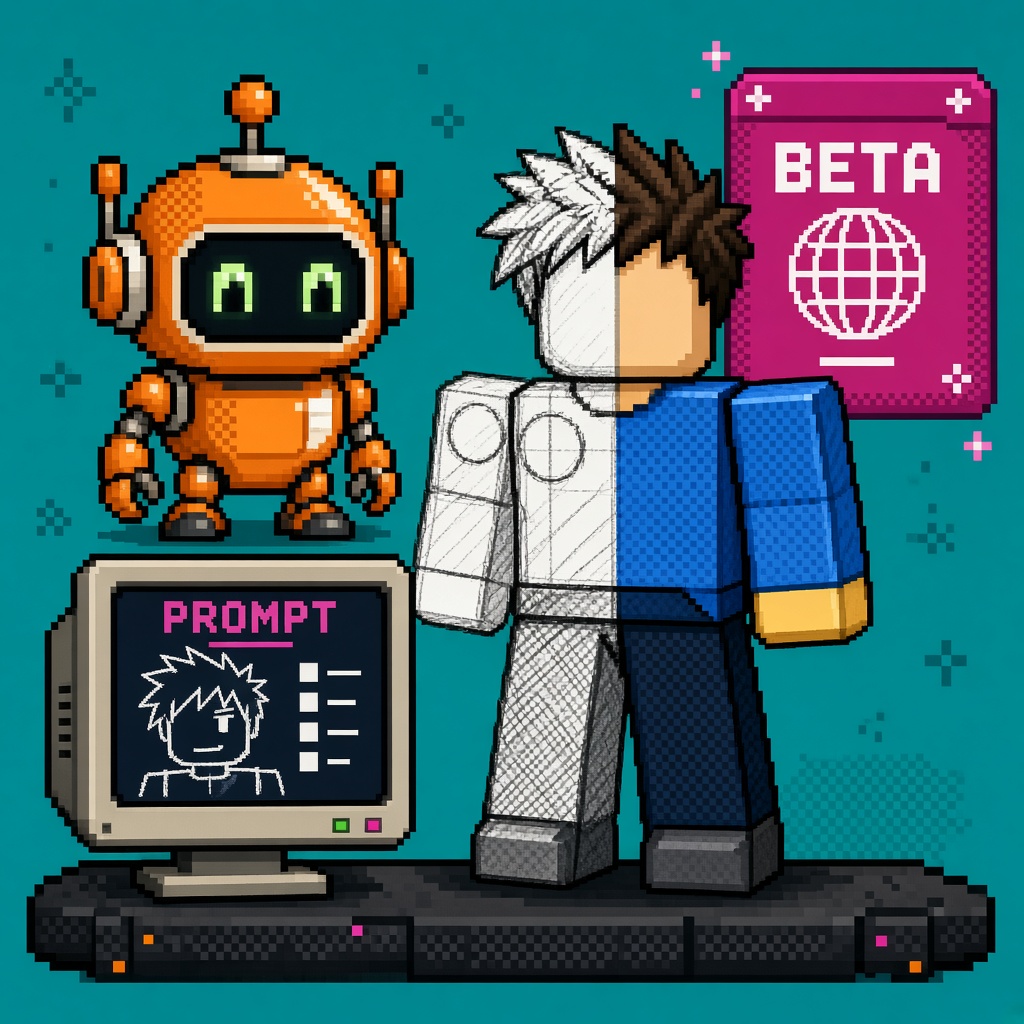
If you searched roblox prompt to avatar after 29 October 2026, you do not need another “AI will fill your cast tonight” paste. You need a map of what Studio Beta Prompt-to-Avatar actually unlocks, which clothing and head toggles matter, which rigs ship, what the 2D→3D loop refuses (accessories in this beta), and how Studio MCP fits without turning a lab mannequin into a live experience cast.
Roblox announced the feature on DevForum as Studio Beta - Generate Game Characters with Prompt-to-Avatar. Enable it under File → Beta Features, then open Avatar Setup → Build Avatar (Beta). Generation also surfaces through Assistant and Studio MCP for agentic workflows. Companion generative 3D research discourse (same week’s Roblox model tooling noise) sat on Hacker News — useful ambient demand, not a substitute for the DevForum product truth.
This page is the what-changed read. It is not the live Stop Publishing a Live Game on Prompt-to-Avatar Beta (queued refusal spine), not the free twelve-check enablement listicle, and not makeup IEC, UIShadow, or Texture Generator Quality Mode. Those own refusal, numbered gates, face cosmetics economy, UI shadows, and mesh retexture. This URL owns the Prompt-to-Avatar capability map after the Oct 29 Studio Beta.
Why this matters now
Character authoring is still the slowest visible bottleneck for many micro-teams: blocky placeholders ship into playtests while “real cast” waits on a modeler. Prompt-to-Avatar compresses text → 2D concept iteration → Roblox-ready 3D into Avatar Setup, with clothing or modesty-layer options, static or dynamic heads, and R15 / Advanced R15 rigs. That is a real Monday change. It is also a Studio Beta: accessories are not generated yet (even when the 2D preview invents them), quality is still improving, group-place save edge cases showed up on launch day, and treating beta avatars as your production cast without a lab gate is how Discord FOMO becomes partner regret.
Direct answer: Enable the beta on a disposable place, learn the prompt structure Roblox published, iterate 2D until the style locks, then Build 3D (budget 3–6 minutes, longer for dynamic heads). Keep live experience publishing and “this is our cast” Discord language off until you have an acceptance sheet. Re-read the DevForum post before you freeze a marketing claim — beta limits move.
Who this read is for
| Audience | Use it to… |
|---|---|
| Beginners | Name Beta Features, Build Avatar, 2D retry vs Build 3D |
| Developers | Wire MCP / Assistant paths; log clothing, head, rig choices |
| Creators | Paste a Discord brief without promising accessory-complete NPCs |
| Companies | Diligence — Studio Beta ≠ production character pipeline |
Time: 25–35 minutes to read. First successful Build 3D evening: separate (45–90 minutes with prompt retries).
Honest limit: DevForum is the authority. Flag rollouts, group upload fixes, and quality can move week to week — re-check the thread the morning you demo for a partner.
Non-repetition
| URL | Job |
|---|---|
| Makeup IEC what-changed | In-experience makeup economy map |
| UIShadow what-changed | UI Studio Beta map |
| Quality mode textures | Texture Generator Quality mode |
| Package Overrides what-changed | Package edit beta |
| Makeup advance Stop | IEC advance refusal |
| Roblox Studio guide | Platform hub |
| Prompt-to-Avatar live Stop | Refusal spine for live cast |
| 12 free Prompt-to-Avatar checks | Numbered enable kit |
| This URL | What Prompt-to-Avatar changed |
Pair a Discord paste with 25 free game development Discord servers. If Studio networking fails under a corporate proxy while you chase Beta Features, keep package manager HTTP 403 help for the network path.
The one-paragraph version
On 29 October 2026, Roblox launched Prompt-to-Avatar as a Studio Beta. Creators enable it in File → Beta Features, then use Avatar Setup → Build Avatar (Beta) (also Assistant and Studio MCP). Workflow: write a structured text prompt → generate a 2D concept → Retry or edit until the look locks → Build 3D (about 3–6 minutes; longer with dynamic heads). Options: avatars with built-in clothing or modesty layer only; static or dynamic heads (dynamic heads include eye sockets and mouth cavity for expression); R15 or Advanced R15 rigs. Accessories are not generated in this beta, even if the 2D concept shows them — production release is the promised home for accessory generation. Roadmap callouts include Prompt-to-Animation, Avatar Setup / stylization improvements, Roblox Build integration, and separating clothing, accessories, and hair as individual assets later. Launch-thread reality: flag rollout took hours for some creators; group-experience save failures needed a personal-place workaround while a fix landed.
What existed vs what Prompt-to-Avatar adds
| Before | After Oct 29 Prompt-to-Avatar Studio Beta |
|---|---|
| Manual modeling / Catalog / third-party import for every NPC | Text → 2D concept → Roblox-ready 3D inside Avatar Setup |
| Style locked only after you open Blender / a hire | Style locked in 2D before you spend the 3D minutes |
| Clothing usually a separate dressing pass | Built-in clothing or modesty-layer body as a generation choice |
| Dynamic Heads as a separate craft path | Toggle dynamic vs static head at generation time |
| Agentic character gen outside Studio | Studio MCP + Assistant entry points documented on launch |
| Hope the 2D preview’s hat ships in mesh | Explicit: accessories not generated in this beta |
Unlock bullets (from the launch)
| Pillar | Meaning Monday |
|---|---|
| Studio Beta enable | File → Beta Features; expect restart / flag lag on day one |
| Build Avatar (Beta) | Avatar ribbon → Setup → Build Avatar (Beta) |
| 2D concept loop | Iterate with Retry; each pass uses prior image as context |
| Build 3D | Commit when 2D is honest; budget 3–6+ minutes |
| Clothing choice | Built-in outfit or modesty layer only |
| Head choice | Static vs dynamic (sockets/cavity for expression) |
| Rig choice | R15 or Advanced R15 (not “any custom rig”) |
| MCP / Assistant | Same generation feature from agentic / chat paths |
| Accessory honesty | 2D may show them; 3D beta does not emit them |
Beginner path — first successful Build 3D (one evening)
Prerequisites: current Roblox Studio, Beta Features available on your account (wait out flag lag if the toggle vanished after restart — launch staff said full rollout took longer on day one), a personal disposable place (group places hit save/auth errors for some creators on launch), and 60–90 minutes.
- File → Beta Features → Prompt-to-Avatar (exact label may match the announcement’s beta name) — enable; restart if Studio asks.
- Confirm the toggle still exists after restart. If it disappeared, wait and re-check — launch replies documented temporary flag gaps.
- Open a personal test place (not your live group experience) until you have one clean save.
- Avatar ribbon → Setup → Build Avatar (Beta).
- Pick clothing mode: built-in clothing or modesty layer.
- Pick head mode: static or dynamic.
- Pick rig: R15 or Advanced R15.
- Write a structured first prompt (style + proportions + outfit + 2–3 colors + one accent — see prompt section below).
- Review the 2D result. Use Retry or edit prompts until the silhouette and outfit read correctly. Do not Build 3D on a 2D you would reject in art review.
- Click Build 3D. Wait. Dynamic heads may exceed the 3–6 minute band.
- Inspect the preview in Avatar Setup: proportions, hands, face, clothing seams, missing accessories you falsely expected from the 2D art.
- Save / export per Avatar Setup’s current save path. If you see
User is not authorized to access Asset/ avatar save failed on a group place, switch to a personal place and retry (launch guidance).
Common mistakes
- Building 3D on the first 2D because “we’re excited.”
- Promising hats, weapons, and backpacks from the 2D concept in Discord.
- Using a live group place as the first lab (auth / save pain).
- Mixing anime style anchors with “tall broad muscular realistic jaw” and then blaming the beta for semi-real mush.
- Short one-line prompts that force the model to invent your cast.
- Treating Advanced R15 as “custom non-R15 whatever I want.” Staff clarified current generation supports R15 and Advanced R15, not arbitrary custom rigs.
- Shipping the avatar into a public experience the same night without a cast acceptance sheet.
Working-dev path — lab sheet you can paste into Notion
Run this on a disposable place. Fail closed if any row is “assumed.”
| Gate | Pass if… | Fail if… |
|---|---|---|
| G1 Beta visible | Toggle present after restart | Flag missing after hours → stop and re-check DevForum |
| G2 Personal place | Save succeeds on personal place | Group-only lab with auth errors |
| G3 Clothing logged | Built-in vs modesty written down | “Whatever default” undocumented |
| G4 Head logged | Static vs dynamic written down | Surprise mouth/socket expectations |
| G5 Rig logged | R15 vs Advanced R15 written down | Expecting R6 / fully custom |
| G6 2D lock | Two humans would greenlight silhouette | “We’ll fix it in 3D” |
| G7 Accessory myth | Discord says accessories not in beta | Marketing shows 2D hat as shipping mesh |
| G8 Time budget | Calendar has 3–6+ min per Build | Stand-up assumes instant cast |
| G9 MCP path (optional) | Agent call reproduces one avatar | MCP used as sole undocumented pipeline |
| G10 Live off | Public place still uses placeholders | Beta avatar is the live hero cast |
Receipt fields to store (plain JSON mental model — adapt to your repo): prompt_text, clothing_mode, head_mode, rig_mode, 2d_iterations, build3d_minutes, place_type (personal|group), accessories_expected (false until production), accepted_for_live (false until Stop/listicle gates pass).
Prompt structure that survives Build 3D
Roblox’s published structure (paraphrased into a pasteable shape):
, full body, , , <outfit top to bottom>, <2–3 colors and one accent>
Example from the announcement (keep as pattern, not as your IP): stylized adventure game character, full body, realistic adult proportions, clean rounded shapes, soft matte textures, bear-folk lumberjack, brown fur, round ears, red plaid shirt, blue jeans, work boots.
| Do | Don’t |
|---|---|
| Open with a style anchor and proportions | Lead with conflicting build/face words |
| Put the details you care about early | Dump a novel where early traits fade |
| Be specific on outfit layers and colors | One-word prompts (“cool warrior”) |
| Describe hands if they matter (cartoon / three fingers / human-like) | Assume hands always look production-ready |
| Retry the same prompt once if 3D fails | Rewrite every failure into a new universe |
| Keep accessory wishes out of “must ship” | Treat 2D props as guaranteed meshes |
Style conflict trap: Adding “tall broad muscular build, heavy square jaw” to an anime anchor tends to pull semi-realistic bodies. Pick one anchor family and stay inside it for the lab night.
Official prompt examples to study (themes, not free assets to claim as original): anime festival fire dancer; child-proportion village traveler; ocean scholar with coral crown; older inventor with tool apron and mechanical hand; captain with tricorn. Use them to learn specificity density, then write your own cast bible lines.
Clothing, heads, and rigs — decision table
| Choice | Pick when… | Watch out |
|---|---|---|
| Built-in clothing | You want a dressed NPC fast for blockouts | Outfit may not separate cleanly later (roadmap: separate clothing assets) |
| Modesty layer only | You will dress via Catalog / your own clothes pipeline | Empty “nude + modesty” looks wrong in marketing shots — frame them as WIP |
| Static head | Performance / simpler face needs | Less expression range |
| Dynamic head | You need sockets/cavity for facial expression | Longer generate time; faces still drew community criticism on day one — lab honestly |
| R15 | Standard compatibility path | Match your experience’s avatar rules |
| Advanced R15 | You need the advanced animation capability toggle path | Still not “any custom rig” |
Studio MCP and Assistant — what changed for agentic teams
Launch explicitly ships Prompt-to-Avatar with Studio MCP support so agentic workflows can request generation without only clicking Avatar Setup. Assistant is also in the key-takeaways path. That matters for teams already scripting Studio chores: character greys can enter the same agent loop as place edits.
Dev discipline: MCP does not erase beta limits. An agent that “fills the cast” while accessories are unsupported and live publish is unapproved is still a process failure. Log source=mcp|assistant|avatar_setup on each receipt so you know which path produced the weird hands.
Company diligence: If a vendor deck says “our pipeline auto-generates production Roblox characters via MCP,” ask whether clothing mode, head mode, accessory policy, and live-publish gates are in the runbook — or whether they pasted the DevForum title into a slide.
Honest limits (do not ship myths)
| Limit | What it means Monday |
|---|---|
| Studio Beta | Quality still improving; treat as lab |
| No accessories in this beta | 2D hats/weapons ≠ 3D assets yet |
| R15 / Advanced R15 only | Not R6, not arbitrary custom |
| 3–6+ minutes per 3D | Not instant Discord cosplay |
| Dynamic heads slower / faces uneven | Community called mouths/hands early; prompt for hand style |
| Group place save bugs on launch | Prefer personal place until fix verified |
| Flag rollout lag | Toggle may vanish briefly after restart |
| Prompt-to-Animation not here yet | Motion is a “what’s next,” not a ship button |
| Clothing/hair/accessories not fully separated yet | Roadmap items — do not sell them as done |
What did not change
| Still true | Why it matters |
|---|---|
| You still need art direction | Prompts without a style bible produce mush |
| Catalog / UGC / hired art still exist | Beta gen is additive, not a studio replacement |
| Live experience governance still applies | Beta assets ≠ auto-approved cast |
| Makeup IEC is a different product | Face cosmetics economy ≠ full body gen |
| Texture Quality Mode is a different product | Mesh retexture ≠ avatar generation |
| UIShadow beta is a different product | UI chrome ≠ characters |
Worked evening — three NPCs, one acceptance sheet
Time-box: 2–3 hours on a disposable personal place.
- Enable beta; confirm toggle after restart.
- Write a one-page cast bible: style anchor, proportion rules, color accents, “no accessories expected in mesh.”
- Generate NPC A (hero support): built-in clothing, dynamic head, R15. Lock 2D in ≤5 retries. Build 3D. Note minutes.
- Generate NPC B (crowd filler): modesty layer, static head, R15. Faster path; dress later.
- Generate NPC C (expression test): built-in clothing, dynamic head, Advanced R15 if you need the advanced animation toggle.
- Fill the lab sheet (G1–G10). Mark
accepted_for_live=falsefor all three. - Paste a Discord brief that states beta + no accessories + lab-only.
- Stop. Do not publish the experience with these as the hero cast tonight.
Pass: Three receipts, honest Discord language, personal-place saves.
Fail: One pretty 2D screenshot posted as “our new cast ships Friday” with hats implied.
Failure modes you will hit this week
| Symptom | Likely cause | Next move |
|---|---|---|
| Beta toggle missing after restart | Flag rollout lag | Wait; re-open Studio; check DevForum replies |
| 3D build fails repeatedly | Prompt / service flake | Retry same prompt once; then simplify; report if persistent |
| Hands look broken | Underspecified hand style | Add cartoon / human-like / finger count language |
| Face uncanny | Dynamic head + weak face words | Tighten style anchor; consider static for crowd NPCs |
| Save / ContentId auth error | Group experience ownership | Switch to personal place; re-test after staff fix notes |
| Discord thinks accessories shipped | 2D concept leakage | Quote the beta accessory sentence in the brief |
| Partner asks “is this production?” | Slide overclaim | Point at Studio Beta label + this map + Stop URL when live |
Creator Discord brief (pasteable)
Oct 29 Prompt-to-Avatar is a Studio Beta (Avatar Setup → Build Avatar).
Flow: text → 2D iterate → Build 3D (~3–6 min; longer w/ dynamic heads).
Options: built-in clothes OR modesty layer; static OR dynamic heads; R15 / Advanced R15.
Accessories are NOT generated in this beta even if the 2D shows them.
Lab on a personal disposable place first. Live cast = no until we pass acceptance.
Source: DevForum Prompt-to-Avatar Studio Beta announcement.
Company diligence checklist
| Question | Acceptable answer |
|---|---|
| Is this GA? | No — Studio Beta as of Oct 29, 2026 |
| Can we promise accessory-complete NPCs? | Not from this beta’s 3D output |
| Which rigs? | R15 / Advanced R15 only |
| MCP = production pipeline? | Only with logged gates + live-off policy |
| Group places ready? | Verify save path after launch fixes; don’t assume |
| Marketing screenshots | Label beta / WIP; don’t crop away missing accessories |
| Cast ownership | Who accepts accepted_for_live — producer, not the agent |
How this pairs with the rest of the cluster
| Sibling (queued or live) | Relationship |
|---|---|
| This what-changed | Capability map + Monday lab |
| Stop publishing live on Prompt-to-Avatar beta | Refusal when FOMO wants a public cast |
| 12 free Prompt-to-Avatar checks | Numbered enable kit before you flip the beta on a shared place |
| Makeup / UIShadow / Quality Mode posts | Adjacent Roblox creator tooling — different jobs |
For Studio orientation after the map, use the Roblox Studio guide. If you need a course-shaped milestone later, keep game development courses as the ladder — this URL stays the trend map, not a lesson unit.
Key takeaways
- 29 Oct 2026 shipped Prompt-to-Avatar as a Studio Beta, not a silent GA character factory.
- Entry points: Beta Features → Avatar Setup → Build Avatar (Beta), plus Assistant and Studio MCP.
- Loop is text → 2D concept (Retry) → Build 3D (about 3–6 minutes, longer with dynamic heads).
- Choose built-in clothing or modesty layer, static or dynamic heads, R15 or Advanced R15 — log each choice.
- Accessories are not generated in this beta, even when the 2D concept invents them.
- Style anchors beat conflicting build/face words; put critical details early in the prompt.
- Prefer a personal disposable place for first saves; launch day saw group auth/save failures.
- Flag rollout lag is real — missing toggles after restart are not always “your install is broken.”
- MCP/Assistant speed does not erase beta limits or live-publish governance.
- Roadmap (Prompt-to-Animation, asset separation, Build integration) is next, not done.
- This URL is the map; the Stop and listicle own refusal and numbered checks.
- Re-read the DevForum announcement the morning you demo for a partner.
FAQ
What is Roblox Prompt-to-Avatar?
A Studio Beta feature that generates Roblox-ready 3D game characters from text prompts via Avatar Setup (Build Avatar Beta), with Assistant and Studio MCP entry points. You refine a 2D concept, then Build 3D.
When did Prompt-to-Avatar launch?
Roblox posted the Studio Beta announcement on 29 October 2026 on DevForum.
How do I enable Prompt-to-Avatar?
Enable it under File → Beta Features, then open Avatar Setup and use Build Avatar (Beta). Restart Studio if prompted; re-check the toggle if flags are still rolling out.
How long does Build 3D take?
Roblox states roughly 3 to 6 minutes, and notes it may take longer when creating bodies with dynamic heads.
Does Prompt-to-Avatar generate accessories?
Not in this beta. Accessories may appear in the 2D concept image, but they are not generated in the 3D beta output. Roblox says accessory generation is planned for the production release.
Can I choose clothing options?
Yes. You can generate with built-in clothing, or without built-in clothing wearing a modesty layer.
What about Dynamic Heads?
You can choose static or dynamic heads. Dynamic heads are generated with eye sockets and a mouth cavity to improve facial expression.
Which rigs are supported?
R15 and Advanced R15. Staff clarified the current generation path is not arbitrary custom/non-R15 rigs.
Does Studio MCP work with Prompt-to-Avatar?
Yes. The launch post states the feature ships with Studio MCP support so you can drive generation from agentic Studio workflows, alongside Avatar Setup and Assistant.
Should I publish a live experience on Prompt-to-Avatar beta characters?
Not as a default. Keep them lab-tagged until your team passes an acceptance sheet. Use Stop Publishing a Live Game on Prompt-to-Avatar Beta for the refusal spine when FOMO wants a public cast tonight.
Why did my group place fail to save the avatar?
Launch-thread creators hit authorization / ContentId load failures on group experiences. Staff asked them to try a personal place while a fix landed. Retest group saves after you confirm the fix on your account.
Is this the same as in-experience makeup creation?
No. Makeup IEC is a different Oct 2026 product about in-experience face cosmetics, tokens, and personal-use looks. Prompt-to-Avatar is Studio-side full character generation from prompts.
Sources
- Studio Beta - Generate Game Characters with Prompt-to-Avatar (primary)
- Hacker News — Roblox generative / model tooling discussion (Oct 2026) (demand context)
- Roblox Cube (related generative 3D tooling)
What to do Monday
Enable Prompt-to-Avatar on a personal disposable place. Lock one style bible line. Run one 2D→3D pass with clothing, head, and rig logged. Mark accessories as not expected. Keep live cast placeholders until the live Stop / 12-check listicle gates pass. For Studio orientation, use the Roblox Studio guide. Paste the Discord brief if your team only reads one message. Re-check the DevForum thread the morning you show a partner so your limits match today’s beta, not yesterday’s screenshot.