

Unity Frame Debugger First Indie Batch-Break Smoke Worksheet 2026
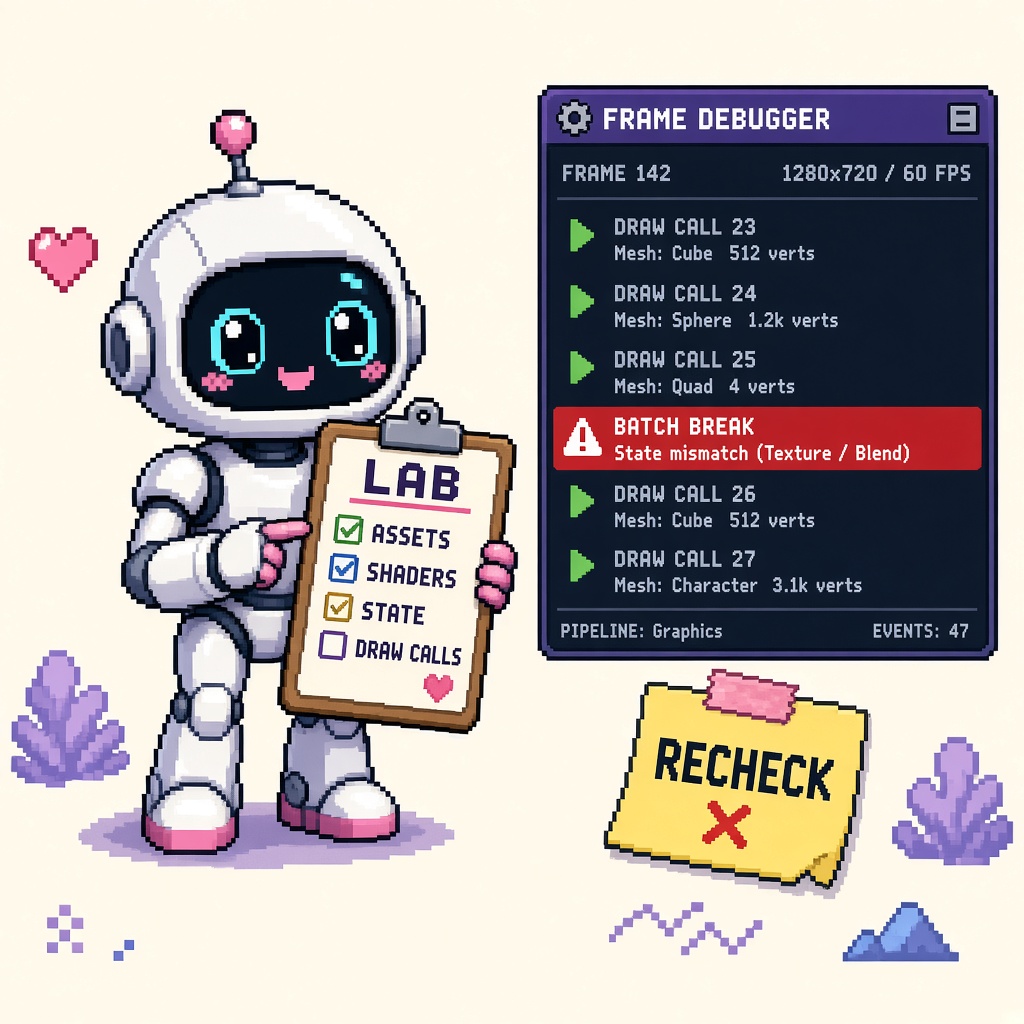
If you searched unity frame debugger batching after Unity’s Echo Weaver case study (October 8, 2026), you do not need another “optimize later” montage. You need a fill-in worksheet that locks six decisions before Discord invents a “flatten every material tonight” sprint:
- Lab scene only — one controllable slice, not the full production level
- Frame Debugger open — event list readable (stabilize thrash if needed)
- Step draw calls — walk events until a break is visible
- Name the break — material / keyword / content / pass-order hypothesis
- Unify → recheck — one change family, then prove improvement
- Decision latch — LAB_SMOKE, HOLD, or PAIR — refuse PROD_THRASH
This URL is that worksheet. It is not the live 12 free Frame Debugger tools after Echo Weaver (numbered toolkit). It is not the 14 free Unity XR debug utilities listicle. It is not a GLES device matrix. Those own toolkit maps, Quest QA ladders, and Android floors. This URL owns the first indie Frame Debugger batch-break smoke evening with gates outsiders can footnote.
Why this matters now
Echo Weaver’s programmer described the loop in plain language: use the Frame Debugger to step the frame draw-call by draw-call, see where batching breaks and why, then consolidate (unify materials, convert stray sprites) and recheck until more of the frame batches. His advice: “start using the Frame Debugger liberally, right away!” Unity’s Frame Debugger Manual matches the instrument: list rendering events, step graphical state, find where issues arise.
October 2026 is when teams quote that sentence and either (a) run a lab smoke with a named break and a recheck — or (b) open RenderDoc on the production level, change five systems, and declare “batching fixed” from a Stats screenshot. Without a worksheet, studios also confuse Frame Debugger with Profiler CPU, or skip naming the break so every art change looks equally justified.
Direct answer: Fill Sections A–F this week on one lab scene. Choose LAB_SMOKE, HOLD, or PAIR. Do not PROD_THRASH the shipping level until one break family is proven. If you need the twelve-instrument map, open the live tools listicle after the smoke.
Who fills this worksheet
| Audience | Outcome |
|---|---|
| Beginners | One evening: open Frame Debugger → name one break → unify → recheck |
| Developers | Break taxonomy + before/after evidence |
| Creators | Discord paste that stops production-level thrash |
| Companies | CapEx four-liner — lab proof before console overtime |
Time: 45–90 minutes first lab smoke (rechecks dominate); 20 minutes to re-run after a material tweak.
Honest limit: Echo Weaver and the Frame Debugger Manual are authorities for the advice and the Editor tool. Pipeline event names differ (URP / HDRP / Built-in). Re-read Building Echo Weaver and the Manual before partner claims. Toolkit breadth stays on the tools listicle.
Non-repetition
| URL | Job |
|---|---|
| Frame Debugger tools after Echo Weaver | Numbered free toolkit (live) |
| 14 free Unity XR debug utilities | Quest/XR QA ladder |
| DEVELOPMENT_BUILD diagnostics Stop | Define folklore cousin |
| Unity GLES 3.1 device matrix | Android floor (queued) |
| Winter Sale prep worksheet | Seasonal clock |
| This URL | Batch-break fill-in smoke worksheet |
Pair Unity craft with the Unity guide. Community paste: 25 free game development Discord servers.
Official facts you must quote (not invent)
From Building Echo Weaver and Frame Debugger Manual:
- Frame Debugger can pause on a frame and list rendering events that constitute it.
- You can step events and inspect graphical state to find issues.
- Echo Weaver used it to see where batching broke — and why.
- Fix pattern: consolidate (materials / sprites) and recheck.
- Advice: use Frame Debugger liberally, right away.
- Event lists can update too fast to read if draw counts thrash — stabilize.
- Escalate to RenderDoc / standalone captures when Editor Frame Debugger is insufficient.
- Compatibility spans URP, HDRP, custom SRP, Built-in (verify on your version).
Pasteable diligence line:
We are evaluating Unity Frame Debugger batching on a lab scene, stepping draw calls to name one batch-break hypothesis, applying one unify/consolidate family, and rechecking with before/after notes before any production-level thrash. Receipt filed; shipping level untouched until B1–B8 pass.
Section A — Lab lock (fill in)
| Field | Your answer |
|---|---|
| Shipping level (do not thrash tonight) | ____ |
| Lab scene name | ____ |
| Unity version | ____ |
| Render pipeline | URP / HDRP / Built-in / other: ____ |
| Operator tonight | ____ |
| Decision goal | LAB_SMOKE / HOLD / PAIR / (refuse PROD_THRASH) |
A-gate: If you cannot name a lab scene separate from the shipping critical path, HOLD or duplicate a disposable slice first.
Section B — Frame Debugger readiness (fill in)
| Field | Your answer |
|---|---|
| Frame Debugger window opened? | Y/N |
| Play Mode + enable worked? | Y/N |
| Event list readable (not thrashing)? | Y/N |
| If thrashing — how stabilized? | ____ / N/A |
| Manual compatibility checked for pipeline? | Y/N |
B-gate: Unreadable event list → stabilize before “optimizing.” If diagnostics windows seem missing on Unity 6.6 defaults, check the DEVELOPMENT_BUILD Stop — different failure class.
Section C — Step + name the break (fill in)
| Field | Your answer |
|---|---|
| Approx events / draws observed | ____ |
| Event where break noticed | ____ |
| Break class hypothesis | material / keyword / content / pass-order / other |
| Hypothesis one-liner | ____ |
| Stats batches before (optional) | ____ |
C-gate: No named hypothesis → do not change art yet. “It feels heavy” fails the gate.
Beginner step loop
- Enter Play Mode on the lab scene.
- Enable Frame Debugger.
- Step early events; note what appears.
- Continue until a batch resets or a surprising draw appears.
- Compare the object before the reset to the object after.
- Write the hypothesis in Section C.
- Only then open Section D.
Break taxonomy (pick one primary)
| Class | Typical clue | First fix family |
|---|---|---|
| Material diversity | New material each object | Unify materials |
| Keyword / light mode | Variant flip between draws | Strip stray keywords / light setup |
| Content uniqueness | Near-identical unique meshes/sprites | Composite / atlas cousin (art-approved) |
| Pass / transparent interlacing | Transparent/UI interrupting opaques | Reorder / layer honesty |
| Unstable list | Events thrash | Stabilize scene first |
Section D — Unify → recheck (fill in)
| Field | Your answer |
|---|---|
| Change family applied (one only) | ____ |
| Objects touched (count) | ____ |
| Frame Debugger recheck done? | Y/N |
| Break reduced / batches improved? | Y/N / unclear |
| Stats batches after (optional) | ____ |
| If unclear — next single experiment | ____ |
D-gate: Multiple unrelated changes in one pass fail the gate — you cannot attribute the recheck. Echo Weaver’s pattern is consolidate, then recheck — not “change everything.”
Section E — Honesty + PAIR (fill in)
| Field | Your answer |
|---|---|
| Shipping level still untouched? | Y/N |
| Art owner approved content merges? | Y/N / N/A |
| Second operator PAIR on same lab scene? | Y/N / N/A |
| Pointed to tools listicle for extras? | Y/N |
| RenderDoc escalated? | Y/N — question asked: ____ |
E-gate: PAIR means a second human can reproduce the named break and recheck — not “I screenshotted Stats.” Content consolidation without art owner is CapEx risk.
Section F — Decision + receipt (fill in)
| Field | Your answer |
|---|---|
| Decision | LAB_SMOKE / HOLD / PAIR / (PROD_THRASH refused) |
| Owner sign-off | ____ |
| Receipt path | docs/unity_frame_debugger_batch_break_smoke_receipt_v1.json |
| Next review date | ____ |
Decision meanings
| Decision | Meaning |
|---|---|
| LAB_SMOKE | Named break + one unify family + recheck on lab scene; shipping level untouched |
| HOLD | No changes (tooling blocked, thrash, sale-week freeze, no art approval) |
| PAIR | Second operator reproduces break + recheck |
| PROD_THRASH | Refused — production-level mass material/lighting/post changes without lab proof |
Gates B1–B8 (pass / fail)
| Gate | Check | Pass if… |
|---|---|---|
| B1 Lab scope | Lab scene; shipping unwired | A-gate clear |
| B2 Tool ready | Frame Debugger open; list readable | B-gate clear |
| B3 Step | Events walked | C-gate steps done |
| B4 Named break | Hypothesis written | C-gate hypothesis |
| B5 Single family | One change family only | D-gate |
| B6 Recheck | Frame Debugger after change | D-gate recheck |
| B7 PAIR optional | Second human if claimed | E-gate / N/A |
| B8 Decision | LAB / HOLD / PAIR; PROD_THRASH refused | Receipt filed |
Fail closed on B2–B4 before you touch production materials.
Beginner path — 75 minutes
- Read Echo Weaver Debugging blurb + Frame Debugger Manual intro.
- Pick a lab scene; fill Section A.
- Open Frame Debugger; stabilize if thrashing (Section B).
- Step until one break; write hypothesis (Section C).
- Apply one unify family; recheck (Section D).
- Latch LAB_SMOKE; file receipt (Section F).
- Skim the tools listicle for Stats / Profiler / RenderDoc extras.
Common beginner mistakes:
- Opening RenderDoc before naming one Editor break.
- Thrashing the shipping level on night one.
- Changing materials, lights, and post in one commit.
- Declaring victory from Stats without Frame Debugger recheck.
- Forcing content merges without art approval.
- Treating this worksheet as the twelve-tool map.
- Assuming URP overlays exist on Built-in.
- Skipping hypothesis (“just make batches go down”).
Developer path — retries, ownership, and forks
Recheck matrix
| Symptom | Next action |
|---|---|
| No improvement after unify | Revisit hypothesis class; try one different family |
| Improvement unclear | Narrow lab objects; capture Stats + event notes |
| Event list thrashing | Stabilize; reduce dynamic spawn; then retry B2 |
| Cost high, draws few | Fork to Profiler GPU (tools listicle Tool 9) |
| Need API-level detail | RenderDoc with one written question |
| Debug windows “missing” on 6.6 | DEVELOPMENT_BUILD Stop first |
Account / scene ownership
Write which branch and scene hold the lab. PAIR fails when the only proof lives on a local dirty tree nobody else can open.
When to leave this worksheet
| Problem | Go here |
|---|---|
| Twelve-instrument toolkit map | Frame Debugger tools listicle |
| Quest / XR validation ladder | XR debug listicle |
| DEVELOPMENT_BUILD define folklore | DEVELOPMENT_BUILD Stop |
| Android GLES floor | Queued GLES matrix |
What not to automate yet
- CI that fails on batch counts without a scene contract.
- Auto-mergers that rewrite materials overnight.
- Nightly RenderDoc dumps with no hypothesis.
Failure modes this worksheet catches
| Failure | Symptom | Fix |
|---|---|---|
| Blind thrash | Production materials rewritten | B1 + refuse PROD_THRASH |
| No hypothesis | Random toggles | B4 |
| Multi-change fog | Cannot attribute recheck | B5 |
| Stats-only | Numbers without why | B3–B6 |
| RenderDoc-first | Capture FOMO | B2–B4 first |
| Art conflict | Forced composites | E-gate owner |
| Define folklore | Missing windows | DEVELOPMENT_BUILD Stop |
Anti-patterns (reject in review)
- “Optimize the shipping level first — lab is fake.”
- “Stats dropped — we’re done” without Frame Debugger recheck.
- “Change everything that might help in one PR.”
- “RenderDoc will teach us; skip Editor.”
- “Echo Weaver flattened skies — so flatten our heroes.”
- “This worksheet replaces the tools listicle.”
- “XR listicle already covered this smoke.”
- “Batch counts in CI without scene parity.”
Worked decisions
Studio A — first Frame Debugger night, dense 2D
Do: Lab biome slice; one material family; LAB_SMOKE.
Don’t: PROD_THRASH the whole art bible.
Studio B — Stats high, no idea why
Do: Sections C–D; write hypothesis before unify.
Don’t: Toggle SRP Batcher randomly.
Studio C — shared evaluation
Do: PAIR on shared branch; same lab scene.
Don’t: Personal dirty tree as the only proof.
Studio D — sale week, GPU panic
Do: CapEx four-liner; HOLD production thrash; lab only.
Don’t: Lighting + materials + post mega-PR.
Studio E — event list unreadable
Do: Stabilize (B-gate); then step. Escalate RenderDoc only with a question.
Don’t: Screenshot spam as diligence.
Studio F — art refuses composites
Do: Material/keyword unify only; document content consolidation as N/A.
Don’t: Silent mesh merges.
Studio G — Quest candidate freeze next week
Do: Finish LAB_SMOKE here; escalate XR ladder on the XR listicle separately.
Don’t: One megathread mixing batch breaks and headset QA.
CapEx four-liner
- Asset at risk: Art direction, ship buffer, and unreadable “optimization” PRs.
- Change proposed: Production GPU thrash without a named Frame Debugger break.
- Cost if wrong: Broken visuals, overtime, and no attributable win.
- Decision owner: Tech/art lead; default = LAB_SMOKE before PROD_THRASH.
Two-week calendar
| Day | Focus |
|---|---|
| Mon | Read Echo Weaver + Manual; pick lab scene |
| Tue | Sections A–C; name one break |
| Wed | Section D unify + recheck |
| Thu | PAIR / tools listicle extras as needed |
| Fri | Receipt + Discord LAB_SMOKE; shipping still untouched |
| Next week | Only then schedule production apply with owner sign-off |
Night-of runbook (Discord GPU panic)
- Freeze the claim. Paste: “Lab Frame Debugger smoke before production thrash.”
- Ask for B2–B4. Tool open, steps done, hypothesis written.
- One change family only. Recheck or HOLD.
- CapEx four-liner aloud if a producer is present.
- File the receipt the same hour.
Company diligence appendix
| Diligence question | Pass answer |
|---|---|
| Did we open Frame Debugger on a lab scene? | Yes — scene named on receipt |
| Was a batch break named before changes? | Hypothesis one-liner on receipt |
| Was production thrashed? | No — PROD_THRASH refused |
| What improved? | Recheck note / Stats before-after |
| What’s next? | Owner-approved apply or HOLD |
What success looks like after this worksheet
| Outcome | Evidence |
|---|---|
| Smoke complete | B1–B8 or honest HOLD |
| Break named | Section C hypothesis |
| Recheck attributable | Single change family |
| Shipping safe | PROD_THRASH refused |
| Sibling handoff | Tools listicle for extras |
Success is not “batches at zero.” Success is “we can explain one break and prove one fix family on a lab scene.”
Discord shortlist (paste)
Unity Frame Debugger — first indie batch-break smoke worksheet
1) Lab scene only (shipping level untouched)
2) Open Frame Debugger; stabilize if event list thrashing
3) Step draw calls until a batch break is visible
4) Write break hypothesis (material / keyword / content / pass-order)
5) Apply ONE unify/consolidate family → recheck
6) Decision: LAB_SMOKE / HOLD / PAIR — refuse PROD_THRASH
Receipt: unity_frame_debugger_batch_break_smoke_receipt_v1.json
Toolkit map: 12-free-unity-frame-debugger-tools-after-echo-weaver-case-study-2026
Sources: Echo Weaver blog · Frame Debugger Manual
≠ XR Quest debug listicle · ≠ GLES device matrix
Receipt — unity_frame_debugger_batch_break_smoke_receipt_v1.json
{
  "receipt_type": "unity_frame_debugger_batch_break_smoke_receipt_v1",
  "filled_at": "2026-10-14",
  "unity_version": "",
  "lab_scene": "REPLACE",
  "pipeline": "URP|HDRP|Built-in|other",
  "frame_debugger_readable": false,
  "batch_break_hypothesis": "",
  "break_class": "material|keyword|content|pass-order|other",
  "single_change_family": "",
  "recheck_done": false,
  "recheck_improved": false,
  "stats_batches_before": null,
  "stats_batches_after": null,
  "prod_thrash_refused": true,
  "decision": "LAB_SMOKE",
  "gates_b1_b8_pass": false,
  "owner": "",
  "notes": ""
}
Latch the same hour you finish recheck (or HOLD).
Key takeaways
- Echo Weaver: use Frame Debugger liberally — step, find breaks, consolidate, recheck.
- This worksheet owns the first batch-break smoke, not the twelve-tool map.
- Lab scene first — refuse PROD_THRASH.
- Name the break before changing art.
- One change family per recheck.
- Stabilize thrashing event lists before optimizing.
- Pass B1–B8 before production apply.
- Default decision: LAB_SMOKE or HOLD.
- RenderDoc is escalation with a written question.
- Toolkit extras → live listicle sibling.
- File the receipt JSON.
- Primary keyword: unity frame debugger batching.
FAQ
How do I find a Unity batch break with the Frame Debugger?
Open Frame Debugger on a lab scene, step rendering events until batching resets or a surprising draw appears, compare materials/keywords/content on either side of the break, then unify one family and recheck. See Frame Debugger Manual and Echo Weaver.
What did Echo Weaver recommend?
Use the Frame Debugger liberally from early on: step draw calls, see where batching breaks, consolidate, and recheck.
Should I optimize the shipping level tonight?
Not for the first smoke. Latch LAB_SMOKE on a disposable scene; refuse PROD_THRASH until B1–B8 pass and owners approve.
How is this different from the Frame Debugger tools listicle?
The tools listicle is the numbered toolkit. This URL is the fill-in batch-break smoke.
When do I open RenderDoc?
After B2–B4 when the Editor event list is insufficient — with one concrete question written first.
What primary keyword does this page target?
unity frame debugger batching — first indie batch-break smoke worksheet.
Related reading
- 12 Free Unity Frame Debugger Tools After Echo Weaver Case Study - 2026 — toolkit sibling
- 14 Free Unity XR Debug and Validation Utilities - Quest Release QA 2026
- Stop Expecting DEVELOPMENT_BUILD Diagnostics on Default Unity 6.6 Dev Builds - 2026
- Unity Android OpenGLES 3.1 Floor - Indie Device Matrix After 6.6 2026
- Steam Winter Sale 2026 Prep Worksheet - Lock Before Dec 17
- Unity Guide
- 25 Free Game Development Discord Servers
Primary sources: Building Echo Weaver · Frame Debugger Manual.
Conclusion
Echo Weaver’s Frame Debugger advice is a smoke ritual, not a license to thrash production. Open the tool on a lab scene. Step until a break has a name. Change one family. Recheck. File a receipt. Refuse PROD_THRASH.
Print Sections A–F. Paste Discord. Treat night one as batch-break smoke, not an art rewrite.