

Unreal 5.8 MCP - First Indie Safe Cursor Session Worksheet 2026
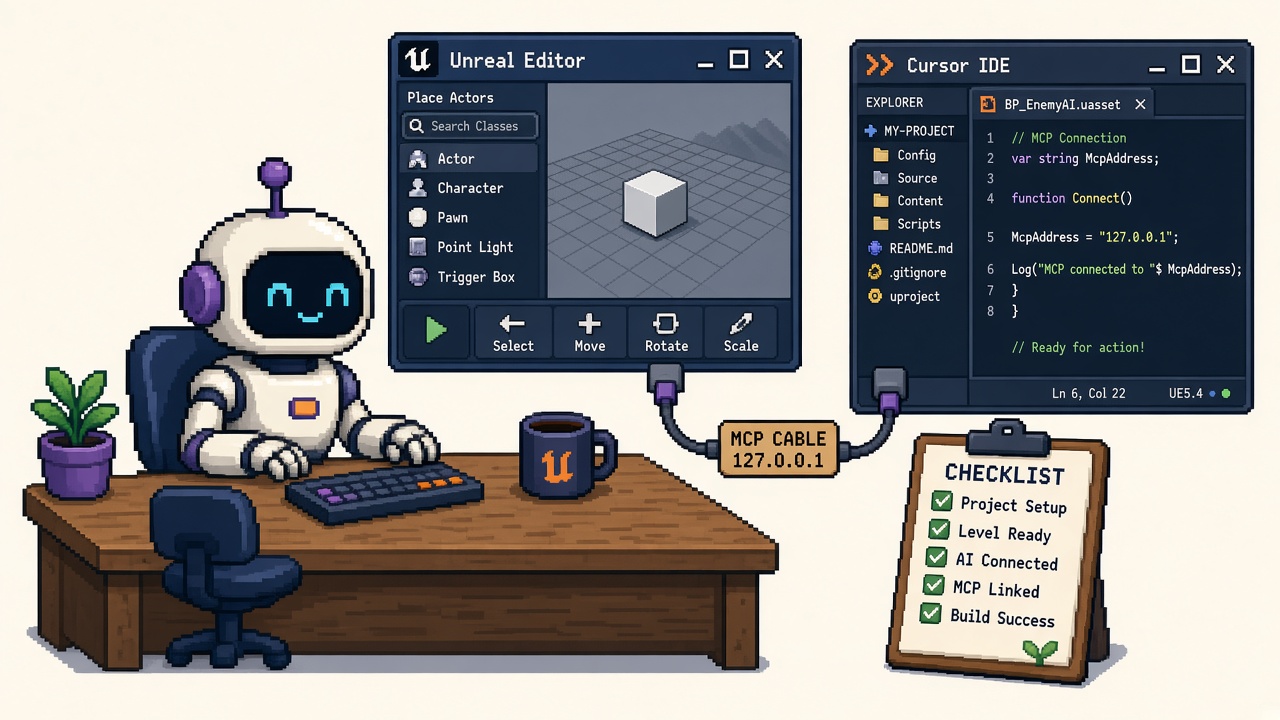
If you searched unreal mcp cursor after Unreal Engine 5.8 shipped Experimental Unreal MCP, you do not need another “AI will build your open world” montage. You need a fill-in safe session worksheet that latches one honest verb before Cursor invents a lighting pass on your ship branch:
- Engine + isolation — Unreal 5.8, branched/throwaway project, clean VCS checkpoint
- Plugins — Unreal MCP + All Toolsets (or the Editor/toolset set you actually need) enabled after restart
- Loopback only —
http://127.0.0.1:8000/mcpshape; no tunnel (loopback Stop) - Cursor config —
ModelContextProtocol.GenerateClientConfig Cursorfrom project root - Read-only first — one inventory/log tool call with zero mutations
- Decision code — PAIR_LOCAL, ABORT, or ESCALATE before any write tier
This URL is that worksheet. It is not the Claude Code first safe editor session (narrative evening path centered on Claude Code). It is not the loopback expose Stop (remote-network refusal). It is not Unity MCP with Cursor or Godot AI MCP. Those own Claude narrative, expose refusal, and cousin engines. This URL owns the Cursor fill-in artifact — gates, tables, Discord paste, receipt — for Experimental Unreal MCP.
Why this matters now
Unreal Engine 5.8 is now available (June 17, 2026) made official MCP part of the engine conversation. Epic’s Unreal MCP in Unreal Editor docs describe an MCP server inside the Editor, default bind on 127.0.0.1, GenerateClientConfig for Cursor (among ClaudeCode, VSCode, Gemini, Codex, All), All Toolsets for discovering tools, Tool Search meta-tools by default, and hard limits: loopback, no authentication, Experimental.
Cursor is the client many indies already have open. That convenience is exactly how teams skip the boring gates: dirty Git, ship branch, MCP-only without toolsets, agent launched from the wrong folder, write tools on turn one, or a “temporary” tunnel so a remote teammate can “help.” Forum threads about MCP not initializing or tools not exposing after 5.8 stable are the symptom — missing toolsets and rushed evenings are the disease.
Direct answer: Fill Sections A–F before you ask Cursor to spawn anything. Latch PAIR_LOCAL only when C1–C8 are green. If any hard gate fails, latch ABORT and leave Auto Start off until fixed. Do not treat “Cursor connected” as “safe.”
Who fills this worksheet
| Audience | Outcome |
|---|---|
| Beginners | One evening path with fill-in blanks |
| Developers | C1–C8 gates + allowlist tiers + receipt JSON |
| Creators | Discord paste that stops “just connect Cursor” folklore |
| Companies | CapEx four-liner + diligence-ready session owner |
Time: 45–75 minutes first pass on a sandbox project; 15 minutes to re-latch after each plugin/preferences change.
Honest limit: Epic can revise Experimental prefs and toolset names in patches — re-check Unreal MCP docs against your Editor Preferences panel. This worksheet does not authorize remote expose.
Non-repetition
| URL | Job |
|---|---|
| Claude Code safe session | Narrative first evening (Claude-first) |
| Loopback expose Stop | Refuse LAN/tunnel/public MCP |
| Unity MCP Cursor | Unity bridge cousin |
| Godot AI MCP Cursor | Godot plugin cousin |
| UE 5.8 ship-date lock | Keep/hold on 5.8 for Gold |
| Lumen Lite tools | GI toolkit — not MCP session |
| This URL | Fill-in Cursor safe session worksheet |
Pair packaging side issues with plugin module packaging help and plugin discovery with 25 free UE plugins resources. Terminal permission cousins: Claude Code manual permission mode.
Official facts you must quote (not invent)
From Unreal MCP docs and UE 5.8 news:
- Experimental — incomplete features; APIs may change; use caution.
- Plugins — enable Unreal MCP; enable All Toolsets (or individual toolsets); Toolset Registry comes along.
- Auto Start Server — Editor Preferences → Model Context Protocol; binds
http://127.0.0.1:8000/mcpby default (port/path configurable). - GenerateClientConfig —
ModelContextProtocol.GenerateClientConfig Cursor(orAll) writes client config at project/workspace root. - Loopback + no auth — not safe beyond the local machine.
- Tool Search — default
tools/listmay return meta-tools (list_toolsets,describe_toolset,call_tool) instead of every schema. - Game thread — tool calls serialize on the game thread; do not overlap calls casually.
- Console —
StartServer,StopServer,RefreshTools,GenerateClientConfig.
Pasteable diligence line:
We will run Experimental Unreal MCP with Cursor on 127.0.0.1 only, on a branched project with a clean VCS checkpoint, after enabling required toolsets, with a read-only smoke before any write. Remote expose is out of scope. Session owner files
unreal_mcp_cursor_safe_session_receipt_v1.json.
Section A — Project lock (fill in)
| Field | Your answer |
|---|---|
Project name / .uproject |
____ |
| Engine version (must be 5.8 for official path) | ____ |
| Branch / sandbox name | ____ |
| Ship branch? (must be No for first night) | Yes / No |
| VCS status before session | clean / tagged ________ / dirty → STOP |
| Session owner | ____ |
| Decision goal | PAIR_LOCAL / ABORT / ESCALATE |
A-gate: Dirty tree or ship branch → ABORT. Fix isolation first.
A checklist (print)
- [ ] Unreal 5.8 installed and selected for this project
- [ ] Not the shared shipping branch
- [ ]
git statusclean or named tag committed - [ ] Named human owns the receipt
Section B — Plugin and preferences lock
| Field | Your answer |
|---|---|
| Unreal MCP enabled after restart? | Y / N |
| All Toolsets enabled (or listed toolsets): | ____ |
| Editor Preferences → Auto Start Server | On / Off |
| Server port | ____ (often 8000) |
| Server URL path | ____ (often /mcp) |
| Confirmed bind host | 127.0.0.1 / other → STOP |
| Output Log shows bind on startup? | Y / N / N/A manual start |
B-gate: MCP without usable toolsets → expect “connected but useless.” Enable All Toolsets or the specific Editor toolsets you need, restart, then ModelContextProtocol.RefreshTools if you hot-change toolsets.
Console commands (copy)
ModelContextProtocol.StartServer
ModelContextProtocol.StartServer 8000
ModelContextProtocol.StopServer
ModelContextProtocol.RefreshTools
ModelContextProtocol.GenerateClientConfig Cursor
ModelContextProtocol.GenerateClientConfig All
Prefer Editor-generated config over hand-typed localhost folklore.
Section C — Loopback and reachability lock
| Check | Pass if… | Your mark |
|---|---|---|
| Bind is localhost | Preferences show 127.0.0.1 / localhost | ☐ |
| No port forward | OS / router / Docker -p clear |
☐ |
| No tunnel | No ngrok/Cloudflare “temporary” URL | ☐ |
| No Discord paste of MCP URL | Team agrees | ☐ |
| Read loopback Stop | Refusal understood | ☐ |
C-gate: Any remote plan tonight → ABORT this worksheet and run the Stop opinion instead. This worksheet only greens PAIR_LOCAL.
Section D — Cursor client lock
| Field | Your answer | |
|---|---|---|
| Generated with | GenerateClientConfig Cursor / All / hand-edit → prefer regenerate |
|
| Config path (project root) | ____ | |
| Cursor opened from | project/workspace root / wrong folder → STOP | |
| Boot order | Editor first, then Cursor | ☐ |
| MCP status in Cursor | connected to unreal-mcp / other | |
| Wrong MCP server risk | listed other servers? ____ |
D-gate: Agent launched from a random parent folder is a common fail. Close Cursor, open the folder that contains .uproject + generated MCP config, reconnect.
Cursor-specific notes (vs Claude narrative)
| Topic | Worksheet rule |
|---|---|
| Client token | Use Cursor in GenerateClientConfig |
| Workspace | Cursor’s opened folder must match config root |
| Multi-root workspaces | Prefer a single Unreal project root for night one |
| Side chats / extra agents | One MCP-connected chat for the smoke; do not parallel-write |
| Secrets | Do not paste API keys, .env, or partner credentials into the MCP-connected chat |
Unity cousins use Integrations auto-configure; Unreal uses GenerateClientConfig. Do not assume Unity muscle memory.
Section E — Read-only smoke (mandatory before writes)
Fill this table during the smoke — not from memory afterward.
| Step | Prompt / action | Expected | Pass? |
|---|---|---|---|
| E1 | Ask Cursor to list toolsets or describe available discovery tools | Matches Tool Search / enabled toolsets | Y / N |
| E2 | Ask for actor inventory or selection summary of current level | Matches World Outliner | Y / N |
| E3 | Watch Outliner + viewport during E2 | Zero spawns/deletes/moves | Y / N |
| E4 | Optional: read Output Log summary only | No mutations | Y / N |
| E5 | If any hallucination or mutation | ABORT writes | Y / N |
E-gate: E2 or E3 fail → latch ABORT. Do not “try a small write anyway.” Disable write-capable exposure, RefreshTools, re-check All Toolsets, re-read Claude safe session allowlist ideas with Cursor as the client.
Suggested read-only prompts (copy)
Using Unreal MCP only: list available toolsets (or discovery meta-tools). Do not spawn or edit anything.

Using Unreal MCP only: summarize actors in the current level by class counts. Do not modify the level.
If the agent reaches for write tools unprompted, stop the turn and tighten instructions / tool exposure.
Section F — Allowlist tiers (latch one)
| Tier | Allowed tonight | Blocked tonight | Latch |
|---|---|---|---|
| T0 Read | List/describe/read logs | Any spawn/edit/delete | ☐ |
| T1 Tiny write | One named smoke actor on disposable level | Blueprint graphs, PCG cities, Sequencer, materials on ship assets | ☐ |
| T2 Broad write | Not for first worksheet night | Everything T1 blocks plus more | ☐ forbidden night one |
F-gate: First green session ends at T0 or a single T1 with undo proof. T2 requires a separate studio policy — not this worksheet’s green.
T1 undo proof (only if you leave T0)
| Check | Pass if… | Mark |
|---|---|---|
| Checkpoint before write | New commit/tag after T0 | ☐ |
| One named smoke actor only | e.g. MCP_CursorSmokeCube |
☐ |
| Ctrl+Z restores | Actor gone; no leftovers | ☐ |
| If undo fails | Treat tool as unsafe; ABORT further writes | ☐ |
Developer path — gates C1–C8
| Gate | Check | Pass if… |
|---|---|---|
| C1 | Version + isolation | UE 5.8 + non-ship branch + clean VCS |
| C2 | Plugins | Unreal MCP + All Toolsets (or required toolsets) after restart |
| C3 | Preferences | Auto Start or manual StartServer; bind 127.0.0.1 |
| C4 | Reachability | No tunnel/forward; loopback Stop honored |
| C5 | Cursor config | GenerateClientConfig Cursor; agent from project root; Editor first |
| C6 | Read-only smoke | Inventory matches; zero mutations |
| C7 | Allowlist | Tier T0 or single T1 + undo; T2 off |
| C8 | Receipt | JSON filed; Discord paste sent if team session |
Fail closed: any of C1–C6 red → ABORT. Do not latch PAIR_LOCAL on vibes.
Beginner path — 60-minute clock
| Minute | Action | Gate |
|---|---|---|
| 0–10 | Confirm 5.8, branch, git status |
C1 |
| 10–20 | Enable Unreal MCP + All Toolsets; restart | C2 |
| 20–25 | Auto Start Server; note port/path; confirm 127.0.0.1 | C3–C4 |
| 25–35 | GenerateClientConfig Cursor; open Cursor at project root |
C5 |
| 35–50 | Read-only smoke E1–E5 | C6 |
| 50–60 | Optional T1 + undo or stop at T0; file receipt | C7–C8 |
Common beginner mistakes:
- Enabling Unreal MCP only, then blaming Cursor when no tools appear.
- Launching Cursor from
Documentsinstead of the project root. - Asking for a “quick level blockout” as the first prompt.
- Port-forwarding so a friend can “try the MCP.”
- Running the first session on the main ship branch because “it’s just a cube.”
Failure modes (fix before you escalate)
| Symptom | Likely cause | Fix |
|---|---|---|
| Connected, no useful tools | Toolsets not enabled | Enable All Toolsets / Editor toolsets; restart; RefreshTools |
| Cursor cannot find server | Wrong folder / Editor not up | Editor first; open project root; regenerate Cursor config |
| Port bind failure | 8000 in use | Change Server Port Number or stop the other process; check Output Log |
| Hallucinated actors on “read” | Model guessing without tools | Confirm MCP tool calls actually ran; tighten prompt |
| Mutations during read | Write tools exposed too early | Abort; drop to T0; review tool exposure |
| Undo does nothing after write | Tool bypassed editor transactions | ABORT writes; file incident on receipt |
| Works on preview, broken on stable | Toolset/init differences | Re-read Epic docs + forum threads; do not invent workarounds that open the network |
Worked decisions (fill your project)
Studio A — first Cursor night, clean sandbox
- 5.8 sandbox branch; All Toolsets on; read smoke green.
Decision: PAIR_LOCAL at T0; optional single T1; file receipt.
Studio B — Cursor connected on ship branch
- Dirty tree; producer wants “AI fix lighting tonight.”
Decision: ABORT. Branch first. Re-open worksheet on sandbox.
Studio C — tools missing after MCP-only enable
- MCP on; All Toolsets off; Discord says Cursor is broken.
Decision: Fix B-gate (toolsets). Not a Cursor bug until toolsets load.
Studio D — remote artist asks for shared MCP URL
Decision: ABORT remote. Cite loopback Stop. Local clone + local MCP instead.
Studio E — Claude session already green last month; first Cursor tonight
Decision: Still fill this worksheet. Client token, workspace root, and Cursor chat hygiene differ from the Claude narrative. Do not skip C5–C6.
Thirty-minute team agenda (copy)
- 0–5 — Read Experimental + loopback + no-auth lines from Epic docs.
- 5–10 — Confirm C1 isolation on a shared call (screen
git status). - 10–20 — Owner completes B–D live; others watch Output Log.
- 20–25 — Read-only smoke with a second human verifying Outliner.
- 25–30 — Latch PAIR_LOCAL or ABORT; file receipt; paste Discord.
No T2 proposals leave this meeting.
CapEx four-liner
- Asset at risk: Level/Blueprints integrity + Experimental trust + agent blast radius.
- Change proposed: First Cursor↔Unreal MCP session with write tools on a live project.
- Cost if wrong: Silent mutations, broken undo, ship-branch damage, remote-expose incident.
- Decision owner: Session owner; default = ABORT until C1–C6 green.
Discord / Slack paste
Unreal 5.8 MCP × Cursor — safe session latch
Project: ____ | Branch: ____ | Owner: ____
C1 isolation (5.8 + non-ship + clean VCS): PASS/FAIL
C2 plugins (MCP + AllToolsets/toolsets): PASS/FAIL
C3 bind 127.0.0.1: PASS/FAIL
C4 no tunnel/forward: PASS/FAIL
C5 GenerateClientConfig Cursor + root workspace: PASS/FAIL
C6 read-only smoke (zero mutations): PASS/FAIL
Tier tonight: T0 / T1(+undo) / ABORT
Decision: PAIR_LOCAL / ABORT / ESCALATE
Receipt: docs/unreal_mcp_cursor_safe_session_receipt_v1.json
Remote expose: FORBIDDEN (see loopback Stop)
Receipt — unreal_mcp_cursor_safe_session_receipt_v1.json
{
  "receipt_type": "unreal_mcp_cursor_safe_session_receipt_v1",
  "project": "REPLACE",
  "engine": "UE_5.8",
  "client": "Cursor",
  "filled_at": "2026-10-12",
  "decision": "PAIR_LOCAL",
  "bind_host": "127.0.0.1",
  "bind_port": 8000,
  "all_toolsets_or_list": "",
  "vcs_checkpoint": "",
  "tier": "T0",
  "read_only_smoke_pass": false,
  "undo_verified": null,
  "gates": {
    "C1_isolation": false,
    "C2_plugins": false,
    "C3_preferences": false,
    "C4_reachability": false,
    "C5_cursor_config": false,
    "C6_read_smoke": false,
    "C7_allowlist": false,
    "C8_receipt": false
  },
  "owner": "",
  "notes": ""
}
Key takeaways
- This URL is the Cursor fill-in worksheet — Claude narrative is a sibling, not a substitute.
- UE 5.8 Experimental MCP needs toolsets, not vibes.
- GenerateClientConfig Cursor from the Editor; open that project root in Cursor.
- 127.0.0.1 only — remote expose is a different refusal URL.
- Read-only smoke before writes — zero mutations.
- C1–C8 fail closed to ABORT.
- T0 or one T1 on night one — T2 forbidden.
- Boot order: Editor first, Cursor second.
- Dirty Git / ship branch → stop.
- CapEx four-liner makes write risk speakable.
- Receipt JSON beats “it connected.”
- Primary keyword: unreal mcp cursor.
FAQ
How do I connect Cursor to Unreal Engine 5.8 MCP?
Enable Unreal MCP and required toolsets, start the server on loopback, run ModelContextProtocol.GenerateClientConfig Cursor, open Cursor at the project root after the Editor is up, then confirm the unreal-mcp server. Details: Epic Unreal MCP docs.
Why does Cursor connect but show no useful Unreal tools?
Often All Toolsets / Editor toolsets were not enabled. Enable them, restart, run RefreshTools, and re-smoke.
Is this the same as the Claude Code safe session article?
No. That URL is a Claude-first narrative. This URL is a Cursor fill-in worksheet with gates and a receipt schema. Overlap on plugins/loopback is intentional; client steps differ.
Can we expose MCP so a remote teammate’s Cursor can connect?
No — not on this worksheet. See Stop Exposing Unreal MCP Beyond Loopback.
What is the default Unreal MCP URL?
Commonly http://127.0.0.1:8000/mcp when Auto Start Server is on — always confirm Editor Preferences.
Should the first prompt build a level?
No. First prompt is read-only inventory / toolset discovery with zero mutations.
Do we need Unreal 5.8?
For the official Experimental Unreal MCP plugin path documented by Epic, yes. Older engines are out of scope for this worksheet.
What primary keyword does this page target?
unreal mcp cursor — fill-in first safe Cursor session worksheet for Experimental Unreal MCP.
Related reading
- Unreal Engine 5.8 MCP with Claude Code - First Safe Editor Session 2026 — Claude narrative sibling
- 12 Free Unreal MCP Agent Safety Tools After UE 5.8 - 2026 — free toolkit sibling (not this fill-in latch)
- Stop Exposing Unreal Engine 5.8 MCP Beyond Loopback Without a Repo Gate - 2026 — remote expose refusal
- Unity MCP with Cursor - First Safe Editor Bridge Session 2026
- How to Use Godot AI MCP with Cursor - First Safe Editor Session 2026
- Unreal Engine 5.8 What Micro-Studios Should Lock Before Betting a Ship Date - 2026
- 12 Free Unreal Lumen Lite Tools After UE 5.8 - 2026
- Claude Code Manual Permission Mode - Game Developers What Changed 2026
- Unreal Packaging Fails - Plugin Not Found Module Fix
- 25 Free Unreal Engine 5.5 Plugins and Marketplace Assets
Primary sources: Unreal MCP in Unreal Editor · Unreal Engine 5.8 is now available.
Conclusion
Cursor plus Experimental Unreal MCP is useful only when the boring gates are written down. Fill the worksheet. Keep loopback. Enable toolsets. Smoke read-only. Latch PAIR_LOCAL or ABORT. File the receipt before anyone calls the evening “safe.”
Print Sections A–F. Paste Discord. Do not let the first prompt be a city.