

What Roblox Input Action Manager Full Release Changed - 2026
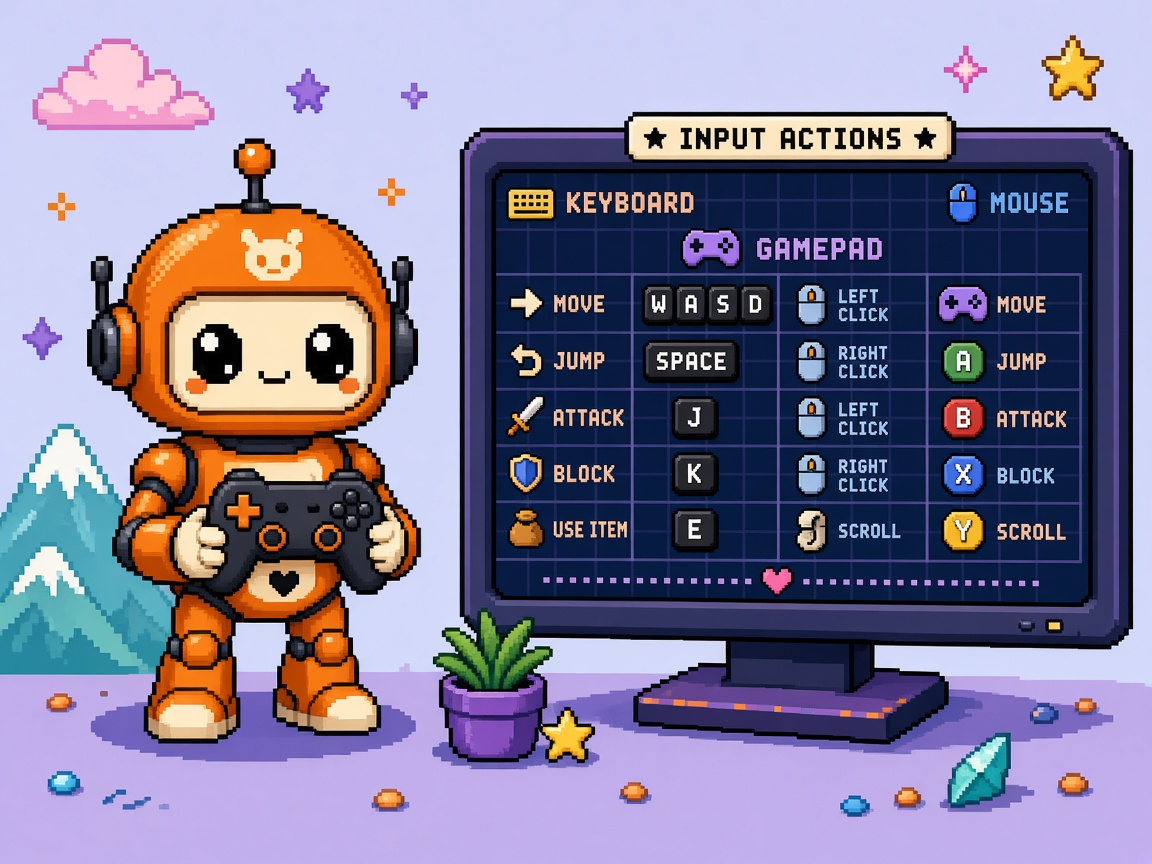
If you searched roblox input action manager after late October 2026, you do not need another “cool table for bindings” hype paste. You need a map of what full release actually unlocked, what still belongs in a lab place, how IAM relates to the already-shipped Input Action System (IAS), and which known issues will burn a Friday hotfix if you treat GA as “zero risk.”
Roblox posted Full Release - Input Action Manager on 29 October 2026. Key takeaways from staff: the visual editor is fully released, finds itself under Window → Input → Actions / Input Action Manager, and is removed from the Studio Beta Features tab so every Studio has it by default. The underlying framework is still the Input Action System — IAM is the table-style editor for contexts, actions, and per-device bindings, not a second input stack. Ambient platform context lives on projects like Roblox Cube; it does not replace the IAM thread.
This page is the what-changed read. It is not Roblox InputActionLabel first cross-platform hotkey hints (on-screen hint chrome). It is not deterministic Unity XR input routing (Unity, not Roblox). It is not Prompt-to-Avatar, Custom Terrain, or TextChat May 2027. Those own character gen, terrain materials, and chat cutover. This URL owns the Input Action Manager GA aftermath map.
Why this matters now
IAS itself left Studio Beta earlier in 2026 and became the modular cross-platform control framework — contexts, actions, bindings that adapt across keyboard, mouse, gamepad, and touch. Managing that tree only in Explorer or Luau got noisy fast. Roblox shipped Input Action Manager as a Studio Beta on 14 July 2026 (Studio Beta - Input Action Manager): enable via File → Beta Features, restart, then Window → Input → Input Action Manager.
29 October 2026 ends that beta gate. You no longer flip a Beta Features checkbox. Every creator opening Studio gets IAM. GA also ships the beta feedback wave: live State debugging in PlaySolo, PlayerScripts default actions visible when you opt into IAS-converted player scripts, UIModifier editing inside the table, property editing from cells/nodes, open-from-Properties, and undo/redo through Studio change history.
Direct answer: Open IAM on a copy place tonight. Build or audit one InputContext with Jump / Move / Attack across keyboard + gamepad. Run PlaySolo and watch the State column. Do not bulk-migrate a live economy place until you finish the parity checklist and the known-issues list below. Re-read the DevForum full-release thread the morning you promote.
Who this read is for
| Audience | Use it to… |
|---|---|
| Beginners | Find the window, create a context/action/binding without Explorer spelunking |
| Developers | GA vs beta delta, PlayerScripts opt-in, ContextActionService migration pressure |
| Creators | Paste a Discord brief that separates “editor GA” from “my live binds are done” |
| Companies | Diligence — IAM is default Studio tooling; live risk is still your schema + known issues |
Time: 25–35 minutes to read. First IAM evening: 60–90 minutes on a disposable place.
Honest limit: DevForum + Creator Hub docs are authority. Known issues listed by staff can move — do not invent “fixed in GA” for bugs still called out in the full-release post.
Non-repetition
| URL | Job |
|---|---|
| InputActionLabel hotkey hints | On-screen label hints for actions |
| Unity XR deterministic input | Unity XR double-bind prevention |
| Prompt-to-Avatar what-changed | Character gen Studio Beta |
| Custom Terrain Materials what-changed | Terrain materials GA |
| TextChatService May 2027 lock list | Chat migration deadline |
| Roblox Studio guide | Platform hub |
| Package manager HTTP 403 help | Corporate proxy Studio networking |
| 25 free Discord servers | Paste channel for creator briefs |
| AnimatedImages EAP live Stop | 2D EAP publish refusal |
| Device Trust 12 checks | Join/trust ship kit |
| This URL | What Input Action Manager full release changed |
For a course-shaped milestone later, keep game development courses as the ladder — this URL stays the trend map, not a lesson unit.
The one-paragraph version
On 29 October 2026, Roblox full-released the Input Action Manager — the table-style Studio editor for the Input Action System. It is no longer a Beta Features toggle; open Window → Input → Input Action Manager. Use it to create InputContext / InputAction / InputBinding rows, flag missing device bindings and duplicate keycodes, filter by context or device, and keep Explorer in sync. Since Studio Beta, GA adds a PlaySolo State column for live action values, read-only visibility of default PlayerScripts actions when PlayerScriptsUseInputActionSystem is Enabled on Workspace, UIModifier configuration in-table, property edits from cells/nodes, open-from-Properties for IAS instances, and undo/redo via change history. Staff still lists known issues: edit tools in play mode (unintended), adding under PlayerScripts contexts in edit mode (unintended), Direction2D ResponseCurve display bugs, and Properties/IAM desync when editing both in parallel. IAM edits the IAS data model — it does not replace server validation or invent a second input API.
What existed vs what full release adds
| Before (Studio Beta / Explorer-only) | After full release (29 Oct 2026) |
|---|---|
| IAM behind File → Beta Features + restart | IAM default — removed from Beta Features tab |
| Table editor for contexts / actions / bindings | Same core table — now GA for all Studio installs |
| Missing-binding / duplicate-keycode warnings in beta | Same audit flags — still the early catch layer |
| No (or limited) live State column story | State column in PlaySolo for live action values |
| Hard to see Roblox default Move/Jump vs your actions | PlayerScripts defaults visible when IAS player scripts enabled (read-only) |
| UIModifier elsewhere / harder discovery | UIModifier configurable inside IAM; Add menu updated |
| Properties-only edits for many fields | Right-click cell/node property editing in IAM |
| Hunt the window after selecting an instance | Open IAM from Properties when selecting IAS instances |
| Undo folklore for table edits | Undo/redo through Studio change history |
| “Beta tool, maybe flaky” team folklore | “Default tool” — known issues still apply; GA ≠ bug-free |
Unlock bullets (from the full-release post)
Staff’s GA list, translated into creator language:
- Default access — no Beta Features checkbox; Window → Input → Input Action Manager.
- Hierarchy build — create
InputContext, addInputAction, set bindings per input schema in the table; touch cells can bind to UI buttons via Explorer pick. - Early audit — warn on missing schema bindings; warn when the same keycode maps to more than one action in a context.
- Focus filters — filter by context or device so you only see the gameplay state or hardware under test.
- Existing IAS sync — existing IAS instances appear automatically; actions without a context group under a Default Context folder.
- Live debugging — State column during PlaySolo; disappears in edit mode.
- PlayerScripts visibility — default Move/Jump-style actions show when opted into IAS-converted player scripts (
PlayerScriptsUseInputActionSystem= Enabled on Workspace). Read-only today. - UIModifier support — configure modifiers in IAM; Add button discovery path updated.
- Property editing — right-click tree node or table cell for
InputContext/InputAction/InputBindingproperties. - Easy access — open IAM from Properties when those instances are selected.
- Undo/redo — IAM edits participate in Studio change history.
Official IASconcepts and instance model stay in Creator Hub: Input Action System. Read that when you need Priority, Sink, Direction1D/2D types, or code-side Pressed / Released / value APIs — IAM is the editor, docs are the contract.
Beginner path — first IAM evening (60–90 minutes)
Prerequisites: Roblox Studio current channel, a personal disposable place (not the live economy place), 60–90 minutes, ability to open Window menus.
Step 0 — Copy place ritual
- Duplicate the place or create a blank Baseplate lab.
- Publish the copy under a name like
IAM-Lab-2026-10-31. - Do not enable Team Create on the first evening unless you must — reduce “who edited the table” noise.
Step 1 — Open the editor
- Top menu: Window → Input → Input Action Manager (wording may show Actions / Input Action Manager depending on ribbon localization — match the DevForum path).
- Undock or give it a large dock. The table is unusable as a skinny strip.
Step 2 — One context, three actions
- Create an
InputContextnamedGameplay. - Add actions:
Move(Direction2D or the type your docs path recommends for locomotion),Jump(Button),Attack(Button). - Bind keyboard + gamepad for each. Leave mouse empty on purpose for one action so you see the missing-binding warning.
Step 3 — Touch / UI button (optional)
If you ship mobile: pick a touch cell, bind to a ScreenGui button in Explorer. Confirm the binding row updates and Explorer shows the InputBinding.
Step 4 — PlaySolo State column
- Press Play (PlaySolo).
- Confirm the State column appears.
- Press Jump / move sticks / keys. Confirm values change.
- Stop play. Confirm State column disappears.
Step 5 — Lab receipt (write it down)
IAM_LAB_RECEIPT_v1
place: IAM-Lab-YYYY-MM-DD
studio_build: <Help → About>
iam_opened: yes
context: Gameplay
actions: Move, Jump, Attack
missing_binding_warning_seen: yes/no
duplicate_keycode_warning_seen: yes/no
state_column_play_solo: yes/no
playerscripts_ias_enabled: no (first evening)
known_issues_read: yes
publish_live: NO
Beginner pass: You opened IAM without Beta Features, created one context, saw at least one audit warning, and watched State in PlaySolo. Stop. Do not migrate production binds tonight.
Developer path — what GA changes in the pipeline
IAS vs IAM (do not conflate)
| Layer | Job |
|---|---|
| Input Action System | Runtime + data model: contexts, actions, bindings, priorities, sinks |
| Input Action Manager | Studio editor over that model — table UI, audits, live State |
| UserInputService / ContextActionService | Legacy / parallel patterns many places still use |
Full release of IAM does not delete UIS or CAS. It raises pressure to standardize on IAS because the default Studio workflow now assumes you can audit the table. Migration is a project decision with a receipt — not a forced cutover date in the IAM GA post.
PlayerScriptsUseInputActionSystem honesty
To see Roblox default Move/Jump actions inside IAM, staff says enable PlayerScriptsUseInputActionSystem on Workspace. Those defaults are read-only in IAM today. Community threads already document edge cases (UI + camera + mouse delta sensitivity) when that flag is on — treat the flag as a lab opt-in, not a silent toggle on the live place Monday morning.
Dev ritual:
- Lab place only.
- Enable the Workspace variable.
- Reopen / play.
- Confirm default actions appear in IAM.
- Smoke Move/Jump + your custom Attack.
- If camera, ProximityPrompt, or UI focus breaks, log it and turn the flag off until you have a fix branch.
Cross-platform parity checklist (ship gate)
Use this before you call the schema “done”:
| Gate | Pass if… |
|---|---|
| G1 Context named | Gameplay / Menu / Vehicle contexts are separate — no god-context |
| G2 Schema coverage | Every action that must work on a device has a binding for that schema |
| G3 Duplicate keycodes | IAM shows zero duplicate-keycode warnings inside each context |
| G4 Priority / Sink | Menu context sinks correctly; gameplay does not steal pause |
| G5 Touch UI | Mobile actions that need buttons are bound to real GuiButtons |
| G6 PlaySolo State | Critical actions fire expected State values in PlaySolo |
| G7 Device filter | You filtered by gamepad-only and keyboard-only once each |
| G8 PlayerScripts | If flag Enabled, defaults are visible and do not fight custom Move |
| G9 Undo smoke | You undid one mistaken binding and Explorer matched |
| G10 Live place | Lab receipt attached; live publish only after HOLD criteria |
ContextActionService migration pressure (honest)
CAS still works in many experiences. What changed with IAM GA is team process, not a hard deprecation banner in the GA post:
- New teammates will open IAM and ask why Explorer has no IAS tree.
- Cross-platform audits are faster in the table than grepping CAS binds.
- Double-bind bugs (same key in CAS + IAS) become more likely during half-migrations.
Migration pattern that does not destroy Friday:
- KEEP lab: mirror one feature’s binds into IAS beside CAS (feature flag).
- Playtest both paths.
- Cut CAS for that feature only.
- Repeat. Never “delete all CAS this weekend.”
Known issues (staff-listed — treat as ship blockers when they hit you)
From the full-release post, still true at GA unless a later staff reply says otherwise:
- Editing tools available in play mode — unintended; will be removed. Do not design a workflow that depends on editing the table while playing.
- Add instances under PlayerScripts contexts in edit mode — unintended; will be removed. Do not build production binds under PlayerScripts folders from IAM.
- ResponseCurve not appearing properly in IAM for Direction2D — if you need ResponseCurve, verify in Properties / code, not only the table cell.
- Properties panel and IAM can fall out of sync when editing both in parallel — pick one surface per edit burst; refresh selection if values look wrong.
Creator rule: GA means “default tool,” not “zero bugs.” Paste these four into your Discord brief so producers stop hearing “fully released = perfect.”
KEEP lab / HOLD ship (body decision — not a title)
| Decision | When |
|---|---|
| KEEP lab | First open of IAM; first IAS tree; PlayerScripts flag experiments; ResponseCurve tuning; any place with live Robux sinks |
| HOLD ship | G1–G10 pass on a copy; known issues do not block your schema; mobile + gamepad smoke on real devices; no dual CAS/IAS fights on the same action |
Public titles on this site do not say Keep Hold. The decision stays in the body so search and Discord still understand the page.
Failure modes you will hit
| Failure | Symptom | Fix |
|---|---|---|
| Missing schema | Works on keyboard, dead on gamepad | Filter by gamepad; fill empty cells; re-PlaySolo |
| Duplicate keycode | Two actions fire or steal focus | Resolve warning in IAM; split contexts |
| God context | Pause steals Attack | Separate Menu context with Sink/Priority |
| Half CAS / half IAS | Intermittent double jumps | Feature-flag cutover; one owner API per action |
| PlayerScripts fight | Default Move overrides yours | Lab the Workspace flag; adjust priorities; or disable flag |
| ResponseCurve invisible | Curve “missing” in IAM | Edit via Properties; watch Direction2D staff bug |
| Desync edit | Properties ≠ table | Stop dual editing; reselect instance |
| Play-mode edit habit | Schema drifts during PlaySolo | Stop play before structural edits |
| Touch unbound | Mobile dead | Bind GuiButton; test on device, not only Studio emulate |
| Live publish FOMO | “GA so ship tonight” | KEEP lab receipt; HOLD until G10 |
Company / diligence four-liner
- Tooling status: Input Action Manager is GA default Studio UI as of 29 Oct 2026 (DevForum full release).
- Runtime contract: Still Input Action System — see Creator Hub docs.
- Residual risk: Staff-listed known issues + PlayerScripts opt-in edge cases + any unfinished CAS migration.
- Governance: Require an
IAM_LAB_RECEIPT_v1(or equivalent) before live bind rewrites on monetized places.
Discord-ready brief (paste)
IAM is GA (Oct 29) — Window → Input → Input Action Manager, no Beta Features toggle.
It’s the table editor for IAS, not a second input API.
New since beta: PlaySolo State column, PlayerScripts defaults (if Workspace flag on),
UIModifier in-table, property edit from cells, open-from-Properties, undo/redo.
Known issues still real: play-mode editing, PlayerScripts add-in-edit, Direction2D ResponseCurve display, Properties/IAM desync.
Lab copy first. Missing-binding + duplicate-keycode warnings are features.
Don’t half-migrate CAS this weekend.
What to do Monday
- Open the full-release thread — confirm no newer staff known-issue updates.
- Skim Input Action System docs for the instance types you will create.
- Run the beginner evening on a copy place.
- Fill
IAM_LAB_RECEIPT_v1. - If you own mobile: bind one touch action to a real button and test on a phone.
- If you own gamepad: filter IAM to gamepad-only and fix empty cells.
- Decide KEEP lab vs HOLD ship with the table above — write the decision in the team channel.
- Schedule CAS feature cutovers one feature per week, not a weekend massacre.
- Only then touch the live place’s input folder.
- Re-check IAM after the next Studio update — GA tools still iterate.
Key takeaways
- Input Action Manager went full release on 29 October 2026 — removed from Studio Beta Features; open via Window → Input.
- IAM edits the Input Action System — contexts, actions, bindings — it is not a parallel input stack.
- Creator Hub docs remain the runtime contract for IAS types, priorities, and code APIs.
- GA adds live State debugging, PlayerScripts visibility (opt-in), UIModifier, property editing, Properties entry, undo/redo.
- Audit warnings for missing bindings and duplicate keycodes are the early quality gate.
- PlayerScriptsUseInputActionSystem is a Workspace opt-in — defaults are read-only in IAM; lab it first.
- Staff still lists four known issues — treat them as real, not beta leftovers you can ignore because of the word “full.”
- KEEP lab / HOLD ship — disposable place + receipt before live bind rewrites.
- Half CAS / half IAS migrations create double-bind ghosts — cut by feature with a flag.
- This URL is the aftermath map — not InputActionLabel hints, not Unity XR, not terrain/avatar betas.
- Company diligence needs a dated GA note plus residual-risk line, not “tooling shipped, risk zero.”
- Re-read DevForum the morning you promote — known issues and PlayerScripts guidance can move.
FAQ
What is the Roblox Input Action Manager?
The Input Action Manager is Roblox Studio’s table-style editor for the Input Action System. You create and audit InputContext, InputAction, and InputBinding rows in one view instead of only Explorer or Luau. As of 29 October 2026 it is fully released and available by default.
Is Input Action Manager the same as Input Action System?
No. IAS is the framework (runtime + instances). IAM is the Studio UI that designs and audits that framework. You still need IAS concepts from Creator Hub when you write scripts against actions.
Do I still need to enable a Beta Feature?
For IAM itself: no after the full release — staff removed it from the Beta Features tab. You may still need other betas for unrelated Studio tools. PlayerScripts IAS conversion is a Workspace setting, not the old IAM beta checkbox.
How do I open Input Action Manager?
Use the Studio top menu: Window → Input → Input Action Manager (or Actions, matching current ribbon copy). Undock or enlarge the panel. You can also open it from Properties when an IAS instance is selected.
What is new since the July Studio Beta?
Staff highlights include the PlaySolo State column, visibility of default PlayerScripts actions when IAS player scripts are enabled, UIModifier support in the table, property editing from cells/nodes, open-from-Properties, and undo/redo via change history.
Why don’t I see Roblox’s default Move and Jump in IAM?
Enable PlayerScriptsUseInputActionSystem on Workspace (per the full-release notes). Defaults appear as read-only. Lab this flag — community reports cover camera, UI, and sensitivity edge cases.
Does full release mean I should migrate off ContextActionService this week?
Not automatically. IAM GA improves editing and audit. CAS is not deleted by the GA post. Migrate by feature with flags and receipts. A weekend “delete all CAS” is how double-binds ship.
What known issues should I plan around?
Staff still calls out: editing tools in play mode (unintended), adding under PlayerScripts contexts in edit mode (unintended), Direction2D ResponseCurve display problems in IAM, and Properties/IAM desync when editing both at once.
Can IAM bind touch to UI buttons?
Yes — select a touch cell and choose the button in Explorer (per staff use cases). Always verify on a real device, not only Studio emulation.
Will IAM warn me about bad mappings?
It flags actions missing a binding for an input schema and warns when the same keycode maps to more than one action in a context. Use those warnings as gates before HOLD ship.
Does this replace InputActionLabel tutorials?
No. InputActionLabel / hotkey hint UX is a different surface — see our InputActionLabel hints post. This page is the IAM GA map.
Where should companies put diligence language?
Date the GA (29 Oct 2026), name IAS as the runtime contract, list residual known issues + migration state, and require a lab receipt before live bind rewrites on monetized experiences.
Related reading
- Full Release - Input Action Manager (primary)
- Input Action System docs (runtime contract)
- Studio Beta - Input Action Manager (July baseline)
- Roblox Studio guide
- InputActionLabel hotkey hints
- Custom Terrain Materials what-changed
- Prompt-to-Avatar what-changed
- TextChatService May 2027 lock list
- 25 free game development Discord servers
- Package manager HTTP 403 help
- Game development courses
Open IAM on a lab copy, fill the receipt, clear G1–G10, then HOLD ship. Full release made the editor default — it did not make your live bind schema correct by itself.