

Meshy Roblox Browser Bridge - First Indie Remesh Under 20MB Worksheet 2026
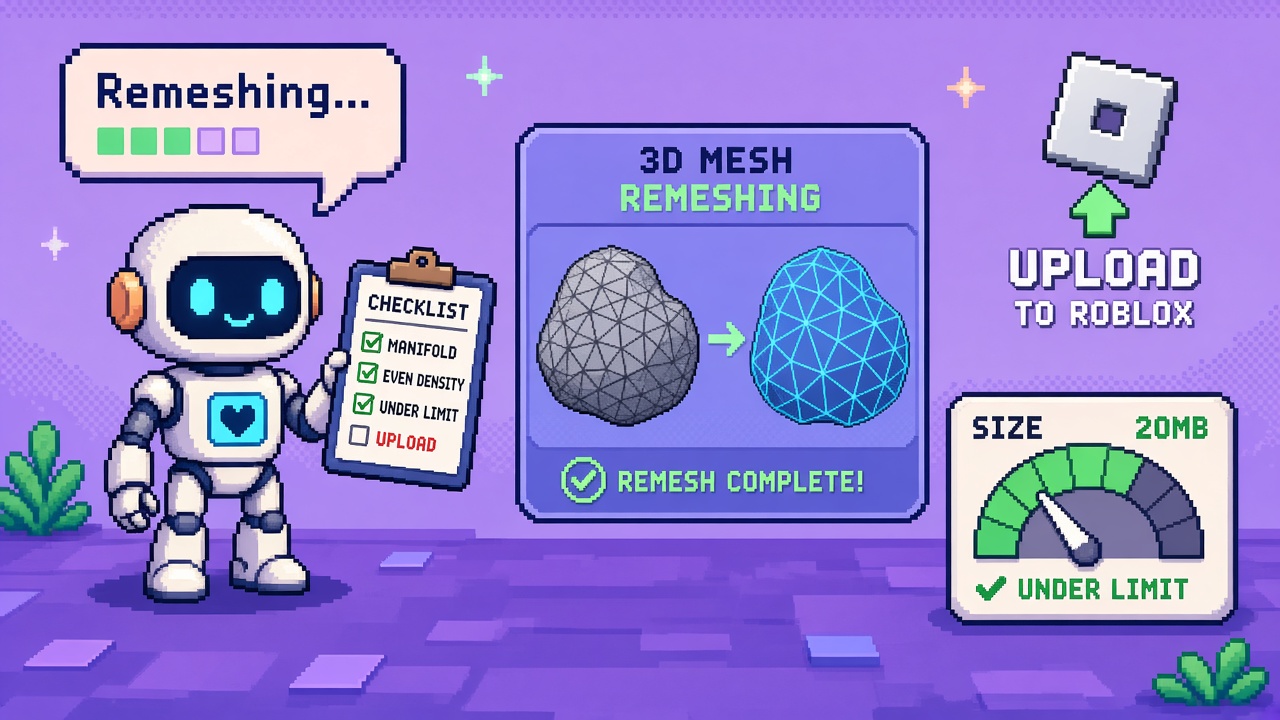
If you searched meshy roblox upload after Meshy made Roblox Sends browser / app-free, you do not need another “AI mesh lands in Studio forever” montage. You need a fill-in worksheet that locks six decisions before Discord invents a “Send every generate tonight” sprint:
- Lab model only — one static prop, not your live experience place
- Order honesty — Generate → Remesh → Texture before Send
- 20 MB gate — measure size; remesh until under the Roblox cap
- Static-only — no rigged/animated Sends (unsupported)
- Connect + moderation — OAuth once; wait review before wiring Asset IDs
- Decision latch — LAB_SMOKE, HOLD, or PAIR — refuse LIVE_WIRE pre-inventory
This URL is that worksheet. It is not the live 12 free Meshy Roblox browser bridge tools (numbered toolkit). It is not the live Stop shipping over 20MB without remesh (refusal). It is not the 7.1 remesh tools listicle or the Lowpoly remesh retire worksheet. Those own toolkit roundups, refusal, remesh product surfaces, and cliff migrations. This URL owns the first indie remesh-under-20MB browser bridge smoke evening with gates outsiders can footnote.
Why this matters now
Meshy’s Bridge to Roblox docs state the recommended workflow explicitly: Generate → Remesh → Texture. Roblox accepts models up to 20 MB. Remeshing cuts polygon count and file size so uploads are more likely to succeed. The integration page repeats the 20 MB rule, Pro+ eligibility, static-only support, app-free browser Connect, and moderation wait (usually minutes).
October 2026 is when creators hear “no desktop app” and skip remesh because “one click.” Someone Sends a fat generate, hits the size reject, installs the legacy desktop bridge “to fix it,” and still fails — because the gate was size, not the transport. Without a worksheet, teams also wire Asset IDs into live places before moderation finishes.
Direct answer: Fill Sections A–F this week on one static lab mesh. Choose LAB_SMOKE, HOLD, or PAIR. Do not LIVE_WIRE a production place until inventory visibility and Studio visual confirm pass. If Discord says “just Send it oversized,” open the Stop sibling when shipped — and stay on this smoke path tonight.
Who fills this worksheet
| Audience | Outcome |
|---|---|
| Beginners | One evening: remesh under 20 MB → Connect → Send → Asset ID |
| Developers | Size notes + retry loop + moderation hygiene |
| Creators | Discord paste that stops mass-Send without remesh |
| Companies | CapEx four-liner — Pro seat + size gate before experience claims |
Time: 45–90 minutes first lab smoke (remesh iterations dominate); 20 minutes to re-run after mesh tweaks.
Honest limit: Meshy docs are the authority for order, caps, and static-only. Pro+ is required to Send. Re-read Bridge to Roblox and the integration page before partner claims. Deep remesh product craft stays on the 7.1 remesh tools listicle when quality — not bridge acceptance — is the failure.
Non-repetition
| URL | Job |
|---|---|
| Browser bridge tools listicle | Numbered free toolkit (live) |
| 20MB without remesh Stop | Refusal (live) |
| Meshy remesh tools after 7.1 | Remesh product toolkit |
| Lowpoly remesh retire worksheet | Deadline migrate path |
| Roblox 742 TextDocument worksheet | Different Studio surface |
| Winter Sale prep worksheet | Seasonal clock |
| This URL | Remesh-under-20MB fill-in smoke worksheet |
Pair Roblox craft with the Roblox guide. Community paste: 25 free game development Discord servers.
Official facts you must quote (not invent)
From Bridge to Roblox and Roblox Bridge integration:
- Browser Send to Roblox needs no app install (legacy desktop optional).
- Pro or above required to upload.
- Recommended order: Generate → Remesh → Texture.
- Roblox accepts models up to 20 MB — remesh to stay under.
- Static models only — rigged/animated not supported yet.
- Connect Roblox via browser OAuth once; Switch Account disconnects the current link.
- After upload: Copy Asset ID, Open in Creator Hub, Open in Studio; Roblox moderates new assets (often minutes).
- Creator Hub web preview may mis-show textures on larger models — Studio is visual truth.
- Troubleshooting covers popup blockers, early popup close, oversize, timeout (check Hub anyway), and reconnect.
Pasteable diligence line:
We are evaluating Meshy→Roblox browser uploads on a lab static mesh using Generate → Remesh → Texture, confirming under 20 MB, Connect OAuth, moderation wait, and Copy Asset ID before any live experience depends on the asset. Receipt filed; live place untouched until R1–R8 pass.
Section A — Lab lock (fill in)
| Field | Your answer |
|---|---|
| Experience / place (live — do not wire yet) | ____ |
| Lab mesh name | ____ |
| Meshy plan | Pro / above / other: ____ |
| Operator tonight | ____ |
| Decision goal | LAB_SMOKE / HOLD / PAIR / (refuse LIVE_WIRE) |
A-gate: If you lack Pro+, HOLD. If the only mesh is already in a live place dependency, duplicate a lab prop first.
Section B — Mesh contract (fill in)
| Field | Your answer |
|---|---|
| Source | generate / community / other |
| Static (not rigged/animated)? | Y/N — if N, HOLD |
| Secrets / PII in textures? | Y/N — if Y, strip first |
| Purpose label | prop / environment / character static / other |
| Public vs private Roblox account | ____ |
B-gate: Rigged or animated → stop. Character “heroes” that need animation do not belong on this bridge yet — keep them offline or use a supported pipeline.
Section C — Generate → Remesh → Texture + size (fill in)
| Field | Your answer |
|---|---|
| Generate completed? | Y/N — time: ____ |
| Remesh pass count | ____ |
| Texture after remesh? | Y/N |
| Size before remesh (approx) | ____ MB |
| Size after remesh (approx) | ____ MB |
| Under 20 MB? | Y/N |
| Visual quality acceptable for lab? | Y/N — notes: ____ |
C-gate: If still over 20 MB, remesh again or simplify — do not Send. Record numbers; “looks fine” without a size note fails the gate.
Beginner remesh loop (do until under 20 MB)
- Generate the base mesh.
- Run Remesh (start conservative; iterate).
- Check approximate export/download size if your UI shows it — or note poly reduction as a proxy, then verify on Send.
- Apply Texture after remesh.
- If Send rejects for size, return to step 2 — do not blame the browser bridge.
- When under 20 MB and visually acceptable for lab, proceed to Section D.
Size evidence you can actually write down
Discord arguments die without numbers. Prefer at least one of:
| Evidence | How | Caveat |
|---|---|---|
| UI-reported MB | Screenshot before/after remesh | Best when Meshy shows it |
| Download/export file size | Local file properties | Format may differ from upload payload |
| Send reject vs accept | Binary outcome after remesh | Final authority for the bridge |
| Poly count delta | Note tris before/after | Proxy only — not a MB warranty |
Write the evidence type in Section C notes. “We remeshed a bit” without a row in the table fails R4.
Section D — Connect + Send smoke (fill in)
| Field | Your answer |
|---|---|
| App-free flow (not forced desktop)? | Y/N |
| Connect completed? | Y/N |
| Popups allowed for meshy.ai? | Y/N |
| Send started at | ____ |
| Result | success / size reject / other: ____ |
| Moderation cleared / inventory visible? | Y/N / pending |
| Asset ID copied? | Y/N — id: ____ |
| Open in Studio visual confirm? | Y/N |
| Creator Hub web textures OK? | Y/N / misleading — note: ____ |
D-gate: Success toast without Asset ID + Studio confirm is incomplete. Pending moderation is not failure — wait, then refresh. Size reject returns you to Section C.
Section E — Honesty + team PAIR (fill in)
| Field | Your answer |
|---|---|
| Live place still unwired? | Y/N |
| Second operator / account PAIR? | Y/N / N/A |
| Same Asset ID visible to teammate? | Y/N / N/A |
| Remesh quality vs size tradeoff noted? | Y/N |
| If quality needs remesh science | pointed to 7.1 tools? Y/N |
E-gate: PAIR means a second human sees the asset in inventory — not “I screenshotted the toast.”
Section F — Decision + receipt (fill in)
| Field | Your answer |
|---|---|
| Decision | LAB_SMOKE / HOLD / PAIR / (LIVE_WIRE refused) |
| Owner sign-off | ____ |
| Receipt path | docs/meshy_roblox_20mb_remesh_smoke_receipt_v1.json |
| Next review date | ____ |
Decision meanings
| Decision | Meaning |
|---|---|
| LAB_SMOKE | Under 20 MB + Send + Asset ID on lab inventory; live place untouched |
| HOLD | No Send yet (no Pro, rigged mesh, oversize, sale-week freeze) |
| PAIR | Second operator confirms inventory visibility |
| LIVE_WIRE | Refused until moderation + Studio confirm + explicit owner — never from toast alone |
Gates R1–R8 (pass / fail)
| Gate | Check | Pass if… |
|---|---|---|
| R1 Lab scope | Lab mesh; live unwired | A-gate clear |
| R2 Eligibility | Pro+; static mesh | B-gate clear |
| R3 Order | Generate → Remesh → Texture | C-gate order |
| R4 Size | Under 20 MB recorded | C-gate size |
| R5 Connect | OAuth complete | D-gate Connect |
| R6 Send | Upload accepted (not size reject) | D-gate result |
| R7 Delivery | Asset ID + Studio confirm (moderation OK) | D-gate complete |
| R8 Decision | LAB / HOLD / PAIR; LIVE_WIRE refused | Receipt filed |
Fail closed on R2–R4 before you spam Send.
Beginner path — 75 minutes
- Read the Recommended Workflow on Bridge to Roblox.
- Confirm Pro+ and pick one static lab prop.
- Fill Sections A–B.
- Run the remesh loop until under 20 MB (Section C).
- Connect; Send; wait moderation; Copy Asset ID; Open in Studio (Section D).
- Latch LAB_SMOKE; file receipt (Section F).
- Skim the tools listicle for Switch Account / troubleshooting extras.
Common beginner mistakes:
- Texturing before remesh, then wondering why size explodes.
- Sending rigged characters.
- Treating 20 MB as optional.
- Closing the OAuth popup early.
- Declaring failure during moderation.
- Trusting Creator Hub web textures over Studio.
- Wiring the live place from the success toast.
- Mass-Sending twenty generates without a size column.
Developer path — retries, ownership, and quality forks
Size retry matrix
| Symptom | Next action |
|---|---|
| Rejected >20 MB | Remesh; re-texture; retry Send |
| Still over after 2 remeshes | Aggressive remesh or simpler generate |
| Upload OK, Hub missing | Wait moderation; use Asset ID |
| Timeout toast | Check Creator Hub anyway |
| Auth fail loop | Switch Account / reconnect; allow popups |
Account ownership
Write which Roblox account Meshy Connects to. Switching accounts does not move past uploads. Teammate PAIR fails if Connect pointed at a personal account nobody else can see.
When to leave this worksheet
| Problem | Go here |
|---|---|
| Remesh topology / quality science | 7.1 remesh tools |
| Lowpoly cliff / retire clock | Lowpoly retire worksheet |
| Full bridge toolkit (12 tools) | Browser bridge tools |
| Peer pressure to skip remesh | Queued 20MB Stop |
What not to automate yet
- CI that Sends every generate without a size assertion.
- Bots that paste Asset IDs into production places pre-moderation.
- Pipelines that skip remesh “because browser is fast.”
Failure modes this worksheet catches
| Failure | Symptom | Fix |
|---|---|---|
| Skip remesh | Size reject | C-gate loop |
| Wrong order | Fat textured mesh | Generate→Remesh→Texture |
| Rigged send | Cannot send | B-gate HOLD |
| No Pro | Send unavailable | A-gate HOLD |
| Popup blocked | Auth never starts | Allow meshy.ai popups |
| Toast-only diligence | Missing Asset ID | D-gate |
| Live-first wire | Broken place refs | Refuse LIVE_WIRE |
| Web texture scare | “Upload corrupted” | Studio confirm |
Anti-patterns (reject in review)
- “App-free means remesh is optional.”
- “20 MB is a soft guideline.”
- “We’ll animate it after upload.”
- “Success toast = approved for live.”
- “Creator Hub web view proves textures.”
- “This worksheet replaces the tools listicle.”
- “This worksheet replaces the 7.1 remesh product list.”
- “Send the whole backlog; remesh later.”
Worked decisions
Creator A — first browser Send, 35 MB generate
Do: Remesh loop to under 20 MB; LAB_SMOKE one prop.
Don’t: Install desktop bridge as the “size fix.”
Studio B — shared inventory needed
Do: Connect the shared Roblox account; PAIR second machine.
Don’t: Personal Connect then wonder why the group cannot see it.
Studio C — quality dies after remesh
Do: LAB_SMOKE for bridge acceptance; fork quality work to 7.1 remesh tools.
Don’t: Skip size gate to “preserve quality.”
Studio D — sale week, wants props live tomorrow
Do: HOLD live wire; LAB_SMOKE only; CapEx four-liner.
Don’t: LIVE_WIRE from toast.
Studio E — Discord says skip remesh
Do: Stay on this worksheet; point to Stop when live.
Don’t: Peer-pressure Sends over 20 MB.
Studio F — textures look wrong in Creator Hub only
Do: Open in Studio; if Studio looks right, treat Hub web preview as known docs limitation.
Don’t: Remesh to zero trying to “fix” a web viewer artifact.
Studio G — timeout toast after three minutes
Do: Check Creator Hub / Asset ID before re-Sending duplicates.
Don’t: Triple-upload the same mesh into inventory chaos.
CapEx four-liner
- Asset at risk: Upload fail loops, wrong-account orphans, pre-moderation live wiring.
- Change proposed: Browser Send without remesh/size/moderation checklist.
- Cost if wrong: Blocked props, Discord blame, broken live Asset ID refs.
- Decision owner: Tech/art lead; default = LAB_SMOKE under 20 MB before experience claims.
Two-week calendar
| Day | Focus |
|---|---|
| Mon | Read docs; confirm Pro+; pick lab static mesh |
| Tue | Sections A–C; remesh under 20 MB |
| Wed | Connect + Send + Asset ID + Studio |
| Thu | PAIR / Switch Account hygiene |
| Fri | Receipt + Discord LAB_SMOKE; live still unwired |
| Next week | Only then consider LIVE_WIRE with owner sign-off |
Discord shortlist (paste)
Meshy Roblox upload — remesh under 20MB worksheet
1) Lab static mesh only (Pro+ required)
2) Generate → Remesh → Texture (order matters)
3) Record size; stay under 20 MB before Send
4) Connect browser OAuth; allow popups
5) Send → wait moderation → Copy Asset ID → Studio confirm
6) Decision: LAB_SMOKE / HOLD / PAIR — refuse LIVE_WIRE from toast
Receipt: meshy_roblox_20mb_remesh_smoke_receipt_v1.json
Sources: Meshy Bridge docs · Roblox integration page
≠ bridge tools listicle · ≠ 7.1 remesh tools · ≠ Lowpoly retire
Receipt — meshy_roblox_20mb_remesh_smoke_receipt_v1.json
{
  "receipt_type": "meshy_roblox_20mb_remesh_smoke_receipt_v1",
  "filled_at": "2026-10-14",
  "lab_mesh": "REPLACE",
  "meshy_plan_pro_or_above": false,
  "static_only": true,
  "generate_remesh_texture_order": false,
  "size_before_mb": null,
  "size_after_mb": null,
  "under_20mb": false,
  "connect_complete": false,
  "send_accepted": false,
  "moderation_cleared": false,
  "asset_id": "",
  "studio_visual_confirm": false,
  "live_wire_refused": true,
  "decision": "LAB_SMOKE",
  "gates_r1_r8_pass": false,
  "owner": "",
  "notes": ""
}
Latch the same hour you finish Studio confirm (or HOLD).
Key takeaways
- Roblox rejects Meshy uploads over 20 MB.
- Docs order: Generate → Remesh → Texture.
- This worksheet owns the first size-gate smoke, not the 12-tool roundup.
- Static only — no rigged/animated yet.
- Pro+ required to Send.
- Pass R1–R8 before live Asset ID wiring.
- Default decision: LAB_SMOKE or HOLD.
- Moderation wait is normal — use Asset ID.
- Studio beats Creator Hub web textures.
- Quality remesh science → 7.1 tools sibling.
- File the receipt JSON.
- Primary keyword: meshy roblox upload.
FAQ
How do I upload a Meshy model to Roblox under 20 MB?
Follow Generate → Remesh → Texture, confirm the model is under 20 MB, Connect your Roblox account in the browser, then Send to Roblox. See Bridge to Roblox.
Why did Roblox reject my Meshy upload?
Often the file is over 20 MB, or the model is rigged/animated. Remesh and use static meshes. Check popup/auth issues if Connect failed.
Do I need the Meshy desktop bridge app?
No for the browser flow. Prefer app-free Send; legacy desktop remains optional.
Is this the same as the browser bridge tools listicle?
No. The tools listicle is the numbered toolkit. This URL is the fill-in remesh-under-20MB smoke.
When should I use the 7.1 remesh tools article instead?
When the failure is mesh quality / remesh product craft, not bridge size acceptance. Use both: this worksheet for Send eligibility; 7.1 tools for remesh depth.
What primary keyword does this page target?
meshy roblox upload — first indie remesh-under-20MB browser bridge worksheet.
Related reading
- 12 Free Meshy Roblox Browser Bridge Tools After App-Free Upload - 2026 — toolkit sibling
- Stop Shipping Meshy to Roblox Over 20MB Without Remesh - 2026 — refusal sibling
- 12 Free Meshy Remesh Tools After 7.1 Ultra 4K - 2026
- Meshy Remesh Lowpoly Retires Oct 30 - Indie Migrate Worksheet 2026
- Roblox Studio 742 TextDocument Markdown Import - First Indie Worksheet 2026
- 12 Free Roblox Studio 742 Creator Tools After October Release Notes - 2026
- Steam Winter Sale 2026 Prep Worksheet - Lock Before Dec 17
- Roblox Guide
- 25 Free Game Development Discord Servers
Primary sources: Bridge to Roblox (Meshy Docs) · Roblox Bridge integration.
Conclusion
App-free Meshy→Roblox still has a hard gate: 20 MB, earned by Generate → Remesh → Texture on a static lab mesh. Fill the worksheet. Record sizes. Connect cleanly. Wait moderation. Copy the Asset ID. Confirm in Studio. Refuse live wiring from a toast.
Print Sections A–F. Paste Discord. Treat the first upload night as a size-gate smoke, not a mass-Send party.