

Stop Shipping Meshy to Roblox Over 20MB Without Remesh - 2026
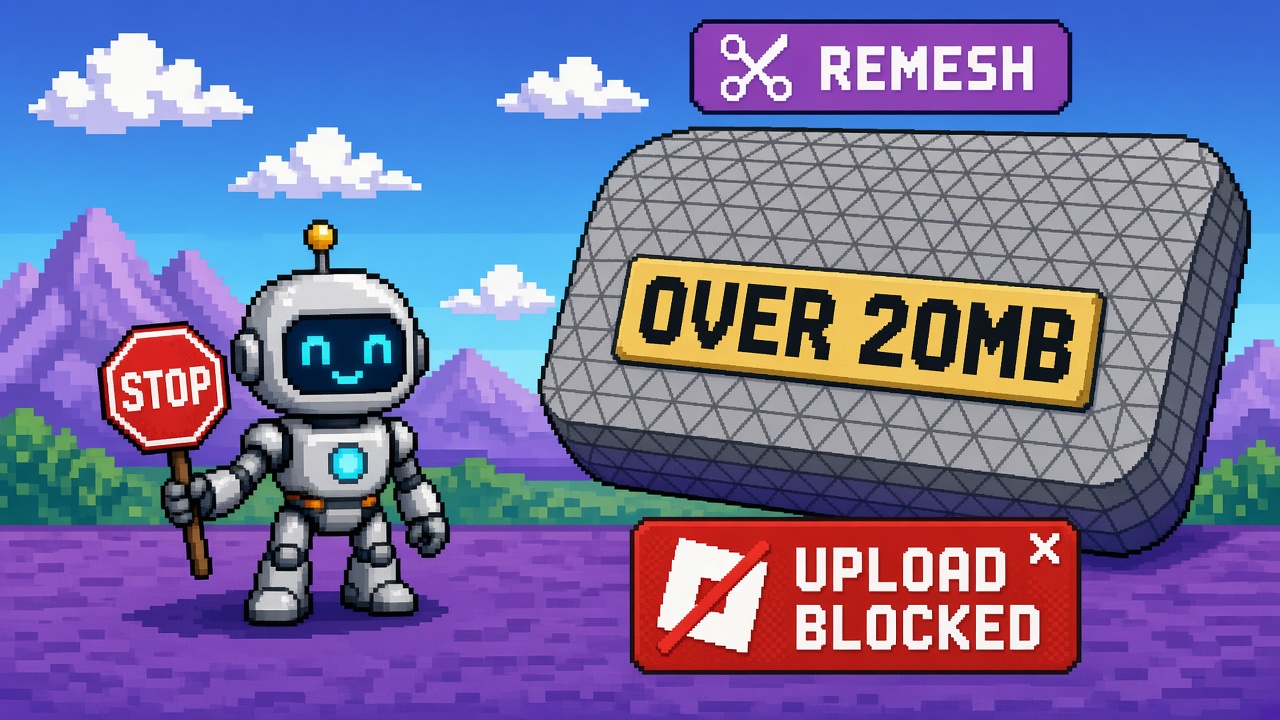
If you searched meshy roblox 20mb after Meshy made Roblox Sends browser / app-free, you do not need another “one-click AI props forever” montage. You need a refusal.
Stop shipping Meshy to Roblox over 20 MB without remesh. Meshy’s Bridge to Roblox docs are blunt: Roblox accepts models up to 20 MB; the recommended path is Generate → Remesh → Texture so remeshing cuts polygons and file size before Send. The integration page repeats the cap and lists oversize as a primary troubleshooting cause. That sentence is the whole refusal. App-free transport does not delete the size gate. Skipping remesh is not a speedrun — it is a reject loop.
This is not the live browser bridge tools listicle (numbered toolkit). It is not the live remesh-under-20MB worksheet (fill-in lab smoke). It is not the 7.1 remesh tools listicle or the Lowpoly remesh retire worksheet. Those own toolkit roundups, lab gates, remesh product craft, and cliff migrations. This URL owns the size-gate refusal: do not Send oversized, unremeshed generates because Discord said “app-free = frictionless.”
Platform cousins (Stop shipping production Godot on 4.8-dev, Stop mid-raid Waylith flips) refuse premature lanes. This refusal refuses app-free wallpaper — treating browser upload as permission to ignore documented limits.
Why this matters now
October 2026 is peak “Meshy → Roblox without an app” hype. Creators Connect once, smash Send to Roblox on a fat generate, hit the >20 MB reject, blame Roblox moderation, reinstall the legacy desktop bridge, and fail again — because the failure was size, not the transport. Teams also texture before remesh, balloon the payload, then declare remesh “ruins quality” while never recording a before/after MB number.
Direct answer: Run the honesty ladder. Prefer SIT OUT or LAB_REMESH on a disposable static mesh. Refuse SEND_OVERSIZE. Point teammates at the worksheet for the fill-in path and the tools listicle for the twelve-instrument map — after they accept the refusal.
Who this refusal is for
| Audience | Use it to… |
|---|---|
| Beginners | Know 20 MB is a hard reject, not a soft tip |
| Developers | Separate size fails from auth/moderation folklore |
| Creators | Paste a sit-out when the server says “just Send it” |
| Companies | CapEx — failed upload loops burn art nights |
Time: 15 minutes for the ladder; 10 minutes for the sit-out paste.
Honest limit: Meshy docs are the authority for the 20 MB rule, remesh order, and static-only. Pro+ is required to Send. Re-read Bridge to Roblox and the integration page before arguing. Quality remesh science belongs on the 7.1 remesh tools post — this Stop only refuses size-blind Sends.
Non-repetition
| URL | Job |
|---|---|
| Browser bridge tools listicle | Numbered free toolkit |
| Remesh-under-20MB worksheet | Lab fill-in smoke |
| Meshy remesh tools after 7.1 | Remesh product toolkit |
| Lowpoly remesh retire worksheet | Deadline migrate path |
| Godot 4.8-dev production Stop | Pre-release pin cousin |
| Winter Sale prep worksheet | Seasonal clock |
| This URL | Stop oversize Send without remesh |
Pair Roblox craft with the Roblox guide. Community paste: 25 free game development Discord servers.
The claim I am refusing
Claim (false): “Meshy’s Roblox Bridge is app-free now, so just hit Send — remesh is optional, 20 MB is a soft guideline, and if it fails we’ll switch to the desktop bridge.”
Counter-claim: Roblox’s 20 MB limit is documented as a hard acceptance rule for this bridge. Meshy’s recommended order puts Remesh before Texture specifically to stay under that cap. Desktop vs browser is a transport choice; it does not raise Roblox’s size ceiling. Skipping remesh is SEND_OVERSIZE folklore.
Same disease as other Stops: freeze-as-stable, unstable-as-default, press-headline CapEx. This is app-free wallpaper.
What Meshy actually says (read before you argue)
From Bridge to Roblox and Roblox Bridge integration:
| Fact | Meaning for creators |
|---|---|
| Roblox accepts models up to 20 MB | Oversize → reject |
| Recommended: Generate → Remesh → Texture | Remesh is part of the happy path |
| Remesh reduces polys / size | Size gate instrument, not optional polish |
| Browser Send needs no app | Transport convenience ≠ limit waiver |
| Static only | Rigged/animated still unsupported |
| Pro+ required | Eligibility before Send |
| Troubleshooting lists oversize | First-class failure mode |
| Moderation after upload | Separate from size reject |
If your appeal strategy is “app-free means fewer steps,” you dropped the step Meshy put in the Recommended Workflow.
Excuse ladder
| Excuse | Why it fails | What to do instead |
|---|---|---|
| “Remesh ruins quality.” | Tradeoff ≠ skip gate | LAB_REMESH; then 7.1 tools for quality |
| “20 MB is approximate.” | Docs treat it as reject cause | Measure; remesh until under |
| “Desktop bridge will fix size.” | Same Roblox cap | Remesh either way |
| “We’ll remesh after it uploads.” | Reject means it never uploaded | Remesh first |
| “Texture first looks better.” | Order bloats payload | Generate→Remesh→Texture |
| “Everyone Sends raw generates.” | Peer pressure ≠ docs | Sit-out script |
| “It’s only a prop.” | Small props still hit 20 MB | Size note required |
| “Timeout means size.” | Timeout ≠ oversize; check Hub | Don’t confuse failure modes |
Honesty ladder (run before you hit Send)
| Rung | Question | Pass if… |
|---|---|---|
| H1 | Did you read the 20 MB + remesh order lines? | Quote both |
| H2 | Is this mesh static? | Yes — else HOLD |
| H3 | Size before remesh noted? | Number or honest “unknown → remesh anyway” |
| H4 | Remesh completed before texture? | Order correct |
| H5 | Size after remesh under 20 MB? | Evidence written |
| H6 | Lab mesh (not live-wire tonight)? | Lab only |
| H7 | Pro+ eligible? | Yes |
| H8 | CapEx / evening owner named? | Who decides SEND_OVERSIZE |
Fail H4–H5 and you do not get to lecture Discord about “broken bridge.”
SIT OUT / LAB_REMESH / PAIR / SEND_OVERSIZE
| Decision | Meaning |
|---|---|
| SIT OUT | No Send tonight; finish remesh planning or sale-week freeze |
| LAB_REMESH | Remesh under 20 MB on a disposable static mesh; then Send lab-only |
| PAIR | Second operator confirms size evidence + inventory — still not oversize Send |
| SEND_OVERSIZE | Refused — Send while knowingly over 20 MB or while skipping remesh |
Default after this article: LAB_REMESH or SIT OUT. SEND_OVERSIZE is never a diligence outcome.
What “app-free” does not waive
| Still required | Why |
|---|---|
| Remesh for size | 20 MB reject |
| Static mesh | Unsupported otherwise |
| Connect OAuth | Auth is still a step |
| Moderation wait | After a successful upload |
| Studio visual confirm | Hub web textures can lie |
| Pro+ | Eligibility |
App-free removes the desktop bridge install. It does not remove the Recommended Workflow.
CapEx four-liner
- Asset at risk: Art-night burn, duplicate inventory spam, Discord blame spirals.
- Change proposed: Send Meshy generates to Roblox without remesh / size evidence.
- Cost if wrong: Hard rejects, false “Roblox is down” folklore, delayed props on sale week.
- Decision owner: Tech/art lead; default = LAB_REMESH under 20 MB.
Beginner path — 20 minutes (refusal) + handoff
- Read the Recommended Workflow and 20 MB troubleshooting row aloud from Bridge docs.
- If someone pastes “just Send”: paste the Discord shortlist.
- Latch SIT OUT or LAB_REMESH — never SEND_OVERSIZE.
- Open the worksheet and fill Sections C–D.
- File the refusal receipt even if you only sit out.
Common beginner mistakes:
- Equating app-free with “zero preprocessing.”
- Blaming moderation for a size reject.
- Installing desktop bridge as a size fix.
- Texturing before remesh “for the look.”
- Mass-Sending twenty fat generates to “see which ones pass.”
- Treating this Stop as a remesh tutorial (use the worksheet / 7.1 tools).
Developer path — failure-mode separation
Reject taxonomy
| Symptom | Likely class | Refusal action |
|---|---|---|
| Explicit oversize / >20 MB | Size | Remesh; refuse SEND_OVERSIZE |
| Rigged/animated blocked | Format | HOLD — static only |
| Popup / auth fail | Connect | Fix popups; not remesh |
| Timeout toast | Timing | Check Hub before re-Send |
| Missing in Hub minutes later | Moderation | Wait — not a size skip license |
Mixing classes is how Discords invent “the bridge is random.”
Evidence minimum before any Send
| Required | Example |
|---|---|
| Order | “Remesh before texture: yes” |
| Size signal | MB screenshot, accept/reject, or poly proxy + Send result |
| Static confirmation | “No rig/anim” |
| Lab scope | “Not wired to live place” |
No evidence → SIT OUT.
CI / batch anti-patterns
- Auto-Send every generate without a size assertion.
- Retries that only flip browser ↔ desktop.
- Pipelines that texture-first “for beauty” then wonder why size explodes.
- Partner claims of “instant Meshy→Roblox” without remesh language.
Failure modes this Stop catches
| Failure | Symptom | Fix |
|---|---|---|
| Skip remesh | Size reject loop | H4–H5 |
| Transport superstition | Desktop install for size | Remesh either transport |
| Quality FOMO | Refuse remesh entirely | LAB_REMESH + 7.1 tools |
| Peer pressure | Mass Send raw | Sit-out paste |
| Misread timeout | Duplicate uploads | Hub check |
| Toast diligence | Live wire from fail | Refuse |
Anti-patterns (reject in review)
- “20 MB is a soft limit.”
- “App-free means remesh is optional.”
- “Desktop bridge bypasses Roblox size.”
- “We’ll remesh after it lands.”
- “Quality first — size later.”
- “This Stop is the same as the worksheet.”
- “This Stop teaches remesh topology.”
- “Send until one passes.”
Worked decisions
Creator A — 40 MB generate, Discord says Send now
Do: SIT OUT / LAB_REMESH; open worksheet.
Don’t: SEND_OVERSIZE.
Studio B — remesh hurts hero silhouette
Do: LAB_REMESH for a proxy prop; fork quality to 7.1 remesh tools.
Don’t: Skip size gate for the hero.
Studio C — blames “new browser bridge”
Do: Reproduce with size evidence; keep transport constant.
Don’t: Reinstall desktop as the first fix.
Studio D — sale week prop dump
Do: CapEx four-liner; batch only under-20 MB lab successes.
Don’t: Spray Sends to “fill inventory.”
Studio E — already passed worksheet R1–R8
Do: This Stop becomes a standing refusal for regressions; keep tools listicle for ops.
Don’t: Re-open SEND_OVERSIZE debates weekly.
Discord shortlist (paste)
Stop shipping Meshy to Roblox over 20MB without remesh
1) Roblox rejects >20 MB on Meshy Bridge (documented)
2) Order: Generate → Remesh → Texture
3) App-free ≠ size-optional; desktop won’t raise the cap
4) Decision: SIT OUT / LAB_REMESH / PAIR — refuse SEND_OVERSIZE
5) Lab smoke: meshy-roblox-browser-bridge-first-indie-remesh-under-20mb-worksheet-2026
6) Toolkit map: 12-free-meshy-roblox-browser-bridge-tools-after-app-free-upload-2026
Receipt: meshy_roblox_20mb_refusal_receipt_v1.json
Sources: Meshy Bridge docs · Roblox integration page
≠ 7.1 remesh product listicle · ≠ Lowpoly retire worksheet
Two-week calendar (if you were mid-oversize spiral)
| Day | Focus |
|---|---|
| Mon | Read 20 MB + remesh order; latch refusal |
| Tue | Worksheet Sections A–C on one static prop |
| Wed | Remesh until under 20 MB; record evidence |
| Thu | Lab Send + Asset ID + Studio confirm |
| Fri | Receipt + Discord sit-out; no live wire |
| Next week | Batch only meshes that already pass H1–H8 |
How to measure size without folklore
Discord arguments die when someone pastes a number. Before you debate remesh quality, record a size signal on the same mesh you intend to Send:
| Signal | Good enough for refusal? | Notes |
|---|---|---|
| Exported file MB on disk | Yes | Closest proxy to upload payload |
| Meshy UI size / poly readout | Yes if you screenshot it | Pair with Send result later |
| “Looks small in viewport” | No | Visual density ≠ file size |
| “Poly count feels fine” | No alone | Polys correlate; MB is the gate |
| Peer “ours uploaded last week” | No | Different mesh, different texture order |
Beginner rule: if you cannot write a number, your decision is SIT OUT or LAB_REMESH — not Send.
Developer rule: store size_before_remesh_mb, size_after_remesh_mb, and send_result in the same receipt row. A reject without a before number teaches the wrong lesson (“Roblox is flaky”).
When texture order is wrong, MB often jumps after you already remeshed once. That is not proof remesh “doesn’t work” — it is proof you violated Generate → Remesh → Texture. Re-run remesh after texture only if Meshy’s current UI forces a re-bake path; otherwise fix the order on the next generate and keep the lab mesh disposable.
Night-of runbook (sale week or stream night)
Use this when someone opens Meshy Hub mid-stream and wants inventory “right now.”
- Freeze the claim. Paste: “App-free ≠ size-optional. 20 MB is a reject.”
- Ask for H3–H5. Size before remesh, remesh done before texture, size after remesh under 20 MB. Missing any → SIT OUT.
- One lab mesh only. No twenty-generate spray. One static prop through the worksheet.
- Hub check before re-Send. Timeout toast ≠ license to duplicate. Wait and look for the Asset ID.
- Studio visual confirm. Hub thumbnails can lie about materials; open the mesh in Studio before wiring to a live place.
- CapEx four-liner aloud if a producer is present — name the owner who refuses SEND_OVERSIZE.
- File the receipt the same hour, even on sit-out. Empty
ownerfields are how next week’s Discord re-litigates the same night.
If the stream chat demands “just try it,” treat that as peer-pressure CapEx: the cost of a failed loop is art-night burn and false moderation folklore that lasts months.
Company / partner diligence (when Meshy→Roblox shows up in a pitch)
Partners and publishers sometimes hear “we Send Meshy props to Roblox in one click” and treat it as a production pipeline. Diligence language that belongs in the deck:
| Claim to reject | Diligence rewrite |
|---|---|
| “Instant Meshy→Roblox pipeline” | “Browser Bridge Send after remesh under 20 MB; Pro+; static only” |
| “App-free removes preprocessing” | “App-free removes desktop install; remesh remains required” |
| “We’ll optimize after upload” | “Oversize never uploads; remesh is pre-Send” |
| “Desktop bridge for big files” | “Same Roblox 20 MB ceiling either transport” |
| “AI props at scale this sprint” | “Lab successes only; batch after H1–H8 evidence” |
Governance note for studios: name a decision owner for SEND_OVERSIZE refusal. Without an owner, every contractor regenerates the peer-pressure loop. Cost/ROI: each failed oversize night burns contractor hours and pollutes inventory with half-moderated duplicates when people retry blindly after timeouts.
What success looks like after this Stop
| Outcome | Evidence |
|---|---|
| Refusal latched | Discord paste + receipt send_oversize_refused: true |
| Lab path used | Worksheet R-gates filled; one Asset ID in lab place |
| Taxonomy clean | Size fails labeled size — not moderation |
| Batch discipline | Only meshes with under-20 MB evidence enter mass Send |
| Sibling handoff | Tools listicle for ops map; 7.1 tools for quality craft |
Success is not “we never remesh.” Success is “we never Send while knowingly oversize or while skipping remesh.” Quality debates move to the remesh product posts after the size gate passes.
Receipt — meshy_roblox_20mb_refusal_receipt_v1.json
{
  "receipt_type": "meshy_roblox_20mb_refusal_receipt_v1",
  "filled_at": "2026-10-14",
  "twenty_mb_limit_acknowledged": true,
  "generate_remesh_texture_order_acknowledged": true,
  "app_free_does_not_waive_size": true,
  "send_oversize_refused": true,
  "decision": "LAB_REMESH",
  "size_evidence_noted": false,
  "static_mesh_only": true,
  "gates_h1_h8_pass": false,
  "owner": "",
  "notes": ""
}
Latch the same hour you paste the sit-out.
Key takeaways
- Stop Sending Meshy meshes to Roblox over 20 MB without remesh.
- Docs order: Generate → Remesh → Texture.
- App-free does not waive the size gate.
- Desktop bridge does not raise Roblox’s 20 MB cap.
- Default: LAB_REMESH or SIT OUT.
- Refuse SEND_OVERSIZE.
- Separate size fails from auth/moderation/timeouts.
- Lab smoke lives on the worksheet sibling.
- Toolkit map lives on the tools listicle sibling.
- Quality remesh science → 7.1 tools — not this Stop.
- File the refusal receipt.
- Primary keyword: meshy roblox 20mb.
FAQ
Does Roblox really reject Meshy uploads over 20 MB?
Yes — Meshy documents the 20 MB acceptance limit and lists oversize in troubleshooting. See Bridge to Roblox.
Will the desktop Meshy bridge bypass the size limit?
No. Transport choice does not change Roblox’s size ceiling. Remesh either way.
Is remesh optional if I accept lower success rates?
Not as diligence. Skipping remesh while oversize is SEND_OVERSIZE. Use LAB_REMESH and the worksheet.
How is this different from the remesh-under-20MB worksheet?
The worksheet is the fill-in smoke. This URL is the refusal when Discord pressures oversize Sends.
Where do I go for remesh quality, not just size?
12 Free Meshy Remesh Tools After 7.1.
What primary keyword does this page target?
meshy roblox 20mb — Stop opinion against oversize Sends without remesh.
Can I texture first if I remesh afterward?
Treat texture-first as a known bloat path. Meshy’s recommended order is Generate → Remesh → Texture specifically so remesh cuts size before texture weight lands. If your current generate is already textured and oversize, remesh (or re-generate in order) before Send — do not argue that texture-first is “fine because we’ll remesh later on Roblox.” Roblox never received the file.
What if Pro+ is not available tonight?
Then Send is not available. Do not invent a free-tier workaround that skips remesh “to save credits.” Sit out, finish remesh planning offline, or wait for eligibility. Pro+ is an eligibility rung (H7), not a size waiver.
Is a poly-count proxy enough instead of MB?
Only as a temporary lab signal paired with an honest note that MB was not measured — and only if you still remesh before Send. For refusal diligence, prefer an exported MB or UI size screenshot. “Poly count feels fine” alone fails H3/H5.
Should sale week change the refusal?
No. Sale week raises CapEx cost of failure. Batch only meshes that already pass H1–H8. Dumping raw generates to “fill the shop” is how you burn the art night and still ship empty shelves.
Related reading
- Meshy Roblox Browser Bridge - First Indie Remesh Under 20MB Worksheet 2026 — lab sibling
- 12 Free Meshy Roblox Browser Bridge Tools After App-Free Upload - 2026 — toolkit sibling
- 12 Free Meshy Remesh Tools After 7.1 Ultra 4K - 2026
- Meshy Remesh Lowpoly Retires Oct 30 - Indie Migrate Worksheet 2026
- Stop Shipping Production Godot Games on 4.8-dev After Feature Freeze - 2026
- Stop Switching Your Live RimWorld Colony to Waylith Unstable Mid-Raid - 2026
- Steam Winter Sale 2026 Prep Worksheet - Lock Before Dec 17
- Roblox Guide
- 25 Free Game Development Discord Servers
Primary sources: Bridge to Roblox (Meshy Docs) · Roblox Bridge integration.
Conclusion
App-free Meshy→Roblox is convenient — not size-optional. Stop Sending over 20 MB without remesh. Keep Generate → Remesh → Texture. Refuse SEND_OVERSIZE. Lab on the worksheet. Map ops on the tools listicle. File the receipt.
Paste the sit-out. Remesh first. Ship inventory you can actually accept.