

What Roblox Package Overrides Beta Changed for Indies - 2026
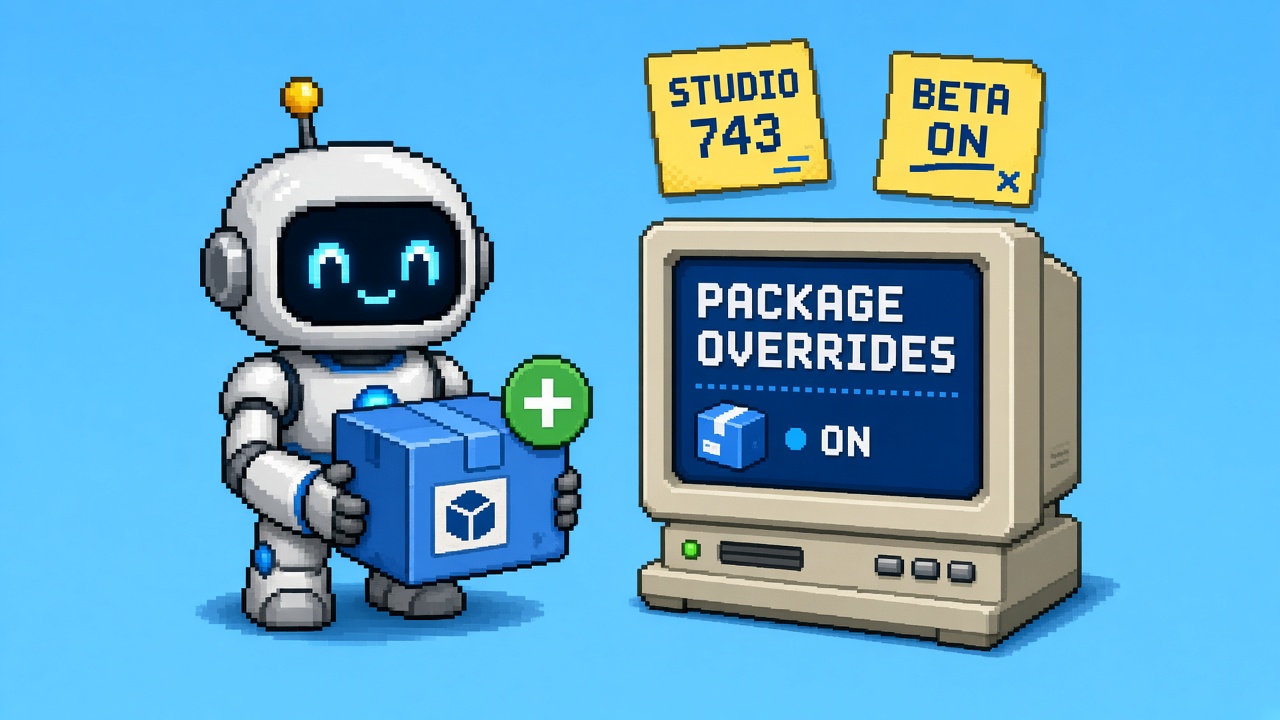
If you searched roblox package overrides after October 15, 2026, you do not need another “turn it on for every place tonight” thread. You need a map of what the Studio Beta actually changed.
Roblox announced Package Overrides and Usability Improvements as a Studio Beta. Packages still let you reuse content across places. The new piece is that a local edit can stay attached while the source package keeps updating. Studio records the edit as an override and tries to reapply it when the source moves forward. You turn it on under File → Beta Features after Studio is on version 743 or later, then you restart.
That is the whole news. It is not a new asset type, and it does not replace the Creator Hub as the place where published package versions live. Existing packages and their links stay as they are until you enable the beta. Once it is on, edits you make are tracked differently. Turning the beta off later can drop that tracking.
This page is the what-changed read. It is not the live Stop Treating Roblox Package Overrides Beta as Your Live Workflow. It is not the live first indie lab worksheet or the live studio beta tools list. It is not the October 12 early testers story or the Custom Quick Words policy. Those own launch refusals, chat review, fill-in labs, and toolkits. This URL owns the October 15 package-overrides read.
Why this matters now
Package-heavy places have lived with a bad trade for years. Change a lantern color in one plot and you either break the package link or you refuse every future update of that lantern. Teams duplicated models, or they published a one-off package per place, or they stopped updating the shared car because one map had a custom paint.
October 15 offers a third path, and it is still labeled beta. The same post lists Team Create and nested-package issues that are not footnotes. If you enable the beta on a live Team Create session while one collaborator is on an older Studio, their edits may not be tracked. A later package update can drop those edits. That is the Monday risk, not the paint example.
Direct answer: Read the rules before you enable anything on a shipping place. A disposable place on Studio 743+ is the right first surface. The live-workflow refusal is the Stop page. This page tells you what changed so that refusal is about facts.
Who this read is for
| Audience | Use it to… |
|---|---|
| Beginners | Learn blue dot vs green plus before clicking Beta Features |
| Developers | Know whose property wins, and what a delete does to an override |
| Creators | Explain the car-paint story without promising Team Create is safe |
| Companies | Treat Studio 743 beta as a lab flag, not a pipeline change |
Time: 30 minutes to read. Enabling on a copy is a separate evening.
Honest limit: The DevForum post is the authority. Roblox said they will update that post as the beta changes. If this page and the post disagree, the post wins.
Non-repetition
| URL | Job |
|---|---|
| Early testers public-launch Stop | Oct 12 preview ≠ public |
| Quick Words policy Stop | Chat words, not packages |
| Package Overrides live-workflow Stop | Refusal (live) |
| Package Overrides lab worksheet | Fill-in lab (live) |
| Package Override tools | Toolkit (live) |
| Roblox guide | Platform hub |
| This URL | What changed on 15 Oct 2026 |
Pair a paste with 25 free game development Discord servers.
The one-paragraph version
On 15 October 2026, Roblox opened Package Overrides in Studio Beta for Studio 743 or newer. You enable it in File → Beta Features and restart. After that, an edit inside a package in your place can remain yours while the source package still updates. A blue dot marks a changed instance. A green plus marks an instance you added. Revert is per property, per instance, or for the whole package. If you and the source change the same property, your value wins. If the update deletes the instance, the override is dropped. Publishing folds your overrides into the new version. Warning dialogs that used to block edits are gone, Auto-Update can stay on after an edit, version history is no longer capped at the latest 50, and you can publish a parent that contains modified children. Nested packages and Team Create still have known holes. APIs and cleaner nested behavior are what Roblox says come next, before this leaves beta.
What the old trade was
| Before this beta | After you enable it |
|---|---|
| A local tweak meant giving up future source updates, or breaking the link | The tweak can be stored as an override and reapplied |
| Edited packages could not keep Auto-Update | Auto-Update can stay on after an edit |
| Modified Packages warning dialogs interrupted edits and reverts | Those dialogs are removed |
| A parent with modified children was hard or impossible to publish | Publishing that parent is now allowed |
| Version history showed about the latest 50 versions, and older notes vanished | History lists every version with its notes |
| Package state was easy to misread | Icon and tooltip say latest, pinned, or pinned with updates, and a blue dot means overrides |
Nothing in that table runs until the beta checkbox is on and Studio has been restarted. Places you do not open in an enabled Studio keep the old behavior.
How to turn it on
Roblox’s own steps, from the announcement:
- Update Studio to 743 or later.
- File → Beta Features.
- Enable Package Overrides.
- Restart Studio.
If the checkbox is missing, you are not on 743 yet. Do not treat a missing checkbox as “we already have it.” Check File → About or the Studio version string before you tell the team the beta is live.
Existing packages do not need a migration. Links stay. You do not republish the whole library just to “opt in.” The behavior change starts with new edits made while the beta is on.
Blue dot, green plus, revert
Explorer is the map.
| Mark | Meaning |
|---|---|
| Blue dot | You changed that instance — a property, an attribute, or its parent |
| Green plus | You added that instance |
| Dot on a parent | Something inside changed, including inside a nested package, so you can walk down to it |
Select the instance. The Properties window shows a revert icon beside each overridden property or attribute. Linked properties revert together. Roblox’s example is Color and BrickColor: revert one and the linked one comes back too.
Larger reverts:
- Right-click an instance → Package → Revert Overrides on Instance
- Right-click the package → Package → Revert Overrides
- Ctrl+Z (Command+Z on Mac) undoes a revert
A revert is not the same as breaking the package link. Breaking the link still works the way it did before. Use revert when you want the source value back and the link kept. Use a link break only when this place should stop following the package.
Whose value wins
When you update a package instance, Studio applies your overrides on top of the new version.
| Situation | Result |
|---|---|
| Only the source changed a property you did not touch | You receive the source change |
| You and the source changed the same property | Your value wins |
| The update deletes an instance you had overridden | Studio drops that override |
| You publish | Your overrides become part of the new version |
| You change something inside a nested package | The change is kept as an override on the parent |
| You later change that nested package’s version | Those overrides apply again on top |
“Yours wins” is the sentence people will quote in chat. It is also the sentence that can hide a bad local edit forever, because the source author’s fix to that same property will not land. If the source fixed a collision bug on CanCollide and your place had also touched CanCollide, you keep your value. Read the diff before you call that a successful update.
A deleted instance is the opposite surprise. Your carefully overridden part disappears with the source delete, and the override does not resurrect it. If your level design depended on that part, the update is a content break even though “overrides are kept” is still true for everything else.
Usability changes that are easy to miss
These are part of the same post, and they change daily Studio friction even when you never paint a car.
No Modified Packages dialog. Editing or reverting used to stop you. Those warnings are gone. That is faster, and it is also easier to edit a package without noticing. The blue dot is now the warning.
Auto-Update after an edit. Previously, an edited package could not stay on Auto-Update. It can now. Auto-Update plus “yours wins” means a background update can land while your override masks the one property you touched. Look at the status icon after an update. Do not assume every property moved.
Status at a glance. The package icon and tooltip should say whether it is on the latest version, pinned, or pinned with updates available. A blue dot means overrides exist. If you cannot see the mark, Roblox already heard that the lines are thin on some displays. Do not invent a second status plugin tonight. Zoom or check Properties.
Publish a parent that has modified children. That used to be blocked. It is allowed in this beta. Publishing still writes a version. It is not a private scratch change. Once you publish, overrides become part of that version for everyone who updates to it.
Full version history. Studio used to list about the latest 50 versions and drop notes on older ones. History now shows every version and its notes. Use that when you need to see what a publish actually contained. The Creator Hub remains where the experience and its assets are managed. History inside Studio does not replace a named owner for who may publish.
Nested Auto-Update did not change. You still cannot turn Auto-Update on for a nested package. You can change that nested package’s version yourself, and overrides on it stay. If someone on the team says “just auto-update the nested one,” the post says no.
Known issues (read these before Team Create)
Roblox listed two issues in the announcement. They are the reason this is a beta.
Team Create. Everyone in the session should enable the beta. Edits made from a Studio that does not have it are not tracked as overrides. A later package update may not keep them. A mixed session is worse than an all-off session, because half the team thinks their tweaks are safe.
Nested packages. When you update a parent, an override saved inside a nested package can be mistaken for a local edit. The nested item can stay on an old value instead of taking the update. Roblox called APIs and nested packages the next focus, and they want nested edits behaving correctly before Package Overrides leaves beta.
If your place is mostly nested packages inside a kit, you are in the known-issue zone. A single-level car or lantern is the example the post is confident about. A kit of kits is the example they asked for feedback on.
What did not ship
| Rumor | What the post actually says |
|---|---|
| “Packages no longer need the cloud” | Not in this beta. Community asked for local packages. That is a wish, not a feature. |
| “Script source diffs are fully specified” | The post describes properties, attributes, parents, and added instances. It does not publish a script-merge spec. Treat script edits as something you must watch, not as a guaranteed merge. |
| “Nested Auto-Update is solved” | Explicitly unchanged. Still off. |
| “Team Create is safe if the owner enabled it” | Everyone in the session needs the beta, or untracked edits can vanish on update. |
| “This left beta” | It is a Studio Beta. Roblox said they will bring it to everyone after issues and feedback. |
| “Turning it off is harmless” | Your place changes remain. Tracking stops. Overrides already recorded may be lost, so a later update might not reapply them. |
The last row is the one to put in the team note. Enabling is reversible as a checkbox. The tracking you accumulated is not promised to survive the off switch.
Decision latch for this read
| Decision | Meaning |
|---|---|
| READ_ONLY | You read the post. No place has the beta enabled yet. |
| LAB_PLACE | Beta is on only in a disposable place on Studio 743+, not the live Team Create session. |
| HOLD | Someone enabled it on a shared session, or a collaborator is on an older Studio. Pause updates until the session matches. |
The live Stop owns the harder refusal if the beta is already your default publish path. This page’s job is to stop the misread: “overrides shipped, so every place should update packages tonight.”
CapEx four-liner
- Scope — Studio Beta for package edit tracking on Studio 743+. Not a new publishing platform.
- Cost — a restart and a disposable place. A mixed Team Create session can cost real content.
- Evidence — version string, who enabled the beta, whether the place is live.
- Owner — the person who may turn Beta Features on for the team.
Pasteable line:
Package Overrides is a 15 Oct 2026 Studio Beta on 743+. Local edits can survive source updates. Same-property conflicts keep our value. Team Create needs every Studio on the beta. We are not making it the live package process until the known nested and session issues are understood.
Beginner path (30 minutes)
- Open the announcement and read the car example.
- Write down your Studio version. If it is below 743, stop at READ_ONLY.
- Pick one package you already understand, such as a prop used in two places. Do not start with a nested kit.
- If you enable the beta, do it on a copy of the place. Restart Studio. Change one property. Confirm the blue dot. Update from the source only if you have a newer version you can afford to test.
- Revert that one property with the Properties icon. Confirm the dot clears.
- Do not publish. Do not turn the beta off and on to “see what happens” on the live place.
Mistakes that fail this page:
- Enabling on the live Team Create place because the post sounds finished.
- Assuming a green plus and a blue dot are the same mark.
- Publishing a parent the same hour you first see the new menu.
- Quoting “yours wins” as “the source can never overwrite us,” including on properties you never touched. Untouched properties still take source updates.
- Treating a commenter’s Path3D screenshot as part of this feature. It is not described in the announcement.
Developer skim
| Question | Answer from the post |
|---|---|
| What is tracked? | Property, attribute, parent changes, and added instances |
| Conflict on one property | Local override wins |
| Source deletes your overridden instance | Override is dropped |
| Publish | Overrides become part of the new version |
| Nested edit | Stored as an override on the parent |
| Nested Auto-Update | Still unavailable |
| Break link | Unchanged |
| Beta off | Place edits remain; tracking stops; recorded overrides may be lost |
| Minimum Studio | 743, then restart |
If you mass-recolor hundreds of trees with a script, the post does not give you a bulk-revert API. Revert is instance, package, or undo. A place with thousands of overridden copies is an operational problem this beta does not solve in one click. That is a reason to lab one package, not a reason to script a forest and hope.
Worked example
Studio Lantern Row reuses one street-lantern package on twelve plots. One plot wants a warmer light color. The shared package is about to get a new mesh.
- They read the post on October 16. Studio is 743. Decision starts as READ_ONLY.
- They duplicate the place. They enable Package Overrides only in that Studio session and restart.
- On the copy, they change the one lantern’s light color. A blue dot appears. They do not add parts, so they should not see a green plus on that lantern.
- They pull the new mesh version onto the copy. The color override remains. The mesh change arrives. They write down that this was one property, not a nested kit.
- They do not publish from the copy. They do not enable the beta on the live Team Create session, because one contractor is still on an older Studio.
- Latch LAB_PLACE. The live place stays on the old tracking rules until the session can all run 743 with the beta.
The warmer color is the demo. The contractor on the old Studio is the actual risk.
What to tell Discord
Roblox Package Overrides (15 Oct 2026) is a Studio Beta:
• Studio 743+ → File > Beta Features → restart
• Local edits can stay while the source package still updates
• Blue dot = you changed something; green plus = you added something
• Same property: your value wins. Deleted instance: override is dropped
• Team Create: everyone in the session needs the beta
• Nested packages still have a known update bug
• Turning the beta off can lose override tracking
Not a live pipeline change tonight.
Company diligence
| Question | Answer |
|---|---|
| Did packages change for players? | No. This is Studio edit tracking. |
| Do we have to republish the library? | No. Existing links stay until you edit under the beta. |
| Is it generally available? | No. Studio Beta, 743+, checkbox, restart. |
| What is the operational risk? | Mixed Team Create sessions and nested-package updates. |
| Where do versions live? | Still in the package’s version history and on the Creator Hub. |
Partner sentence:
We read the 15 October 2026 Package Overrides Studio Beta. We may lab it on a copy in Studio 743. We are not switching the live Team Create package process until nested updates and session-wide beta enablement are accounted for.
QA after you claim you “read the beta”
- You can say the date and the Studio floor (743).
- You can explain blue dot versus green plus.
- You can say whose value wins on a shared property, and what a delete does.
- You can say Team Create needs every participant on the beta.
- You did not enable it on the live place during the read.
- If any line fails, go back to READ_ONLY.
How this sits next to the other package pages
| Page | Question |
|---|---|
| This read | What did October 15 change? |
| Live-workflow Stop | Should this be our live process? |
| Lab worksheet | What do we check on a copy? |
| Tools listicle | Which free Studio tools help? |
Read this page first. The Stop is the refusal. The worksheet is the evening you enable a copy. The list is the toolkit. They are not substitutes for the announcement.
Key takeaways
- 15 October 2026 opens Package Overrides as a Studio Beta.
- Studio 743+, File → Beta Features, then restart.
- Local edits can survive source updates.
- Blue dot means a change. Green plus means an add.
- Same property: your value wins. Deleted instance: the override is dropped.
- Publish writes overrides into the new version.
- Auto-Update can stay on after an edit. Nested Auto-Update still cannot.
- Team Create needs the whole session on the beta.
- Nested parent updates can miss an override and keep a stale value.
- Turning the beta off can lose tracking.
- Existing packages do not need a migration.
- Primary keyword: roblox package overrides.
FAQ
What are Roblox Package Overrides?
A Studio Beta, announced 15 October 2026, that records your edits to a package in a place and reapplies them when the source package updates. You keep the link instead of choosing between a local tweak and future updates.
How do I enable Package Overrides?
Update to Studio 743 or later. Open File → Beta Features, enable Package Overrides, and restart Studio. The announcement is the checklist.
Will a package update overwrite my changes?
Not in general. Studio reapplies overrides after the update. If the source changed the same property, your value wins. If the update deletes the instance you changed, that override is dropped.
What do the blue dot and green plus mean?
A blue dot marks an instance you changed (property, attribute, or parent). A green plus marks an instance you added. Parents of a marked instance also get a dot so you can find nested changes.
Can I turn the beta off?
Yes. Changes already in the place stay. Studio stops tracking overrides while it is off, and overrides already recorded may be lost, so a later update might not reapply them.
Do I need to change existing packages?
No. They keep their current settings and links until you edit them with the beta on.
Does this work in Team Create?
Yes, with a condition. Everyone in the session should enable the beta. Edits from a Studio without it are not tracked, so a package update may not keep them.
Can nested packages Auto-Update now?
No. That limit is unchanged. You can still set a nested package’s version yourself, and overrides on it stay.
What primary keyword does this page target?
roblox package overrides.
Related reading
- Stop Treating Roblox Package Overrides Beta as Your Live Workflow - 2026 — refusal (live)
- Roblox Package Overrides First Indie Studio Beta Lab Worksheet 2026 — lab (live)
- 12 Free Roblox Package Override Studio Beta Tools - 2026 — toolkit (live)
- Stop Treating Roblox Early Tester Invites as Your Public Launch - 2026
- Roblox Guide
- 25 Free Game Development Discord Servers
Primary sources: Studio Beta: Package Overrides and Usability Improvements · Roblox Creator Hub.
Conclusion
Package Overrides is a real change to a painful package trade, and it is still a Studio Beta with two named holes. Read the dots, the conflict rule, and the Team Create line before you enable it on a place you cannot throw away. Lab on a copy when Studio is 743. Leave the live session alone until everyone in it can run the same beta.