

What Roblox UIShadow Beta Changed for Studio UI - 2026
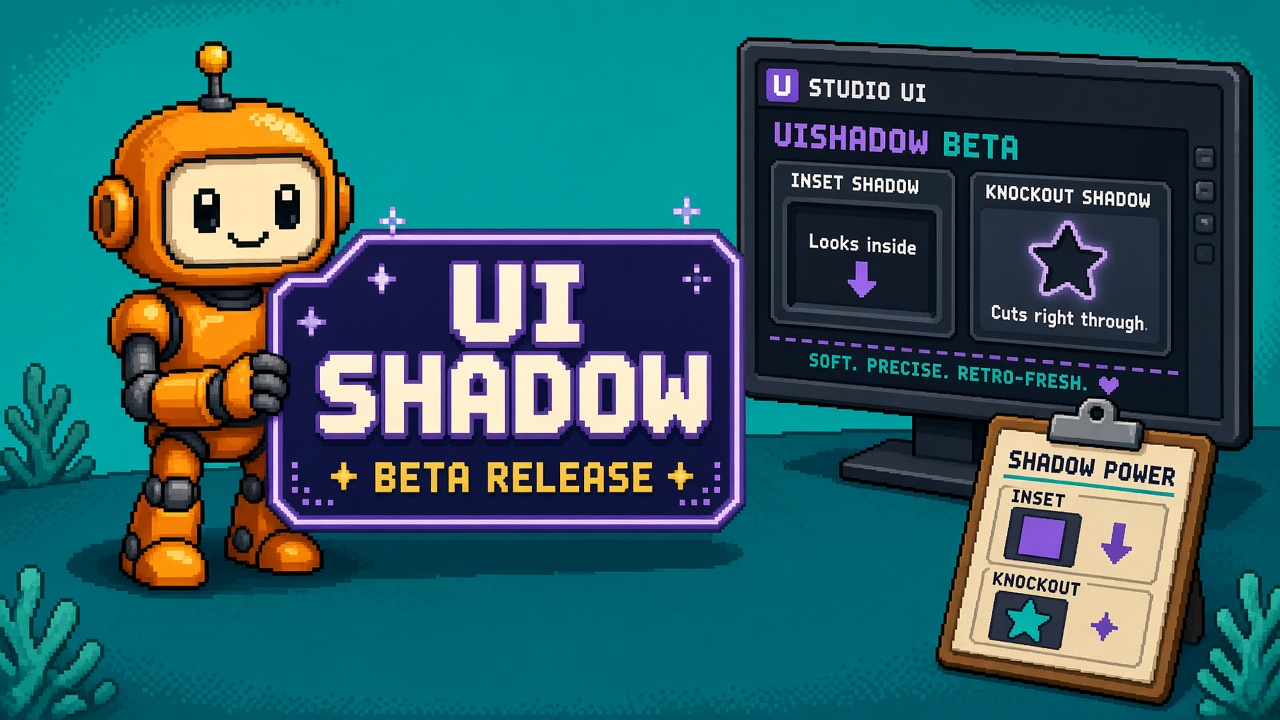
If you searched roblox uishadow after the October Studio Beta, you do not need another “finally text shadows” celebration thread. You need a map of what actually changed, which properties do nothing in which mode, and why live experiences still cannot publish these capabilities during the beta.
Roblox announced Upgraded UIShadow Capabilities as a Studio Beta (post dated mid-October 2026; the weekly recap for October 12–18 repeats the same four modes and the live-publish block). Enable it under File → Beta Features → Upgraded UIShadows, then restart Studio. Official appearance docs live in UI appearance modifiers and the UIShadow class reference.
This page is the what-changed read. It is not the live Stop Publishing a Live Game on the Roblox UIShadow Beta. It is not a fill-in lab worksheet. It is not the same-week Package Overrides what-changed. Those own refusal, evening labs, and package editing. This URL owns the UIShadow capability map.
Why this matters now
Studios have been cloning strokes, stacking translucent frames, and baking glow into images because UIShadow’s first release could not do text contours, inset recesses, knockout halos, or gradient fills cleanly. The beta answers those four asks — and still labels the whole thing Studio-only for live publish.
Direct answer: Turn the beta on a copy place. Learn Mode / Inset / ShowBehindParent / UIGradient-as-child. Do not treat a Discord screenshot as permission to ship upgraded shadows on a live experience until Roblox says client support is out. The recap is explicit: live experiences cannot publish these capabilities during the beta.
Who this read is for
| Audience | Use it to… |
|---|---|
| Beginners | Enable the beta once and name the four new modes |
| Developers | Know which properties no-op in Text vs Inset |
| Creators | Paste a one-evening lab brief into Discord |
| Companies | Treat Upgraded UIShadows as a lab flag, not a live UI SLA |
Time: 25 minutes to read. First copy-place smoke: 45–90 minutes.
Honest limit: The DevForum announcement and create.roblox.com docs are authorities. If this page and those disagree, the official sources win. Roblox may update the beta post as behavior changes.
Non-repetition
| URL | Job |
|---|---|
| UIShadow live-publish Stop | Live publish refusal |
| Package Overrides what-changed | Oct 15 package edit beta |
| Package Overrides live-workflow Stop | Package beta refusal |
| Package Overrides lab worksheet | Package evening lab |
| Early testers public-launch Stop | Preview ≠ public |
| Quality mode textures what-changed | Same-month Texture Generator Quality mode |
| Roblox Studio guide | Platform hub |
| This URL | What UIShadow beta changed for Studio UI |
Pair a Discord paste with 25 free game development Discord servers. If Studio networking fails under a corporate proxy while you chase docs, keep package manager HTTP 403 help handy — different problem, same “do not thrash the live place” instinct.
The one-paragraph version
UIShadow already existed for rectangular shape shadows. The upgraded Studio Beta adds text shadows (Mode = Text on TextLabel / TextButton / TextBox), inset shadows (Inset = true), knockout shadows (ShowBehindParent = false), and gradient shadows (child UIGradient on the UIShadow). Enable Upgraded UIShadows in Beta Features and restart. Roblox ships a sample placefile (NewUIShadow.rbxl) and points at the UI modifiers guide. Performance guidance: keep on-screen UIShadow count under about 100. Known caveat: text shadows on rich text currently ignore UIShadow.Color and UITransparency (Roblox says a fix is in progress). Live publish with these new capabilities is blocked for the beta period.
What existed before vs what the beta adds
| Before upgraded beta | After you enable Upgraded UIShadows |
|---|---|
| Shape shadows along the parent rectangle | Still available (Mode = Shape, default) |
| Workarounds for glyph-shaped glow (strokes, duplicate labels) | Native text shadow mode following character contours |
| Fake “pressed” look with darker child frames | Native inset shadow drawn inside the parent |
| Transparent panels darkened by the full shadow under them | Knockout via ShowBehindParent = false |
| Single-color shadow only (or fake stacked frames) | Gradient by parenting UIGradient under UIShadow |
| Live games could use the older shadow surface | New capabilities: Studio beta only until client release |
The old rectangular shadow path did not disappear. The beta expands the toolkit. Your existing UIShadow instances keep working; the new Mode / Inset / ShowBehindParent / gradient-child patterns are the new surface.
Getting started (beginner path)
Prerequisites: Roblox Studio installed, a place you are allowed to break, and permission to restart Studio mid-evening.
- Open File → Beta Features.
- Check Upgraded UIShadows.
- Restart when Studio asks.
- Duplicate a live place or open a disposable sandbox — do not experiment on the production place first.
- Insert a
TextLabel, add a childUIShadow, setModetoText, tweakOffset,BlurRadius,Color,Transparency. - Confirm you can see the shadow in Studio play.
- Do not publish this place as a live experience while relying on the new modes — that is the beta rule.
Common mistakes
- Enabling the beta on a shared Team Create place without telling collaborators Studio restarted.
- Assuming
Spread/Inset/ShowBehindParentstill work in Text mode — they do not. - Stacking twenty shadows on one HUD and wondering why the frame rate tanks (see the ~100 on-screen guidance).
- Turning on RichText and blaming yourself when Color/Transparency vanish — known issue, documented in the release notes.
Capability 1 — Text shadows
Set Mode to Text (docs enum: ApplyShadowMode.Text). The shadow follows glyph contours, not the bounding rectangle. Valid parents for a useful text shadow are TextLabel, TextButton, and TextBox. Other GuiObjects do not render a meaningful text-mode shadow.
No-ops in text mode: Spread, Inset, and ShowBehindParent have no effect. Do not spend an hour debugging Offset while flipping Inset — Inset is dead in this mode.
Stacking: You can add multiple text shadows on the same parent. You can also stack a text shadow and a shape shadow by using multiple UIShadow instances with different Mode values. Use ZIndex on each shadow to control draw order (lower behind higher).
Creator use: Title cards, shop headers, damage numbers that need a readable halo without a second TextLabel clone.
Dev verification: Screenshot the label with Mode=Shape vs Mode=Text at the same Offset/Blur. Shape hugs the box; Text hugs the letters. If they look identical, you are not in Text mode or the beta is off.
Capability 2 — Inset shadows
Set Inset to true. The shadow draws on top of and inside the parent instead of behind it. That reads as a recessed button, a pressed state, or a carved panel.
When Inset is true, positive Spread expands toward the center of the parent, not outward. Offset still aims the inset; BlurRadius softens the edge.
Creator use: Inventory slots that look pressed when selected; modal panels with inner depth; faux-bevel UI without nine-slice art.
Dev verification: Toggle Inset on a Frame with a solid BackgroundColor3. Outward soft edge becomes inward soft edge. If nothing changes, confirm the beta feature is enabled and you are not accidentally on a Text-mode shadow (Inset ignored).
Capability 3 — Knockout shadows
Default ShowBehindParent is true: the full shape shadow renders, including the area directly under the parent. On transparent or glass-like parents, that under-area darkens whatever shows through.
Set ShowBehindParent to false to mask that overlap so only the visible halo remains — the “knockout.”
No effect when: Inset is true, or Mode is Text. Knockout is a shape-shadow tool for outward shadows that must not muddy the fill.
Creator use: Frosted panels, glass shop cards, HUD chips over busy 3D scenes.
Dev verification: Semi-transparent Frame, ShowBehindParent true vs false, same camera. True should look muddier through the fill; false should keep the fill cleaner with a ring of shadow.
Capability 4 — Gradient shadows
Parent a UIGradient under the UIShadow instance. The gradient applies on top of the shadow’s base Color, so you get multi-tone glows and auras without painting a separate texture.
This works for shape and text shadows per the appearance-modifiers guide. The gradient affects the shadow without rewriting the parent’s own fill gradient (if the parent also has a UIGradient, that is a separate object).
Creator use: Soft rainbow auras, warm-to-cool title glows, faction-colored button halos.
Dev verification: Child UIGradient with two ColorSequence keypoints; change Offset of the shadow and confirm the gradient moves with the shadow, not the parent fill alone.
Property cheat sheet (working-dev path)
| Property / setup | Shape mode | Text mode | Notes |
|---|---|---|---|
Mode |
Shape (default) | Text | Stack both with two instances |
Inset |
Yes | No effect | Positive Spread goes inward when true |
ShowBehindParent |
Yes (knockout when false) | No effect | Also no effect when Inset true |
Spread |
Yes | No effect | Direction depends on Inset |
Offset |
Yes | Yes | Aim the shadow |
BlurRadius |
Yes | Yes | Softness; scale relative to shorter parent side |
Color / Transparency |
Yes | Yes* | *Ignored on rich text until Roblox ships the fix |
Child UIGradient |
Yes | Yes | Gradient on the shadow |
ZIndex (on UIShadow) |
Yes | Yes | Order among stacked shadows |
| UICorner / Rotation on parent | Shadow follows | Shadow follows glyphs | Path2D / textures unsupported |
Official wording for unsupported cases: UIShadow does not support Path2D or textures as the shadow source. If your UI is a textured ImageLabel silhouette, do not expect glyph-quality shadows from Mode=Text — Text needs actual text objects.
Live publish block (company diligence)
The announcement and the weekly recap both state that during this Studio beta, you cannot publish live experiences with these new UIShadow capabilities. When Roblox releases them to the client, in-game use becomes available.
That is a diligence sentence, not a vibe:
| Decision | Safe move |
|---|---|
| Prototype HUD polish | Copy place + beta on |
| Ship a Thursday update that depends on text Mode | Wait for client release |
| Share a Studio GIF on social | Fine — label it Studio beta |
| Promise players “new glow in live tomorrow” | No — capabilities are not live-publishable yet |
Treat this the same way you treat other Studio betas that week: Package Overrides is also a lab flag until your Stop/worksheet process says otherwise. Different feature, same governance instinct — beta checkbox ≠ production SLA.
Performance and known issues
Budget: Roblox recommends not drawing more than about 100 UIShadow instances on-screen at once. That is a soft design budget, not a hard engine crash line. HUD kits that stamp a shadow on every inventory cell in a scrolling grid will burn the budget fast — shadow the template once, or share a style token, rather than one instance per cell without thinking.
Rich text: When a text shadow is applied to rich text, UIShadow.Color and UIShadow.Transparency are ignored. Staff confirmed it as a known issue with a fix in progress. Until then: plain text for color-critical shadows, or accept default coloring.
Thread questions that are not this URL’s job: ViewportFrame support was asked in replies; that is a feature request, not a shipped beta promise. Do not write “UIShadow works in ViewportFrames” into your design doc from community hope alone.
Worked evening — one title, four modes
Copy this into a Discord brief or a studio ticket. Time-box: 90 minutes on a disposable place.
- Enable Upgraded UIShadows; restart; confirm Beta Features still checked.
- Text: Title TextLabel, Mode=Text, soft Blur, dark Color, slight Offset. Screenshot A.
- Shape stack: Second UIShadow Mode=Shape under the same label’s parent Frame for a card drop shadow. Screenshot B.
- Inset: On a Button Frame, Inset=true, Offset downward, test pressed-state look. Screenshot C.
- Knockout: Semi-transparent Frame, ShowBehindParent=false. Screenshot D.
- Gradient: UIGradient child on one UIShadow, two keypoints. Screenshot E.
- Rich-text trap: Toggle RichText on the title; note Color ignore. Screenshot F for the bug log.
- Count pass: Roughly count on-screen shadows; if over 50 on a simple HUD, simplify before you scale to a full shop.
- Stop: Do not publish the live experience with these new capabilities. Leave the beta on the copy only, or document who owns turning it off.
PASS means you have six screenshots and a written “live publish = no” line. FAIL means you published, or you never tested Text vs Shape side by side.
RACI for a micro-studio
| Role | Owns |
|---|---|
| UI lead | Mode choices, style tokens, ZIndex stack |
| Engineer | Scripted property changes; confirm UIShadow is not treated as GuiObject in filters |
| Producer | Live-publish gate; beta enablement on which places |
| QA | Screenshot matrix + rich-text Color check + 100-shadow budget spot check |
Script note from community replies: UIShadow is not a GuiObject. Filters that only walk GuiObjects will skip shadows. If a runtime script “sets every UIGradient Color,” it may miss gradients parented under UIShadow unless you walk children of UIShadow explicitly.
Same-week Studio beta context
October 2026 Studio announcements also included Package Overrides usability work. Do not merge the checkboxes in your head:
| Beta | What it changes | Live risk |
|---|---|---|
| Upgraded UIShadows | Shadow modes / knockout / gradient child | New capabilities not publishable live yet |
| Package Overrides | Local package edits surviving updates | Separate Team Create / nested issues — see what-changed and Stop |
Enable them independently. A place can have one, both, or neither. Your UIShadow lab does not require Package Overrides.
Failure modes
| Failure | Symptom | Fix |
|---|---|---|
| Live publish hope | “It looked fine in Studio” on production | Re-read beta live-publish sentence; strip new modes from live place |
| Text mode debugging Inset | Toggles do nothing | Expected — Inset no-ops in Text |
| Muddy glass panel | Transparent UI looks dirty | ShowBehindParent=false on shape shadow |
| Rich text dull shadow | Color ignored | Known issue; use plain text or wait for fix |
| Shadow storm | HUD stutters | Reduce on-screen UIShadow count toward ≤100 guidance |
| Beta off mid-collab | Shadows disappear for one teammate | Align Beta Features + restart across the session |
| Wrong parent | Text mode on a Frame | Use TextLabel / TextButton / TextBox |
| Path2D expectation | No shadow on path art | Unsupported — redesign with GuiObject + text/shape |
Free vs not free
| Free | Not free / not promised |
|---|---|
| Beta checkbox | Client release date for live publish |
Sample NewUIShadow.rbxl from the announcement |
Guaranteed ViewportFrame support |
| Docs on create.roblox.com | Rich-text Color/Transparency today |
| Stacking multiple UIShadows | Unlimited shadows with zero cost |
Sibling map (cluster)
| Need | URL / status |
|---|---|
| Facts (this page) | You are here |
| Hard refusal on live publish | Stop Publishing a Live Game on the Roblox UIShadow Beta |
| Fill-in lab sheet | Parked worksheet in plan — restore after Create drains slots |
| Same-week packages | Package Overrides what-changed |
| Same-month textures | Quality mode textures what-changed |
Opinion spine (quotable)
Stop treating a Studio Beta GIF as a live UI changelog. The four modes are real in Studio. The publish gate is also real. Design systems that require text Mode or knockout to ship this week are betting against the written beta rule.
Key takeaways
- Upgraded UIShadows is a Studio Beta — File → Beta Features, then restart.
- Four additions: text, inset, knockout, gradient shadows.
- Text mode follows glyphs; Spread / Inset / ShowBehindParent do nothing there.
- Inset draws inside the parent; positive Spread moves toward center.
- Knockout =
ShowBehindParent = falseon outward shape shadows. - Gradient = child
UIGradienton theUIShadow. - Stack Mode=Text and Mode=Shape with multiple instances; order with ZIndex.
- Keep roughly ≤100 UIShadows on-screen for performance.
- Rich text currently ignores shadow Color/Transparency — known issue.
- Live experiences cannot publish these new capabilities during the beta.
- Path2D and textures are not supported shadow sources.
- Primary keyword: roblox uishadow.
FAQ
What is the Roblox UIShadow beta?
A Studio Beta that upgrades UIShadow with text shadows, inset shadows, knockout shadows, and gradient fills. Enable Upgraded UIShadows under Beta Features. Details: announcement.
Can I publish a live game using the new UIShadow modes?
Not during this Studio beta. The announcement and the October 12–18 weekly recap both say live experiences cannot publish these capabilities until they ship to the client.
How do I make a text shadow in Roblox Studio?
On a TextLabel, TextButton, or TextBox, add UIShadow, set Mode to Text, then tune Offset, BlurRadius, Color, and Transparency. Spread, Inset, and ShowBehindParent do not apply in text mode.
What does ShowBehindParent do?
When false, the parent’s shape masks the shadow region directly behind it (knockout), which helps transparent UI. It has no effect in Text mode or when Inset is true.
Why does my rich-text shadow ignore Color?
Known beta issue: with rich text, UIShadow.Color and UIShadow.Transparency are ignored while Roblox works on a fix. Use plain text for color-critical shadows for now.
Is UIShadow the same as Package Overrides?
No. Package Overrides is a separate Studio Beta about local package edits. UIShadow is about UI appearance. Read Package Overrides what-changed for that map.
Where are the official docs?
UI appearance modifiers and Class: UIShadow, plus the DevForum beta post.
Where to leave it
Enable Upgraded UIShadows on a copy place. Run the four-mode screenshot evening. Keep the live experience on shadow features the client already supports — enforce that with Stop Publishing a Live Game on the Roblox UIShadow Beta. When Roblox announces client release, re-test Color on rich text, re-check the 100-shadow budget on a real HUD, and only then promote the new modes. For Studio orientation beyond shadows, use the Roblox Studio guide. For package-beta discipline the same month, keep the Package Overrides Stop and worksheet in your reading list. Paste the twelve takeaways into Discord if your team only reads one message.