

What Roblox AnimatedImages Early Access Changed for 2D - 2026
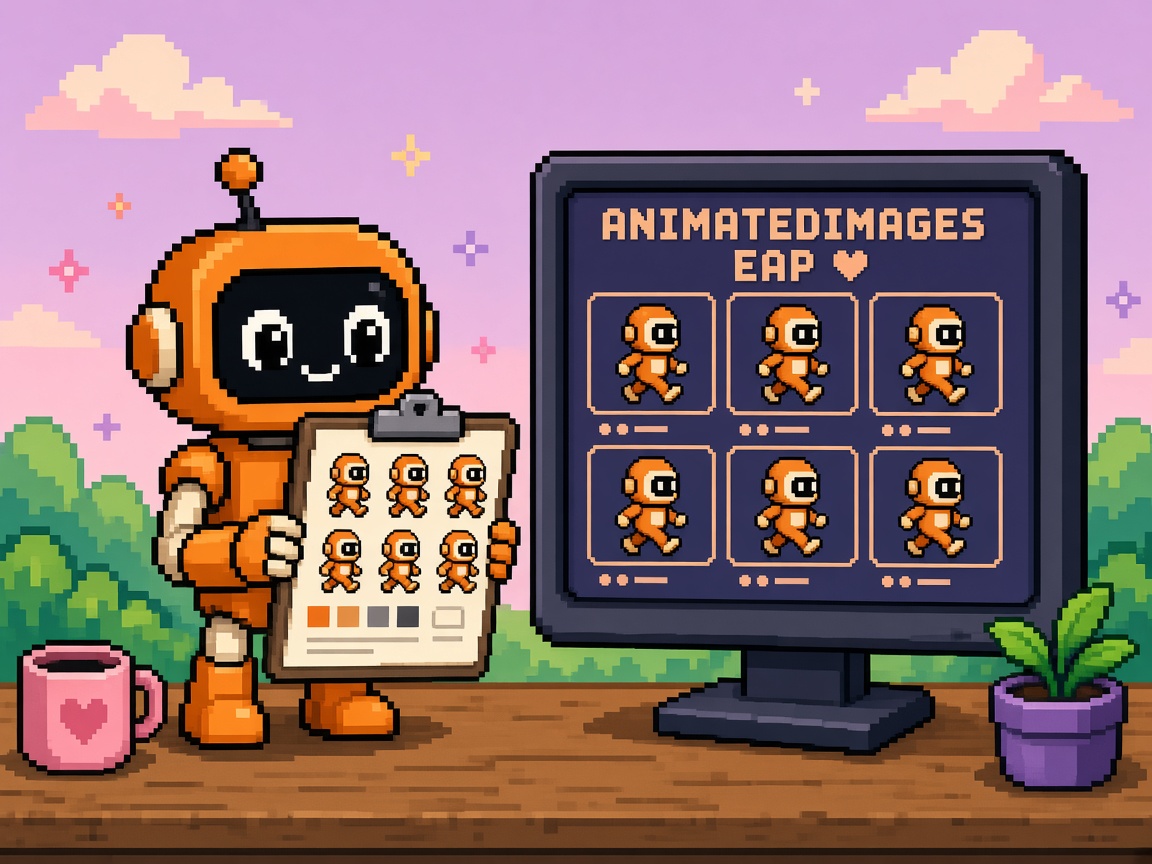
If you searched roblox animatedimages after late October 2026, you do not need another “2D is coming to Roblox” hype paste. You need a map of what Early Access actually unlocked, how Aseprite → AnimatedImage → AnimationPlayer changes the lab pipeline, what still belongs on legacy ImageRectOffset flipbooks for live places, and how this wave pairs with Orthographic Camera Studio Beta without confusing camera beta for publish permission.
Roblox launched Early Access Program - Build 2D Games With AnimatedImages (thread opened ~27 October 2026; first admission wave noted 30 October). Key takeaways: apply for EAP, import .ase in one click, play tracks with a new AnimationPlayer API, build custom clips via AnimatedImageService — and accept that this stack is Studio-only; you cannot publish places with these features yet. The Weekly Recap: October 26–30, 2026 carried the headline. Same Creator Week energy includes Orthographic Camera Studio Beta (Camera.ProjectionType = Orthographic). Ambient tooling context: Roblox Cube.
This page is the what-changed read. It is not Stop Publishing Roblox Live Games on AnimatedImages EAP (the live-publish refusal). It is not Prompt-to-Avatar, IAM GA, or terrain materials. Those own character gen, input tables, and terrain slots. This URL owns the AnimatedImages EAP capability aftermath map for 2D creators.
Why this matters now
For years, “2D on Roblox” meant uploading spritesheets, writing Luau that steps ImageRectOffset / ImageRectSize, and re-implementing timing, looping, and track names in every project — with no first-class import from tools like Aseprite. AnimatedImages EAP attacks that end-to-end: a new AnimatedImage asset type that stores frames plus track metadata and timing; one-click .ase import that keeps Aseprite tags; an AnimationPlayer instance for runtime playback on an ImageLabel; and AnimatedImageService to invent or override tracks from existing frames (limp, sway, etc.).
At the same time, Orthographic Camera Studio Beta removes the “FOV=1 + camera far away” hack for side-scrollers, isometric, and top-down. The two together are why Discord is loud — and why producers confuse “2D feels closer” with “ship the EAP flipbook live tonight.”
Direct answer: If you are admitted to the EAP, lab AnimatedImages on a standalone disposable place. Learn import → AnimationPlayer → custom tracks. Keep live experiences on spritesheet scripts until the publish wall lifts. Pair Orthographic experiments as a separate lab receipt. Re-read the EAP thread the morning you demo to a partner.
Who this read is for
| Audience | Use it to… |
|---|---|
| Beginners | See what AnimatedImage / AnimationPlayer are without shipping folklore |
| Developers | API surface, known issues, legacy vs EAP decision table |
| Creators | Paste a Discord brief that separates lab capability from live art |
| Companies | Diligence — EAP 2D stack exists; publish and TC limits are dated risk |
Time: 30 minutes to read. First lab evening (if admitted): 60–120 minutes.
Honest limit: DevForum is authority. Wave access, API names, and performance guidance can move — staff already warns API names may change (track vs clip).
Non-repetition
| URL | Job |
|---|---|
| AnimatedImages EAP live Stop | Live-publish refusal |
| Prompt-to-Avatar what-changed | Character gen Studio Beta |
| IAM full release what-changed | Input Action Manager GA |
| Custom Terrain Materials what-changed | Terrain materials GA |
| UIShadow what-changed | UI shadow beta |
| Roblox Studio guide | Platform hub |
| 25 free Discord servers | Paste channel |
| Package manager HTTP 403 help | Corporate proxy Studio |
| Orthographic Camera what-changed | Ortho Studio Beta 2D framing map |
| This URL | What AnimatedImages EAP changed for 2D |
For a course-shaped milestone later, keep game development courses as the ladder — this URL stays the trend map.
The one-paragraph version
In late October 2026, Roblox opened an Early Access Program for a new 2D animation ecosystem: import Aseprite (.ase) files into AnimatedImage assets (frames + named tracks + timing), play them with AnimationPlayer on an ImageLabel, and author custom tracks with AnimatedImageService. Creators apply via survey; staff admitted waves starting ~30 October. The stack is Studio-only — Play mode and Device Emulation yes, publish no. Use standalone places; do not save EAP instances into live games; Team Create unsupported; revert EAP before live edits. Known issues include visible compressed frame assets in Asset Manager, space-sensitive track names, a chronological default track, performance limits on large/numerous AnimatedImages, no cross-client playback sync, and possible API renames. Orthographic Camera Studio Beta is a parallel 2D camera path — complementary in lab, not a publish waiver for AnimatedImages.
What existed vs what EAP adds
| Before | After AnimatedImages EAP (lab) |
|---|---|
Upload spritesheets; manual ImageRectOffset / ImageRectSize stepping |
AnimatedImage stores frames + tracks + timing |
| No Aseprite import | One-click .ase import keeps tags / frame timing |
| Per-project timing / loop / track scripts | AnimationPlayer properties + Play/Pause/Stop |
| Custom “limp” timing = rewrite sheet scripts | AnimatedImageService retimes / reorders existing frames |
| Live 2D = same pipeline you ship | Live still = legacy sheets; EAP = Studio-only |
| Pseudo-2D camera via tiny FOV | Orthographic Camera beta (separate feature) |
Unlock bullets (from the EAP post)
- AnimatedImage — asset type for frames + animation tracks + timing.
- One-click
.aseimport — Asset Manager Import, File → Import, or Import queue Add File. - AnimationPlayer — runtime instance on ImageLabel;
AnimationContent,Track,Speed,Loop,AutoPlay,TimePosition,Play()/Pause()/Stop(),Ended/Stopped. - Insert paths — double-click asset in Asset Manager (auto-wires ImageLabel + player) or script
Content.fromUri. - AnimatedImageService —
GetAnimatedImageClipsAsync,GetAnimatedImageClipFramesAsync,AddAnimatedImageClipAsync, change signal; custom tracks save with the place. - Pixelated resampling — sample scripts set
ResamplerMode.Pixelatedfor crisp 2D. - EAP waves — survey required; first wave ~Oct 30; more waves after.
- Studio-only wall — cannot publish places using these features yet.
- Standalone place hygiene — forward compatibility with later Studio Beta not guaranteed.
- Roadmap signal — more import file types + Studio tooling called out as next.
Beginner path — first lab evening (if admitted)
Prerequisites: EAP access on your account (Early Access Programs settings), Roblox Studio, a new blank place, an Aseprite file or the staff sample noob .ase zip from the thread, 60–120 minutes.
Step 0 — Account + place ritual
- Confirm AnimatedImage EAP is listed under Early Access Programs.
- Create
AnimatedImages-EAP-Lab-YYYY-MM-DD— not your live place. - Leave Team Create off.
Step 1 — Import
- Asset Manager → Import (or File → Import).
- Select
.ase. - Confirm an AnimatedImage appears in Asset Manager (expect a companion compressed frames asset — known issue).
Step 2 — Drop into UI
- Double-click the AnimatedImage with nothing selected → Studio builds ScreenGui → ImageLabel → AnimationPlayer.
- Or select an ImageLabel first → inserts AnimationPlayer under it.
- Set ImageLabel
ResampleModeto Pixelated if you want crisp pixels.
Step 3 — Configure a track
- Set
Trackto an Aseprite tag name — including spaces if the tag had spaces (" Idle "≠"Idle"). - Toggle
Loop/AutoPlayas needed. - Press Play mode. Confirm frames advance.
- Try
Speed = 0.5and2.0.
Step 4 — Optional custom track
- Use AnimatedImageService sample pattern: read Run frames, retimed durations,
AddAnimatedImageClipAsyncas"Limp". - Point AnimationPlayer.Track to
"Limp"and Play. - Write a lab receipt — do not publish.
Step 5 — Lab receipt
ANIMATEDIMAGES_LAB_RECEIPT_v1
place: AnimatedImages-EAP-Lab-...
eap_access: yes
ase_imported: yes
animationplayer_playmode: yes
custom_track_tried: yes/no
track_name_spaces_checked: yes/no
publish: NO
live_place_touched: NO
ortho_camera_also_tested: yes/no (separate note)
Beginner pass: One .ase → one AnimationPlayer → one Play mode smoke on a disposable place.
If you are not admitted yet: still read the map, apply via the survey on the DevForum post, and keep production spritesheets. Do not invent access.
Developer path — API and pipeline depth
AnimationPlayer property cheat sheet
| Property / API | Role |
|---|---|
AnimationContent |
Content URI to AnimatedImage |
Track |
Active track name (Aseprite tag / custom) |
CurrentFrame |
Frame index shown |
Enabled |
Player active |
Speed |
Playback multiplier |
Loop |
Repeat |
AutoPlay |
Start on load |
TimePosition |
Seconds |
IsPlaying |
Read-only |
Play() / Pause() / Stop() |
Transport |
Ended / Stopped |
Events |
AnimatedImageService patterns that matter
Staff’s limp/sway examples show the real power: reuse frame names, change durations and order, save a new track on the content, then point AnimationPlayer at it. That is art-direction speed without re-exporting a sheet — but custom tracks are saved with the place, so lab pollution is permanent unless you isolate places.
Legacy spritesheet vs EAP decision
| Need | Prefer |
|---|---|
| Live players must join today | Legacy ImageRectOffset / sheet scripts |
| Partner demo inside Studio Play mode | EAP lab place |
| Marketing trailer filmed from Studio | Lab OK; tag LAB_ONLY |
| Multiplayer frame-sync critical | Legacy (or wait) — EAP playback not synced across clients |
| Huge atlas / many characters | Legacy until staff perf/streaming lands |
| Aseprite tag idle/run/attack fidelity in lab | EAP import |
What “legacy flipbook” still means (so you do not burn the live build)
Until publish opens, your shipping 2D characters still look like this pattern in spirit (exact numbers are yours):
- One
ImageLabel(or batch of them) pointing at a spritesheet image asset. - A small LocalScript that advances
ImageRectOffseton a timer or heartbeat, using a frame width/height you chose at export. - Separate tables or ModuleScripts for
idle/run/attackframe ranges if you need tracks. - Manual loop flags, speed multipliers, and “stop on last frame” logic you wrote yourself.
EAP does not delete that pattern. It labs a future where steps 2–4 become AnimationPlayer + Aseprite tags. The mistake is deleting the ModuleScript on the live place the same week you get EAP access. Keep the ModuleScript green; treat AnimationPlayer as a parallel experiment on another placeId.
Sample lab LocalScript shape (from staff patterns — adapt IDs)
Staff’s insert path creates an ImageLabel, sets ResampleMode = Pixelated, parents an AnimationPlayer with AnimationContent = Content.fromUri("rbxassetid://…"), and often sets Loop / AutoPlay. Your lab script should:
- Resolve the AnimationPlayer under the ImageLabel (or
FindFirstChildWhichIsA). - Connect
Endedif you want track chaining (idle→run). - Set
Trackexactly (spaces included). - Call
Play()after property writes — order matters when AutoPlay is false. - Never commit that script into the live place’s StarterGui until the publish wall lifts.
When you author a custom limp track, you are not exporting a new PNG — you are asking AnimatedImageService for the Run clip’s frames, building a duration table, and AddAnimatedImageClipAsync. That is why place isolation matters: the new track sticks to the place’s saved content.
Orthographic Camera pairing (honest)
Orthographic Camera Studio Beta: enable via File → Beta Features, set Camera.ProjectionType to Orthographic so objects keep size with distance — side-scrollers, isometric, top-down, minimaps. It is part of the same “2D first-class” push, but:
| Feature | Gate type | Publish? |
|---|---|---|
| Orthographic Camera | Studio Beta | Follow that beta’s rules (separate from AnimatedImages EAP) |
| AnimatedImages | Early Access Program | Cannot publish places using it yet |
Lab tip: test ortho camera on a place that still uses legacy sprites first. Add AnimatedImages only on a second lab place. Never argue “ortho beta shipped so EAP publish is fine.”
Known issues (plan around them)
From the EAP post:
- Compressed frames asset visible in Asset Manager (to be hidden later).
- Track names keep Aseprite tag spaces —
" Idle "must match exactly. - A chronological default track exists; not auto-assigned to AnimationPlayer yet.
- Large / numerous AnimatedImages may perform poorly; streaming/opts in progress.
- Playback not synchronized across clients — each client’s Play/Stop is local.
- API names may change (track vs clip unification coming).
KEEP lab / HOLD live (body)
| Decision | When |
|---|---|
| KEEP lab | Any AnimatedImage import, AnimationPlayer, AnimatedImageService write, EAP on |
| HOLD live | Zero EAP instances on live; see the live Stop |
Failure modes
| Failure | Symptom | Fix |
|---|---|---|
| Wrong track string | Blank / stuck frame | Match Aseprite tag including spaces |
| Published hope | Upload blocked / unsafe live | Read Stop; Studio-only wall |
| Live save while EAP on | Non-EAP players cannot play | Restore; EAP off; see Stop |
| TC lockout | Collaborator cannot open | No TC on EAP labs |
| Multiplayer desync | Animations drift per client | Do not depend on sync yet; drive state server-side with legacy or wait |
| Perf cliff | Many AnimatedImages stutter | Reduce count/size; fall back to sheets |
| Forward-compat break | Lab place breaks after later beta | Disposable lab; rebuild |
| Ortho bait | Team ships EAP because camera feels 2D | Separate receipts |
| Default track confusion | Expected AutoPlay of “default” | Assign Track explicitly |
| Asset Manager clutter | Extra compressed asset | Ignore until staff hides; do not delete blindly without docs |
Company / diligence four-liner
- Capability: AnimatedImages EAP adds Aseprite-native 2D tracks + AnimationPlayer (late Oct 2026 DevForum).
- Limit: Studio-only; cannot publish; Team Create unsupported; live-save risk for non-EAP players.
- Adjacent: Orthographic Camera Studio Beta improves 2D camera — separate gate.
- Governance: Lab receipts required; live art remains spritesheet until publish wall lifts.
Discord-ready brief (paste)
AnimatedImages EAP = Aseprite one-click → AnimatedImage → AnimationPlayer (+ custom tracks).
Studio-only — cannot publish yet. Standalone lab. No Team Create.
Track names keep spaces. No cross-client sync yet. Perf still early.
Ortho Camera beta is a different toggle — not a publish waiver.
Live stays on spritesheets. Details: our what-changed + live Stop posts.
What to do Monday
Half-day schedule (admitted creators)
| Block | Minutes | Outcome |
|---|---|---|
| A — Thread + account | 15 | EAP post + Weekly Recap skim; Early Access Programs screenshot |
| B — Standalone place | 10 | New lab placeId; TC off; name dated |
| C — Import smoke | 25 | One .ase in; Asset Manager shows AnimatedImage |
| D — AnimationPlayer | 25 | Play mode; Loop/Speed; one Ended chain |
| E — Custom track | 30 | Limp or Sway style retiming once |
| F — Freeze live | 15 | Explorer search live for AnimationPlayer = 0 |
| G — Discord + receipt | 10 | Paste brief; fill ANIMATEDIMAGES_LAB_RECEIPT_v1 |
If you are waiting on a wave: spend Monday on Orthographic Camera lab with legacy sprites only, finish the survey, and harden your spritesheet ModuleScript tests — do not idle the calendar on “maybe we get EAP Thursday.”
Checklist (all creators)
- Re-open the EAP announcement for wave / known-issue updates.
- Check Early Access Programs on your account; apply if not in.
- If admitted: run the beginner lab evening on a new place.
- Log
ANIMATEDIMAGES_LAB_RECEIPT_v1. - Skim Orthographic Camera beta — separate lab if you care about projection.
- Confirm live place has zero AnimationPlayer (pair with the Stop).
- Decide which characters stay on spritesheets for the next live milestone.
- Paste the Discord brief so FOMO does not rewrite the calendar.
- Note API rename risk in any internal wrapper you write.
- Re-check before any “2D launch” invite.
Key takeaways
- AnimatedImages EAP brings Aseprite import, AnimatedImage assets, AnimationPlayer, and AnimatedImageService.
- Studio-only — cannot publish places with these features yet.
- Waves + survey — first admissions ~30 Oct 2026; access ≠ ship.
- Standalone labs — forward compatibility not guaranteed; no Team Create.
- Track names preserve spaces from Aseprite tags.
- Custom tracks retime existing frames via AnimatedImageService — place-saved.
- No cross-client playback sync — plan multiplayer honestly.
- Perf may struggle with large/numerous AnimatedImages for now.
- Orthographic Camera beta pairs thematically; separate publish rules.
- Live art remains legacy spritesheets until the wall lifts — see the Stop.
- API names may change — avoid brittle wrappers.
- This URL is the capability map — the Stop owns the refusal.
FAQ
What are Roblox AnimatedImages?
AnimatedImage is a new asset type in Early Access that stores image frames together with animation tracks and timing — aimed at 2D flipbook workflows, especially from Aseprite.
How do I import Aseprite files?
With EAP access, import .ase via Asset Manager Import, File → Import, or the Import queue. Tags and frame timing come along as tracks.
What is AnimationPlayer?
A runtime instance (typically under an ImageLabel) that plays an AnimatedImage track with properties like Speed, Loop, AutoPlay, and methods Play/Pause/Stop.
Can players join a published game using AnimationPlayer today?
No. Staff: Studio-only during Early Access; you cannot publish places with these features yet. See the live Stop.
How does this differ from ImageRectOffset flipbooks?
Legacy flipbooks are manual spritesheet math you can ship today. EAP moves metadata into the asset and gives a first-class player/service — but only in Studio for now.
Why doesn’t my Track name work?
Aseprite tag spaces are preserved. " Idle " must be spelled exactly. Also assign Track explicitly; the chronological default track is not auto-selected.
Are animations synced for all players?
Not yet. Playback is not synchronized across clients; Play/Stop on one client does not drive others frame-for-frame.
Should I enable Orthographic Camera with AnimatedImages?
You can lab both, but treat them as separate gates. Orthographic is a Studio Beta on Camera projection; AnimatedImages is an EAP with a publish wall.
Is Team Create supported?
No for this EAP — unexpected behavior and access loss for non-EAP creators. Use standalone places.
What should companies write in diligence notes?
Date the EAP, name Aseprite→AnimationPlayer capability, quote Studio-only / cannot-publish, note live-save risk and TC ban, separate Orthographic Camera beta status.
Will my EAP lab place keep working forever?
Staff: places saved with AnimationPlayer during EAP are not guaranteed forward compatible with a later Studio Beta. Keep labs disposable.
Where is the refusal if my team wants to publish tonight?
Stop Publishing Roblox Live Games on AnimatedImages EAP - 2026.
Can I use AnimatedImageService without Aseprite?
You need an AnimatedImage content source first (typically from .ase import in this EAP). Service APIs retarget frames inside that content — they are not a general “make sprites from nothing” tool.
Should wrappers hide Track/clip naming?
Keep wrappers thin. Staff said track and clip language may unify and API names may change. A one-line adapter you can rewrite in ten minutes beats a framework that freezes EAP vocabulary into your live codebase.
What pixel settings should ImageLabels use?
Staff samples set ResamplerMode = Pixelated for crisp 2D. That is a lab default worth copying; confirm it matches your art (some soft UI atlases still want default filtering).
Related reading
- Early Access Program - Build 2D Games With AnimatedImages (primary)
- Studio Beta - Orthographic Camera
- Weekly Recap: October 26–30, 2026
- Stop Publishing Roblox Live Games on AnimatedImages EAP
- Input Action Manager what-changed
- Prompt-to-Avatar what-changed
- Custom Terrain Materials what-changed
- Roblox Studio guide
- 25 free game development Discord servers
- Package manager HTTP 403 help
- Game development courses
- Roblox Cube
Import the .ase on a lab copy. Learn the player API. Keep live on sheets until Roblox lifts the wall — capability without a publish ticket is still only a lab win.