

What Promoting Roblox Avatar Items Off-Platform Changed - 2026
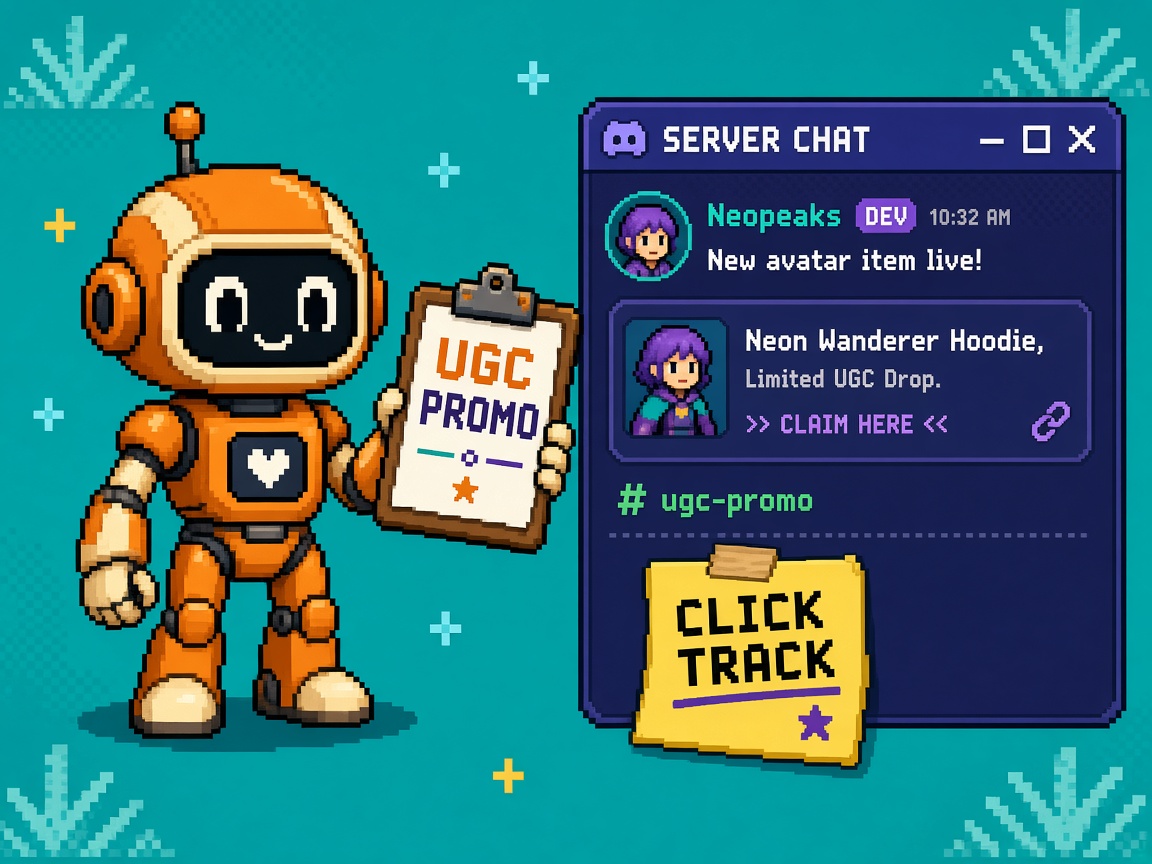
If you searched roblox avatar items off platform after Roblox shipped Promote Your Avatar Items Off-Platform and Track Every Click on 30 October 2026, you do not need another “finally track Discord drops” hype paste. You need a what-changed map: what Marketplace Links actually unlock, how they differ from raw catalog URLs and experience share links, what analytics mean (and what they do not), and which attribution / policy traps to lock before you blast UGC links across social.
Primary source: Promote Your Avatar Items Off-Platform and Track Every Click. Official docs: Share links and Marketplace. Same-week context: Weekly Recap: October 26 — 30, 2026. Ambient: Roblox Cube. Related program note same week: Timed Options / rental sunset messaging — do not confuse with Marketplace Links.
This page is the capability / honesty map for off-platform avatar item promotion with tracking. It is not Prompt-to-Avatar what-changed (gen beta). It is not Home Layout Test Stop (discovery chrome). Those own generation and Home IA. This URL owns Marketplace Links aftermath.
Why this matters now
Creators already promote items on Discord, X, TikTok, and storefronts. Until now, a raw catalog URL often failed to land people on the right item — especially on mobile — and there was no first-party way to see what happened after the click. Staff launched Marketplace Links: trackable share links for your avatar assets and bundles, created in Creator Dashboard, opening straight to the item on web or in the Roblox app, with per-link analytics for clicks, unique clickers, purchases, Robux spend, and conversion.
That is a real monetization unlock for UGC teams. It is also a trap if you treat “Track Every Click” as omniscient attribution, paste one generic link across every channel, ignore the 20 active links per item ceiling, or claim someone else’s catalog with a link you cannot legally create.
Direct answer: Create Marketplace Links only for items you or your group published. Use separate labeled links per channel (up to 20 active per item). Read analytics on a ~1-day lag / 90-day window. Remember deleted links still open the item but stop recording. Authenticated users only. If you only remember one sentence: channel-labeled Marketplace Links replace hope-based Discord blasts — not policy waivers.
Who this map is for
| Audience | Use it to… |
|---|---|
| Beginners | First link create + Discord paste without folklore |
| Developers / ops | Channel matrix, analytics cadence, group perms |
| Creators | Paste a campaign unlock card |
| Companies | Diligence — attribution honesty + TOU/ads standards |
Time: 30–45 minutes for first link + channel labels; ongoing for weekly analytics review.
Honest limit: DevForum + Creator Hub docs are authority. Community Standards / Advertising Standards still bind off-platform promos. Re-read before you freeze a brand campaign.
Non-repetition
| URL | Job |
|---|---|
| IP Marketplace Licenses what-changed | Official IP UGC lane — different from promo links |
| Prompt-to-Avatar what-changed | Avatar gen capability |
| Prompt-to-Avatar live Stop | Gen beta publish refusal |
| Home Layout Test Stop | Test Home chrome ≠ GA |
| Inspect live server Team Test what-changed | Team Test Server Inspection beta |
| Plugin screenshot checks | Studio widget capture |
| Studio deep links what-changed | Server stack → Studio |
| Roblox Studio guide | Platform hub |
| HTTP 403 help | Corporate proxy |
| 25 free Discord servers | Paste channel |
| Courses | Learning ladder |
| This URL | Off-platform avatar Marketplace Links map |
What changed (plain)
| Before | After (Oct 30, 2026) |
|---|---|
| Raw catalog URLs / guesswork | Marketplace Links with tracking |
| Mobile often lost the item | App-aware deep open + install path |
| No first-party post-click view | Clicks, unique clickers, purchases, spend, CVR |
| One anonymous paste everywhere | Up to 20 active links per item for channel splits |
| Experience share links only story | Parallel Marketplace share-link type |
| “Someone else’s item” promo links | Own / group-published only |
How to create a Marketplace Link (beginner path)
- Open Creator Dashboard.
- Path A: Creations → Share Links → Marketplace Links → Create link → pick item or enter asset/bundle ID.
- Path B: Avatar item list → item menu → create share link (item pre-selected).
- Copy the generated link immediately.
- Label it in your spreadsheet: channel + date + creative (Dashboard labels matter for compare).
- Paste only that channel’s link in that channel.
- Wait ~1 day before judging empty analytics.
Beginner done: You have one Discord-labeled link and one TikTok-labeled link for the same item — not one URL everywhere.
What’s supported
| Supported | Notes |
|---|---|
| Avatar assets (accessories, clothing, etc.) | Your / group publish |
| Bundles | Same ownership rules |
| Paid and free items | Both track |
| Group items | Need permission to configure group avatar items; create from group account per docs |
What’s not
| Not supported | Why it matters |
|---|---|
| Someone else’s items | FAQ: only items you or your group published |
| Infinite unlabeled links | Cap 20 active per item |
| Instant same-hour analytics | Daily update lag |
| Tracking logged-out browsers as buyers | Authenticated users only for tracking |
Where the link takes people
Staff / docs routing:
| Context | Behavior |
|---|---|
| Desktop | Opens item page on Roblox website |
| Mobile + app installed | Opens item directly in app |
| Mobile without app | Guides install, then to item |
| Off-sale / sold out | Still opens item page in off-sale state |
| Moderated / deleted | Opens Marketplace (not a magic restore) |
| Deleted link | Still opens item; stops recording clicks/purchases |
Analytics map (developer / ops)
| Metric | Meaning |
|---|---|
| Clicks | Total times the link was opened |
| Unique clickers | Distinct people who opened it |
| Purchases | Purchases attributed through the link |
| Spend | Total Robux on those purchases |
| Conversion rate | Purchases ÷ unique clickers |
Windows: up to 90 days daily data; filter by link.
Cadence: analytics update once a day — a new link may take about a day to show results.
Auth: only authenticated users are tracked.
Attribution honesty (non-negotiable)
| Claim | Allowed? |
|---|---|
| “This Discord link’s CVR was X% last week.” | Yes — if filtered to that link |
| “All sales came from TikTok because vibes.” | No without link split |
| “Clicks = logged-out + logged-in everyone.” | No — authenticated tracking |
| “Deleted link still tracks.” | No — opens but stops recording |
| “Marketplace Link = Sponsored Items.” | No — different product |
| “Experience share link metrics apply 1:1.” | No — different analytics set |
Channel matrix (Monday campaign)
| Channel | Create separate link? | Label example |
|---|---|---|
| Discord drop | Yes | discord-main-2026-11-01 |
| X / Twitter | Yes | x-pin-2026-11-01 |
| TikTok bio | Yes | tiktok-bio-hoodie |
| Instagram story | Yes | ig-story-drop1 |
| Email / newsletter | Yes | email-nov-drop |
| Affiliate / partner | Yes (if your item) | partner-acme |
| Generic “linktree dump” | Prefer split | Avoid one mega-link |
Hit 20 active? Retire dead channels (delete) or stop opening new variants until you prune. Deleted links stop metrics — archive the final numbers first.
Policy traps (creators + companies)
Off-platform promo still sits under Roblox Community Standards, Terms of Use, and Advertising Standards when the content is advertising. Marketplace Links do not waive disclosure, misleading claims, or prohibited promo patterns.
| Trap | Symptom | Lock |
|---|---|---|
| Fake scarcity | “Last 3!!” when unlimited | Honest stock language |
| Impersonation / stolen UGC | Linking items you don’t own | Ownership gate |
| Undisclosed ads | Paid boost looks organic | Ad disclosure where required |
| Guarantee language | “Will be limited forever” | Match actual item settings |
| Cross-item bait | Link A, sell B | One honest destination |
| Minor-targeted dark patterns | Aggressive urgency spam | Age-appropriate promo |
| Confusing Timed Options sunset | Same-week rental news | Separate playbook |
| Experience LaunchData myths | Expecting join perks on Marketplace Links | Those are experience share links |
Marketplace Links vs experience share links
| Marketplace Links | Experience share links | |
|---|---|---|
| Target | Avatar items / bundles | Games / experiences |
| Create for | Own / group avatar items | Your experiences |
| Active cap | Up to 20 per item | Docs: no per-game link limit stated the same way |
| Extra | Item deep open + purchase metrics | Can use LaunchData for in-game perks |
| Analytics focus | Clicks, purchases, spend, CVR | Acquisition / engagement style metrics |
Do not paste an experience share link when you mean an item drop — and do not expect LaunchData perks from a Marketplace Link.
Sponsored items vs Marketplace Links
| Sponsored items | Marketplace Links | |
|---|---|---|
| Where | In-Marketplace discoverability | Off-platform social / friends |
| Pay | Ad budget | Link creation itself is the tracking tool |
| Job | Audience inside Roblox | Bring external traffic to your item |
You can use both. They answer different questions.
Replaces vs supplements
| Old habit | Status after Oct 30 |
|---|---|
| Raw catalog URL in Discord | Supplemented / largely replaced by Marketplace Links |
| “We have no idea which channel worked” | Replaced if you split links |
| Guess mobile deep-link pain | Improved by app-aware routing |
| Experience share links for UGC drops | Wrong tool — use Marketplace Links |
| Sponsored Items only | Supplemented — still valid in-Marketplace |
| Claiming omniscient multi-touch attribution | Still unavailable — be honest |
Beginner Monday path
| Block | Minutes | Outcome |
|---|---|---|
| A | 10 | Read DevForum + Share links docs |
| B | 10 | Create link for one live item |
| C | 10 | Duplicate for Discord vs TikTok labels |
| D | 10 | Update drop message templates |
| E | 10 | Spreadsheet: link ID ↔ channel |
| F | 15 | Schedule day-2 analytics check |
Developer / ops depth
Group permission checklist
- Confirm item is group-published.
- Confirm role has Configure avatar items (docs wording).
- Create the Marketplace Link from the group account as required.
- Store who has delete rights — deleted links kill tracking.
- Document ownership in the campaign brief.
Day-2 analytics ritual
- Open Marketplace Links analytics for each active campaign link.
- Record clicks, unique clickers, purchases, spend, CVR.
- Kill or rewrite creatives underperforming after fair sample.
- Never judge a link created “this morning” as dead — wait for daily update.
- Export / screenshot weekly for partner reports (90-day window awareness).
KEEP split links / HOLD vanity metrics (body)
| Decision | When |
|---|---|
| KEEP one link per major channel | Always for serious drops |
| HOLD “all sales from Discord” without filter | Forever |
| KEEP ownership check before create | Always |
| HOLD deleting links before archiving metrics | Until numbers saved |
| KEEP TOU / ads standards review | Paid or aggressive promos |
Failure modes
| Failure | Symptom | Mitigation |
|---|---|---|
| One link everywhere | Useless channel compare | Split to 20 max |
| Wrong ownership | Can’t create / policy risk | Own/group only |
| Impatient analytics | False “zero” | Day lag |
| Deleted too early | Lost history | Archive first |
| Experience link confusion | Wrong destination | Tool matrix |
| Off-sale panic | “Link broken” | Opens off-sale state |
| Moderated item | Lands on Marketplace | Fix item, not only link |
| Logged-out folklore | Inflated expectations | Auth-only tracking |
Excuse ladder
| Excuse | Why it fails | Fix |
|---|---|---|
| “Catalog URL is fine.” | Mobile/dead ends + no metrics | Marketplace Links |
| “We’ll compare channels later.” | One link = no compare | Split now |
| “Clicks include everyone.” | Authenticated only | Honesty |
| “Deleted link still tracks.” | Staff: no | Archive then delete |
| “I can link any Marketplace item.” | Own/group only | FAQ |
| “This replaces Sponsored Items.” | Different surface | Both optional |
| “LaunchData works on item links.” | Experience links | Wrong tool |
Company / diligence four-liner
- API / product: Marketplace Links for own avatar items/bundles with per-link analytics (Oct 30, 2026).
- Control: Channel-labeled links (≤20 active/item); group configure permission; daily analytics cadence.
- Limit: Authenticated tracking; ~1-day lag; 90-day window; not Sponsored Items; TOU/ads still apply.
- Evidence: Campaign spreadsheet link↔channel + weekly CVR screenshots.
Discord-ready brief (paste)
Marketplace Links (Oct 30, 2026):
Creator Dashboard → Share Links → Marketplace Links (or item menu).
Own/group items only. Up to 20 active links per item — one per channel.
Tracks clicks, unique clickers, purchases, Robux spend, CVR (daily lag).
Deleted link still opens item but stops tracking. Auth users only.
What to lock this week
- Create Marketplace Links for active drop SKUs.
- Split Discord / TikTok / X at minimum.
- Spreadsheet of link ↔ channel ↔ creative.
- Group permission verified if needed.
- Day-2 analytics calendar invite.
- Drop templates updated (no raw catalog URLs).
- Partner report template with CVR definition.
- TOU / ads disclosure review for paid posts.
- Separate Timed Options sunset workstream if rentals affected.
- Archive ritual before deleting links.
Producer one-pager (paste into Notion)
Title: Off-platform avatar Marketplace Links — what we can claim
Can: Trackable deep links to our items; channel A/B via ≤20 links; purchase/spend/CVR views.
Cannot: Track others’ items; omniscient multi-touch; instant same-hour stats; waive ad standards; LaunchData perks.
Owner: UGC / growth lead.
Revisit trigger: Docs change on caps, auth tracking, or new Marketplace promo surfaces.
If marketing needs a public sentence today, use: “We now use Roblox Marketplace Links so each social channel has its own trackable path to our avatar items — clicks and purchases are measured per link, not guessed.” Anything that says “we track every anonymous tap forever” fails diligence.
Sample campaign receipt
MARKETPLACE_LINK_CAMPAIGN_RECEIPT_v1
date:
item_asset_or_bundle_id:
owner_account: user|group
links_active:
  - channel: discord / id: / label:
  - channel: tiktok / id: / label:
day2_analytics_reviewed: yes/no
cvr_notes:
deleted_links_archived: yes/no/na
tos_ads_review: yes/no
signer:
Key takeaways
- Oct 30, 2026 launched Marketplace Links for avatar items/bundles.
- Create from Share Links → Marketplace Links or item menu.
- Own / group-published items only.
- Up to 20 active links per item — split by channel.
- Desktop → web item; mobile → app or install path.
- Analytics: clicks, unique clickers, purchases, spend, CVR.
- ~1 day update lag; 90 days history.
- Authenticated users tracked.
- Deleted links open item but stop metrics.
- Off-sale links still open off-sale state.
- Not the same as experience share links / LaunchData.
- Not the same as Sponsored Items.
- TOU / Community / Advertising standards still apply.
- Attribution honesty > vanity “Track Every Click” slogans.
- Separate Timed Options sunset if relevant.
- Re-read docs when caps or analytics change.
FAQ
What are Roblox Marketplace Links for avatar items?
Trackable share links you create in Creator Dashboard for your avatar assets and bundles so off-platform posts open the item and record performance metrics (announced 30 October 2026).
How do I create one?
Creator Dashboard → Creations → Share Links → Marketplace Links, or from an avatar item’s menu. Select item / enter asset or bundle ID → generate.
Can I link someone else’s item?
No. Only items you or your group published (with configure permission for group items).
How many links per item?
Up to 20 active Marketplace Links per item — use separate links per channel.
What metrics do I get?
Clicks, unique clickers, purchases, Robux spend, and conversion rate (purchases ÷ unique clickers), with up to 90 days of daily data.
Why are my analytics empty?
Analytics update about once a day. New links may take a day to show results. Also only authenticated users are tracked.
What if I delete a link?
It can still open the item, but it stops recording clicks and purchases. Archive numbers first.
What if the item goes off-sale?
The link still opens the item page in its off-sale state; purchases resume when it is back on sale.
Is this the same as experience share links?
No. Experience links promote games (and can use LaunchData). Marketplace Links promote avatar items/bundles with purchase-oriented metrics.
Do Marketplace Links replace Sponsored Items?
No. Sponsored Items boost in-Marketplace discovery with budget. Marketplace Links track off-platform traffic to your item.
Do I still need to follow advertising rules off-platform?
Yes. Links do not waive Community Standards, Terms of Use, or Advertising Standards for promotional content.
Should every Discord message use a different link?
Not every message — but every channel / campaign should. One Discord server drop can share one Discord-labeled link; TikTok needs another.
Related reading
- Promote Your Avatar Items Off-Platform and Track Every Click (primary)
- Share links
- Marketplace documentation
- Promotion overview
- Weekly Recap: October 26 — 30, 2026
- What Roblox IP Marketplace Licenses Changed for Avatar Creators
- What Roblox Prompt-to-Avatar Changed for Creators
- Stop Treating Roblox New Home Layout Test as Live UX
- What Inspecting Roblox Live Servers During Team Test Changed
- 12 Free Roblox Plugin Screenshot Checks
- Roblox Studio guide
- 25 free Discord servers
- HTTP 403 help
- Game development courses
- Roblox Cube
Off-platform UGC promo finally has first-party click-to-purchase tracking — if you split channels, respect ownership, and wait a day for the numbers. Print the 20-link channel matrix next to your drop calendar so FOMO cannot paste one anonymous catalog URL into five networks and call it attribution.